

GM Forward Collision Alert Light: 2013-2024 Cadillac, Buick & More - 'System Reduced' Message Explained
This guide explains the common 'Forward Collision System Reduced' message and diagnoses the red flashing warning light on many Cadillac and Buick models.
- The 'Forward Collision System Reduced' message is usually not a fault, but a settings issue. Change the system to 'Alert and Brake' mode to fix it.
- This part is ONLY the red flashing warning light projector, not the main Head-Up Display (HUD) for speed.
- True failure is when the red light doesn't flash but you still get other warnings like beeps or seat vibrations.
- Before buying a replacement, always clean the windshield camera and front radar sensor to rule out simple obstructions.
Is Your Forward Collision Alert System Really Broken?

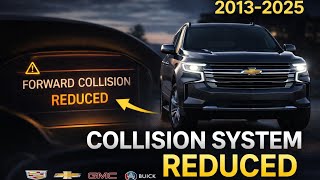
For a majority of owners seeing a warning message, the issue is not a broken part. General Motors has issued technical service bulletins regarding a common point of confusion. Many drivers report seeing a "Forward Collision System Reduced" or similar message on the driver information center (DIC), or an amber warning icon is illuminated. This is often caused by the system's settings, not a fault.
In the vehicle's infotainment settings, the Forward Automatic Braking (FAB) or Front Pedestrian Braking (FPB) can be set to "Off," "Alert," or "Alert and Brake". If the system is set to "Alert" only, it disables the automatic braking function. The vehicle displays the "System Reduced" message to inform the driver that the full capability of the system is not active. This is considered normal operation. To clear the message, you must go into the vehicle's settings menu under "Collision/Detection Systems" and change the setting to "Alert and Brake".
🎬 Watch this quick fix for the Forward Collision System Reduced messagePro Tip: Before assuming the warning light projector or any other part has failed, check your vehicle's settings menu. Changing the Forward Collision System setting from "Alert" to "Alert and Brake" resolves the "System Reduced" message for most owners.
Symptoms of a Failed Dash Indicator Light


If you've confirmed your settings are correct, a true failure of the warning light projector or its related system will show different symptoms. These can range from minor annoyances to critical safety failures.
1. No Red Flashing Light During an Alert
The most obvious symptom of a failed projector is the complete absence of the flashing red lights on the windshield during a Forward Collision Alert event. If you hear the audible beeps or feel the Safety Alert Seat vibrate but see no lights, the projector module itself (or its wiring) has likely failed. This is a critical failure as it removes the primary visual warning of the safety system.
2. System Unavailable or Disabled Message
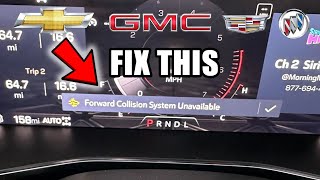
A persistent "Forward Collision System Unavailable" message that does not clear after a restart can indicate a fault. While this can be caused by the projector, it is more commonly caused by issues with the system's sensors. Common causes include:
- Obstructed Sensors: The forward-looking camera at the top of the windshield or the radar sensor in the front grille/bumper can be blocked by dirt, snow, ice, or even heavy rain and sun glare. Cleaning these areas often resolves the issue. 🎬 See how to fix a Forward Collision System Unavailable warning
- Sensor Misalignment: A minor fender bender or even a windshield replacement can knock the camera or radar out of its precise alignment, causing the system to disable itself. This requires professional recalibration.
- Low Battery Voltage: A weak or failing 12V battery can cause various electronic modules, including the FCA system, to act erratically and post warning messages.
3. Dim or Flickering Light
If the red warning lights appear dim, flicker, or only partially illuminate, it points to a failing LED or a problem with the projector's internal electronics. This reduces the effectiveness of the warning, especially in bright daylight.
Known Issues, TSBs, and Recalls

While there are no widespread recalls specifically for this light projector, several Technical Service Bulletins (TSBs) address the overall system's operation.
- TSB PIT5551R & 22-NA-126: These bulletins address the "Forward Collision System Reduced" message and the amber AEB (Automatic Emergency Braking) icon. They instruct technicians to inform customers that this is normal when the system is set to "Alert" only and to change the setting to "Alert and Brake" to restore full functionality and clear the message. These bulletins apply to nearly all vehicles covered in this guide, including the Cadillac ATS, CTS, CT4, CT5, CT6, and Buick Enclave and Envision.
As of this writing, no safety recalls have been issued by the NHTSA specifically for the failure of this warning light projector on these vehicles.
Buying a Used Dash Indicator Light
If you have diagnosed a faulty projector, a used OEM part can be a cost-effective solution. Aftermarket replacements for this specific part are generally not available. Here’s what to look for:
- Verify the Diagnosis: First, be absolutely certain the projector is the problem. Confirm you hear other alerts (beeps/seat vibration) during a test. If the entire FCA system is down, a new projector won't fix it.
- Match Part Numbers: This part has several OEM numbers that supersede each other (e.g., 22979552 was replaced by 23314313, then 23470683, and finally 84151451). Always match your original part number or a confirmed replacement number to ensure compatibility. A seller specializing in recycled OEM parts can help verify fitment.
- Inspect the Lens: Check the projector's lens for deep scratches, hazing, or cracks. Damage to the lens can distort the projected light and reduce its visibility.
- Check the Connector: Ensure the electrical connector and any pins are clean, straight, and free of corrosion. Damaged pins can prevent the part from working.
- Ask About the Donor Vehicle: Knowing the mileage of the vehicle the part came from can be helpful, but as this is an LED component, it's less critical than with mechanical parts. The main concern is physical and electronic integrity.
Cost to Replace Forward Collision Alert Light
The cost can vary significantly based on the part source and who performs the labor.
| Item | Estimated Cost |
|---|---|
| New OEM Projector | $40 - $300 |
| Used OEM Projector | $25 - $100 |
| Shop Labor | $150 - $300 |
| Total (DIY with Used Part) | $25 - $100 |
| Total (Shop Repair with New Part) | $190 - $600 |
(Prices are estimates and may vary based on location, vehicle model, and supplier.)
Replacement Difficulty: 3/5
Replacing this projector typically requires removing the instrument cluster surround or the upper dashboard trim panel. While it doesn't usually require specialized tools beyond basic trim removal tools and sockets, working around the dashboard can be tricky and risks damaging cosmetic panels. It is a feasible DIY for an experienced home mechanic.
Warning: Before beginning any work, disconnect the negative terminal of the 12V battery to prevent electrical shorts and protect the vehicle's sensitive electronic modules.
Vehicle and Part Compatibility
This warning light projector is shared across many GM vehicles but has specific compatibility requirements.
- Head-Up Display (HUD) Required: This part is typically only installed on vehicles that were originally equipped with the Head-Up Display (HUD) package. The wiring and dash cutout may not be present on non-HUD vehicles.
- 2014 Cadillac CTS: For 2014 models, this part fits the "New Body Style" CTS. You can verify this by checking the 4th digit of your Vehicle Identification Number (VIN). If it is 'A', you have the new body style this part fits.
Frequently Asked Questions
Why does my dash say 'Forward Collision System Reduced'?
This is most likely because your system is set to "Alert" mode instead of "Alert and Brake" in the vehicle's settings menu. This is normal behavior to inform you that automatic braking is off. Changing the setting to "Alert and Brake" should make the message disappear.
Is it safe to drive with the Forward Collision Alert light on?
Yes, the vehicle's primary functions like steering and braking will operate normally. However, you will not receive visual warnings of a potential collision, and if the system is disabled, automatic emergency braking will not function. It is a safety risk, and the issue should be addressed promptly.
Is the flashing red light the same as the Head-Up Display (HUD)?
No. This part is only a warning indicator that flashes red lights. The main Head-Up Display (HUD) projects a variety of information like speed and navigation and is a separate, more complex component.
How do I fix a 'Forward Collision System Unavailable' message?
First, thoroughly clean your front windshield in front of the rearview mirror and the front grille/bumper area where the radar sensor is located. The message often appears due to dirt, snow, or heavy rain blocking the sensors. If cleaning doesn't help, the system may need professional diagnosis and possible recalibration.
Helpful Videos
Technical Specifications
OEM Part Numbers: 20968168 22979552 23314313 23370882 23470683 84151451 84208369
LED projector for windshield reflection. Part of the Forward Collision Alert system. Requires vehicle to be equipped with the Head-Up Display (HUD) option package.
We Have This Part in Stock



The information in this article is provided for general reference and educational purposes only. Vehicle specifications, procedures, and part compatibility can vary by production date, trim level, and region. Always consult your vehicle's factory service manual and verify part numbers before purchasing or performing repairs. Safety-critical components such as airbags, seat belts, and braking systems should be installed by a qualified professional.
- Cadillac CTS:
- Buick Enclave:
- Buick Encore:
- Buick Encore GX:
- Buick Envision:
- Cadillac ATS:
- Cadillac CT4:
- Cadillac CT5:
- Cadillac CT6:
- 🎬 Helpful Videos
- 🛍️ Shop This Part
- Is Your Forward Collision Alert System Really Broken?
- Symptoms of a Failed Dash Indicator Light
- 1. No Red Flashing Light During an Alert
- 2. System Unavailable or Disabled Message
- 3. Dim or Flickering Light
- Known Issues, TSBs, and Recalls
- Buying a Used Dash Indicator Light
- Cost to Replace Forward Collision Alert Light
- Replacement Difficulty: 3/5
- Vehicle and Part Compatibility
- Frequently Asked Questions
- 🎟️ Get 5% Off