

2010-2012 Ford Flex Control Panel (FCIM): A Guide to Failures, Part Numbers, and Replacement
This in-depth guide explains common failures of the radio and climate control panel, clarifies the critical importance of matching part numbers for navigation models, and details replacement requirements.
- For vehicles with factory navigation, you MUST match the part number (usually AA8T-18A802-BA) exactly for the replacement to work.
- This part is the Front Controls Interface Module (FCIM); it is the button panel, not the 8-inch screen above it.
- If you match the part number, programming is typically not required, making it a plug-and-play swap.
- Common failure symptoms include dead buttons and erratic climate control, while steering wheel controls may still work.
Symptoms of a Failing 2010-2012 Flex Control Panel

A failing Front Controls Interface Module (FCIM) can cause a variety of frustrating issues. It's important to distinguish FCIM failures from problems with other related modules, like the screen (APIM) or the radio receiver (ACM).
- Unresponsive Buttons: The most common symptom is when the physical buttons and/or capacitive touch buttons on the panel stop working entirely. Often, the controls on the steering wheel will still function, but the main console will not.
- Intermittent Operation: The controls may work sporadically. Some owners report that the panel fails in hot weather and begins working again after the vehicle's interior cools down.
- Erratic Climate Control: The fan speed may change on its own, the temperature may fluctuate, or the system may turn itself on and off randomly. 🎬 Watch this video on running an electronic temperature diagnostic test.
- System-Wide Failure: In some cases, the entire panel will seem dead with no lights or response from any button.
- Error Messages: The main display screen might show an error message like "Temporarily Lost Connection With Climate Control," indicating a communication breakdown with the FCIM.
Pro Tip: A blank or black screen is usually NOT a symptom of a bad FCIM. The screen itself is a separate part (the FDIM or APIM). 🎬 See how to remove the display screen for repair. While related, a blank screen more often points to a failure of the APIM module or a software glitch that may be resolved with a system reset.
Buying a Used Control Panel: The Definitive Guide

Purchasing a used FCIM is a cost-effective solution, but compatibility is absolutely critical. Getting the wrong part will result in a non-functional unit. Follow these rules to ensure you buy the right part once.
The Golden Rule: Match Your Part Number EXACTLY
This is the most important step. You must remove your original control panel to find the engineering part number printed on a sticker on the back. For vehicles with the factory 8-inch navigation system, the most common part number is AA8T-18A802-BA. Other numbers exist for different option packages, such as AA8T-18A802-CB (Dual Zone Control) or BA8T-18A802-AC.
Warning: If you are replacing a panel in a vehicle with factory navigation and the Sony premium audio system, you MUST match the part number AA8T-18A802-BA. Sellers of these parts explicitly warn that even if a different panel looks identical and has the same connectors, it will not work correctly because the "data streams" for controlling the external amplifier and other features are different.
Physical Inspection Checklist
When inspecting a used part, look for:
- Connector Pins: Check for any bent, broken, or corroded pins in the electrical connectors.
- Button and Surface Wear: Look for excessive wear on the buttons and faceplate. While cosmetic, it can indicate heavy use.
- No Signs of Liquid Damage: Stains or stickiness can indicate a spilled drink, a common cause of electronic failure. Some owners report failures after using cleaning products directly on the controls.
Programming and Installation Requirements

Does a used control panel need to be programmed?
This is the most common question, and the answer is nuanced:
- If you buy a used panel with the EXACT same part number as your original, it is typically plug-and-play. No programming or dealer visit is required.
- If you use a panel with a DIFFERENT part number, it will likely need to be programmed to work correctly. The panel stores 'As-Built Data' that tells it which features your car has. An incompatible module may not know how to operate your specific climate control, audio amplifier, or other options.
Programming can be done by a Ford dealer using their IDS software or by an advanced DIYer or independent shop using a tool called FORScan. Using FORScan, the As-Built Data from the original module can be downloaded from Ford's service site (using your VIN) and written to the replacement module. However, the simplest path is always to match the part number.
Replacement Overview
Replacing the FCIM is a moderately difficult job that requires careful disassembly of the center console. While it doesn't require special tools beyond a 7mm socket and trim removal tools, it is time-consuming.
- Difficulty: 3 out of 5
- Estimated Time: 1.5 - 2.5 hours
- DIY Feasible: Yes, for those comfortable with removing interior trim panels.
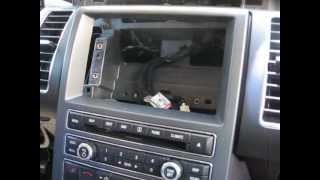
The general process involves removing the trim around the shifter and cup holders, the side panels of the center console, and the trim piece above the screen to access all the 7mm mounting screws. The entire center stack, including vents, comes out as one large assembly to access the module. Be careful not to scratch the screen or surrounding plastics.
🎬 Watch a step-by-step video on removing the center control module.Cost Comparison: 2010-2012 Ford Flex Control Panel
| Part Type | Estimated Cost | Notes |
|---|---|---|
| New OEM | $400+ (if available) | Many part numbers may be discontinued. |
| New Aftermarket | Not Generally Available | The complexity of this module means few aftermarket companies produce direct replacements. |
| Used OEM | $75 - $200 | The most common and cost-effective option. Prices vary by part number and condition. |
| Remanufactured | $150 - $250 | A good option that often includes a warranty and has been tested and repaired. |
| Shop Labor Cost | $200 - $350 | Based on 1.5-2.5 hours of labor at typical shop rates. |
Frequently Asked Questions (FAQ)
Does a used 2010-2012 Flex control panel need to be programmed?
If you purchase a used panel that has the exact same part number as your original, it should be plug-and-play with no programming needed. If the part number is different, it will likely need to be programmed with your vehicle's 'As-Built Data' using special tools like FORScan to ensure all features work correctly.
Why do my steering wheel audio controls work but the main panel buttons don't?
This is a classic symptom of a failed Front Controls Interface Module (FCIM). The steering wheel controls communicate with the audio system through a different pathway. When the main panel buttons are unresponsive but the wheel controls work, it strongly points to a failure within the FCIM itself.
Will replacing the control panel fix my blank navigation screen?
Probably not. The control panel (FCIM) is the unit with the buttons below the screen. The screen itself is part of the Front Display Interface Module (FDIM) and is controlled by the Accessory Protocol Interface Module (APIM). A blank or black screen is most often caused by a software glitch, a failed APIM, or a bad display, not the button control panel.
Can I install a navigation control panel in my non-navigation Flex?
No, this is not a simple upgrade. The navigation and non-navigation systems use different wiring harnesses, modules (APIM, ACM), and programming. Attempting to swap them is not a plug-and-play procedure and would require extensive, complex, and costly modifications to the vehicle's wiring and computer systems.
Helpful Videos
Technical Specifications
OEM Part Numbers: AA8T-18A802-BA AA8T-BA AA8TBA AA8Z-18842-BA AA8Z18842BA BA8T-18A802-AC AA8T-18A802-CB 8A8T-18A802-AF
This module is the Front Controls Interface Module (FCIM). It communicates over the vehicle's MS-CAN bus network. It contains vehicle-specific 'As-Built' configuration data.
We Have This Part in Stock


The information in this article is provided for general reference and educational purposes only. Vehicle specifications, procedures, and part compatibility can vary by production date, trim level, and region. Always consult your vehicle's factory service manual and verify part numbers before purchasing or performing repairs. Safety-critical components such as airbags, seat belts, and braking systems should be installed by a qualified professional.
- Ford Flex:
- 🎬 Helpful Videos
- 🛍️ Shop This Part
- Symptoms of a Failing 2010-2012 Flex Control Panel
- Buying a Used Control Panel: The Definitive Guide
- The Golden Rule: Match Your Part Number EXACTLY
- Physical Inspection Checklist
- Programming and Installation Requirements
- Does a used control panel need to be programmed?
- Replacement Overview
- Cost Comparison: 2010-2012 Ford Flex Control Panel
- Frequently Asked Questions (FAQ)
- 🎟️ Get 5% Off