

2025 Dodge Charger Rear Console End Cap: Vents, Ports & Trim Guide
This guide covers the rear console end cap for the 2025 Dodge Charger, focusing on verifying options like vents and charging ports before you buy a replacement.
- Before buying, you must verify if your Charger has the rear vent and port option; part 7TA67TX7AA is for equipped models only.
- When buying a used unit, the most critical inspection point is the condition of the plastic mounting clips on the back.
- Failure is typically from physical damage to the vents or housing, or non-working USB ports, which could be a simple fuse issue.
- Replacement is a very easy DIY job, requiring only a plastic trim tool and about 30 minutes.
Variant Differences: Match Your Options Before Buying
The single most important factor when purchasing a 2025 Dodge Charger rear console end cap is verifying the vehicle's original options. Not all Chargers are equipped with the same rear console features.
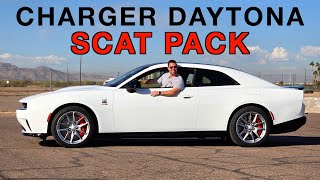
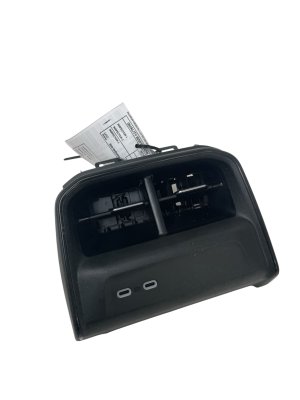
- Equipped Models (e.g., Daytona EV): Higher trim levels, like the initial launch Daytona R/T and Scat Pack models, typically include the fully-featured rear console end cap (OEM Part Number 7TA67TX7AA). This version includes two HVAC air vents, two USB-C charging ports, and may also have switches for heated rear seats.
- Base Models: Lower-end trims, which may become available later, will likely feature a 'blank' or 'delete' panel in this location. This piece will not have openings for vents or ports and serves only as a cosmetic cover.
Warning: Before ordering a replacement, you must physically inspect your vehicle's existing rear console. If you are trying to add vents and ports to a base model that did not originally have them, it is not a simple swap. The necessary HVAC ductwork and electrical wiring harnesses will be missing from the vehicle.
Symptoms of a Damaged or Failing Rear Console End Cap
As the 2025 Charger is a new vehicle, failures are most likely due to physical damage or electronic faults rather than age-related wear.
- Inoperative Charging Ports: The USB-C ports fail to charge devices. This can be caused by a failure in the port assembly itself, a blown fuse, or a problem with the connecting wiring.
- Broken or Stuck HVAC Vents: The directional louvers for the air vents can be broken by accidental kicks from rear passengers or from items being stored on the floor. The adjustment wheels may also break, leaving the vents stuck in one position.
- Cracked or Scuffed Housing: The plastic body of the end cap can be easily scuffed or cracked from impacts, detracting from the interior's appearance.
- Loose Fitment and Rattles: If the mounting clips on the back of the panel are broken during removal or from an impact, the end cap will not sit securely in the console, leading to rattling and squeaking noises while driving.
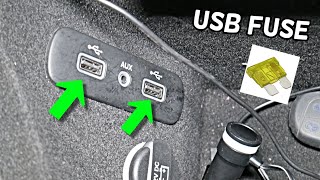
Pro Tip: Given the numerous electronic issues reported on early-build 2025 Chargers, if your USB ports stop working, check the vehicle's fuse panel first. 🎬 Watch: How to find and replace the center console USB fuse The problem could also be a software glitch or module communication error, which might require a dealer visit to diagnose, rather than a faulty part.
Buying a Used 2025 Charger Rear Console: What to Check
For a new vehicle like the 2025 Charger, a used OEM part is often the only alternative to an expensive new part from the dealer. Aftermarket options are generally not available for specific interior trim. Here’s what to inspect:
- Verify the Part Number: Confirm the part is 7TA67TX7AA if you need the version with vents and ports. Ask the seller for a photo of the sticker on the back if possible.
- Inspect All Mounting Clips: This is the most critical check. Turn the part over and carefully inspect every single plastic mounting clip. If even one is broken, the panel may not fit tightly and could cause persistent rattles.
- Check the Vent Louvers: Move the vent slats and adjustment wheels. They should move smoothly without binding or falling out. Ensure none of the delicate plastic fins are cracked or missing.
- Examine the Electrical Connector: Look at the electrical plug for the USB ports. The pins inside should be straight and free of any corrosion or damage.
- Assess Cosmetic Condition: Check the face of the panel for deep scratches, scuffs, or discoloration that won't come off with a simple cleaning. Match the color and texture to your vehicle's interior.
Cost Comparison
Pricing for this part can vary, especially since the vehicle is new. Aftermarket options are not expected to be available.
| Part Type | Estimated Cost |
|---|---|
| New OEM | $300 - $550 (Estimate) |
| New Aftermarket | Not Available |
| Used OEM | $150 - $250 |
| Shop Labor | $60 - $120 |
Note: New OEM price is an estimate based on similar Mopar interior components, as official pricing for this specific new part may not be widely published. Used prices are based on current online marketplace listings.
Replacement Guide (Difficulty: 1/5)
Replacing the rear console end cap is a straightforward task suitable for most DIYers. The process typically takes less than 30 minutes.
Tools Needed:
- Plastic trim removal tool kit
Steps:
- Pry Off the Old Panel: Using a plastic trim tool to avoid scratching the console, carefully insert the tool into the seam at the bottom or side of the end cap. Gently pry outwards to release the retaining clips. Work your way around the panel until it pops free.
- Disconnect Electrical Harness: Reach behind the panel and locate the electrical connector for the USB ports and any other features like heated seats. Press the release tab on the connector and pull it straight out. 🎬 See this walkthrough on removing the USB port assembly
- Connect the New Panel: Plug the vehicle's electrical harness into the new end cap. You should hear a click as it locks into place.
- Install the New Panel: Align the clips on the new panel with the slots in the center console. Firmly press the panel into place until all the clips snap in securely. Check for a tight, flush fit all the way around.
- Test Functionality: Turn the vehicle on and test the charging ports and any other integrated functions to ensure they are working correctly.
Known Issues, Recalls, and TSBs for the 2025 Dodge Charger
While there are no recalls or Technical Service Bulletins (TSBs) specifically for the rear console end cap, the 2025 Dodge Charger has several known issues as an all-new model. Owners have reported numerous electronic gremlins, including vehicles "bricking" (failing to start), inconsistent charging, and malfunctioning passive entry systems. These broader electronic issues could potentially affect the operation of the rear USB ports.
As of mid-2026, several safety recalls have been issued for the 2024-2025 Dodge Charger, including:
- NHTSA Recall 25V-389: Missing pedestrian warning sounds on EV models due to incomplete amplifier software.
- NHTSA Recall 25V-574: Risk of rollaway due to an incorrectly installed park pawl spring in the electric drive module.
- NHTSA Recall 26V262000: Instrument panel display may fail to show critical information due to a software error.
These recalls do not directly involve the rear console part, but they highlight the early-production challenges of this new platform.
Frequently Asked Questions (FAQ)
Can I upgrade my base model Charger with this console end cap?
This is not a simple plug-and-play upgrade. A base model vehicle will lack the necessary HVAC air ducts and the specific wiring harness required to power the USB ports and other features. Attempting this upgrade would require extensive and costly modifications to the vehicle's interior systems.
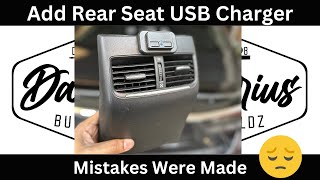
🎬 Watch: How to install rear USB chargers in almost any carWhy are my rear USB-C ports not working after replacement?
First, ensure the electrical connector is fully seated. Second, check the corresponding fuse in the vehicle's fuse box. If the fuse is good and the connection is secure, the issue could be with the replacement part itself or a broader software/module issue in the vehicle, which may require dealer diagnosis.
Is the color and texture the same for all 2025 Chargers?
While the primary color is typically black, there can be subtle variations in texture or sheen between different interior trim packages. When buying a used part, it's always best to compare photos closely with your vehicle's interior to ensure a perfect match.
How do I clean the rear console and vents?
Use a soft microfiber cloth with an interior-specific cleaning spray. To clean the vents, use a soft detailing brush or compressed air to remove dust from between the louvers. Avoid harsh chemicals that could damage the plastic finish.
Helpful Videos
Technical Specifications
OEM Part Numbers: 7TA67TX7AA
Houses two HVAC air vents and two USB-C charging ports.
We Have This Part in Stock

The information in this article is provided for general reference and educational purposes only. Vehicle specifications, procedures, and part compatibility can vary by production date, trim level, and region. Always consult your vehicle's factory service manual and verify part numbers before purchasing or performing repairs. Safety-critical components such as airbags, seat belts, and braking systems should be installed by a qualified professional.
- Dodge Charger:
- 🎬 Helpful Videos
- 🛍️ Shop This Part
- Variant Differences: Match Your Options Before Buying
- Symptoms of a Damaged or Failing Rear Console End Cap
- Buying a Used 2025 Charger Rear Console: What to Check
- Cost Comparison
- Replacement Guide (Difficulty: 1/5)
- Known Issues, Recalls, and TSBs for the 2025 Dodge Charger
- Frequently Asked Questions (FAQ)
- 🎟️ Get 5% Off