

Ford & Lincoln Cruise Control Switch Failure: 1998-2010 F-150, Explorer, Navigator & More
Diagnose why your cruise control isn't working—it might not be the steering wheel buttons, but a dangerous recalled part you need to check first.
- Before replacing the steering wheel switches, check for the massive Ford recall on the Speed Control Deactivation Switch (SCDS) on the master cylinder, as it's a common failure point and a fire hazard.
- If the cruise buttons, horn, and airbag light fail together, the problem is likely the clock spring, not the switches.
- For the 2004 Ford F-150, this part only fits the 'Heritage' and 'SVT Lightning' models, not the redesigned new body style.
- You must buy a replacement switch with the exact same button configuration (cruise only, or cruise with audio/climate) as your original.
Is It Really the Steering Wheel Switch? Check This First!
Safety Warning: Before diagnosing the steering wheel switches, you must be aware of a massive recall affecting millions of Ford, Lincoln, and Mazda vehicles, including many covered by this guide. The recall is for a different part called the Speed Control Deactivation Switch (SCDS), which is located on the brake master cylinder under the hood. This switch can leak brake fluid, short circuit, and cause a fire, even when the vehicle is parked and turned off. A faulty SCDS is also a very common reason for the cruise control to stop working.
Before assuming your steering wheel buttons have failed, check the SCDS. You can contact a Ford or Lincoln dealership with your Vehicle Identification Number (VIN) to see if your vehicle was part of recall campaigns like 09S09. A visual inspection may show brake fluid leaking from the switch and contaminating the electrical connector. This is the first thing you should check if your cruise control suddenly stops working.
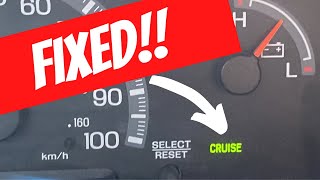
🎬 Watch this video to troubleshoot common Ford F-150 cruise control issues.Critical Compatibility Warnings
Not all switches are the same. Ordering the wrong part is a common mistake. Before buying, verify the following:
- Button Configuration: These switches come in several versions. Some are for cruise control only. Others integrate controls for the radio and even climate control. Your replacement part MUST have the exact same button layout as your original. A switch with different functions will not work.
- 2004 Ford F-150 Heritage & SVT Lightning: The 2004 model year was a split for the F-150. These switches ONLY fit the F-150 Heritage and SVT Lightning models, which use the older 1999-2003 body style. They will NOT fit the redesigned 2004 F-150 (with the new body style). Most parts are not interchangeable between these two different 2004 models.
- Memory Seat Recall Button: Some higher-trim vehicles, like the Lincoln Navigator and Aviator, may have a switch panel that includes a button for the memory seat recall function. Ensure your replacement matches this feature if your vehicle is so equipped.
Symptoms of a Failing Cruise Control Switch
While other issues are more common, the steering wheel switches themselves can fail. Here’s how to tell if the buttons are the problem:
- Some Buttons Work, Others Don't: The most common symptom of a failing switch pod is when one or two buttons (like 'Set' or 'Resume') stop working, but others (like 'On' or 'Off') still function. This points to a failure within the specific button's contacts.
- Intermittent Operation: The buttons may work sometimes but not others, or you may have to press them very hard to get a response.
- No Cruise Control Light: When you press the 'On' button, the cruise control indicator light on the dashboard may not illuminate at all.
Is It the Switch or the Clock Spring?
The clock spring is a coiled ribbon of wire behind the steering wheel that connects all the steering wheel electronics (switches, horn, airbag). When it fails, it can mimic a bad switch, but usually with more widespread symptoms.
- Multiple Systems Fail at Once: If your cruise control buttons, horn, and airbag warning light all fail around the same time, the clock spring is the most likely culprit.
- Failure When Turning: The buttons might work when the steering wheel is straight but stop working when you turn. This indicates a break in the clock spring's internal ribbon cable.
- Grinding or Clicking Noises: A mechanically broken clock spring can make grinding or clicking sounds when you turn the steering wheel.
Buying a Used Steering Wheel Switch: What to Look For
A used OEM switch is often a better choice than a cheap aftermarket alternative, offering superior fit, button feel, and durability. Here’s what to inspect:
- Verify Exact Match: Double-check that the button layout (cruise, audio, climate) is identical to your original part. Count the buttons and compare the icons printed on them.
- Inspect Button Graphics: Look for excessive wear on the button icons. While cosmetic, heavily worn graphics can indicate high mileage and potential electronic wear.
- Check for Physical Damage: Inspect the plastic housing for any cracks or broken mounting tabs. Ensure the electrical connector pins are straight and free of corrosion.
- Test Button Feel: The buttons should have a crisp, tactile click when pressed. Avoid switches that feel mushy or sticky, as the internal contacts may be failing.
Replacement Guide Overview
Warning: This repair involves removing the driver's side airbag module. Improper handling can cause accidental deployment, leading to serious injury. ALWAYS disconnect the negative battery terminal and wait at least 30 minutes for the system's backup power to discharge before starting work. This repair should only be performed by those comfortable with these safety procedures.
General Replacement Steps:
- Disconnect the Battery: Use an 8mm wrench or socket to disconnect the negative battery terminal and secure it away from the post. Wait 30 minutes.
- Remove the Airbag Module: On most models, there are two 8mm bolts on the back of the steering wheel. Remove these to release the airbag module.
- Disconnect Connectors: Carefully lift the airbag away. Disconnect the airbag electrical connector (often yellow with a locking tab) and the connectors for the cruise control switches. Set the airbag aside in a safe place with the emblem facing up.
- Remove the Old Switches: The switch pods are typically held in by two small nuts or screws each. Remove them and carefully unroute the wiring harness.
- Install the New Switches: Mount the new switch pods, secure them with the screws/nuts, and route and connect the wiring harness.
- Re-install the Airbag: Reconnect the airbag and switch connectors, then place the airbag module back onto the steering wheel and tighten the two bolts from behind.
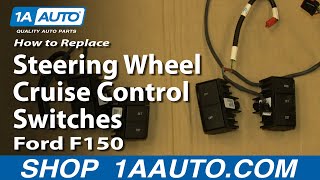
- Reconnect Battery & Test: Reconnect the negative battery terminal. Turn the key to the 'On' position and verify the airbag light comes on briefly and then turns off. Test all functions of the new switches. 🎬 Watch step-by-step instructions for replacing steering wheel cruise control switches.
Cost Comparison
| Part Type | Estimated Cost |
|---|---|
| New OEM | $120 - $250 |
| New Aftermarket (Dorman, Standard Motor Products) | $25 - $120 |
| Used OEM | $20 - $75 |
| Shop Labor | $85 - $150 |
Frequently Asked Questions (FAQ)
Do I need to reprogram the truck after replacing the cruise control switch?
No. The steering wheel switches are simple input devices and do not require any programming after installation.
My cruise control still doesn't work after replacing the switches. What's next?
The most common cause of cruise control failure on these vehicles is the Speed Control Deactivation Switch (SCDS) on the master cylinder, which was subject to a major fire-risk recall. Other potential causes include a blown fuse, a bad clock spring, or a faulty brake pedal switch.
Can I upgrade to a switch with radio controls if my truck didn't have them?
This is generally not possible. The vehicle's wiring harness and computer are not equipped to handle the extra inputs from the radio control buttons. You must replace your switch with one that has the exact same functions.
Why did my horn and cruise control stop working at the same time?
This is a classic symptom of a failed clock spring. The clock spring is the electrical interface for all steering wheel functions, so when it breaks, multiple components often fail simultaneously. An illuminated airbag light is another strong indicator of a bad clock spring.
Helpful Videos
Technical Specifications
OEM Part Numbers: 2C5Z-9C888-BAB 2C5Z9C888BAB 3C5T-14K147 3C5Z-9C888-BAB 7L1Z-13K359-AA 8L1T-13K359-AAW AL1Z-13K359-A F87A9D809BA F87Z-9C888-BA F87Z9C888BB XF1T13K359ACJAEA XF1TACJAEA XL1Z-13K359-AAA XL1Z13K359AAA XL1Z13K359BA
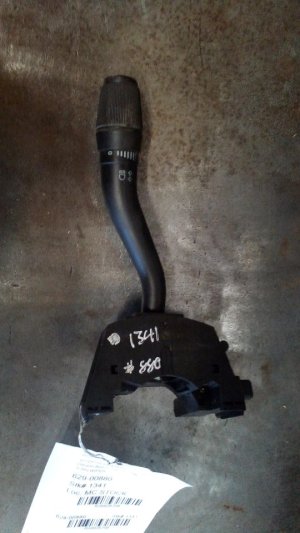
Steering wheel-mounted switch pod. Connects via wiring harness through the clock spring. Variations exist with and without integrated radio and climate controls. Backlighting is typically green.
We Have This Part in Stock



The information in this article is provided for general reference and educational purposes only. Vehicle specifications, procedures, and part compatibility can vary by production date, trim level, and region. Always consult your vehicle's factory service manual and verify part numbers before purchasing or performing repairs. Safety-critical components such as airbags, seat belts, and braking systems should be installed by a qualified professional.
- Lincoln Navigator:
- Ford Excursion:
- Ford Expedition:
- Ford Explorer:
- Ford Explorer Sport:
- Ford Explorer Sport Trac:
- Ford F-150:
- Ford Ranger:
- Lincoln Aviator:
- Mazda B2300:
- Mazda B2500:
- Mazda B3000:
- Mazda B4000:
- Mercury Mountaineer:
- 🎬 Helpful Videos
- 🛍️ Shop This Part
- Is It Really the Steering Wheel Switch? Check This First!
- Critical Compatibility Warnings
- Symptoms of a Failing Cruise Control Switch
- Is It the Switch or the Clock Spring?
- Buying a Used Steering Wheel Switch: What to Look For
- Replacement Guide Overview
- General Replacement Steps:
- Cost Comparison
- Frequently Asked Questions (FAQ)
- 🎟️ Get 5% Off