

GM 'Service Driver Assist' Warning: Diagnosing the Forward Collision Alert Display (2014-2024)
Before you replace expensive sensors, understand why the Forward Collision Alert Display Module on your Buick, Cadillac, Chevy, or GMC might be acting up.
- The 'Service Driver Assist' message is often caused by simple issues like vehicle settings, a dirty windshield, or a weak battery, not a failed part.
- This part is a warning light projector for the dashboard, NOT the camera or radar sensor.
- On 2020-2024 Cadillac XT5 and XT6 models, constantly illuminated warning lights are likely due to a pinched wire harness, not a bad module.
- While physical replacement is relatively easy, the new module may require programming by a dealer or equipped shop to work with your vehicle's VIN.
Understanding the 'Service Driver Assist System' Message

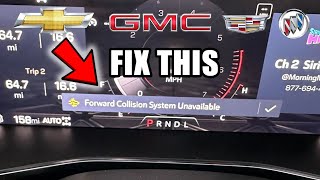
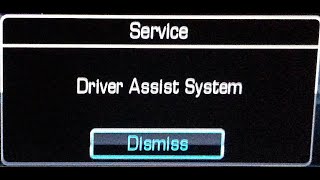
One of the most common issues on the Buick Enclave, Cadillac XT5, Cadillac XT6, Chevrolet Silverado 1500, Chevrolet Traverse, GMC Acadia, and GMC Sierra 1500 is an intermittent "Service Driver Assist System" or "Forward Collision System Reduced" message. While alarming, this often does not indicate a failed part and can frequently be resolved without a trip to the shop.
Before assuming a component has failed, perform these basic checks:
- Check Your Settings: GM issued a technical service bulletin (TSB 22-NA-126) noting that if the Forward Collision system is set to "Alert" instead of "Alert and Brake" in the vehicle's infotainment menu, the system may display a "Reduced" message by design. Changing this setting back to "Alert and Brake" may resolve the message.
- Clean Sensors and Windshield: The system relies on a forward-facing camera near the rearview mirror and, on some models, a radar sensor in the grille. Dirt, bugs, snow, ice, or even heavy rain can block their view and temporarily disable the system. Thoroughly clean the windshield in front of the camera and the grille emblem/area where the radar is located.
- Check for Obstructions: Sun glare directly into the camera or condensation on the inside of the windshield can also cause temporary issues. The message should clear once conditions improve.
- Check the Battery: A weak or failing 12-volt battery can cause numerous, seemingly unrelated electrical issues in these vehicles, including driver assist warnings. If you're experiencing other electrical glitches, have your battery tested.
- Restart the Vehicle: A simple software glitch can sometimes be cleared by turning the vehicle off, waiting a few minutes, and restarting it. 🎬 Watch: How to fix common 'System Unavailable' messages in GM cars. Some owners have also had success by temporarily disconnecting the negative battery terminal for 10-15 minutes to reset all modules.
Symptoms of a Failed Collision Alert Display

If the troubleshooting steps above don't work, you may have an issue with the display module or a related component. True failure symptoms are different from the intermittent warnings.
1. Red Warning Lights Never Illuminate
If the system is on and you experience a situation where the alert should have activated (a genuine close call) but the red lights did not flash on the windshield, the display module itself may have failed. The system may or may not show a "Service Driver Assist" message in this case. This indicates a complete failure of the projector unit.
🎬 See this video for a quick overview of how the system works.2. Red Warning Lights Are Always On
This is a known issue, particularly on the 2020-2024 Cadillac XT5 and XT6. The red alert lights may stay illuminated constantly whenever the ignition or headlights are on. This is often caused by the display module's wiring harness being pinched between the dashboard cowl and a support bar during assembly. The pinched wires short together, causing the lights to stay on. The fix is to access the module, locate the damaged section of the harness, and repair the wires—the module itself is usually not faulty.
3. "Service Driver Assist" Message with Diagnostic Trouble Codes (DTCs)
If the warning message is constant and a scan tool reveals specific DTCs, it points to a hard fault. While many codes could be related, a common one is U3000, which can be set by the Front View Camera Module and result in an amber collision icon on the dash. Another issue seen on Silverado and Sierra trucks is a failed haptic feedback motor in the driver's seat, which can set codes B172E or B172F and disable the entire driver assist system because it cannot provide the seat vibration alert.
🎬 Watch: A cheap and easy fix for haptic seat sensor codes.Important: This article covers the dash-mounted warning display module. It is NOT the forward-looking camera mounted on the windshield or the radar sensor in the grille. Failure of those components also causes driver assist warnings but involves different parts and more complex repairs requiring calibration.
Buying a Used Collision Avoidance Sensor

Purchasing a used OEM warning display module is a cost-effective option, as these units are generally reliable. However, there are critical factors to consider to ensure you get the right part.
- Verify the Part Number: The most important step is to match the OEM part number exactly. The numbers 20968168, 23370882, 84327412, and 84208369 are known to be used across these vehicles. Note that 23370882 was superseded by 84208369. Using the wrong part may result in incompatibility.
- Physical Inspection: When you receive the part, inspect the housing for any cracks or damage. Check the electrical connector pins to ensure they are straight and free of corrosion.
- Programming May Be Required: Be aware that like many electronic modules on modern GM vehicles, a replacement display module may need to be programmed to your vehicle's VIN using the GM Service Programming System (SPS). While it might function as a plug-and-play part, it is not guaranteed. Factor in a potential visit to a dealer or a well-equipped independent shop for programming.
- Why Used OEM is a Good Choice: For a part like this, a used OEM unit is often preferable to a new aftermarket one (if any were available). The fit, finish, and LED brightness are designed to factory specifications, ensuring it works correctly with the vehicle's existing systems.
Replacement Overview & Difficulty
Replacing the Forward Collision Alert display module is a feasible DIY task for those comfortable with removing interior trim panels.
- Location: The module is located on the top of the dashboard, centered against the windshield, typically under a plastic grille or trim piece.
- Procedure: Access generally involves carefully prying up the defroster grille or an adjacent trim panel using plastic trim removal tools to avoid scratching the dashboard. Once the cover is off, the module is usually held in by a few screws or clips. Disconnect the electrical connector, remove the old unit, and install the new one.
- Difficulty: 2 out of 5. The primary challenge is removing the dash trim without causing damage. The part replacement itself is straightforward.
Pro Tip: Before re-installing the dash trim, plug in the new module and turn the ignition on to test its function (if possible) or to see if any error messages appear. This can save you the trouble of having to take the dash apart again if the part is incorrect or requires immediate programming.
Cost of Replacement
The cost can vary dramatically depending on whether the issue is a simple fix, a software problem, or a true hardware failure.
| Item | Estimated Cost |
|---|---|
| New OEM Display Module (Part Only) | $40 - $70 |
| Used OEM Display Module (Part Only) | $30 - $60 |
| Shop Labor (Diagnosis) | $150 - $250 |
| Shop Labor (Module Replacement Only) | $100 - $180 (Approx. 1 hour) |
| Shop Labor (Cadillac XT5/XT6 Wire Repair) | $200 - $400 (Approx. 2-3 hours) |
| Module Programming (If Required) | $75 - $150 |
Frequently Asked Questions (FAQ)
Is the collision avoidance sensor the same as the camera in my windshield?
No. This part is only the warning light projector. The system uses a separate forward-looking camera near the rearview mirror and/or a radar sensor in the grille to detect objects. Those are different parts that are more expensive and require calibration when replaced.
Do I need to get my car calibrated after replacing this display module?
Calibration is not required for this specific display module. However, programming to your vehicle's VIN may be necessary for it to be recognized by the car's computer. Calibration is a separate procedure required for the actual cameras and radar sensors.
Why do I get a "Service Driver Assist" message when it's raining or snowing?
The camera and radar sensors that the system relies on need a clear line of sight. Heavy rain, snow, fog, or a buildup of ice or dirt on the windshield or grille can block the sensors' view, causing the system to temporarily shut down and display a warning message. The system should return to normal once the obstruction is cleared and visibility improves.
Can I still drive my vehicle with the "Service Driver Assist" message on?
Yes, the vehicle is safe to drive. The message indicates that the advanced driver assistance features (like Forward Collision Alert and possibly Automatic Emergency Braking) are disabled. Your normal braking, steering, and engine functions will operate as usual. You simply will not have the benefit of the automated safety warnings or interventions.
Helpful Videos
Technical Specifications
OEM Part Numbers: 20968168 23370882 84327412 84208369
Dash-mounted LED warning light projector module.
We Have This Part in Stock



The information in this article is provided for general reference and educational purposes only. Vehicle specifications, procedures, and part compatibility can vary by production date, trim level, and region. Always consult your vehicle's factory service manual and verify part numbers before purchasing or performing repairs. Safety-critical components such as airbags, seat belts, and braking systems should be installed by a qualified professional.
- Buick Enclave:
- Cadillac XT5:
- Cadillac XT6:
- Chevrolet Silverado 1500:
- Chevrolet Traverse:
- GMC Acadia:
- GMC Sierra 1500:
- 🎬 Helpful Videos
- 🛍️ Shop This Part
- Understanding the 'Service Driver Assist System' Message
- Symptoms of a Failed Collision Alert Display
- 1. Red Warning Lights Never Illuminate
- 2. Red Warning Lights Are Always On
- 3. "Service Driver Assist" Message with Diagnostic Trouble Codes (DTCs)
- Buying a Used Collision Avoidance Sensor
- Replacement Overview & Difficulty
- Cost of Replacement
- Frequently Asked Questions (FAQ)
- 🎟️ Get 5% Off