

2008-2017 Audi A4, A5, S4, S5 & More Rear Camera Module Failure: Diagnosis and Replacement Guide
This guide covers the common causes of rear view camera and parking aid failure on the Audi B8 platform, including the A4, A5, S4, S5, Allroad, and RS5.
- The #1 cause of failure is water intrusion in the trunk. Always inspect for leaks and corrosion before replacing the module.
- A broken wire in the trunk lid harness can cause identical symptoms. Check the wiring before buying parts.
- This module does NOT typically require dealer-only 'Component Protection' removal, but may need coding with a tool like VCDS to enable all features.
- When buying a used module, matching the part number and ensuring it is free of any corrosion are the most important steps.
Symptoms of a Failing Rear Camera Control Module
When the rear camera module in your 2009-2016 Audi A4, 2008-2017 Audi A5, 2010-2016 Audi S4, 2010-2017 Audi S5, 2013-2016 Audi Allroad, or 2013-2015 Audi RS5 begins to fail, the symptoms are usually obvious and directly impact the use of the reverse camera and parking sensors.
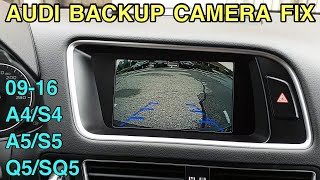
- Black or Blue Screen in Reverse: The most common symptom. The MMI screen will switch as if to show the camera view, but the image is just a blank black or blue screen. Often, the audible parking sensor beeps will still work.
- MMI Screen Doesn't Change: In some cases, shifting into reverse does nothing. The MMI screen remains on the radio, navigation, or whatever was last displayed, and the camera system does not activate at all.
- "Parking Aid Malfunction" Message: An error message may appear on the instrument cluster or MMI screen, indicating a system fault.
- Intermittent or Flickering Video: The camera feed may cut in and out, flicker, or appear distorted. This can happen randomly and may be affected by temperature or vibration.
- No Parking Sensor Function: Since the module controls both systems, a complete failure can also disable the audible parking sensor beeps.
You may also find specific Diagnostic Trouble Codes (DTCs) when scanning the vehicle with an OBD-II tool:
- 02873 - Rearview Camera System Control Module, no signal/communication.
- 02203 - Audio/Video Input 1, Open Circuit / Implausible Signal.
- 01549 - Supply Voltage for Parking-Aid Sensor, Open or Short to Ground / Lower Limit Exceeded.
Diagnosing the Problem: Is It Really the Module?
Before you replace the control module, it's critical to rule out two other very common failure points that can produce the exact same symptoms.
1. Check for Water Intrusion
Warning: The number one killer of this control module is water damage. The module is located on the right-hand side of the trunk, behind the carpeted trim panel, often in a low point where water can collect.
Leaks from taillight seals, trunk vents, or clogged sunroof drains on convertible models can allow water to pool in this area, submerging the module. Pull back the trunk liner and inspect the module and the surrounding area for any signs of moisture, white chalky corrosion, or rust on the module's metal case. If you find evidence of water, you have found the root cause of your problem. The module will need to be replaced, and the water leak must be fixed to prevent the new module from failing too.
🎬 See how to fix a leaking trunk seal2. Inspect the Wiring Harness
The wires for the camera system run from the trunk lid/hatch into the main body of the car through a flexible rubber boot. Years of opening and closing the trunk can cause these wires to fatigue and break. This is a known issue, and Audi even issued a Technical Service Bulletin (TSB 91 15 04) for an intermittent camera caused by wiring problems. Before replacing any parts, carefully inspect the wiring harness for breaks or damage, especially near the trunk hinges. 🎬 Watch: How to repair broken trunk wiring harness A simple wire repair could save you hundreds of dollars.
Buying a Used Rear Camera Control Module
If you've confirmed the module itself is faulty, a used OEM unit is an excellent, cost-effective alternative to an expensive new part. Here’s what to look for:
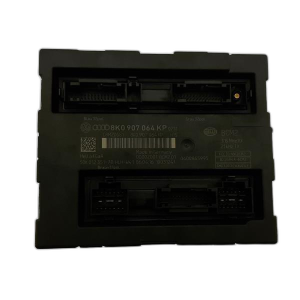
- Match the Part Number: The most common part number is 8T0-907-441-C. However, earlier revisions like 8T0907441A or 8T0907441B exist. It is generally safe to replace an older revision with a newer one (e.g., replacing an 'A' with a 'C'), but you should match the base number (8T0907441) exactly.
- CRITICAL: Inspect for Corrosion: This is the most important check. Do not buy a used module that has any signs of water damage. Look closely at the electrical connector pins for any green or white powder. Examine the metal case for any rust or chalky residue. Ask the seller for clear photos of the pins and case if you are buying online.
- Verify Compatibility: Ensure the module is from a vehicle with the MMI 3G system and a factory-installed rear view camera. Modules from cars without these options will not work.
Programming and Coding Requirements
This is the most common question when replacing electronic modules. Will it be plug-and-play?
For this specific module, the answer is: Maybe, but you should be prepared for coding.
Unlike the main MMI head unit or engine computer, this module does not typically have Audi's anti-theft "Component Protection" system that requires a dealer to unlock. This means a used module will often function immediately after being plugged in.
However, it may need to be "coded" or "adapted" to your vehicle's specific options to work correctly. For example, coding may be required to enable or disable the dynamic steering guidelines on the camera display. This can be done by an independent mechanic with tools like VCDS (VAG-COM) or OBDeleven, or by the dealer.
Pro Tip: When installing a used module, it's best to have a diagnostic tool on hand. After installation, you can connect to the module (Address 6C) and ensure it is coded correctly for your vehicle's features.
Replacement Procedure Overview
Replacing the module is a straightforward job that is feasible for a DIY mechanic. The main challenge is accessing it.
- Disconnect the Battery: As a safety precaution, disconnect the negative terminal of your vehicle's battery.
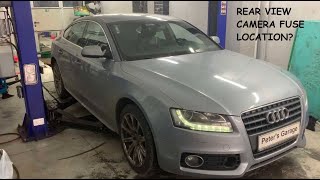
- Access the Module: The module is located in the right rear of the trunk, behind the carpeted liner and often near the fuse box. 🎬 Watch: How to locate the camera fuse You will need to remove the trunk floor and various plastic clips and trim panels to gain access.
- Unplug and Remove: The module is held in a plastic bracket. Carefully unplug the electrical connectors. Note their orientation. Press the release tabs and slide the module out of its bracket.
- Install the New Module: Slide the replacement module into the bracket until it clicks. Reconnect the electrical connectors.
- Reassemble and Test: Reinstall the trunk trim in the reverse order of removal. Reconnect the battery. Turn on the ignition and shift the car into reverse to test the camera and parking aid functionality. If needed, perform coding as described above.
| Part/Service | Estimated Cost |
|---|---|
| New OEM Module | $650 - $800 |
| Used OEM Module | $100 - $200 |
| Shop Labor (Replacement) | $150 - $300 |
| Shop Labor (Coding, if needed) | $75 - $150 |
Frequently Asked Questions (FAQ)
Do I have to go to an Audi dealer to program a replacement module?
No, not usually. This module typically does not have Component Protection, so a dealer visit is not mandatory. However, it may require coding to match your car's options, which can be done by many independent shops specializing in European cars or by a DIYer with tools like VCDS or OBDeleven.
My camera screen is black but the parking sensors still beep. Is it the module?
It could be, but it's also very likely to be a problem with the camera itself or the wiring between the camera and the module. The module processes both signals, but they can fail independently. Check the wiring harness near the trunk hinge first, as this is a common point of failure.
Can I add a backup camera to my Audi by just buying this module?
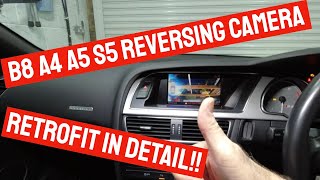
No. This module is only for cars that already have a factory-installed rear view camera and the MMI 3G system. Retrofitting a camera system is a much more complex job that involves installing the camera, a new wiring harness, this module, and extensive coding.
Where exactly is the module located in my car?
It is located in the trunk on the right-hand (passenger) side on North American vehicles. You will need to remove the trunk floor and the side carpet liner to access it. It is usually mounted in a plastic carrier along with other electronic modules.
Helpful Videos

Technical Specifications
OEM Part Numbers: 8T0-907-441-C 8T0907441 8T0907441A 8T0907441B 8T0907441C 8T0907441D
Location: Right-hand side of trunk, behind trim panel. | System: For MMI 3G equipped vehicles with factory rear view camera.
We Have This Part in Stock





The information in this article is provided for general reference and educational purposes only. Vehicle specifications, procedures, and part compatibility can vary by production date, trim level, and region. Always consult your vehicle's factory service manual and verify part numbers before purchasing or performing repairs. Safety-critical components such as airbags, seat belts, and braking systems should be installed by a qualified professional.
- AUDI A5:
- AUDI A4:
- AUDI S5:
- AUDI S4:
- AUDI ALLROAD:
- AUDI RS5:
- 🎬 Helpful Videos
- 🛍️ Shop This Part
- Symptoms of a Failing Rear Camera Control Module
- Diagnosing the Problem: Is It Really the Module?
- 1. Check for Water Intrusion
- 2. Inspect the Wiring Harness
- Buying a Used Rear Camera Control Module
- Programming and Coding Requirements
- Replacement Procedure Overview
- Frequently Asked Questions (FAQ)
- 🎟️ Get 5% Off