

2026 Tesla Model Y B-Pillar Camera: Failure Symptoms and Replacement Guide
Understand the function of the critical B-pillar camera and key card reader in the 'Juniper' Model Y, and learn how to diagnose, replace, and calibrate a faulty unit.
- This part is ONLY for the 2026+ Tesla Model Y 'Juniper' and is not backward compatible.
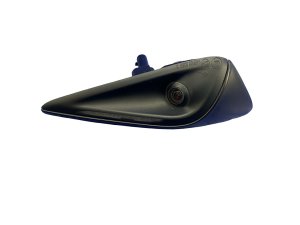
- It is a dual-function unit containing both a critical Autopilot camera and the NFC key card reader.
- After replacement, you MUST perform a 'Clear Calibration' from the service menu and then drive the car up to 100 miles to self-calibrate.
- When buying a used unit, the most important checks are for cracks in the glass and any signs of internal moisture.
Symptoms of a Failing 2026 Model Y B-Pillar Camera


A problem with the B-pillar camera assembly can manifest in several ways, affecting both driver-assist systems and basic vehicle functions. Here are the most common symptoms:
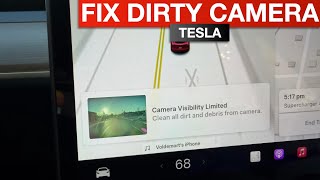
- Autopilot or Sentry Mode Errors: The most common sign is an alert on the center touchscreen. You may see messages like "Autopilot features currently unavailable, 🎬 See how to quickly fix camera visibility errors" "Camera Blocked or Blinded," or a specific camera error icon. This indicates the car is not receiving a clear image from the B-pillar camera.
- Key Card Not Working: If the vehicle fails to unlock when you tap your key card against the B-pillar, the NFC reader within the assembly may have failed. You will have to rely on your phone key or the mobile app to enter and start the car.
- Black or Flickering Camera Feed: When viewing the cameras, the feed from the affected B-pillar camera may be black, flicker intermittently, or have a distorted color. This points to an internal failure of the camera sensor or its wiring.
- Condensation or Moisture Inside the Lens: Water intrusion is a known issue with Tesla camera housings. If you see fog, condensation, or water droplets inside the glass applique, the internal electronics are at risk of short-circuiting and failing completely.
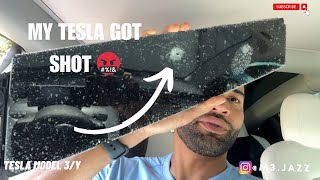
- Physical Damage: Cracks, deep scratches, or scuffs on the glass applique from a side impact or vandalism can damage the camera lens or internal components.
Warning: This B-pillar camera assembly is specific to the refreshed Tesla Model Y (project name 'Juniper') beginning with the 2026 model year. It is not compatible with earlier 2020-2025 Model Y vehicles, which use different part numbers and hardware.
Buying a Used 2026 Model Y B-Pillar Camera
A recycled OEM B-pillar camera assembly is a cost-effective alternative to a new part. Since these units are complex, careful inspection is key to getting a good part.
1. Verify the Part Number
Compatibility is critical. Ensure the part you are buying matches the OEM part number for your vehicle's side and model year. The primary part number for the right-hand (passenger side) 2026 Model Y is 1937558-79-B. Always confirm the part number with the seller before purchasing.
2. Inspect the Glass Applique
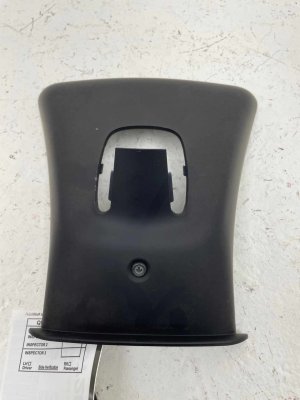
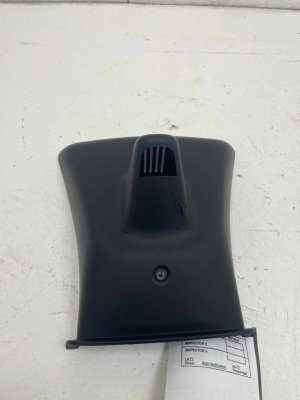
Closely examine the entire glass surface. Reject any unit with cracks, chips, or deep scratches, as these can distort the camera's view and may compromise the weather seal. Minor surface scuffs may be acceptable, but the area over the camera lens must be perfectly clear.
3. Check for Moisture Intrusion
Hold the part up to a light and look for any signs of a past water leak. Telltale signs include a hazy film on the inside of the glass or dried water spots. A unit that has had moisture inside is likely to fail prematurely.
4. Examine the Connector and Wiring
The electrical connector pins should be straight and clean, with no signs of green or white corrosion. The wiring pigtail, if included, should be free of cuts or damage.
Replacement Cost Comparison
Replacing the B-pillar camera assembly involves the part cost and labor. Aftermarket options for this specific, new part are not yet available.
| Part Type | Estimated Cost |
|---|---|
| New OEM (from Tesla) | $250 - $400 |
| Used OEM (Recycled) | $100 - $200 |
| New Aftermarket | Not Available |
| Shop Labor | $150 - $250 |
Installation and Calibration

Replacing the B-pillar applique is a manageable DIY job for those comfortable with basic tools and navigating the vehicle's service menu. The difficulty is rated 3 out of 5.
The general process involves carefully prying off the old applique, disconnecting the electrical connector, connecting the new unit, and snapping it into place.
Pro Tip: Use plastic trim removal tools to avoid scratching the paint on the door and B-pillar during removal.
Mandatory Camera Calibration
After the physical installation, you MUST perform a camera calibration. This process does not require special tools, only the vehicle's touchscreen.
- On the touchscreen, navigate to Controls > Service > Camera Calibration > Clear Calibration. This tells the car it has a new camera that needs to learn its position.
- After clearing the old data, you must drive the vehicle to allow the new camera to self-calibrate. This can take up to 100 miles of driving, depending on road conditions.
- During the calibration period, Autopilot and other driver-assist features will be disabled. A message will be displayed on the screen until calibration is complete.
Official Recalls and Technical Service Bulletins (TSBs)
As of mid-2026, there are no specific NHTSA recalls or Tesla Technical Service Bulletins (TSBs) for the B-pillar camera assembly on the 2026 Model Y. While other recalls exist for the 2026 Model Y for issues like battery contactors and missing labels, none address this specific part.
Frequently Asked Questions (FAQ)
Can I use a B-pillar camera from an older Model Y?
No. The 2026 'Juniper' Model Y uses different camera hardware (likely Autopilot Hardware 4.0) and connectors than the 2020-2025 models. The parts are not physically or electronically compatible.
Do I need to take my car to Tesla for programming after replacement?
No. Special programming is not required. However, the mandatory 'Clear Calibration' step must be performed through the touchscreen, followed by a calibration drive. If you skip this step, your driver-assist features will not work.
My key card works, but the camera is failing. Do I have to replace the whole assembly?
Yes. The camera and NFC reader are integrated into a single sealed unit. They cannot be replaced individually. You must replace the entire B-pillar applique assembly.
The camera feed is yellow. Is the camera bad?
Not necessarily. A yellow or different-colored tint on the side cameras was a common software issue on many Teslas that was later fixed in a software update. Before replacing the hardware, ensure your vehicle's software is fully up to date. If the issue persists after an update, it may indicate a hardware fault.
Helpful Videos
Technical Specifications
OEM Part Numbers: 1937558-79-B 1988796-00-A
Houses Autopilot/Sentry Mode camera and NFC key card reader. Mounts to vehicle B-pillar.
We Have This Part in Stock




The information in this article is provided for general reference and educational purposes only. Vehicle specifications, procedures, and part compatibility can vary by production date, trim level, and region. Always consult your vehicle's factory service manual and verify part numbers before purchasing or performing repairs. Safety-critical components such as airbags, seat belts, and braking systems should be installed by a qualified professional.
- TESLA Y:
- 🎬 Helpful Videos
- 🛍️ Shop This Part
- Symptoms of a Failing 2026 Model Y B-Pillar Camera
- Buying a Used 2026 Model Y B-Pillar Camera
- 1. Verify the Part Number
- 2. Inspect the Glass Applique
- 3. Check for Moisture Intrusion
- 4. Examine the Connector and Wiring
- Replacement Cost Comparison
- Installation and Calibration
- Mandatory Camera Calibration
- Official Recalls and Technical Service Bulletins (TSBs)
- Frequently Asked Questions (FAQ)
- 🎟️ Get 5% Off