

2012-2014 Honda Insight Backup Camera: Fixing a Blurry or Black Screen
A complete guide to diagnosing common failures with the factory navigation backup camera and choosing the right used replacement.
- This camera (part # 39530-TM8-J03) is ONLY for 2012-2014 Insight models with factory navigation.
- The most common failure is a blurry or foggy image caused by moisture getting inside the camera housing.
- Replacement is a simple DIY task that takes about an hour and requires no special programming.
- A used OEM camera provides the best value, offering factory quality for a fraction of the new dealer price.
Symptoms of a Failing Backup Camera

When the backup camera on a 2012-2014 Honda Insight begins to fail, it typically presents one of several distinct symptoms. These issues are often caused by moisture getting inside the camera housing or simple electronic failure over time.
1. Blurry, Foggy, or Hazy Image
This is the most common symptom. The camera lens, which is exposed to the elements, can become hazy or develop condensation inside. Initially, the image might just look soft or out of focus. Over time, as moisture damages the internal electronics, the problem can worsen. Sometimes, the blurriness is caused by simple dirt or grime on the exterior of the lens, which can be cleaned with a soft microfiber cloth. If cleaning the outside doesn't help, the seal has likely failed, and the camera itself will need to be replaced.
2. Black or Blank Screen
If you shift into reverse and the navigation screen goes black or shows a "No Signal" message, the camera has likely failed completely. This can be caused by an internal short circuit (often from water damage), a problem with the wiring harness connecting the camera to the head unit, or a blown fuse. Before replacing the camera, it's worth checking the fuse associated with the camera system in your vehicle's fuse box.
3. Flickering or Distorted Image
An image that flickers between normal, black, or static usually points to a poor electrical connection. This could be at the camera's connector itself, or somewhere along the wiring harness that runs through the rear hatch. A flickering image that switches between color and black-and-white can also be a sign of a failing camera sensor or a bad connection.
Buying a Used 2012-2014 Insight Backup Camera

Purchasing a used OEM backup camera is a cost-effective way to restore your vehicle's functionality. Because these cameras are specific to navigation-equipped models, paying close attention to details is crucial.
Compatibility Warning: This camera, part number 39530-TM8-J03, is only for 2012-2014 Honda Insight models that came with the factory navigation system from Honda. It will not work on base or LX models without navigation, as the wiring and head unit are different.
What to Check Before You Buy
- Verify the Part Number: The most important step is to match the part number. Look for 39530-TM8-J03 or the number printed on the camera body, which may be 39530-TM8-J030-M1. Insist on a clear photo of the part number from the seller.
- Inspect the Lens: Ask for a clear, close-up photo of the camera lens. Avoid any units with deep scratches, yellowing, or a hazy appearance, as this indicates the lens coating is damaged or there's internal moisture.
- Check the Housing: Look for cracks or damage on the black plastic housing. Any cracks are a potential entry point for water, which is the primary killer of these cameras.
- Examine the Connector: The electrical connector pins should be clean, straight, and free of any green or white corrosion. Corroded pins suggest the camera has been exposed to moisture.
Why a Used OEM Camera is Often Better
While cheap aftermarket cameras are available, a quality used OEM unit is often a better choice. OEM cameras are designed to work perfectly with the factory head unit, providing the correct image quality, viewing angle, and on-screen guidelines. Many aftermarket cameras suffer from lower resolution, poor performance in low light, and may not be truly plug-and-play.
Known Issues, Recalls, and TSBs
For the 2012-2014 Honda Insight, there are no specific recalls or Technical Service Bulletins (TSBs) directly addressing the failure of the backup camera part number 39530-TM8-J03. The primary known issue, based on owner reports, is failure due to moisture intrusion leading to a blurry or non-functional camera. While Honda has issued recalls and TSBs for camera issues on other models and years (like the 2019 Insight and various Odyssey and Pilot models), these are typically related to software glitches in the head unit and do not apply to the 2012-2014 generation.
Cost of Replacement
The cost to replace the backup camera can vary significantly depending on the source of the part and who performs the labor.
| Part Source | Estimated Cost |
|---|---|
| New OEM (Dealer) | $1100 - $1800 |
| New Aftermarket | $20 - $150 |
| Used OEM (Recycled) | $45 - $150 |
| Shop Labor Cost | $70 - $150 |
Pro Tip: Given the high cost of a new OEM camera, a quality used OEM part offers the best value, providing factory performance and fit at a fraction of the price.
Replacement Overview

Replacing the backup camera is a relatively simple job that a DIYer with basic tools can complete in under an hour. No special programming is required; it is a plug-and-play part.
- Difficulty: 2 out of 5
- Estimated Time: 0.5 - 1 hour
- Tools Needed: Trim removal tool, flathead screwdriver, socket set.
The basic process involves removing the interior trim panel from the rear hatch to access the camera. The camera is typically held in place by a small bracket or clips and is connected by a single electrical plug. After unplugging the old unit, the new one can be installed and the trim replaced.
🎬 Watch this step-by-step Honda backup camera replacement guide.Frequently Asked Questions (FAQ)
Can I install this camera on my Insight that didn't come with one?
No, this camera is specifically for models that already have the factory navigation system. The wiring harness and head unit on non-navigation models are not equipped to support this camera.
My camera image is just blurry. Do I have to replace it?
First, try thoroughly cleaning the outside of the lens with a microfiber cloth and glass cleaner. If the image is still blurry, the seal has likely failed and moisture is inside the lens. In some cases, polishing the lens with a headlight restoration kit may help, but replacement is usually the only permanent fix.
🎬 See how to fix a blurry backup camera yourself.The screen is black. How do I know if it's the camera or a fuse?
A black screen can be a failed camera or a blown fuse. Before buying a new camera, consult your owner's manual to find the fuse for the backup camera system and inspect it. If the fuse is good, the camera itself is the most likely culprit.
Does the new camera need to be programmed by the dealer?
No, for the 2012-2014 Honda Insight, the backup camera is a plug-and-play component. No special programming or calibration is needed after installation.
Helpful Videos
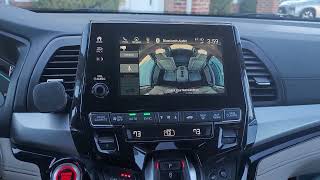

Technical Specifications
OEM Part Numbers: 39530-TM8-J03 39530-TM8-J030-M1 39530TM8J03
Designed for integration with the factory Honda navigation system. Connects via a single proprietary electrical plug.

The information in this article is provided for general reference and educational purposes only. Vehicle specifications, procedures, and part compatibility can vary by production date, trim level, and region. Always consult your vehicle's factory service manual and verify part numbers before purchasing or performing repairs. Safety-critical components such as airbags, seat belts, and braking systems should be installed by a qualified professional.
- Honda Insight:
- 🎬 Helpful Videos
- Symptoms of a Failing Backup Camera
- 1. Blurry, Foggy, or Hazy Image
- 2. Black or Blank Screen
- 3. Flickering or Distorted Image
- Buying a Used 2012-2014 Insight Backup Camera
- What to Check Before You Buy
- Why a Used OEM Camera is Often Better
- Known Issues, Recalls, and TSBs
- Cost of Replacement
- Replacement Overview
- Frequently Asked Questions (FAQ)
- 🎟️ Get 5% Off