

2012-2014 Camry, Avalon, RAV4 & Prius V Radio Problems: A Guide to the Entune Head Unit
This guide covers the common failures of the Toyota Entune multimedia system, including rebooting, screen freezing, and Bluetooth issues, and explains your replacement options.
- This guide covers the Multimedia Head Unit (Radio/Screen), NOT the Body Control Module (BCM).
- Common failures include constant rebooting, screen freezing, and Bluetooth connectivity loss, which are often caused by software glitches or hardware failure.
- Before replacing the unit, try a soft reset (hold power knob) or a hard reset (disconnect battery for 15 mins).
- A used OEM unit is the most cost-effective solution, but you MUST match part numbers exactly to ensure compatibility with features like JBL audio.
Is This The Right Part? Head Unit vs. Body Control Module

Before diagnosing a problem, it's critical to identify the correct part. Many drivers experience issues with their radio, navigation, or Bluetooth and search for information on the "Body Control Module" (BCM). However, in these Toyota models, the BCM is a separate computer that handles functions like lights, locks, and windows. The part that controls your screen, audio, and connectivity is the Multimedia Head Unit, which runs the Toyota Entune system. This guide is for the Multimedia Head Unit.
A related component, often called the "Communication Extension Box" (part prefix 86100YY050), works with the head unit and is a frequent cause of Bluetooth-related failures. When replacing the system, you may be dealing with the main head unit, this extension box, or both.
Symptoms of a Failing Entune Head Unit

A faulty Entune head unit can cause a wide range of frustrating electronic issues. Here are the most common symptoms reported by owners of the 2012-2014 Camry, 2013 Avalon, 2012-2013 RAV4, and 2012-2013 Prius V:
- Constant Rebooting: The system gets stuck in a loop where the Toyota logo appears, the system tries to load, and then it shuts down and restarts itself over and over. This is one of the most common hardware or software failures. 🎬 Watch: How to fix a Toyota infotainment reboot loop
- Unresponsive or Frozen Screen: The touchscreen stops responding to touch, or the map/display freezes while driving.
- Black Screen: The display goes completely black and will not turn on, even though the vehicle is running. In some cases, the radio audio may still play in the background.
- Bluetooth Malfunctions: Problems include the inability to pair a phone, frequent disconnection of a paired phone, the Bluetooth option being grayed out or stuck on "OFF", or poor audio quality during calls.
- Unresponsive Buttons: The physical buttons on the side of the unit and/or the controls on the steering wheel stop working.
- Navigation System Failure: The GPS map freezes, fails to load, or cannot find a satellite signal.
Known Issues and Technical Service Bulletins (TSBs)

Many of the issues with these head units are caused by software glitches. Toyota has released several Technical Service Bulletins (TSBs), which are instructions for dealers on how to diagnose and repair known problems. For these vehicles, TSBs often involve a software update to fix bugs.
For example, TSB T-SB-0015-15 was released for some 2014-2015 RAV4 and 2014 Camry models to address issues like a frozen voice command system, dropped Bluetooth connections, and incorrect cover art display. Even if your specific vehicle isn't listed in a TSB, a software update is often the first and most effective solution for electronic glitches.
Pro Tip: Before replacing any hardware, ask a Toyota dealer if there are any open TSBs or available software updates for your vehicle's VIN. A simple update can often resolve problems and is much cheaper than a new unit.
Diagnosis and Simple Fixes to Try First

Before you spend money on a replacement part, try these simple reset procedures that can often fix temporary software bugs.
- Soft Reset: While the vehicle is running, press and hold the radio's power/volume knob for about 5-10 seconds. The screen should go blank and the system will reboot. This is the quickest and easiest first step. 🎬 See this guide for performing a full Entune factory reset
- Hard Reset: If the soft reset doesn't work, you can perform a hard reset by disconnecting the vehicle's 12V battery. Disconnect the negative battery terminal for about 15 minutes, then reconnect it. This forces all electronic modules in the car to restart from scratch. Note that this will reset your clock, radio presets, and other settings.
- Check for Updates: You can check for firmware updates on Toyota's website by entering your vehicle's information. The update is performed by downloading a file to a USB drive, which you then plug into the car's USB port.
Buying a Used Entune Head Unit: The Definitive Guide

If resets and updates don't solve the problem, the head unit has likely suffered a hardware failure. Given that a new OEM replacement can cost thousands of dollars, a used OEM unit is the most practical and cost-effective solution.
Why Used OEM is a Smart Choice
A used OEM head unit from a reputable supplier offers a perfect fit and original functionality without the extreme cost of a new part from the dealer. It will plug directly into your existing wiring harnesses and work with factory features like the backup camera and steering wheel controls without the need for complex adapters often required by aftermarket units.
How to Ensure Compatibility
Matching the part number is absolutely essential. These vehicles were offered with different radio options (base audio, Entune Audio, Entune with Navigation, JBL premium sound). A unit from a non-JBL car will not work correctly in a car with a factory JBL amplifier, and vice-versa.
- The part number is printed on a sticker on the unit's metal chassis. You or your mechanic will need to remove the unit from the dashboard to see it.
- When buying a used unit, provide the seller with your vehicle's VIN and the part number from your original radio to guarantee a match.
- Pay close attention to the faceplate ID and the specific features (e.g., Navigation, Satellite radio).
Programming and Installation
Warning: While many used units are plug-and-play, some may require a "VIN sync" by a dealer to enable all features. However, for this generation of Toyota, it is often not required. Unlike many other brands, these radios do not typically have an anti-theft code that needs to be entered after installation.
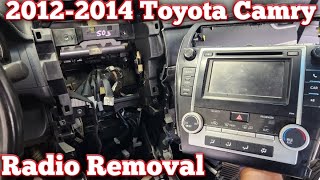
Installation involves removing the dashboard trim around the radio, unbolting the unit, and disconnecting the wiring harnesses. It is a straightforward process for those with DIY experience. 🎬 Watch: Step-by-step radio removal and replacement for Toyota Camry If you are not comfortable doing this, a professional car audio shop can perform the installation.
Cost Comparison: Replacing Your Toyota's Radio
| Replacement Option | Estimated Cost (Part Only) | Notes |
|---|---|---|
| New OEM Unit | $1,500 - $4,000+ | Extremely expensive. Ordered through a Toyota dealership. |
| Dealer Remanufactured | $500 - $1,000 | A refurbished OEM unit provided by Toyota's exchange program. |
| Used OEM Unit | $150 - $500 | The most cost-effective option for retaining original functionality. Price varies by features and condition. |
| New Aftermarket Unit | $300 - $800 | Offers modern features like Apple CarPlay/Android Auto but may require adapters and can have integration quirks. |
| DIY Digitizer Repair | $20 - $50 | For unresponsive touchscreens only. Requires disassembling the unit to replace the touch-sensitive glass layer. |
Frequently Asked Questions (FAQ)
Do I need a dealer to install a used radio?
Not usually. Installation is physically straightforward. In most cases for this vehicle generation, the unit is plug-and-play. However, in rare instances, a feature might not work until the dealer performs a "VIN sync" with their diagnostic tool. Always confirm with the seller if the unit is guaranteed to be fully functional without a dealer visit.
Will my steering wheel controls and backup camera still work with a used OEM unit?
Yes, as long as you buy the correct used OEM unit that matches your car's original specifications (e.g., JBL vs. non-JBL, Nav vs. non-Nav), all integrated factory features should work seamlessly.
What's the difference between the head unit and the 'extension box'?
The head unit is the main radio/screen assembly. On some models, a separate silver module called a "Communication Extension Box" (part prefix 86100YY050) is installed. This box specifically handles many of the Bluetooth and app connectivity functions. It is a common point of failure, and sometimes only this box needs to be replaced to fix Bluetooth problems.
My screen works, but the touch function is broken. Can I fix it?
Yes, this is often possible and very cost-effective. The touch-sensitive layer, called the digitizer, can be purchased separately for around $20-$50. Replacing it requires careful disassembly of the head unit but can save you from buying a whole new radio. This repair is only for screens that display a correct image but don't respond to touch.
Helpful Videos
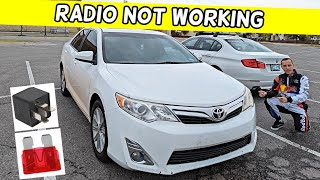
Technical Specifications
OEM Part Numbers: 86100YY050 (This is a prefix for the Communication Extension Box, not the main head unit) 86100-06081 86100-07060 89220-06190 (Actual Body Control Module, for reference) 89220-06011 (Actual Body Control Module, for reference)
Varies by trim and options. Units can be equipped with or without Navigation, with standard or JBL premium audio, and with different screen sizes. Part number matching is critical.
We Have This Part in Stock
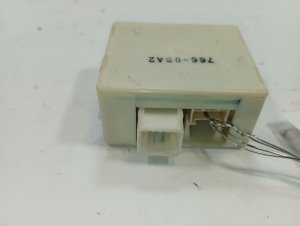


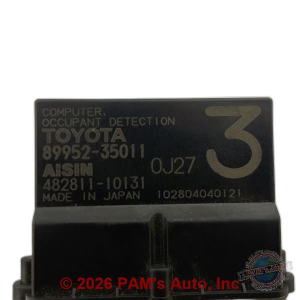

The information in this article is provided for general reference and educational purposes only. Vehicle specifications, procedures, and part compatibility can vary by production date, trim level, and region. Always consult your vehicle's factory service manual and verify part numbers before purchasing or performing repairs. Safety-critical components such as airbags, seat belts, and braking systems should be installed by a qualified professional.
- Toyota Camry:
- Toyota Avalon:
- Toyota RAV4:
- Toyota Prius V:
- 🎬 Helpful Videos
- 🛍️ Shop This Part
- Is This The Right Part? Head Unit vs. Body Control Module
- Symptoms of a Failing Entune Head Unit
- Known Issues and Technical Service Bulletins (TSBs)
- Diagnosis and Simple Fixes to Try First
- Buying a Used Entune Head Unit: The Definitive Guide
- Why Used OEM is a Smart Choice
- How to Ensure Compatibility
- Programming and Installation
- Cost Comparison: Replacing Your Toyota's Radio
- Frequently Asked Questions (FAQ)
- 🎟️ Get 5% Off