

2019-2020 Tesla Model X Autopilot/FSD Computer (HW3): Failure, Replacement, and Programming
Your guide to understanding symptoms, replacement costs, and the critical programming requirements for the Tesla Hardware 3.0 computer.
- This part is the Autopilot/FSD Computer (HW3), not a traditional Body Control Module.
- Replacement is NOT a DIY job. It requires mandatory software programming and VIN-pairing by Tesla or a qualified independent shop with 'Toolbox' software.
- A failed computer disables all Autopilot/FSD functions and critical active safety features, making the vehicle unsafe to operate with its full intended capabilities.
- Buying a used computer is cheap, but you must factor in the significant cost of professional programming and installation before purchasing.
What This Part Is (And Isn't)

First, a critical clarification: While it might be categorized as a 'control module,' this part is the Autopilot Computer (Hardware 3.0), also known as the FSD Computer. It does not control the body functions you'd associate with a traditional Body Control Module (BCM), like power windows or interior lights. Its sole, and critical, purpose is to run the software for Autopilot and Full Self-Driving. All 2019-2020 Model X vehicles came standard with this HW3 computer from the factory.
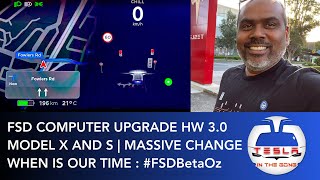
🎬 Watch: A detailed walkthrough of the HW3 computer retrofitSymptoms of a Failing Autopilot Computer

A failure in the HW3 computer can manifest in several ways, ranging from inconvenient to critical, as it disables many of the car's advanced features.
- Complete Loss of Driver Assistance: The most obvious symptom is the unavailability of Autopilot, Navigate on Autopilot, and Full Self-Driving features. You may see a message on the touchscreen indicating Autopilot is unavailable. 🎬 Watch: Troubleshooting steps when Autopilot becomes unavailable
- Red Steering Wheel Error: A persistent red steering wheel icon may appear on the instrument display, indicating a critical fault in the auto-steering system.
- Loss of Other Key Functions: Because other systems rely on the Autopilot computer, its failure can cause a cascade of problems. This includes the loss of active safety features, auto high beams, rearview cameras, and even GPS navigation and range estimation.
- Update Loops and Battery Drain: In some cases, a failing computer can cause the vehicle to get stuck in a software update loop. This can lead to significant battery drain while the vehicle is parked, sometimes consuming several kilowatt-hours per day.
- Erratic FSD Behavior: Before a complete failure, you might notice increasingly erratic behavior when using FSD. This can include driving significantly below the speed limit for no reason, poor lane centering, or hesitation at intersections. Tesla has sometimes referred to this as a "known firmware characteristic" under investigation.
Known Issues and Recalls
While there are no official recalls for the failure of the HW3 hardware itself, there are widespread reports from owners on forums and social media about premature failures. Many owners have been quoted thousands of dollars for replacement outside of warranty, which has been a significant point of frustration.
It is important to distinguish hardware failure from software recalls. Numerous recalls have been issued for the 2019-2020 Model X related to the *behavior* of the Autopilot and FSD software. These recalls address concerns like driver monitoring, actions at intersections, or rearview camera delays. However, these are typically resolved with a free, over-the-air (OTA) software update from Tesla and do not require a hardware replacement.
Warning: A failing Autopilot computer disables critical active safety features like automatic emergency braking and collision warnings. The vehicle may be drivable, but its safety systems are severely compromised.
Programming and Installation Requirements

This is not a plug-and-play component. Replacing the Autopilot computer is a complex procedure that requires special software and vehicle configuration.
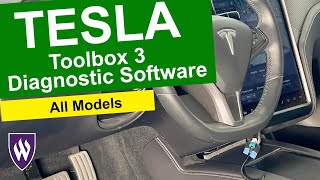
- Tesla Toolbox Software Required: The replacement process is managed by Tesla's proprietary diagnostic software, known as Toolbox. 🎬 See how Tesla Toolbox software manages vehicle diagnostics This software is used to back up the vehicle's profile, associate the new computer with the car's Vehicle Identification Number (VIN), deploy new firmware, and restore the vehicle's configuration.
- Professional Installation is Mandatory: Due to the software requirements, this replacement cannot be performed by a typical DIY mechanic. It must be done by a Tesla Service Center or a qualified independent repair shop that subscribes to and is trained on Tesla's service tools.
- Third-Party Shop Authorization: If using an independent shop, they must initiate an "Owner Authorization Request" through the Toolbox software. The vehicle's owner will receive an email and must approve the request before the shop can proceed with programming the new module.
- Post-Installation Calibration: After the new computer is installed and programmed, the vehicle's cameras must be recalibrated. This is typically accomplished by driving the vehicle for a short period (one owner reported the process took about 11 miles / 17.6 km).
Pro Tip: Before buying a used computer, contact your local Tesla Service Center or a trusted independent EV shop. Confirm they are willing and able to install and program a customer-supplied used part and get a quote for the labor involved.
Buying a Used Autopilot Computer
Purchasing a used HW3 computer can be a cost-effective option, but it comes with significant considerations. The low price of the physical part is tempting, but the installation and programming are where the real challenge lies.
- Verify the Part Number: Ensure you are buying the correct part. The most common number for this application is 1112379-01-H.
- The Software Lock is Key: A used computer is a paperweight until it is properly programmed to your car. The unit is electronically tied to the VIN of the vehicle it came from. The critical step is the software 'pairing' process performed by a qualified technician.
- FSD is Not Included: Installing an HW3 computer in a car does not grant that car the Full Self-Driving package. FSD is a software license tied to the car's VIN, not the hardware. If your car didn't have FSD before the swap, it won't have it after, regardless of what vehicle the donor computer came from.
- Physical Inspection: When you receive the part, inspect the liquid-cooling ports and electrical connectors for any signs of damage, corrosion, or coolant residue. The HW3 computer is liquid-cooled, and any damage to this system can be catastrophic.
Cost to Replace the Autopilot Computer
Costs can vary significantly based on whether it's a warranty repair, an upgrade, or a failure replacement.
| Item | Estimated Cost | Notes |
|---|---|---|
| New OEM (from Tesla) | $1,000 - $2,800 | Price varies widely. A simple upgrade from HW2.5 is on the lower end ($1,000). A full replacement due to failure is often quoted much higher, sometimes over $2,500. |
| Used OEM | $250 - $450 | Price for the physical part only, found on sites like eBay. Does not include mandatory programming. |
| Shop Labor & Programming | $400 - $800 | Tesla's flat-rate time is around 1.5-2.0 hours for the physical swap, plus time for software procedures. Labor rates vary by shop. |
Frequently Asked Questions (FAQ)
Can I replace the Autopilot computer myself?
No. While the physical swap is possible for a skilled DIYer, the replacement is useless without the final programming and VIN association steps, which require Tesla's proprietary Toolbox software.
Will installing this computer give my car Full Self-Driving (FSD)?
No. The FSD package is a software license that is purchased from Tesla and tied to your vehicle's VIN. This hardware is required for FSD to function, but simply installing it does not unlock the feature.
Why is Tesla quoting me $2,500 when I can buy a used computer for $300?
The quote from Tesla includes the new part, the specialized labor, and the software provisioning required to make it work. A used part only covers the hardware itself, and you will still need to pay a qualified shop for the complex installation and programming procedure.
Is it safe to drive with a failed Autopilot computer?
While the car may still drive, it is not recommended. A failed HW3 computer disables critical active safety features like automatic emergency braking, forward collision warning, and lane-keeping assist, significantly increasing the risk of a crash.
Helpful Videos
Technical Specifications
OEM Part Numbers: 1112379-01-H 1112379-00-H
Hardware Version: 3.0 (HW3). Cooling: Liquid-cooled. Function: Processes data from 8 cameras for Autopilot and Full Self-Driving features.
We Have This Part in Stock


The information in this article is provided for general reference and educational purposes only. Vehicle specifications, procedures, and part compatibility can vary by production date, trim level, and region. Always consult your vehicle's factory service manual and verify part numbers before purchasing or performing repairs. Safety-critical components such as airbags, seat belts, and braking systems should be installed by a qualified professional.
- Tesla Model X: