

Ford Sync Module (APIM) Failure: 2013 Mustang & 2012-2016 E-Series Van Guide
Diagnose and fix common Sync connectivity and screen issues in your Ford Mustang or E-Series van and understand the critical programming requirements for replacement.
- This part is the Sync (APIM) module, not the Body Control Module (BCM); it controls infotainment, not core vehicle functions.
- A replacement module, new or used, MUST be programmed to your vehicle's VIN to function correctly.
- DIY programming is possible and affordable using FORScan software and a specific OBD-II adapter.
- Common failure symptoms include a black screen, constant rebooting, and Bluetooth connectivity issues.
- The module is located behind the radio screen in the Mustang and behind the glove box in E-Series vans.
Is it a BCM or a Sync Module? A Critical Clarification

First, let's clear up a common point of confusion. The part numbers covered in this guide (DR3T-14D212-AA through AD, and the service part number DR3Z-14D212-AA) are for the Sync Accessory Protocol Interface Module (APIM), not the main Body Control Module (BCM). The APIM is the computer dedicated to your infotainment screen, handling voice recognition, Bluetooth, and media. The BCM is a different, separate module that controls core body functions like power windows, locks, and lights. If your Bluetooth isn't working, the problem is likely the APIM; if your power locks are acting up, the BCM is the more probable cause.
Symptoms of a Failing Sync APIM Module

A failing APIM can cause a wide range of frustrating electronic glitches. Because this module controls the entire Sync system, symptoms usually appear on the center screen or are related to connected devices. Here are the most common signs that your APIM is failing in a 2013 Ford Mustang or 2012-2016 Ford E-150, E-250, or E-350 Super Duty:
- Unresponsive or Frozen Screen: The display is stuck on the Ford logo or another screen and does not respond to touch.
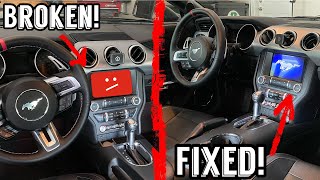
- Black Screen: The screen is completely blank, but you may still hear audio from the radio. If you have no audio and a black screen, the APIM is the most likely culprit.
- Constant Rebooting: The Sync system continuously restarts itself every few minutes.
- Bluetooth Connectivity Failure: Your phone will not pair, or it constantly disconnects.
- USB Ports Not Working: The system does not recognize or play media from a connected USB drive.
- Voice Commands Inoperative: Pressing the voice command button on the steering wheel does nothing.
- Laggy Performance: The system is extremely slow to respond to any touch inputs.
- "SYNC" Logo Flashes Briefly: When you press the Phone or Media button, the word "SYNC" appears for a moment and then disappears, with no further action.
In many cases, these issues are caused by internal software corruption or hardware failure within the module itself. Ford has issued numerous Technical Service Bulletins (TSBs) for similar issues on other models, often recommending a software update as the first step.
Associated OBD-II Codes
A failing APIM will not typically trigger a check engine light. Instead, it will store diagnostic trouble codes (DTCs) in the "U" (network communication) or "B" (body) categories. A scan tool like FORScan is needed to read these. Common codes include:
- U2100 - Initial Configuration Not Complete: Often appears after a failed programming attempt or module swap.
- U3000 - Control Module: A generic internal failure code.
- B1087 - LIN Bus 'A': Indicates a communication problem with other components connected to the APIM.
Buying a Used Sync (APIM) Module: What You MUST Know

Buying a used APIM is a great way to save money, but it's not a simple plug-and-play repair. Failure to follow these steps will result in a non-working part.
1. Match the Part Number Series
The most critical step is to get a module from the same family. The engineering part number is printed on the module's sticker (e.g., DR3T-14D212-AD). The letters at the end (AA, AB, AC, AD) represent revisions; a later letter is generally a newer, improved version and often compatible. However, the core number (DR3T-14D212) must be the focus. Do not install a module from a completely different vehicle family (e.g., an F-150 module) even if it looks identical, as its internal hardware may differ.
Warning: A replacement APIM module absolutely requires programming to your vehicle's VIN. A used module from another vehicle contains the VIN and feature set (like navigation, backup camera, etc.) of the donor vehicle. If installed without reprogramming, features will not work correctly, and you may see error messages.
2. Programming is NOT Optional
This is the most important takeaway for any buyer. The APIM must be programmed with your vehicle's specific "As-Built" data. This data file tells the module which features your vehicle has. You have three main options for programming:
- Ford Dealer: The most expensive option. They will use the Ford Integrated Diagnostic System (IDS) to program the module.
- Independent Shop: A well-equipped independent shop may have Ford IDS or equivalent diagnostic tools capable of module programming.
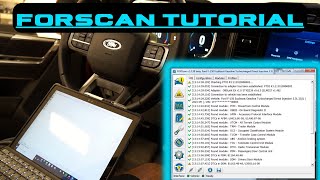
- DIY with FORScan: This is the most popular and cost-effective method for DIY mechanics. It requires a Windows laptop, a compatible OBD-II adapter (like the OBDLink EX) 🎬 See this helpful tutorial on how to use FORScan software., and the FORScan software with an extended license. You can download your vehicle's original As-Built data from Ford's service website and write it to the replacement module.
- Pre-Programmed Modules: Many online sellers, particularly on eBay, offer used APIMs that they will pre-program to your VIN before shipping. This is often the easiest solution, as the module arrives ready to install.
Vehicle-Specific Information: Mustang vs. E-Series Vans

While they share the same electronic module, accessing it for replacement differs between the vehicles.
- 2013 Ford Mustang: The APIM is located directly behind the 8-inch radio touchscreen. Replacement requires removing the center console side panels, the shifter trim, and the main radio/climate control bezel 🎬 Watch this video for a step-by-step Mustang stereo removal guide. to access the screws holding the screen assembly in place. The module itself is a small silver box bolted to the back of the screen.
- 2012-2016 Ford E-150/E-250/E-350: In the E-Series vans, the Sync module is typically located behind the glove box, secured to a dash support brace. Access involves opening or removing the glove box to reach the module and its connectors.
Cost of Replacing a Sync APIM Module
| Part Type | Estimated Cost |
|---|---|
| New OEM (Ford Dealer) | $450 - $550 |
| Used OEM (Salvage/eBay) | $50 - $150 |
| Remanufactured/Pre-Programmed | $150 - $350 |
| Shop Labor (Installation & Programming) | $200 - $400 |
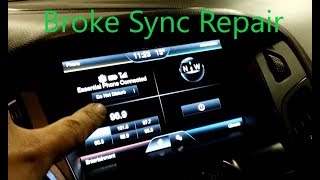
Pro Tip: Before replacing the module, always perform a master reset and check for software updates. You can do a soft reset by holding the power and seek-right buttons for 10 seconds. For a master reset, navigate through the settings menu. Sometimes, software glitches can mimic hardware failure 🎬 Watch a complete walkthrough of Ford Sync APIM repair and reprogramming., and a reset or update can resolve the issue without needing a new part.
Frequently Asked Questions (FAQ)
Do I have to go to the dealer to program a replacement Sync module?
No. While a dealer can always perform the programming, many DIYers successfully use the FORScan software with a compatible OBD-II adapter to program the module themselves. Alternatively, you can buy a used module from a seller who pre-programs it to your VIN before shipping, making it plug-and-play.
Will my steering wheel audio controls still work with a replacement module?
Yes, as long as the module is programmed correctly. The As-Built data tells the APIM what type of steering wheel controls the vehicle has. If it's not programmed, you may lose this functionality or get DTCs like B11BA (Steering Wheel Audio Switch Pack).
Can I upgrade from the basic Sync system to the Sync 2 touchscreen by just swapping the module?
No, it is a much more involved process. Upgrading from the small non-touchscreen radio to the 8-inch MyFord Touch system requires the screen, the APIM, a new dash bezel, a different GPS antenna, and significant wiring changes or a conversion harness.
My screen is black but the radio still plays. Is it the APIM?
Possibly, but it could also be the screen itself (the Front Display Interface Module, or FDIM) or the Audio Control Module (ACM). If you have a black screen but absolutely no audio from any source (radio, CD, etc.), the APIM is the most likely failure. If the radio and audio controls work but the screen is dead, the problem is more likely the screen itself.
Helpful Videos

Technical Specifications
OEM Part Numbers: DR3T-14D212-AA DR3T-14D212-AB DR3T-14D212-AC DR3T-14D212-AD DR3Z-14D212-AA
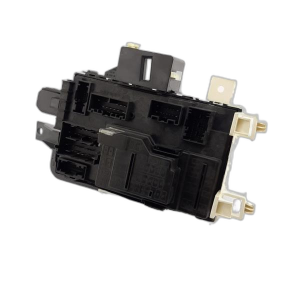
This is the Sync 1 / MyFord Touch Accessory Protocol Interface Module (APIM). It uses a 54-pin main connector and separate connections for GPS and USB.
We Have This Part in Stock



The information in this article is provided for general reference and educational purposes only. Vehicle specifications, procedures, and part compatibility can vary by production date, trim level, and region. Always consult your vehicle's factory service manual and verify part numbers before purchasing or performing repairs. Safety-critical components such as airbags, seat belts, and braking systems should be installed by a qualified professional.
- Ford Mustang:
- Ford E-350 Super Duty:
- Ford E-150:
- Ford E-250:
- 🎬 Helpful Videos
- 🛍️ Shop This Part
- Is it a BCM or a Sync Module? A Critical Clarification
- Symptoms of a Failing Sync APIM Module
- Associated OBD-II Codes
- Buying a Used Sync (APIM) Module: What You MUST Know
- 1. Match the Part Number Series
- 2. Programming is NOT Optional
- Vehicle-Specific Information: Mustang vs. E-Series Vans
- Cost of Replacing a Sync APIM Module
- Frequently Asked Questions (FAQ)
- 🎟️ Get 5% Off