

Ford Sync 2 APIM Failure (2011-2018): Black Screen & Reboot Fix for F-150, Explorer, Focus & More
Your definitive guide to diagnosing and replacing the faulty infotainment module (APIM) that causes the infamous black screen, freezing, and rebooting issues in many Ford and Lincoln vehicles.
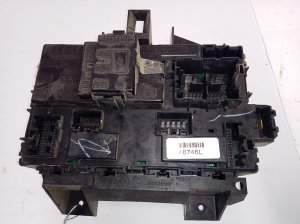
- This part is the APIM (infotainment computer), not the BCM (Body Control Module).
- A replacement APIM MUST be programmed to your vehicle's VIN and options to function correctly. It is not a plug-and-play part without programming.
- The most common failure symptom is a black screen, often accompanied by system reboots or freezing.
- For DIY replacement, the best value is a used OEM module that has been pre-programmed to your VIN by the seller.
Is It Your APIM, BCM, or Screen? Clearing Up the Confusion

First, let's clarify what this part is. The part numbers listed (BT4T-14D212-BU, DA5T-14D212-AL, etc.) and the common symptoms like a black screen refer to the Accessory Protocol Interface Module (APIM). This is the computer for the SYNC infotainment system. It is NOT the Body Control Module (BCM). If your radio, touchscreen, or navigation is failing but your lights, windows, and locks work fine, your problem is likely the APIM, not the BCM.
In some cases, the touchscreen itself can fail. A good rule of thumb is: if the screen is black but you can still hear audio and control volume with the steering wheel buttons, the screen might be the problem. However, if the screen is black and you have no audio, or if the system is stuck in a reboot loop, the APIM module is the most likely culprit.
Symptoms of a Failing APIM Module

A failing APIM is one of the most common issues on these Ford and Lincoln models. The internal electronics degrade over time, leading to frustrating problems that usually start intermittently and get progressively worse. Look for these tell-tale signs:
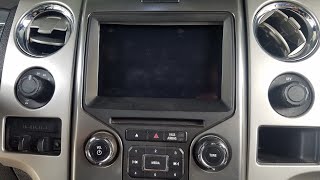
- Black or Blank Screen: This is the most frequent symptom. The screen may go completely black and become unresponsive, sometimes with the backlight still visibly on.
- Constant Reboots or Freezing: The system may get stuck in a boot loop, constantly showing the Ford or Lincoln logo before restarting, or it may freeze entirely, ignoring all touch inputs.
- Unresponsive Touchscreen: The screen displays correctly, but it doesn't respond to any touch commands.
- Bluetooth and Connectivity Failures: Your phone may suddenly refuse to connect, or connections may drop frequently. USB ports may also stop recognizing devices.
- GPS and Navigation Errors: If equipped with navigation, the system may show an incorrect vehicle location, be unable to acquire a GPS signal, or the navigation system may be completely unavailable.
- Diagnostic Trouble Codes (DTCs): A scan may reveal code U0253, which means "Lost Communication With Accessory Protocol Interface Module." This is a strong indicator that the APIM has failed.
Before You Buy: Essential Diagnostic Steps

Before spending money on a replacement part, try these simple resets which can sometimes resolve software glitches.
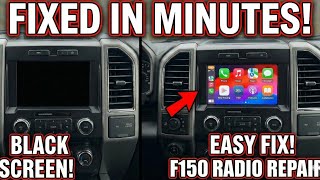
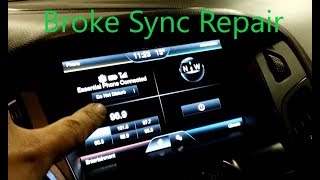
- Soft Reset: With the vehicle running, press and hold the Power button and the Right-Seek (>>) button on your radio controls simultaneously for about 10 seconds. The system should shut down and reboot. This can often clear temporary issues. 🎬 Watch: How to fix a black or frozen Ford touchscreen
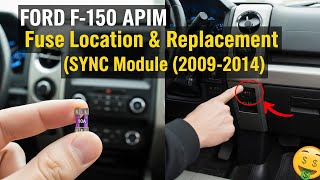
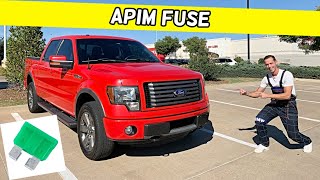
- Hard Reset / Fuse Pull: Disconnecting the vehicle's battery for 20-30 minutes can perform a hard reset on all modules. A more targeted approach is to pull the fuse for the APIM/Sync system. On a 2012-2018 Ford Focus, this is often fuse F67 (7.5A) in the passenger compartment fuse box. On a 2009-2014 F-150, the fuse is in the passenger kick panel fuse box. 🎬 See this guide for finding the F-150 APIM fuse Always check your owner's manual for the correct fuse location for your specific vehicle and year.
- Check the Battery: A weak or failing vehicle battery can cause a host of bizarre electronic problems, including APIM issues. If your battery is more than 4-5 years old, have it tested before replacing other parts.
Known Issues, TSBs, and Warranty Extensions

The problems with these modules are well-documented. Ford issued Customer Satisfaction Program 12M02, which extended the warranty on the APIM for some vehicles to five years because of the high failure rate. While this program has likely expired for most owners, it shows this is a known hardware problem.
Ford also released Technical Service Bulletin (TSB) 20-2255 for various SYNC 3 performance issues. It notes that many concerns can be fixed by simply updating the APIM software, and that modules were being replaced unnecessarily. If your module is still partially functional, attempting a software update via USB from the Ford owner website is a worthwhile step.
Warning: A replacement APIM is NOT plug-and-play. It must be programmed to your vehicle's VIN and specific options (As-Built data) to function correctly. Failure to program the module will result in missing features, features that don't work, or a system that doesn't turn on at all.
Programming is NOT Optional: Your Three Choices
When you replace the APIM, you must program it. You have three main options:
- Ford Dealership: A dealer can use the Ford Integrated Diagnostic System (IDS) to program a new or used module to your vehicle. This is the most straightforward but also the most expensive option.
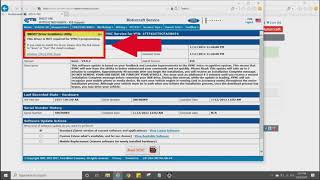
- DIY with FORScan: For the tech-savvy DIYer, it's possible to program the module yourself. This requires a compatible OBD-II adapter (like the OBDLink EX or MX+), a Windows laptop, and the FORScan software with an extended license. You would download your vehicle's "As-Built" data from Ford's database and write it to the replacement module. This is the cheapest method but has a steep learning curve. 🎬 Watch: A walkthrough of the Ford SYNC programming process
- Purchase a Pre-Programmed Module: This is often the best option for most people. Many online sellers, particularly on eBay or from specialty retailers, sell used or refurbished APIMs and will pre-program the module to your vehicle's VIN before shipping it to you. This makes the installation truly plug-and-play.
Buying a Used APIM Module: A Buyer's Guide
Buying a used APIM is a great way to save a significant amount of money. Here’s what you need to know:
- VIN Programming is Key: The single most important factor is ensuring the module is programmed for your vehicle. Only buy from sellers who explicitly offer to pre-program the unit to your VIN.
- Match Features (Nav vs. Non-Nav): APIMs come in navigation and non-navigation variants. Ensure the replacement you buy matches your vehicle's original features or the features you want to have. A seller programming to your VIN should handle this, but it's good to confirm.
- Verify the Part Number: While VIN programming is more important, matching the part number from your original module (e.g., DA5T-14D212-AM) can help ensure you're getting a compatible hardware version.
- Why Used OEM is a Good Choice: For an electronic module like this, a used OEM part that has been properly tested and programmed is often more reliable than a cheap, new aftermarket clone from an unknown source. The OEM hardware is designed to integrate perfectly with the vehicle's other systems.
Replacement Location and General Procedure
The APIM is almost always mounted directly to the back of the 8-inch touchscreen. The general replacement process is as follows:
- Disconnect the vehicle's battery.
- Carefully remove the plastic trim panels surrounding the radio and screen. This usually requires plastic pry tools to avoid scratching the dashboard.
- Unscrew the entire screen/radio chassis from the dashboard. This is typically held by four 7mm screws.
- Disconnect the main wiring harnesses from the back of the unit.
- Once the unit is out, you can place it on a workbench and unscrew the APIM (the metal box) from the back of the screen.
- Install the new APIM onto the screen and reinstall everything in the reverse order.
While the process is similar across models, the specific trim pieces that need to be removed will vary between a Ford F-150, Explorer, Escape, Focus, Fusion, Edge, Super Duty, Lincoln MKZ, or Lincoln MKX.
| Part / Service | Estimated Cost |
|---|---|
| New OEM (Dealer Part) | $800 - $1,500+ |
| Used OEM (Pre-Programmed) | $150 - $400 |
| Remanufactured | $400 - $800 |
| Shop Labor (Install & Program) | $250 - $500 |
Frequently Asked Questions (FAQ)
Can I upgrade from the small 4-inch screen to the 8-inch screen using one of these modules?
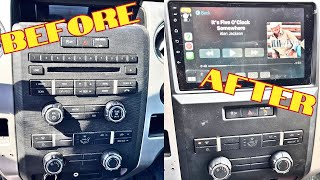
No, not with the module alone. Upgrading from the base 4-inch SYNC system to the 8-inch SYNC 2 or 3 system is a much more complex project that requires a new screen, a new dashboard bezel, different wiring harnesses, and programming. This module is only for replacing a failed module in a vehicle that already has the 8-inch screen.
Can I use this Sync 2 module to upgrade to Sync 3?
No. The Sync 2 (MyFord Touch) and Sync 3 systems use different APIM modules and screens. They are not interchangeable. To upgrade from Sync 2 to Sync 3, you need a complete Sync 3 kit, which includes a Sync 3 APIM, a Sync 3 touchscreen (which supports capacitive touch), and sometimes a new GPS antenna and USB hub.
What is FORScan and is it safe to use?
FORScan is a powerful software tool that allows you to communicate with the modules in Ford, Lincoln, and Mazda vehicles. It can read diagnostic codes, view live data, and change module programming (As-Built data). It is safe when used correctly, but incorrect programming can disable vehicle features. If you are not comfortable editing vehicle computer settings, it is best to have a professional or a pre-programmed module do the work.
The seller says the module is 'unlocked'. Does that mean it doesn't need programming?
No. 'Unlocked' is a vague term. Every APIM must be configured with the As-Built data that matches your vehicle's specific options (heated seats, backup camera, audio system, etc.). A 'one-size-fits-all' program does not exist. Insist on a module that is programmed specifically to your VIN.
Helpful Videos

Technical Specifications
OEM Part Numbers: BT4T14D212BU BT4T14D212BV DA5T-14D212-AL DA5T-14D212-KA DA5T14D212AA DA5T14D212AB DA5T14D212AC DA5T14D212AD DA5T14D212AE DA5T14D212AF DA5T14D212AG DA5T14D212AH DA5T14D212AJ DA5T14D212AK DA5T14D212AM EA5T-14D212-GA BT4T-14F239-CJ
This is the Accessory Protocol Interface Module (APIM) for the Ford Sync 2 (MyFord Touch) system. It is typically mounted to the rear of the 8-inch central touchscreen display. It requires programming to the vehicle's VIN and As-Built data to function.
We Have This Part in Stock

The information in this article is provided for general reference and educational purposes only. Vehicle specifications, procedures, and part compatibility can vary by production date, trim level, and region. Always consult your vehicle's factory service manual and verify part numbers before purchasing or performing repairs. Safety-critical components such as airbags, seat belts, and braking systems should be installed by a qualified professional.
- Ford F-150:
- Ford Explorer:
- Ford F-250 Super Duty:
- Ford Escape:
- Ford F-350 Super Duty:
- Ford Fusion:
- Ford Edge:
- Lincoln MKZ:
- Lincoln MKX:
- Ford Focus:
- Ford Taurus:
- Lincoln MKS:
- Ford Flex:
- Ford C-Max:
- Lincoln MKT:
- Ford Transit Connect:
- 🎬 Helpful Videos
- 🛍️ Shop This Part
- Is It Your APIM, BCM, or Screen? Clearing Up the Confusion
- Symptoms of a Failing APIM Module
- Before You Buy: Essential Diagnostic Steps
- Known Issues, TSBs, and Warranty Extensions
- Programming is NOT Optional: Your Three Choices
- Buying a Used APIM Module: A Buyer's Guide
- Replacement Location and General Procedure
- Frequently Asked Questions (FAQ)
- 🎟️ Get 5% Off