

VW Radio Issues (2009-2017): RCD 510 & RNS 315 Problems, Battery Drain, and Replacement Guide
This guide covers common failures, compatibility traps, and programming needs for the audio systems in the 2009-2017 VW CC, Jetta, GTI, Passat, and more.
- Compatibility is critical. Swapping radios, especially into pre-2009 vehicles, can cause a severe battery drain if the car's CAN gateway module is not also upgraded.
- A 4-digit anti-theft code is required for any used or replacement radio. Ensure you get this code from the seller or be prepared to get it from a dealer using the radio's serial number.
- Programming with a tool like VCDS is almost always necessary after a swap to ensure features like steering wheel controls and the backup camera function correctly.
- Common failure modes include a blank screen, no audio output, and Bluetooth connectivity issues, which can be caused by the head unit, a separate Bluetooth module, or software glitches.
Key Radio Models in 2009-2017 Volkswagens

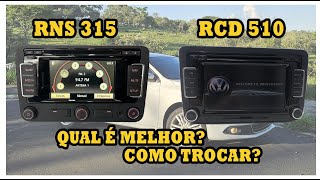
Several radio head units were available for the VW CC, Jetta, GTI, Passat, Eos, Golf, Beetle, and Tiguan during these years. The two most prevalent upgraded units you will encounter are the RCD 510 and the RNS 315.
RCD 510 (Premium 8)
- Type: Non-Navigation Audio System
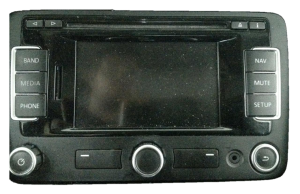
- Screen: 6.5-inch color touchscreen.
- Features: AM/FM radio, 6-disc in-dash CD changer, SD card slot for MP3 playback, and an auxiliary input. It often supports a reverse camera (RVC) and displays climate control settings.
- Bluetooth: Typically requires an external Bluetooth module (often located under the passenger seat) for phone and audio streaming.
RNS 315
- Type: Navigation Audio System
- Screen: 5-inch color touchscreen.
- Features: AM/FM radio, single CD player, SD card slot (used for maps or media), auxiliary input, and built-in GPS navigation.
- Bluetooth: Most, but not all, RNS 315 units have Bluetooth built directly into the head unit. You can verify this by checking for a MAC address on the unit's label.
Common Symptoms of a Failing Audio System

Failures can range from minor annoyances to issues that can leave you with a dead battery. Here are the most common problems owners report.
1. Unit Will Not Turn On, Blank Screen, or Freezes
One of the most frequent complaints is a head unit that is completely dead, shows a blank or white screen, or freezes on the Volkswagen logo. This can happen intermittently at first and become permanent over time. Sometimes, the button backlights may still illuminate, but the screen remains black and there is no audio output. This often points to an internal hardware failure within the unit itself.
2. Battery Drain When Car is Off
A critical issue, especially when upgrading or replacing a radio, is a parasitic battery drain. This occurs when the radio fails to enter a low-power "sleep" mode after the ignition is turned off, continuously drawing power and draining the battery over a few hours or days. This is most often caused by an incompatibility between a newer radio unit (like an RCD 510 or RNS 315) and an older CAN bus gateway module in the vehicle. Vehicles from before the 2008/2009 model years are particularly susceptible if a newer radio is retrofitted.
3. No Audio Output or Intermittent Sound
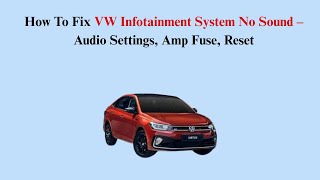
The head unit may power on and appear to function normally, but no sound comes from any of the speakers. The problem might start on one side of the car and then progress to a total loss of audio. This can be caused by a failure in the radio's internal amplifier, a problem with an external factory amplifier (like the Fender system found in some Passat and Beetle models), or a software glitch. Checking fuses for the radio and amplifier is a good first step.
🎬 See this guide on fixing VW infotainment sound issues4. Bluetooth Connectivity Problems
Issues with Bluetooth are common, including the inability to pair a phone, frequent disconnections, or loss of functionality like skipping tracks from the steering wheel. In many of these vehicles, the Bluetooth module is a separate component located under the passenger seat. A failure of this module can prevent the "Phone" or "BT-Audio" option from appearing on the radio screen, even if the radio itself is working. Sometimes, a simple reset of the module by unplugging it can resolve the issue, but often the module itself needs replacement.
5. Touchscreen is Unresponsive
The touchscreen may stop responding to input, making it impossible to control the radio's functions. This is a critical failure, as it can even prevent you from entering the anti-theft code after the battery has been disconnected, effectively locking you out of the system.
Known Issues, TSBs, and Recalls

While there are no widespread recalls specifically for these radio units, Volkswagen has issued several Technical Service Bulletins (TSBs) to address software-related problems. TSBs like 91-19-03 and 91-24-01 address issues on later infotainment systems like system freezes, reboots, blank screens, loss of audio, and navigation malfunctions, which are resolved by a dealer-performed software update. Though these specific TSBs may target newer MIB systems, they highlight VW's practice of fixing bugs via software flashes. Always check with a dealer to see if any software updates are available for your specific unit, as this can resolve many functional problems.
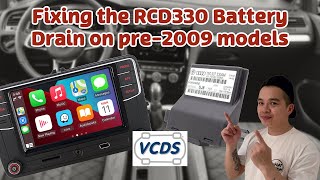
Critical Warning: The CAN Gateway Battery Drain Issue. If you are installing a newer radio (e.g., RCD 510, RNS 315) into an older vehicle in this range (typically pre-2009 models like the CC or Jetta), you MUST verify the part number of your car's CAN bus gateway module. Older gateways (like those with revisions lower than 'L' for part number 1K0 907 530) do not send the correct signal to put the newer radios to sleep. This will cause a significant battery drain. The fix is to replace the gateway module with a newer revision and then code it to the vehicle using a tool like VCDS.
🎬 Watch: How to install a new CAN bus gateway to fix battery drainBuying a Used VW Audio System
Purchasing a used OEM radio is a great way to save money, but compatibility is everything. Follow these steps to ensure you get the right part.
1. Verify the Part Number
This is the most important step. There are dozens of part numbers for what look like identical radios. Differences in part numbers can mean different features (satellite radio, reverse camera support) or internal hardware revisions. Always match the part number from your original unit or confirm the correct part number for your vehicle's VIN with a dealer.
2. Get the Anti-Theft Code
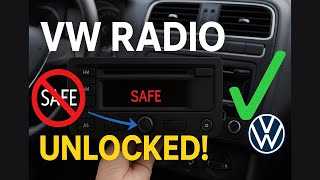
Every VW radio is protected by a 4-digit anti-theft code. When a radio is installed in a new vehicle or power is disconnected, it will enter "SAFE" mode and require this code. When buying a used unit, ensure the seller provides the code. If not, a VW dealer can often retrieve the code for a fee if you provide the radio's serial number (starting with "VWZ") and proof of ownership. There are also online services that can provide the code from the serial number.
🎬 Watch: How to find your VW radio code and exit SAFE mode3. Understand Component Protection (CP)
Fortunately, these specific radio models (RCD 510, RNS 315) generally do not use the more advanced Component Protection system found in newer VWs. CP electronically locks a module to the original vehicle's VIN and requires a dealer's online connection to unlock. The primary security feature you will face is the standard 4-digit anti-theft code.
4. RNS 315 vs. RCD 510 Swaps
While physically interchangeable, swapping between these models has implications.
- Upgrading to RNS 315 (Nav): You will need to add a GPS antenna, which is an inexpensive part that can be mounted magnetically under the dashboard.
- Swapping an RNS 315 for an RNS 510: If you upgrade from an RNS 315 to the higher-end RNS 510, you may need an external Bluetooth module, as the RNS 510 does not have it built-in.
- Coding is Required: After any swap, the radio must be coded using a diagnostic tool like VCDS to tell it which features the car has (e.g., steering wheel controls, backup camera, Fender/Dynaudio sound system).
Cost of Replacement

Prices can vary significantly based on the model, condition, and source.
| Part Source | Estimated Cost |
|---|---|
| New OEM (Dealer) | $900 - $2000+ |
| New Aftermarket | $250 - $700 (for modern units with CarPlay/Android Auto) |
| Used OEM (Salvage) | $100 - $400 (depending on model and condition) |
| Shop Labor for Installation | $100 - $250 |
Pro Tip: For a DIY replacement, you will need a set of radio removal keys (or a simple trim removal tool and a T20 Torx driver for most of these models). The process is straightforward: pry off the surrounding trim, undo the four screws, and slide the unit out.
Frequently Asked Questions (FAQ)
Does a replacement radio need to be programmed?
Yes, in two ways. First, you will need the 4-digit anti-theft code to unlock it. Second, it should be 'coded' with a tool like VCDS to match your vehicle's options, such as enabling steering wheel controls, backup camera input, or telling it if you have a standard or premium (Fender/Dynaudio) amplifier. Without proper coding, some features may not work.
Why did my battery die after I installed a newer VW radio?
This is almost certainly due to an outdated CAN bus gateway module. If you install a radio from a newer model year into an older car (e.g., a 2012 radio into a 2009 car), the gateway module may not know how to tell the radio to go to sleep, causing it to drain the battery. You must replace the gateway with a newer version and code it to your car to fix this.
Can I upgrade my base radio to an RCD 510 or RNS 315?
Yes, this is a very common upgrade. The units are physically a direct fit. However, you must be aware of the potential CAN gateway issue causing battery drain, the need for an anti-theft code, and the requirement for VCDS coding to enable all features. If you install an RNS 315, you will also need to add a GPS antenna.
How do I find my radio's anti-theft code?
The code is sometimes on a sticker in the owner's manual or in the vehicle's trunk. If not, you must remove the radio to find its 14-digit serial number (starts with 'VWZ') printed on the chassis label. A VW dealer can look up the code with this serial number and your VIN. There are also third-party online services that can provide the code from the serial number for a small fee.
My steering wheel buttons don't work with my new radio. How do I fix this?
This is a coding issue. The radio needs to be programmed using VCDS to recognize the steering wheel controls. This is a common step that is missed after a radio swap. An independent VW specialist or a DIYer with VCDS can perform this coding in a few minutes.
Helpful Videos
Technical Specifications
OEM Part Numbers: 7640208360 8157640208360 1K0-035-180-AD 1K0-035-180-AE 1K0-035-180-T 1K0035164C 1K0035164E 1K0035180AC 1K0035180AD 1K0035180AE 1K0035180AF 1K0035180AG 1K0035180T 1K0035274B 1K0035274C 1K0035274K 3C8057190C
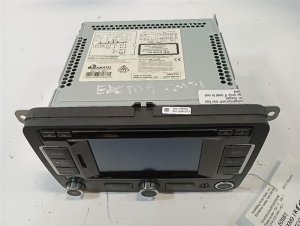
Varies by model. RCD 510 features a 6.5-inch screen and 6-disc changer. RNS 315 features a 5-inch screen and navigation. Both use a standard Quadlock connector. Power is supplied via the vehicle's 12V system and communication is handled by the CAN bus network.
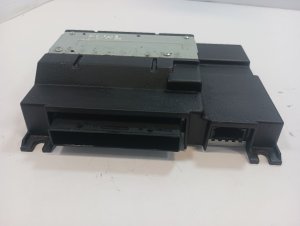
We Have This Part in Stock



The information in this article is provided for general reference and educational purposes only. Vehicle specifications, procedures, and part compatibility can vary by production date, trim level, and region. Always consult your vehicle's factory service manual and verify part numbers before purchasing or performing repairs. Safety-critical components such as airbags, seat belts, and braking systems should be installed by a qualified professional.
- Volkswagen CC:
- Volkswagen Jetta:
- Volkswagen GTI:
- Volkswagen Passat:
- Volkswagen Eos:
- Volkswagen Golf:
- Volkswagen Beetle:
- Volkswagen Passat CC:
- Volkswagen Tiguan:
- 🎬 Helpful Videos
- 🛍️ Shop This Part
- Key Radio Models in 2009-2017 Volkswagens
- RCD 510 (Premium 8)
- RNS 315
- Common Symptoms of a Failing Audio System
- 1. Unit Will Not Turn On, Blank Screen, or Freezes
- 2. Battery Drain When Car is Off
- 3. No Audio Output or Intermittent Sound
- 4. Bluetooth Connectivity Problems
- 5. Touchscreen is Unresponsive
- Known Issues, TSBs, and Recalls
- Buying a Used VW Audio System
- 1. Verify the Part Number
- 2. Get the Anti-Theft Code
- 3. Understand Component Protection (CP)
- 4. RNS 315 vs. RCD 510 Swaps
- Cost of Replacement
- Frequently Asked Questions (FAQ)
- 🎟️ Get 5% Off