

VW MIB3 Infotainment Problems in 2021-2025 Atlas, Tiguan, Jetta, Taos & More: A Buyer's & Troubleshooter's Guide
This guide covers the common black screens, reboots, and audio failures in modern Volkswagen infotainment systems and explains the critical programming steps required for replacement.
- A used replacement unit MUST be programmed by a VW dealer or specialist to remove 'Component Protection'; it is not a plug-and-play part.
- Many common issues like black screens and freezing may be fixed with a free software update from a dealer under a recall or TSB.
- Always try a 'soft reset' by holding the power button for 30 seconds as a first step for any glitch.
- You must match the OEM part number exactly when buying a used unit, paying close attention to navigation, screen size, and production date variants.
Common Problems and Symptoms of Failure

The MIB3 infotainment system found in many 2021-2025 Volkswagen models is known for a range of software and hardware-related issues. Owners of the Atlas, Atlas Cross Sport, Taos, Tiguan, Arteon, and Jetta may experience frustrating glitches that can affect both convenience and core vehicle functions like the backup camera.
Symptoms of a Failing Audio System:
- Black or Blank Screen: The most common complaint is the display suddenly going black and becoming completely unresponsive. This can happen intermittently or become a permanent failure.
- Constant Rebooting: The system may get stuck in a boot loop, where it continuously restarts, showing the VW logo over and over but never fully loading.
- System Freezing: The screen may freeze and stop responding to touch inputs or physical button presses.
- No Audio: Sound may cut out entirely from all sources, including the radio, Bluetooth, and navigation prompts. Sometimes this happens intermittently and resolves itself after the vehicle has been off for an extended period.
- Backup Camera Failure: The rearview camera image may be delayed, distorted, or not appear at all when the vehicle is shifted into reverse. This specific issue has prompted a safety recall.
- Connectivity Issues: Problems with Apple CarPlay or Android Auto connecting or staying connected are frequently reported.
- Error Messages: The system may display various error messages, such as 'Some features are currently not available' or indicate faults with the antenna circuit.
Known Issues, Recalls, and Technical Service Bulletins (TSBs)

Volkswagen has acknowledged several of these issues and has released software updates and recalls to address them. Before replacing any hardware, check if your vehicle is affected by the following:
NHTSA Recall 91US: Rearview Camera Delay
This safety recall addresses an issue where the rearview camera image can be delayed or fail to display entirely. A non-functioning backup camera is a safety hazard and fails to meet federal standards.
- Affected Vehicles: 2024 Volkswagen Atlas, 2024 Volkswagen Atlas Cross Sport, and some 2022-2024 Golf models.
- Solution: An authorized Volkswagen dealer will update the infotainment system software free of charge.
TSB 2071790 / 91-24-01: MIB Infotainment System Unresponsive
This Technical Service Bulletin is for technicians when a vehicle's infotainment system is completely unresponsive (e.g., won't power on, stuck in 'emergency mode,' or constantly rebooting).
- Affected Vehicles: A wide range of 2021-2025 models, including the Arteon, Atlas, Atlas Cross Sport, Jetta, Taos, and Tiguan.
- Solution: The procedure involves a dealer attempting to recover the unit by installing a special 'correction file' via USB. If this fails, hardware replacement is necessary.
Service Campaign 91DC / 91CZ: Infotainment Software Update
This earlier service campaign was launched to address various software glitches and improve system stability.
- Affected Vehicles: 2021-2022 models including the Atlas, Atlas Cross Sport, Arteon, Jetta, Taos, and Tiguan.
- Solution: A dealer-installed software update.
Pro Tip: Before scheduling a repair, always check for open recalls or service campaigns for your vehicle's specific Vehicle Identification Number (VIN) on the NHTSA or Volkswagen owner's websites. A software update performed by the dealer might fix your problem for free.
Diagnosis and Simple Fixes

Before assuming the hardware has failed, try these simple steps:
- Perform a Soft Reset: For many temporary glitches like a frozen screen or no sound, a soft reset can force the system to restart. Press and hold the infotainment system's power button for 15-30 seconds. The screen will turn off and then reboot, displaying the VW logo. This often resolves the issue temporarily.
- Check Fuses: While less common, a blown fuse can cause a complete loss of power. Check the fuse box diagram in your owner's manual to locate the fuse for the infotainment system and inspect it.
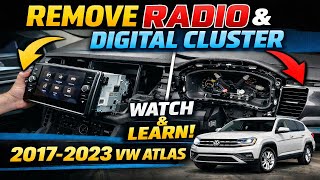
- Check Antenna Connections: In some cases, poor radio reception, static, and even system errors can be caused by a faulty antenna or corroded connections at the antenna base. This may require removing trim panels to inspect. 🎬 Watch: Step-by-step guide to removing your VW radio and cluster
Buying a Used Audio System: The Definitive Guide

If a software update or reset doesn't work, replacing the main control module is often the next step. Buying a used OEM unit can save you thousands of dollars compared to a new one from a dealer, but you must follow these steps carefully to avoid costly mistakes.
The #1 Rule: Understand Component Protection
Volkswagen uses an anti-theft system called Component Protection. This system links major electronic modules, like the radio/infotainment unit, to the vehicle's original VIN. If you install a used module from another car, it will trigger 'Component Protection Active' mode. In this mode, the unit will have severely limited functionality—most notably, there will be no sound.
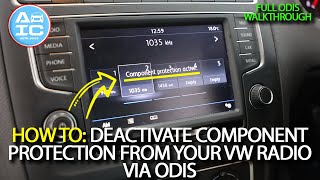
Warning: A used infotainment module is NOT plug-and-play. After physical installation, the unit MUST be taken to a VW dealer or a qualified independent specialist with online access to VW's servers (using a tool called ODIS) to have the Component Protection removed and the module adapted to your vehicle's VIN. This service can cost anywhere from $150 to over $400. Factor this mandatory cost into your budget.
How to Ensure Compatibility
To ensure the used part will work in your car after programming, you must verify several key details:
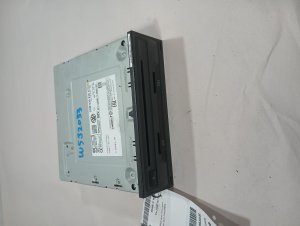
- Match the Part Number EXACTLY: The single most important step is to match the OEM part number from your original unit to the used one you are buying. Even a one-letter difference can mean incompatibility. The part number is printed on a sticker on the module's housing.
- Navigation vs. Non-Navigation: Units for vehicles with factory navigation are different from those without. They are not interchangeable.
- Screen Size: The control module must be compatible with your vehicle's screen size (e.g., 8-inch or 12-inch).
- Production Date Breaks: For some models, there are hardware changes based on the vehicle's production date. For example, part number 5H0035842D is specified for vehicles built on or after February 19, 2024. Always verify these details.
Physical Inspection of a Used Unit
- Check Connectors: Ensure none of the electrical connector pins are bent, broken, or corroded.
- Look for Water Damage: Inspect the case for any signs of water intrusion or corrosion, which can cause permanent damage.
- Screen Condition (if buying a matched set): If the sale includes the display, check for deep scratches, delamination (bubbling), or cracks.
Cost to Replace Volkswagen MIB3 Audio System

| Part or Service | Estimated Cost |
|---|---|
| New OEM Module (Part Only) | $1,200 - $3,500+ |
| Used OEM Module (Part Only) | $150 - $600 |
| Remanufactured / Repair Service | $350 - $600 |
| Shop Labor (Installation) | $100 - $250 |
| Shop Labor (Component Protection Programming) | $150 - $400 |
Frequently Asked Questions (FAQ)
My screen is black. Do I need a new radio?
Not necessarily. First, try a soft reset by holding the power button for 30 seconds. If that doesn't work, ask a VW dealer to check if your vehicle needs a software update per TSB 2071790 or Recall 91US. Hardware failure is the last resort after all software solutions have been exhausted.
What is 'Component Protection' and why does it matter?
Component Protection is a VW anti-theft feature that links the infotainment module to the car's VIN. When you install a used unit, this protection activates and disables key features, most importantly the audio. You must visit a dealer or specialist with online diagnostic tools to have this protection removed and the new unit coded to your car. There is no DIY workaround for this.
🎬 See how a technician deactivates Component Protection using ODISCan an independent mechanic or locksmith program a used VW radio?
Only if they have invested in specialized, dealer-level diagnostic tools like ODIS (Offboard Diagnostic Information System) and have a subscription to VW's online services. Most standard independent shops and locksmiths cannot perform this function. You should confirm they can specifically handle VW Component Protection removal before having them do the work.
Can I upgrade my small screen to the larger 12-inch screen?
This is generally not a simple swap. It often requires a new control module, a different screen, and potentially different trim pieces and wiring. The new components would also need to be programmed by a specialist to work correctly. It is a complex and expensive conversion.
Are there any OBD-II codes for a bad radio?
Standard OBD-II scanners that read 'P' codes (for powertrain) will typically not show faults for the infotainment system. Infotainment faults are usually stored as 'B' (Body) or 'U' (Network) codes and require a more advanced scanner like VCDS or ODIS to be read. Some known fault codes include 000256 (Audio Unit Internal Fault) and 002341 (Antenna Circuit Malfunction).
Helpful Videos
Technical Specifications
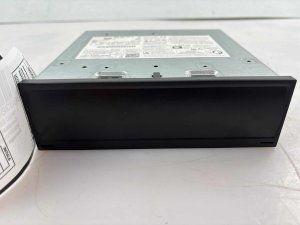
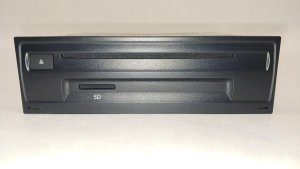
OEM Part Numbers: 3G5035842 3G5035842B 3G5035842D 3G5035842F 3G5035842H 5G6-919-605-D 5H0-035-842-D 5H0035842C 5H0035842D 5H035842D 5NN-919-605-D 5NN919605
System is part of the Volkswagen MIB3 (Modular Infotainment Toolkit) platform. Requires post-installation programming (Component Protection removal) via ODIS.
We Have This Part in Stock



The information in this article is provided for general reference and educational purposes only. Vehicle specifications, procedures, and part compatibility can vary by production date, trim level, and region. Always consult your vehicle's factory service manual and verify part numbers before purchasing or performing repairs. Safety-critical components such as airbags, seat belts, and braking systems should be installed by a qualified professional.
- Volkswagen Atlas:
- Volkswagen Atlas Cross Sport:
- VOLKSWAGEN TAOS:
- VOLKSWAGEN TIGUAN:
- Volkswagen Arteon:
- Volkswagen Jetta:
- 🎬 Helpful Videos
- 🛍️ Shop This Part
- Common Problems and Symptoms of Failure
- Symptoms of a Failing Audio System:
- Known Issues, Recalls, and Technical Service Bulletins (TSBs)
- NHTSA Recall 91US: Rearview Camera Delay
- TSB 2071790 / 91-24-01: MIB Infotainment System Unresponsive
- Service Campaign 91DC / 91CZ: Infotainment Software Update
- Diagnosis and Simple Fixes
- Buying a Used Audio System: The Definitive Guide
- The #1 Rule: Understand Component Protection
- How to Ensure Compatibility
- Physical Inspection of a Used Unit
- Cost to Replace Volkswagen MIB3 Audio System
- Frequently Asked Questions (FAQ)
- 🎟️ Get 5% Off