

Subaru Legacy & Outback Audio Systems (2013-2024): A Guide to Failures, Recalls, and Replacement
This guide covers common audio system problems like screen delamination and ghost touch in 2013-2024 Legacys and 2013-2022 Outbacks, helping you diagnose issues and find a compatible replacement.
- The most common failures are touchscreen delamination ('bubbling') and 'ghost touch', especially on 2015-2019 models.
- Compatibility is critical: you must match the system type (Base, Navigation, or Harman Kardon) and the Face ID number printed on the front of the radio.
- For 2013-2019 models, replacement with a compatible used OEM unit is plug-and-play and does not require dealer programming for core functions.
- Subaru has issued multiple recalls, TSBs, and warranty extensions for these issues; always check with a dealer for coverage before paying for a repair.
Key System Variations by Vehicle Generation

The audio systems in the Subaru Legacy and Outback changed significantly between 2013 and 2024. Identifying your vehicle's specific generation and system type is the first step in diagnosis or replacement.
2013-2014 (Legacy Gen 5 / Outback Gen 4)
These earlier models feature smaller screens and more basic infotainment systems. They were available in a base configuration and an optional navigation version, both typically manufactured by Clarion or Fujitsu Ten. Compatibility is generally straightforward within this generation, but navigation and non-navigation units are not interchangeable.
2015-2019 (Legacy Gen 6 / Outback Gen 5)
This generation introduced the modern Subaru STARLINK system with larger touchscreens (from 6.2 to 8 inches). These head units are the most common source of problems. There are three main system types, and they are NOT interchangeable:
- Base Audio: Standard system with a smaller screen, without navigation or premium speakers.
- Mid-Level/Navigation: Larger 7-inch or 8-inch screens, often with built-in TomTom navigation.
- Harman Kardon (HK) Premium Audio: Paired with an external amplifier and higher-quality speakers. These systems are tuned specifically for the vehicle's acoustics and offer superior sound. Replacing a head unit in an HK-equipped car requires an HK-compatible head unit.
2020-2024 (Legacy Gen 7 / Outback Gen 6)
These models feature a large, vertically-oriented 11.6-inch touchscreen that integrates climate controls and most vehicle settings. These units are known as CP1 or Gen 3.1 systems and have their own unique set of software-related problems, which have resulted in class-action lawsuits and warranty extensions. Parts for these systems are not compatible with any previous generation.
Common Failure Symptoms

Problems with these audio systems range from minor annoyances to complete functional failure.
Touchscreen Delamination or "Bubbling"
The most notorious issue, especially on 2018-2019 models with 8-inch screens, is the appearance of bubbles or what looks like an oil slick under the screen. This is caused by the failure of the silicone gel that bonds the touchscreen digitizer to the LCD. Heat and humidity accelerate this process, leading to the symptoms below.
Ghost Touch or Phantom Inputs
As the screen delaminates, it begins to register touches that never happened. The system may change radio stations, make random phone calls, or switch menus on its own, making it incredibly frustrating and distracting to use.
Unresponsive or Black Screen
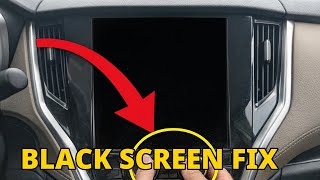
The head unit may fail to boot up, resulting in a black or blank screen. This can be caused by internal hardware failure or a software glitch. A recall was issued for some 2018 models where a software issue could prevent the screen from initializing, disabling the legally required backup camera display.
Intermittent or No Audio
A common complaint is the sound cutting out intermittently or failing completely, even though the head unit appears to be on and functioning. This can be a sign of a failing internal amplifier within the head unit itself.
Bluetooth and Connectivity Problems
Issues with pairing a phone, frequent disconnections, or problems with Apple CarPlay and Android Auto are often reported. While sometimes fixed with a software update, these can also indicate a hardware fault.
Known Issues, TSBs, and Recalls

Subaru has acknowledged many of these problems through recalls, Technical Service Bulletins (TSBs), and warranty extensions.
- NHTSA Recall WTZ-85 (18V-935): Affects some 2018 Legacy, Outback, and BRZ models with the Harman Kardon system. A software bug could cause the head unit to not boot, leaving the screen blank and disabling the rearview camera. The fix is a software update performed by a dealer.
- Warranty Extensions: Subaru has extended the warranty on many head units due to widespread issues. For example, certain 2017-2018 models had their warranty extended for delamination issues. More recently, a warranty extension to 8 years/150,000 miles was announced for CP1 & Gen 3.1 head units in 2020-2022 models for issues like black screens, rebooting, and loss of audio. 🎬 Watch: How to reset a black screen on 2020+ models
- Class Action Lawsuits: Multiple class-action lawsuits have been filed over defective STARLINK infotainment systems in 2019-2023 models, citing problems like freezing, ghost touch, and system reboots. An earlier lawsuit for 2018 models resulted in a $6.25 million settlement.
- TSB 15-211-17R & 15-205-16R: These and other related TSBs provide dealers with software updates to fix a wide range of bugs, including STARLINK freezes, preset loss, and CarPlay issues on 2015-2019 models.
Warning: Always check for open recalls or warranty extensions with a Subaru dealer using your vehicle's VIN before purchasing a replacement part.
Buying a Used Audio System: A Step-by-Step Guide
Buying a used OEM head unit can save you hundreds or even thousands of dollars compared to a new one from the dealer. However, compatibility is everything. Follow these steps to ensure you get the right part.
Step 1: Identify Your Vehicle's Original System
Before you shop, you must know what system your car came with. Check for the following:
- Navigation: Does your unit have a built-in map function and a "MAP" button?
- Harman Kardon Audio: Look for the Harman Kardon logo on the door speakers or on the head unit itself. HK systems use an external amplifier and are not compatible with base audio head units.
- Screen Size: Measure your screen. The 6.2-inch, 7-inch, and 8-inch units have different part numbers and are not always interchangeable.
Step 2: Match the Face ID Number
This is the most critical step. On many Clarion and Fujitsu Ten units, there is a small ID number printed on the front face of the radio (e.g., 'FB876US' or 'CB826UL'). This Face ID must match your original unit to ensure that the wiring, features, and internal computer are compatible with your vehicle. A different Face ID, even if the unit looks identical, will likely not work correctly.
Step 3: Inspect the Used Unit
When buying a used unit, especially online, ask for clear photos of:
- The Screen: Look for any signs of bubbling, peeling, or delamination. Do not buy a unit that already shows signs of screen failure.
- Connectors: Ensure none of the connector pins on the back are bent or broken.
- Part Number Sticker: Verify the OEM part number against the one you are replacing if possible, but prioritize matching the Face ID.
Programming and Installation Notes
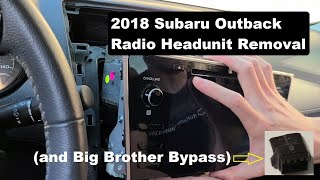
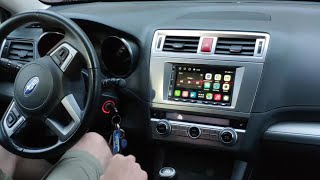
For the 2013-2019 model years, replacement audio systems are generally plug-and-play and do not require dealer programming or flashing, provided you have purchased a compatible unit with the correct Face ID and system type (Nav/Non-Nav, HK/Base). There is no anti-theft code that needs to be entered after installation. However, STARLINK telematics features (like the SOS button) are tied to the vehicle's original VIN and will likely not function with a used head unit.
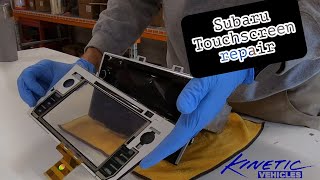
Pro Tip: If your only problem is a bubbling or ghost-touching screen, you can buy a replacement touchscreen digitizer for around $200 instead of replacing the entire head unit. This is a more involved repair that requires disassembling the unit but is much cheaper than a full replacement.
🎬 Watch: Step-by-step touchscreen digitizer repair guideReplacement Cost Comparison
| Part or Service | Estimated Cost |
|---|---|
| New OEM Head Unit (Dealer) | $1,500 - $2,500+ |
| New Aftermarket Head Unit | $200 - $800 |
| Used OEM Head Unit | $100 - $450 |
| Remanufactured OEM Head Unit | $400 - $600 |
| Replacement Digitizer Only | $199 |
| Shop Labor for Replacement | $150 - $250 |
Frequently Asked Questions (FAQ)
Does a used Subaru radio need to be programmed by the dealer?
No, for most 2013-2019 Legacy and Outback models, a replacement radio does not need dealer programming as long as it is a compatible unit (matching Face ID, Nav/Non-Nav, and HK/Base). It is a plug-and-play installation.
Can I upgrade my base radio to a factory navigation or Harman Kardon unit?
This is not a simple plug-and-play swap. Upgrading to a navigation unit may work but can be problematic. Upgrading to a Harman Kardon system is very difficult as it requires adding the external HK amplifier, different speakers, and the correct wiring harness, which is not present in base model cars.
What causes the screen to bubble and can it be fixed without replacing the unit?
The bubbling is caused by the delamination of an internal gel layer between the glass and the LCD due to heat and age. You can fix this without replacing the entire radio by purchasing a replacement touchscreen digitizer and installing it onto your existing unit. This is a cost-effective but technically involved repair.
Will my steering wheel controls and backup camera still work with a used radio?
Yes, as long as you install a compatible used OEM radio with the same features and Face ID as your original unit, all integrated features like steering wheel controls and the backup camera will function correctly.
Helpful Videos

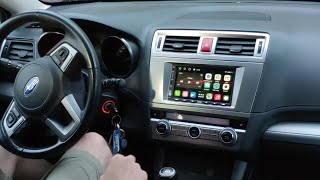
Technical Specifications
OEM Part Numbers: CB826UL FE688US PE658U1 PE669U1 PF-3689 FB856UM FB876US FT0086A 86201-AL85A 86201AJ65A 86201AJ66A 86201AL62A 86201AL66A 86201AL66B 86201AL68A
Systems manufactured by Clarion, Fujitsu Ten, and Harman. Screen sizes range from smaller non-touch displays in base 2013 models to 6.2-inch, 7-inch, 8-inch, and 11.6-inch touchscreens in later models. System types include Base Audio, Navigation, and Harman Kardon Premium Audio, which are not interchangeable.
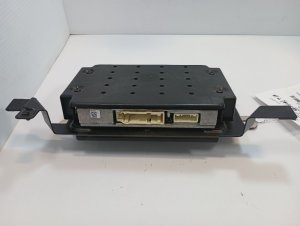
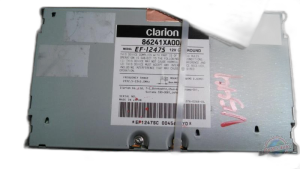
We Have This Part in Stock





The information in this article is provided for general reference and educational purposes only. Vehicle specifications, procedures, and part compatibility can vary by production date, trim level, and region. Always consult your vehicle's factory service manual and verify part numbers before purchasing or performing repairs. Safety-critical components such as airbags, seat belts, and braking systems should be installed by a qualified professional.
- Subaru Legacy:
- Subaru Outback:
- 🎬 Helpful Videos
- 🛍️ Shop This Part
- Key System Variations by Vehicle Generation
- 2013-2014 (Legacy Gen 5 / Outback Gen 4)
- 2015-2019 (Legacy Gen 6 / Outback Gen 5)
- 2020-2024 (Legacy Gen 7 / Outback Gen 6)
- Common Failure Symptoms
- Touchscreen Delamination or "Bubbling"
- Ghost Touch or Phantom Inputs
- Unresponsive or Black Screen
- Intermittent or No Audio
- Bluetooth and Connectivity Problems
- Known Issues, TSBs, and Recalls
- Buying a Used Audio System: A Step-by-Step Guide
- Step 1: Identify Your Vehicle's Original System
- Step 2: Match the Face ID Number
- Step 3: Inspect the Used Unit
- Programming and Installation Notes
- Replacement Cost Comparison
- Frequently Asked Questions (FAQ)
- 🎟️ Get 5% Off