

2015-2022 Ram ProMaster City Radio: Uconnect 3.0 vs 5.0 and Proxi Alignment Guide
Replacing the radio in a ProMaster City isn't a simple swap; this guide explains the critical differences between units and the mandatory programming required.
- All replacement OEM radios require a "Proxi Alignment" by a dealer or specialist to prevent a blinking odometer and ensure full function. This is not optional.
- You must match your replacement radio to the original type: Uconnect 3.0 (3-inch non-touch) or Uconnect 5.0 (5-inch touch). They are not easily interchangeable.
- For Uconnect 5.0 units, you must also match features like Navigation and Satellite Radio. The part number is the most reliable way to ensure compatibility.
- Many common issues like a frozen screen can be fixed by simply disconnecting the vehicle's battery for a few minutes to reset the system.
Variant Differences: Uconnect 3.0 vs. Uconnect 5.0

The 2015-2022 Ram ProMaster City was available with two primary audio systems. Choosing the correct one for a replacement is critical, as they are not interchangeable without significant modifications.
Uconnect 3.0 (RA1) - 3.0-inch Non-Touchscreen
This is the base model radio, identified by its small, 3.0-inch monochrome text display and surrounding physical buttons. It provides core functions like AM/FM radio, a USB port for media, and an auxiliary input. Some versions include Bluetooth for hands-free calling. This unit is a straightforward, function-focused radio.
- Screen: 3.0-inch non-touch, dot-matrix style display.
- Control: Knobs and physical buttons only.
- Features: AM/FM, USB, Aux-in, optional Bluetooth.
- Known Part Numbers: 07356251900 (Fiat), 5YZ74LXHAA (Mopar/Ram), 6EZ82LXHAA (Mopar/Ram). 🎬 Watch: How to remove and replace the Uconnect 5.0 radio
Warning: When purchasing a replacement, verify the part number on your original unit matches. Part number 5YZ74LXHAA was superseded by 6EZ82LXHAA.
Uconnect 5.0 (RA2) - 5.0-inch Touchscreen
The upgraded system features a full-color 5.0-inch touchscreen, offering a more modern interface for controlling media and vehicle settings. This system came in a few variations, creating potential compatibility issues.
- Screen: 5.0-inch color touchscreen.
- Control: Touchscreen and voice commands, plus physical knobs/buttons.
- Features: Includes all Uconnect 3.0 features, plus a graphical interface. It may or may not include navigation or a satellite radio receiver, depending on the original vehicle's options.
- Known Part Numbers: 7EN03LXHAA, 7KA09LXHAA, 7EM90LXHAA, 7KF49LXHAA.
Compatibility Traps for Uconnect 5.0:
- Some units are for vehicles with navigation but without satellite radio.
- Some units are for vehicles without navigation and without satellite radio.
- For the 2021 model year, one specific version only fits vehicles manufactured on or after 04/28/2021.
- These units often require an anti-theft code upon installation, which can be retrieved from a Ram dealer with the radio's serial number and the vehicle's VIN.
The #1 Issue: Proxi Alignment and Programming

The single most important factor when replacing a ProMaster City radio is the need for a Proxi Alignment. Because the radio is a node on the vehicle's CAN bus network, simply swapping the unit will cause a conflict. The Body Control Module (BCM) will detect a new, unrecognized component, resulting in a persistently blinking odometer. This indicates a mismatch in the vehicle's configuration file.
A Proxi Alignment is a diagnostic procedure that uses a specialized scan tool to synchronize all the vehicle's electronic modules, making the BCM accept the new radio. Without this procedure, the radio may not function correctly, and the odometer will continue to blink indefinitely.
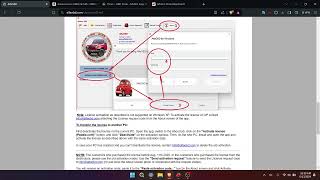
🎬 See this step-by-step guide on performing a Proxi Alignment- Who can perform a Proxi Alignment? A Ram dealership is the most certain option. Some independent repair shops with high-level diagnostic tools (like wiTECH, Autel MaxiSYS, or AlfaOBD software with a compatible OBD2 interface) can also perform the procedure. A standard code reader or locksmith's tool cannot do this.
- Can I upgrade from the 3.0 to the 5.0 radio? While physically possible, it is a complex task. It often requires more than just the head unit, potentially needing a different dash bezel, wiring harness modifications, and a microphone for Bluetooth. After installation, a Proxi Alignment is still mandatory.
Pro Tip: If your radio is frozen, unresponsive, or the screen is black, try a simple reset first. Disconnect the negative terminal of the battery (located under the driver's side floor panel) for a few minutes, then reconnect it. This can often resolve software glitches without needing a replacement.
Symptoms of a Failing Audio System

- No Power or Intermittent Power: The unit will not turn on, or it randomly shuts off and reboots.
- Unresponsive Screen or Buttons: The touchscreen does not register touches, or physical buttons do not work.
- Frozen Display: The radio is stuck on a logo or a single screen.
- No Sound: The display works, but there is no audio output from any source.
- Bluetooth Connectivity Issues: The unit fails to pair with phones or constantly drops the connection.
- Blinking Odometer: This is not a symptom of a failing radio, but rather a sign that an incorrectly installed replacement radio needs a Proxi Alignment.
- "Code Error" Message: The screen displays an error message, which can sometimes be resolved by disconnecting the battery. For touchscreen units, this may also indicate the need for an anti-theft code.
Known Issues, TSBs, and Recalls
While there are no widespread recalls specifically for the audio system itself in the ProMaster City, there are related items to be aware of:
- NHTSA Recall 16V-253 (S22): Affects some 2015-2016 models equipped with the trailer tow group. A software error in the trailer tow lighting control module could cause the trailer brake lights to be inoperative. This is not a radio issue but involves a related electronic module.
- General Electronic Glitches: Many owner complaints about frozen screens or non-working cameras are resolved by a simple battery disconnect to reset the module. This suggests that software lock-ups are a common problem.
- High Voltage Damage: The trouble code P0563 (System Voltage High) indicates a failing alternator. This condition can permanently damage sensitive electronics, including the radio. If your radio failed suddenly along with other electrical issues, the vehicle's charging system should be tested immediately.
Buying a Used ProMaster City Radio: What to Check

Purchasing a used OEM radio can be a cost-effective solution, but diligence is key to avoiding a part that won't work.
- Confirm the System Type: The most crucial step is to determine if you have the Uconnect 3.0 (non-touch) or Uconnect 5.0 (touchscreen). They are not plug-and-play swaps.
- Match Part Numbers Exactly: The best way to ensure compatibility is to match the Mopar/Ram part number from your original radio to the used unit. There are multiple versions of the 5.0 unit (with/without Nav, etc.), and the part number is the only way to tell them apart.
- Budget for Programming: Assume you WILL need to pay for a Proxi Alignment. Factor this cost ($100-$250) into your budget. A used radio that hasn't been aligned is essentially an incomplete repair.
- Ask for the Donor VIN: If possible, get the Vehicle Identification Number (VIN) from the vehicle the radio came from. This can sometimes help a dealer retrieve the anti-theft code for 5.0 units.
- Inspect for Physical Damage: Check the screen for scratches or delamination. Ensure all connectors on the back are intact with no bent or broken pins.
Cost Comparison
| Part/Service | Estimated Cost |
|---|---|
| New OEM (Dealer) | $350 - $600+ |
| New Aftermarket (Head Unit & Install Kit) | $250 - $700+ |
| Used OEM | $75 - $250 |
| Shop Labor (Physical Swap) | $75 - $150 |
| Shop Labor (Proxi Alignment) | $125 - $250 |
Frequently Asked Questions (FAQ)
Do I have to get a replacement radio programmed?
Yes. Any replacement OEM radio, new or used, must have a Proxi Alignment procedure performed by a dealer or a qualified specialist shop. Failure to do so will result in a blinking odometer and potential functionality issues.
Why is my odometer blinking after I replaced the radio?
A blinking odometer is the classic symptom of a Proxi (or configuration) mismatch in the vehicle's computer system. It means the Body Control Module has detected a component (the new radio) that is not part of its stored configuration. A Proxi Alignment will resolve this.
Can I install an aftermarket radio from a brand like Pioneer or Kenwood?
Yes, you can install a standard single-DIN or double-DIN aftermarket radio. You will need a specific dash kit (like Metra 99-6531HG or 95-6531HG), a wiring harness adapter (like Metra XSVI-6523-NAV), and an antenna adapter. This can be a good way to add features like Apple CarPlay or Android Auto, but it requires more wiring work than swapping an OEM unit.
My touchscreen radio is asking for an anti-theft code. Where do I find it?
The anti-theft code is tied to the radio's serial number and the original vehicle's VIN. You will need to contact a Ram dealer's parts department. They can look up the four-digit code for you if you provide them with the serial number printed on the radio's label and sometimes the VIN of your vehicle.
Helpful Videos
Technical Specifications
OEM Part Numbers: 07356251900 5YZ74LXHAA 6EZ82LXHAA 7EN03LXHAA 7KA09LXHAA 7EM90LXHAA 7KF49LXHAA
Available with a 3.0-inch non-touchscreen (Uconnect 3.0) or a 5.0-inch touchscreen (Uconnect 5.0). Integrated into the vehicle's CAN bus network.
We Have This Part in Stock





The information in this article is provided for general reference and educational purposes only. Vehicle specifications, procedures, and part compatibility can vary by production date, trim level, and region. Always consult your vehicle's factory service manual and verify part numbers before purchasing or performing repairs. Safety-critical components such as airbags, seat belts, and braking systems should be installed by a qualified professional.
- Ram ProMaster City:
- 🎬 Helpful Videos
- 🛍️ Shop This Part
- Variant Differences: Uconnect 3.0 vs. Uconnect 5.0
- Uconnect 3.0 (RA1) - 3.0-inch Non-Touchscreen
- Uconnect 5.0 (RA2) - 5.0-inch Touchscreen
- The #1 Issue: Proxi Alignment and Programming
- Symptoms of a Failing Audio System
- Known Issues, TSBs, and Recalls
- Buying a Used ProMaster City Radio: What to Check
- Cost Comparison
- Frequently Asked Questions (FAQ)
- 🎟️ Get 5% Off