

2018-2025 Ram Audio System Guide: Fixing Screen Delamination, Ghost Touch & ANC Hum
Your definitive guide to diagnosing and fixing common audio problems in Ram 1500, 2500, 3500, and HD trucks, from faulty touchscreens to programming a replacement radio.
- The most common failure on 8.4-inch screens is delamination causing 'ghost touch'. This can be fixed by replacing only the screen/digitizer, not the whole radio.
- All used OEM radio units are VIN-locked and MUST be programmed to the new vehicle using dealer tools or DIY software like AlfaOBD.
- A sudden loss of all sound is most often a blown amplifier fuse in the under-hood fuse box.
- Compatibility is critical. Parts are not interchangeable between 4th Gen (Classic) and 5th Gen trucks, or between base, Alpine, and Harman Kardon audio systems.
Key Distinctions: Vehicle Generations and Audio Systems

Understanding your truck's specific build is critical for audio system diagnosis and repair. These Ram models span two distinct generations with different electronic architectures.
- 4th Generation ('DS' Platform): This includes all 2018 models (Ram 1500/2500/3500 and Dodge Ram 1500/2500/3500) and the 2019-2020 Ram 1500 Classic. These trucks primarily use the Uconnect 4 system with 5-inch or 8.4-inch screens.
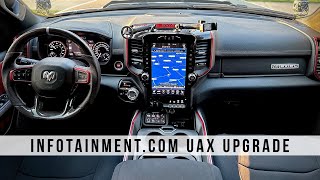
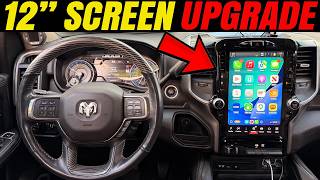
- 5th Generation ('DT' Platform): This includes the redesigned 2019-2025 Ram 1500 and the 2019-2024 Ram 2500/3500/4500/5500. These trucks introduced the Uconnect 5 system and the optional 12-inch vertical screen, alongside the 8.4-inch display. They also feature a Security Gateway Module (SGW) that can complicate diagnostics and programming.
The audio components are NOT interchangeable between these generations. Furthermore, parts are not typically interchangeable between the base, Alpine, and Harman Kardon systems within the same truck.
Common Problems and Symptoms of Failure


Audio system issues in these Ram trucks range from minor annoyances to complete functional failure of the center screen.
1. Uconnect 8.4-inch Screen Delamination and 'Ghost Touch'
This is the most widespread issue affecting the 8.4-inch Uconnect screens across all listed vehicles. The adhesive layer between the outer touchscreen (digitizer) and the inner LCD panel fails, often due to heat. This creates bubbles, streaks, or a leaking, gooey mess inside the screen. Functionally, this leads to:
- Ghost Touch / Phantom Inputs: The system acts as if someone is randomly touching the screen. This can cause it to change radio stations, make random phone calls (sometimes to 911), or alter climate settings without input.
- Unresponsive Screen: Certain areas of the screen, or the entire screen, may stop responding to touch.
- Erratic Behavior: The system may freeze, reboot, or get stuck on certain menus.
Pro Tip: You do not need to replace the entire expensive radio unit to fix this. The most common and cost-effective repair is to replace only the touchscreen digitizer or the complete LCD/digitizer assembly. This is a popular DIY repair.
🎬 Watch this step-by-step guide to replacing your delaminated touchscreen.2. Active Noise Cancellation (ANC) Hum or Drone
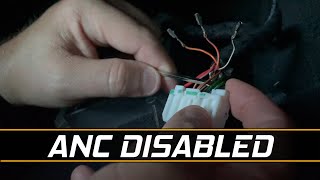
On 5th Generation (2019+) trucks with the base 6-speaker audio system, a failure in the Active Noise Cancellation (ANC) module can create a persistent low-frequency humming, booming, or pulsing noise inside the cabin. This sound is often most noticeable when coasting or when the rear seat is loaded with passengers or cargo. Some owners report this issue after upgrading rear speakers, as the new speakers interfere with the ANC microphones 🎬 See how to disable the ANC system to stop humming. in the headliner. A Technical Service Bulletin (TSB #08-123-18) was issued to address this with a software flash for some 2019 models.
3. No Sound From Speakers
If the radio powers on and appears to function correctly but there is no audio from any speaker, the cause is often simple. The most common culprits are:
- Blown Amplifier Fuse: Both base and premium systems have a dedicated fuse for the amplifier located in the under-hood fuse box (Power Distribution Center). This is a frequent point of failure and should be the first thing you check. 🎬 Watch: How to find and replace a blown amplifier fuse.
- Failed Amplifier: The external amplifier itself can fail, leading to a total loss of sound.
- Software Glitch: Sometimes, a system reset can restore sound.
4. Audio Cutting In and Out or Distortion
Intermittent audio or poor sound quality can be frustrating to diagnose. Common causes include:
- Loose Wiring/Connections: A loose connection behind the head unit or at a speaker can cause audio to cut out with road vibrations. On 5th Gen trucks, a single failed door speaker can cause issues on that entire channel, as the door and dash speakers are wired in parallel.
- Failing Amplifier or Speaker: A failing voice coil in a speaker can cause crackling or distortion, while an overheating amplifier can cut out intermittently.
- Premium System Complaints: Owners of both Alpine and Harman Kardon systems have reported issues. Some find the Alpine system to have weak bass, while some Harman Kardon users report overly "boomy" bass from the subwoofer or crackling tweeters. Software updates (TSBs) have been released to address volume and sound quality on some HK systems.
Known Issues, TSBs, and Recalls
Several Technical Service Bulletins (TSBs) have been issued to address audio system problems through software updates.
| TSB Number | Vehicles Affected | Symptom(s) |
|---|---|---|
| 08-215-23 | 2023 Ram 2500 | Hissing or "salt shaker" noise from speakers. Fixed with a radio internal amplifier calibration. |
| NHTSA 10248019 | 2022-2023 Ram 1500/2500/3500+ | Uconnect 5 issues: Blank screen, battery drain, audio disruptions, connectivity loss. Fixed with a software update. |
| S2208000027 | 2022 Ram 1500 | Steering wheel audio controls are inoperative or slow to respond. |
| 08-123-18 | 2019 Ram Trucks | Amplifier enhancement, reportedly for Harman Kardon systems to increase volume and improve sound. |
| Flash: JLW | 2019 Ram 2500/3500 | Booming or humming noise from the Active Noise Cancellation (ANC) system. Fixed with a software flash. |
Buying a Used Audio System: What You Must Know

Buying a used Uconnect radio or amplifier can be a great way to save money, but it's filled with potential compatibility traps. Success depends entirely on careful part selection and understanding the programming requirements.
1. Compatibility is Everything
You cannot simply install any radio from another Ram truck. Compatibility depends on several factors:
- Part Number: Match the part number exactly if possible. Superseded part numbers are common, so verify that the new number is a valid replacement for your old one. For example, radio P/N 68307655AP replaces many previous versions like 68307655AG.
- Vehicle Generation: A radio from a 4th Gen (DS) truck will not work in a 5th Gen (DT) truck, and vice-versa.
- Screen Size: A truck originally equipped with a 5-inch screen requires additional parts and programming to be upgraded to an 8.4-inch or 12-inch screen.
- Features: The radio is configured for the truck's specific features, such as navigation, climate control type (single vs. dual zone), and premium audio (Alpine/HK). Installing a radio with the wrong configuration will cause features to work incorrectly or not at all.
2. The VIN Lock and Programming Requirement
Warning: All Uconnect head units are electronically tied to the vehicle's Vehicle Identification Number (VIN). When you install a used radio from another truck, it will detect a VIN mismatch and enter anti-theft mode. This will lock out most functions until it is programmed to your truck's VIN.
This triggers Diagnostic Trouble Code (DTC) B2204: ECU Configuration Mismatch. To clear this and make the radio fully functional, it must be programmed. You have two main options:
- Dealer Programming: A Ram dealership can use their proprietary wiTECH scan tool to perform a "Proxy Configuration Alignment" which syncs the new radio with the vehicle's Body Control Module (BCM) and VIN.
- DIY Programming with AlfaOBD: For tech-savvy owners, the AlfaOBD software (around $50 for a license) combined with a compatible OBD2 adapter allows you to perform the proxy alignment yourself. For 2018 and newer models, you will also need a Security Gateway (SGW) bypass module to allow the tool to communicate with the vehicle.
Some sellers of used radios may offer a VIN unlocking service or provide a pre-programmed unit for a higher cost, making it a plug-and-play installation.
3. Physical Inspection
When inspecting a used unit, pay close attention to:
- The Screen: Look for any signs of bubbling, peeling, or leaking at the edges, which indicates the beginning of delamination.
- Connectors: Ensure all connector pins on the back of the unit are straight and undamaged.
- Casing: Check for any signs of water intrusion or physical damage to the radio's housing.
Cost of Replacement
The cost to fix a faulty Ram audio system varies dramatically depending on the problem and the solution you choose.
| Item | Estimated Cost | Notes |
|---|---|---|
| New OEM Uconnect 8.4" Radio | $1,200 - $1,500 | Purchased from a dealership. |
| New Aftermarket Head Unit | $300 - $1,000+ | Varies from basic double-DIN units to large 'Tesla-style' screens. |
| Used OEM Uconnect 8.4" Radio | $350 - $900 | Price depends heavily on condition, features (nav vs. non-nav), and seller. |
| DIY Screen/Digitizer Replacement | $100 - $250 | Cost of the replacement part only for fixing delamination/ghost touch. |
| Screen Repair Service | $400 - $600 | Mail-in service where a company repairs your existing unit. |
| Shop Labor (Radio Replacement) | $150 - $300 | Does not include cost of programming, which may be extra. |
| Shop Labor (Programming Only) | $100 - $200 | Typically 1 hour of labor at a dealership. |
Frequently Asked Questions (FAQ)
Do I have to go to the dealer to program a replacement radio?
No, it is not strictly necessary. While a dealership is the most common method, you can program a replacement radio yourself using software like AlfaOBD and a compatible OBD2 interface. For 2018+ trucks, this also requires a security gateway bypass module. Alternatively, you can purchase a pre-programmed radio from a specialized seller.
My screen is bubbling and phantom touching. Do I need a whole new radio?
No, almost certainly not. This common issue is caused by the failure of the screen's digitizer, not the radio's internal electronics. You can buy a replacement LCD/digitizer assembly and install it yourself, or use a mail-in repair service, saving hundreds or even thousands of dollars compared to a full radio replacement from the dealer.
Why do I hear a humming or booming noise after installing new speakers?
This is likely interference with the Active Noise Cancellation (ANC) system, which is standard on many 5th Gen Ram trucks with the base audio package. The ANC uses microphones in the headliner and the factory speakers to cancel out road and engine noise. Aftermarket speakers can disrupt this system, causing feedback. The solution is often to disable the ANC module, which is a separate component from the radio.
Can I upgrade my 5-inch Uconnect screen to an 8.4-inch or 12-inch screen?
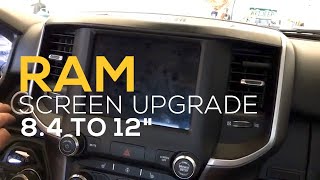
Yes, this is a popular but involved upgrade. It requires the new screen, a new dash bezel, potentially a new media hub, and programming the vehicle's Body Control Module (BCM) to recognize the new hardware. Companies sell complete plug-and-play kits for this purpose, but it is more complex than a simple radio swap.
Helpful Videos

Technical Specifications
OEM Part Numbers: 68271367ZC 68271367ZD 68291760AJ 68307655AG 68307655AN 68307655AP 68309262AB 68309262AC 68309262AD 68312240AA 68312240AB 68312240AC 68312240AD 68312240AE 68312240AF
System variations include Uconnect 4 (4th Gen) and Uconnect 5 (5th Gen). Screen sizes are 5-inch, 8.4-inch, and 12-inch. Audio tiers include base (6-speaker), Alpine (9/10-speaker with amplifier), and Harman Kardon (19-speaker with amplifier). Many 5th Gen models include a separate Active Noise Cancellation (ANC) module.
We Have This Part in Stock



The information in this article is provided for general reference and educational purposes only. Vehicle specifications, procedures, and part compatibility can vary by production date, trim level, and region. Always consult your vehicle's factory service manual and verify part numbers before purchasing or performing repairs. Safety-critical components such as airbags, seat belts, and braking systems should be installed by a qualified professional.
- Ram 1500:
- Ram 2500:
- Ram 3500:
- Ram 1500 Classic:
- Dodge Ram 1500:
- Dodge Ram 2500:
- Dodge Ram 3500:
- Ram 4500:
- Ram 5500:
- 🎬 Helpful Videos
- 🛍️ Shop This Part
- Key Distinctions: Vehicle Generations and Audio Systems
- Common Problems and Symptoms of Failure
- 1. Uconnect 8.4-inch Screen Delamination and 'Ghost Touch'
- 2. Active Noise Cancellation (ANC) Hum or Drone
- 3. No Sound From Speakers
- 4. Audio Cutting In and Out or Distortion
- Known Issues, TSBs, and Recalls
- Buying a Used Audio System: What You Must Know
- 1. Compatibility is Everything
- 2. The VIN Lock and Programming Requirement
- 3. Physical Inspection
- Cost of Replacement
- Frequently Asked Questions (FAQ)
- 🎟️ Get 5% Off