

2018-2023 Mitsubishi Eclipse Cross Audio System: Screen Failures, Touchpad Issues, and Replacement Guide
Diagnose common black screens and unresponsive touch issues, and learn how to choose the correct used replacement radio for your Eclipse Cross.
- A very common failure is an unresponsive touchscreen, which may be covered by a 7-year warranty extension from Mitsubishi.
- There are two main, non-interchangeable systems: a standard 7-inch Display Audio (DA) and an upgraded Smartphone Link Display Audio (SDA) with a touchpad. You must buy the correct type.
- A used OEM unit is significantly cheaper than a new one. New display units can cost over $2,200, while used ones can be found for under $450.
- A replacement unit, particularly the touchpad controller, may require programming by a Mitsubishi dealer to restore full functionality.
Audio System Variants for 2018-2023 Eclipse Cross

Before diagnosing issues or buying a replacement, you must identify which audio system your Eclipse Cross has. Installing the wrong type of unit will not work. There are two primary systems and a premium speaker option.
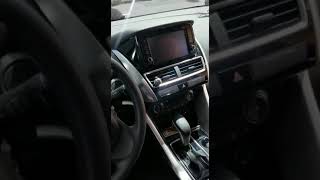
- 7-inch Display Audio (DA): Found on base trims like the ES, this is a standard touchscreen radio. It has a 7-inch screen and does not use the separate touchpad controller in the center console. Aftermarket installation kits are most readily available for this version.
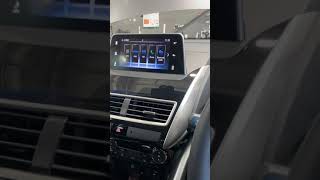
- Smartphone Link Display Audio (SDA) with Touchpad: Found on LE, SE, and SEL trims, this upgraded system features a larger screen (7-inch on 2018-2021 models, 8-inch on 2022+ models) and is controlled by both the touchscreen and a separate touchpad controller located in the center console. This system supports Apple CarPlay and Android Auto. The touchpad itself has at least two versions depending on whether the vehicle has an electric or manual parking brake.
- Rockford Fosgate Premium Audio: This is an optional speaker and amplifier upgrade available on higher trims with the SDA system. It includes a separate, external amplifier to provide more power and better sound quality. This amplifier is a common point of failure.
Warning: The Display Audio (DA) and Smartphone Link Display Audio (SDA) systems are not interchangeable. You must replace your unit with one of the same type. Always verify compatibility by matching the part number from your original unit.
Symptoms of a Failing Audio System


Failures in the Eclipse Cross audio system can range from minor annoyances to a complete loss of function. Here are the most common symptoms reported by owners.
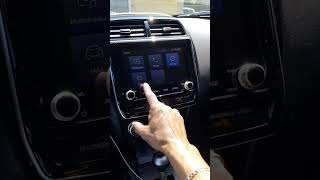
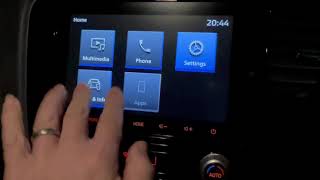
- Unresponsive Touchscreen: The screen powers on, but does not respond to any touch inputs. This is a widely known issue, especially on 2020-2022 models with the SDA system.
- Black or Blank Screen: The unit fails to power on, leaving the screen completely black. The backlight for the side buttons may still cycle on and off. This could be a software issue, an internal hardware failure, or a blown fuse.
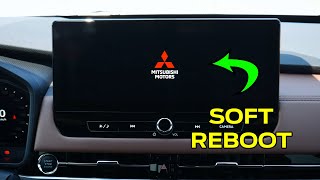
- System Constantly Reboots: The unit powers on, may show the Mitsubishi logo, and then immediately shuts down and restarts in a continuous loop.
- No Sound from Speakers: The display works correctly, but there is no audio from any source. This often points to a failure in the external Rockford Fosgate amplifier (if equipped) or an internal fault in the head unit's own amplifier.
- Bluetooth or USB Ports Not Working: The system may fail to pair with phones, or the USB ports may not recognize devices or provide power.
- Call Audio Through One Speaker Only: During a Bluetooth phone call, audio may only come out of the driver's side speaker. This is often a software setting issue that can be corrected through a hidden service menu.
Known Issues, TSBs, and Recalls

Several documented issues affect these audio systems. Knowing them can help you get a repair covered under warranty or a special program.
Warranty Extension for Unresponsive Touchscreen (SDA2 Units)
Mitsubishi has acknowledged a defect causing the touchscreen on certain SDA2 audio units to become unresponsive due to insufficient durability against UV rays. As a result, the warranty for this specific failure has been extended to 7 years with unlimited mileage from the vehicle's original in-service date. This applies to select 2020-2022 models. 🎬 Watch a demonstration of the unresponsive touchscreen issue and solution. If your vehicle exhibits this symptom, a Mitsubishi dealer will diagnose the issue and replace the audio unit free of charge under this warranty extension program.
Recall for Black Screen in Reverse (Campaign C2203R01)
A recall was issued for some 2022 Eclipse Cross models where electrical noise could cause the rearview camera image to not appear, resulting in a black screen when the vehicle is in reverse. The fix is a software update performed by a dealer. You can check if your vehicle is affected by entering your VIN on the NHTSA website.
Software Updates
Mitsubishi has released software updates to fix various bugs, including issues with connectivity and system stability. A Technical Service Bulletin (TSB) was released for early 2018 models to resolve several glitches. If you are experiencing odd behavior, check with a dealer to see if a software update is available.
Diagnosis and Troubleshooting
- Check the Fuses: Before assuming the unit is bad, check the fuses. The fuse for the radio is labeled "Radio" (15A, position 17) in the passenger compartment fuse panel.
- Perform a Hard Reset: For glitches, freezing, or a blank screen, a hard reset can sometimes restore function. Disconnect the negative terminal of the vehicle's 12V battery for 15-30 minutes, then reconnect it. This will reset all electronic modules in the car. Note that you will lose radio presets and other saved settings.
- Enter the Service Menu: For issues like call audio being on one side, a hidden service menu can be accessed. With the car on, press the power button to turn the screen off. Then, press and hold the top-left corner of the screen for 5 seconds, followed by the bottom-right corner for 5 seconds. From here, you can access vehicle settings like the LHD/RHD setting that causes the one-sided call audio.
- Scan for U-Codes: If the unit is completely dead or has no sound, a professional scan tool may show a "U-code," indicating a network communication failure. These systems often use a MOST (Media Oriented Systems Transport) fiber-optic network to connect the head unit, amplifier, and touchpad. A break in this loop, often from a failed amplifier, will cause the entire system to stop working.
Pro Tip: If your touchscreen is unresponsive but you need to use the system, you may be able to plug a standard USB computer mouse into the vehicle's USB port to navigate the menus on some models. This is a temporary workaround until the screen can be repaired or replaced.
🎬 See how to use a USB mouse to navigate your screen.Buying a Used Audio System
Due to the high cost of new OEM units, a used audio system is often the most cost-effective solution. Here’s what to look for:
- Match the System Type: This is the most critical step. If your car has the touchpad (SDA system), you MUST buy a replacement SDA unit. If it has the standard 7-inch radio (DA system), you must buy a DA unit. They are not interchangeable.
- Verify the Part Number: The best way to ensure compatibility is to remove your old unit and match the OEM part number exactly. 🎬 See this walkthrough on how to remove the radio unit. Common display unit part numbers include 8701A753 (7-inch DA), 8742A004XA (SDA with touchpad), and 8740A143XA (8-inch SDA).
- Check Component Compatibility: If buying individual parts, ensure they match. The touchpad controller has different part numbers for vehicles with and without an electric parking brake (8616A077 vs. 8616A049). The Rockford Fosgate amplifier part number is typically 8701A899 (replaces 8701A500).
- Inspect the Screen: Look for deep scratches, delamination (peeling), or yellowing of the screen. Ask the seller for clear, powered-on pictures of the unit if possible.
- Factor in Programming: Be aware that a replacement unit, especially the touchpad controller, may require programming by a Mitsubishi dealer to sync with your vehicle and enable all features. While some units may be plug-and-play for basic functions, full integration is not always guaranteed without this step.
Cost of Replacement
Replacing the audio system can be very expensive if you buy new parts from the dealer, making used parts a very attractive alternative.
| Part | New OEM | Used OEM | New Aftermarket |
|---|---|---|---|
| Display/Head Unit | $2,200 - $3,000+ | $180 - $450 | $250 - $600+ |
| Touchpad Controller | $1,200 - $1,500 | $75 - $200 | N/A |
| Rockford Fosgate Amplifier | $700 - $850 | $100 - $250 | N/A |
| Shop Labor | $150 - $400 | ||
Labor costs can vary. A simple radio swap may be on the lower end, while diagnosing a network issue or integrating a backup camera can increase the cost.
Frequently Asked Questions (FAQ)
Does a replacement Eclipse Cross radio need to be programmed?
It might. While a direct-replacement used unit will often work for basic audio functions upon installation, full compatibility isn't guaranteed. Components like the touchpad controller may require programming at a Mitsubishi dealership to sync properly with the vehicle's other systems. Software updates and recall-related fixes also require dealer programming.
Can I upgrade my standard 7-inch radio to the 8-inch system with the touchpad?
This is not a simple plug-and-play swap. The wiring harnesses and communication networks are different. It would require extensive, custom wiring and programming that would likely be more expensive and complicated than installing a high-quality aftermarket unit with more features.
Why is my screen black but the radio still plays?
This usually indicates a failure of the display screen itself or the video processing portion of the unit, while the core radio/amplifier functions are still working. It could also be a software glitch that might be resolved with a hard reset (disconnecting the battery). If the reset doesn't work, the unit likely needs to be repaired or replaced.
Why did my touchscreen stop working?
This is a very common and well-documented problem, especially on 2020-2022 models. Mitsubishi has acknowledged that the screen's digitizer (the part that senses touch) can fail due to UV exposure. Before paying for a repair, check with a Mitsubishi dealer to see if your vehicle is covered under the 7-year unlimited mileage warranty extension for this specific issue.
Helpful Videos
Technical Specifications
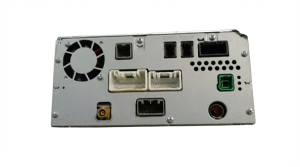
OEM Part Numbers: 8701A753 8701A821 8742A004XA 8740A143XA 8616A077 MU8616A077 8616A049 8701A500 8701A899
System Types: 7-inch Display Audio (DA), 7-inch/8-inch Smartphone Link Display Audio (SDA). Premium Audio Option: Rockford Fosgate with external amplifier. Connectivity: Bluetooth, USB, Apple CarPlay, Android Auto (SDA models only).
We Have This Part in Stock



The information in this article is provided for general reference and educational purposes only. Vehicle specifications, procedures, and part compatibility can vary by production date, trim level, and region. Always consult your vehicle's factory service manual and verify part numbers before purchasing or performing repairs. Safety-critical components such as airbags, seat belts, and braking systems should be installed by a qualified professional.
- Mitsubishi Eclipse Cross:
- 🎬 Helpful Videos
- 🛍️ Shop This Part
- Audio System Variants for 2018-2023 Eclipse Cross
- Symptoms of a Failing Audio System
- Known Issues, TSBs, and Recalls
- Warranty Extension for Unresponsive Touchscreen (SDA2 Units)
- Recall for Black Screen in Reverse (Campaign C2203R01)
- Software Updates
- Diagnosis and Troubleshooting
- Buying a Used Audio System
- Cost of Replacement
- Frequently Asked Questions (FAQ)
- 🎟️ Get 5% Off