

Mazda Connect Problems (2014-2025): Fixing Ghost Touch, Reboots, and No Sound
A guide to diagnosing and replacing the audio system (CMU) in your Mazda 3, CX-5, CX-30, Mazda 6, and more, including critical programming information.
- A replacement audio module (CMU) is NOT plug-and-play and MUST be programmed by a Mazda dealer or specialist to function.
- Widespread issues like 'ghost touch' and constant rebooting led to warranty extensions and a class-action settlement (CSP13); check with a dealer if your VIN is covered.
- For 'ghost touch' issues, you can often perform a cheap DIY repair by replacing the screen's digitizer ($15-$60) instead of the entire expensive display unit.
- If you have no sound but the screen works, the separate Bose amplifier could be the problem, not the main head unit.
Common Failures in Mazda Connect Systems

If you own a Mazda from the last decade, you may have experienced issues with the infotainment system. These problems are widely documented and affect a broad range of models that share the same core components. The issues typically fall into three categories: screen failure, software glitches, or a complete failure of the main computer, the Connectivity Master Unit (CMU).
Issue 1: Ghost Touch and Screen Delamination
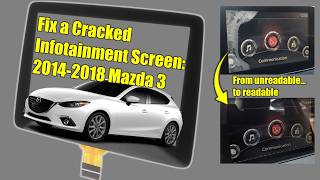
One of the most common and frustrating issues is "ghost touch" or "phantom touch." The screen begins to register touches on its own, randomly changing radio stations, making phone calls, or altering settings. This is almost always caused by a physical failure of the touchscreen's top layer, called the digitizer. Over time, due to heat and humidity, the adhesive bonding the screen layers can fail, causing delamination, bubbling, or spiderweb-like cracks. This failure puts pressure on the touch sensor, leading to false inputs. This problem is especially common on earlier models, such as the 2014-2018 Mazda 3, 2016-2020 Mazda 6, and 2016-2020 Mazda CX-5.
Pro Tip: As a temporary fix, many owners disable the touchscreen entirely by disconnecting its ribbon cable. Since the system can be fully controlled by the commander knob between the seats, this restores usability without the distraction of ghost touches. The touch function is disabled by Mazda when the vehicle is moving anyway.
Issue 2: Constant Rebooting (Boot Loop)
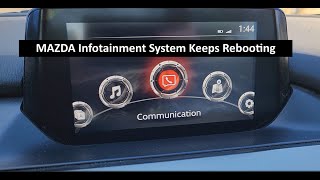
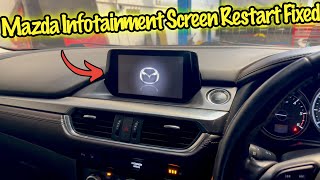
Another widespread problem is the system getting stuck in a reboot loop. The screen will show the Mazda logo, go black, and then repeat the cycle endlessly, making the entire system unusable. This can be caused by several factors:
- Corrupted Software: A failed software update or a data glitch can prevent the operating system from loading correctly.
- Failing Navigation SD Card: The small SD card that holds map data can become corrupted, leading to system instability.
- Hardware Failure: The internal eMMC flash memory on the CMU's circuit board can degrade over time, leading to read/write errors that cause a boot loop. This is a permanent 🎬 Watch: Step-by-step guide to replacing a rebooting infotainment unit hardware failure.
Due to how common these issues were, a class-action lawsuit was filed against Mazda. The resulting settlement created a Customer Service Program (CSP13) that extended the warranty for the CMU on many affected vehicles.
Issue 3: No Audio Output or Frozen Controls
Sometimes the infotainment screen will power on and appear to function, but there is no sound from any source. In other cases, the system may freeze, lag, or become completely unresponsive to the commander knob or touchscreen. A "no sound" condition can point to a few different culprits:
- CMU Failure: The audio processing portion of the Connectivity Master Unit may have failed.
- Amplifier Failure: On vehicles equipped with the premium Bose sound system, there is a separate amplifier (often located under the passenger seat). These amplifiers are known to fail, resulting in complete silence while the head unit appears to work normally.
- Software Glitch: On some newer models like the 2022-2025 Mazda CX-90 and 2023-2025 Mazda CX-50, a software issue can cause a loss of sound or the inability to change audio sources. A specific dealer-installed software update addresses this.
Symptoms of a Failing Audio System

Here are the most common signs that your Mazda's audio system or CMU is failing:
- Ghost Touches: The screen randomly selects items, changes settings, or makes calls without any input.
- Endless Rebooting: The screen continuously shows the Mazda logo and restarts.
- Frozen or Unresponsive Screen: The display is stuck on one screen and does not respond to touch or the commander knob.
- Black Screen: The display does not turn on at all, or goes black intermittently.
- No Sound: The radio and other media sources appear to be playing, but no audio comes from the speakers.
- Crackling or Popping Noises: Loud static or popping sounds occur regardless of the audio source or volume level.
- Bluetooth or CarPlay/Android Auto Issues: Frequent disconnection, inability to pair devices, or choppy audio.
- Physical Screen Damage: Visible bubbling, peeling, or spiderweb cracks on the display.
- Diagnostic Trouble Code: A scan tool may show code
B108E:04for a display screen malfunction.
Known Issues, TSBs, and Warranty Extensions

Mazda has not issued a formal recall for these issues, but has acknowledged them through Technical Service Bulletins (TSBs) and warranty extensions.
| Program / TSB | Description | Affected Vehicles (Examples) |
|---|---|---|
| Special Service Program (SSP B6) | Extends the warranty to 7 years with no mileage limit for repairs related to the 'ghost touch' screen issue. | Primarily 2014-2016 Mazda 3. Other models may have been handled on a case-by-case basis. |
| Class Action Settlement (CSP13) | Provided a 24-month limited warranty extension for CMU software updates and replacements to fix rebooting, freezing, and other glitches. | 2014-2018 Mazda 3, 2016-2021 Mazda 6, 2016-2021 CX-3, 2016-2020 CX-5, 2016-2020 CX-9, 2016-2023 MX-5 Miata. |
| TSB 09-003/22 | Provides instructions and parts for dealers to replace only the failed touchscreen layer (digitizer) for ghost touch and cracking issues, rather than the entire expensive display assembly. | 2017-2020 Mazda CX-5, 2016-2021 Mazda 6, and others. |
If you are experiencing these issues, it is worth contacting a Mazda dealer with your VIN to see if any of these programs still apply to your vehicle.
Buying a Used Audio System (CMU)

Purchasing a used OEM audio module is a cost-effective way to fix your system, but it requires careful attention to detail. This is not a simple plug-and-play part.
Warning: A replacement Connectivity Master Unit (CMU) MUST be programmed by a Mazda dealership or a qualified independent shop with access to Mazda's diagnostic software (IDS). Without programming, the module will not communicate with your vehicle's other systems, and the infotainment system will not function correctly. Factor the cost of programming into your budget.
Compatibility Checklist:
- Match the Part Number: The most critical step is to match the OEM part number from your original unit to the replacement. Part numbers like BANF-66-9C0 or BDGF-66-9C0 have many revisions (ending in C, H, M, etc.). While some may be interchangeable, an exact match is safest.
- Verify Features: Ensure the donor vehicle had the same options as yours. A CMU from a car with a standard sound system will not work correctly in a car with the Bose premium audio system, and vice-versa. The same applies to satellite radio (SiriusXM) and navigation.
- Inspect for Damage: Check all connectors for bent or corroded pins. Avoid units with any signs of water intrusion or physical damage to the casing.
- Why Used OEM is a Good Choice: For this component, a used OEM unit that has been tested is often a better choice than a new aftermarket unit. The OEM module is designed to integrate perfectly with the vehicle's other systems once programmed. Aftermarket units can have compatibility issues with the commander knob, steering wheel controls, and vehicle settings menus.
Cost of Replacement
The cost to fix your Mazda Connect system can vary dramatically depending on the problem and the solution.
| Repair Option | Estimated Cost | Notes |
|---|---|---|
| New OEM CMU (Part Only) | $1,500 - $2,200+ | Extremely expensive. Price from Mazda dealer parts counter. |
| Used OEM CMU (Part Only) | $100 - $400 | A much more affordable option. Prices vary by model and availability. |
| DIY Screen Digitizer (Part Only) | $15 - $60 | For fixing ghost touch/cracked screens. Requires careful, delicate work. |
| Shop Labor (Replacement) | $150 - $300 | Physical replacement of the CMU or screen is relatively quick (about 1-2 hours). |
| Shop Labor (Programming) | $100 - $250 | Required for a replacement CMU to function. Usually about one hour of labor at a dealer or specialist. |
Frequently Asked Questions (FAQ)
Does a used Mazda audio module (CMU) need to be programmed?
Yes, absolutely. A replacement Connectivity Master Unit (CMU) is not a plug-and-play part. It must be programmed by a Mazda dealer or a specialist with Mazda-specific software to link it to your vehicle's VIN and enable all features. Without this step, it will not work.
Can I fix the 'ghost touch' problem myself?
Yes, there are two common DIY solutions. The easiest is to simply disconnect the ribbon cable for the touchscreen, which disables touch input but allows you to use the commander knob for all functions. The more involved fix is to replace the touchscreen's digitizer, a thin glass layer on top of the LCD. This part is inexpensive ($15-$60), but the repair requires carefully disassembling the screen unit.
Why does my Mazda radio keep rebooting?
A constant reboot loop is usually caused by either corrupted software or a hardware failure within the Connectivity Master Unit (CMU). The first step is to try a soft reset (holding Mute + Nav + Back for 10 seconds). If that fails, a dealer may be able to fix it with a software update. If the updates don't work, the CMU's internal memory has likely failed and the unit needs to be replaced.
Is there a recall for the Mazda Connect infotainment system?
No, there has not been a formal safety recall. However, Mazda has issued several Technical Service Bulletins (TSBs), extended warranties for specific issues like 'ghost touch' on certain models, and settled a class-action lawsuit (CSP13) that provided a warranty extension for CMU failures on a wide range of vehicles.
Helpful Videos


Technical Specifications
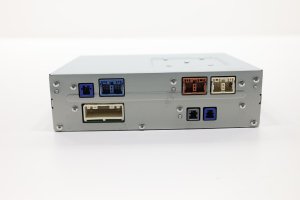
OEM Part Numbers: BANF-66-9C0 BANF669C0C BANF669C0H BDGF669C0B BDGF669C0E BDGF669C0F BDGF669C0G BDGF669C0H BDGF669C0K BDGF669C0M BDGF669C0N BDGF669C0R BDGF669C0U BDGF66CM0 BDGF66CM0B
The main audio module is referred to as the Connectivity Master Unit (CMU). It controls the Mazda Connect infotainment system. The display screen is a separate component, as is the commander control knob. On premium audio models, a separate Bose amplifier is also part of the system.
We Have This Part in Stock



The information in this article is provided for general reference and educational purposes only. Vehicle specifications, procedures, and part compatibility can vary by production date, trim level, and region. Always consult your vehicle's factory service manual and verify part numbers before purchasing or performing repairs. Safety-critical components such as airbags, seat belts, and braking systems should be installed by a qualified professional.
- Mazda 3:
- Mazda CX-30:
- MAZDA 6:
- Mazda MX-30:
- Mazda CX-3:
- Mazda CX-5:
- Mazda CX-50:
- Mazda CX-9:
- Mazda CX-90:
- Mazda MX-5 Miata:
- 🎬 Helpful Videos
- 🛍️ Shop This Part
- Common Failures in Mazda Connect Systems
- Issue 1: Ghost Touch and Screen Delamination
- Issue 2: Constant Rebooting (Boot Loop)
- Issue 3: No Audio Output or Frozen Controls
- Symptoms of a Failing Audio System
- Known Issues, TSBs, and Warranty Extensions
- Buying a Used Audio System (CMU)
- Compatibility Checklist:
- Cost of Replacement
- Frequently Asked Questions (FAQ)
- 🎟️ Get 5% Off