

2019-2025 Lincoln Nautilus Audio System: Decoding Failures, Programming, and Replacement
This guide covers the common audio system issues in the 2019-2025 Lincoln Nautilus, from black screens and no sound to the critical need for programming during replacement.
- Programming is required for almost any replacement audio module (ACM, APIM, FCIM). This is not a plug-and-play part.
- Compatibility is extremely complex. You must match part numbers and verify options like the sound system (Standard vs. Revel) and climate controls (heated vs. cooled seats).
- Many common issues like black screens or no audio can be caused by software glitches. Always try a system reset before replacing parts.
- Used OEM components offer significant savings, but you must factor in the cost of programming by a dealer or qualified independent shop.
Variant Differences: Standard, Revel, and Revel Ultima

The Lincoln Nautilus was offered with three distinct audio system tiers, and their components are not interchangeable. It is absolutely essential to identify which system your vehicle has before purchasing a replacement part.
- Standard Audio System: The base system features a standard amplifier and speaker configuration.
- Revel Audio System (13 or 14 Speakers): This premium upgrade utilizes a more powerful, external DSP amplifier and a higher speaker count for enhanced sound quality.
- Revel Ultima 3D Audio System (19 or 28 Speakers): The top-tier option includes an advanced DSP amplifier and additional speakers throughout the cabin to create an immersive 3D sound stage.
Warning: A radio receiver (ACM) or amplifier (DSP) from a Revel system will not work in a vehicle originally equipped with the standard system, and vice-versa. The vehicle's internal computer network is programmed to recognize a specific system configuration.
Symptoms of a Failing Audio System


Audio system problems in the Nautilus can manifest in various ways, often pointing to different component failures within the system.
1. Black or Unresponsive Touchscreen
A common complaint is the center screen going blank, freezing, or not responding to touch. Sometimes the audio may continue to play, but you have no control over it. This issue often points to a failure in the Accessory Protocol Interface Module (APIM), which is the main computer for the SYNC system, or the screen itself (FDIM). A software glitch can also be the cause, and a system reset should be the first diagnostic step.
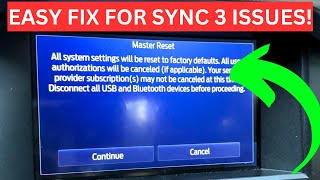
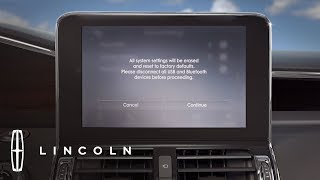
🎬 Watch: How to perform a soft and master reset on SYNC 32. No Sound From Speakers
If the screen works but there is no audio from any source (radio, Bluetooth, etc.), the problem could be with the Audio Control Module (ACM) or the DSP amplifier. On some newer models, this has been identified as a software issue requiring a dealer-installed update or module replacement. Forum users have reported that disconnecting the vehicle's battery for a few minutes can sometimes temporarily resolve this by forcing a hard reset of the modules.
3. Crackling or Popping Noises
Intermittent crackling or popping sounds from the speakers can indicate a failing speaker, a bad connection, or an issue within the amplifier. Some owners have specifically noted crackling sounds when using Apple CarPlay, which may be a software-related issue between the phone and the SYNC system.
4. Bluetooth and Connectivity Problems
Difficulty pairing a phone, frequent disconnections, or non-functional Apple CarPlay/Android Auto can be caused by software bugs in the APIM (SYNC module). Lincoln often releases over-the-air (OTA) software updates to fix these kinds of bugs. Before replacing any hardware, ensure your vehicle's software is up to date.
5. Unresponsive or Incorrectly Functioning Controls
If the physical buttons or knobs on the control panel (FCIM) stop working or perform the wrong function, it could indicate a failure of that specific control unit. This is especially important to diagnose correctly, as the FCIM is often specific to vehicle options like heated or cooled seats.
Known Issues, TSBs, and Recalls

- NHTSA Recall 25S49: Affects certain 2021-2023 Nautilus vehicles. A software issue can cause the infotainment screen to freeze, go black, and reboot. This can lead to a loss of the rearview camera image, increasing crash risk. The remedy is a free over-the-air (OTA) software update.
- TSB 25-2275: For some 2024-2025 models that may have no audio. The issue can be due to software in the Digital Signal Processing Module (DSP), which may require reprogramming or replacement by a dealer.
- Customer Satisfaction Program 24S15: An APIM software update was released for 2024 models to address potential reboots, freezing, and performance concerns with the infotainment system.
- Common Software Glitches: Many owner complaints about black screens, no audio, or flickering displays on newer models can often be temporarily fixed by performing a system reset. This can be done by holding down the power button (volume knob) and the right-seek button simultaneously, or on some models, just holding the volume knob for 10-12 seconds until the system reboots.
Programming and Installation Requirements

Warning: Virtually all major audio components in the Lincoln Nautilus require programming after installation. This is not a plug-and-play repair. Failure to program a replacement module will result in limited or no functionality.
When a major audio module like the ACM, APIM, or DSP is replaced, it must be programmed to the vehicle's specific VIN and configuration. This process, often called 'As-Built' data configuration, tells the module about the vehicle's options, such as which sound system it has, whether it has navigation, satellite radio, etc.
Who Can Program the Module?
- Lincoln/Ford Dealership: The dealer has the official diagnostic tools (IDS) to program replacement modules correctly. This is the most reliable, though often most expensive, option.
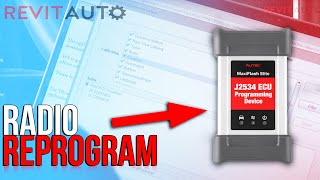
- Qualified Independent Shop: Many independent auto repair shops that specialize in electronics have professional-grade scan tools, like Autel, that can perform module programming for Ford/Lincoln vehicles. 🎬 See how to reprogram a replacement radio using an Autel tool
- Advanced DIY with FORScan: For experienced DIY mechanics, a tool called FORScan can be used. FORScan is a software program that, when paired with a compatible OBD-II adapter, allows deep access to the vehicle's modules. 🎬 Watch: A beginner's guide to using FORScan for programming A user can back up the 'As-Built' data from their original module and restore it to the replacement unit. This requires technical skill and should be approached with caution, as incorrect changes can disable vehicle features.
Buying a Used Audio System
Purchasing a used OEM audio component is an excellent way to save significant money over a new part. However, due to the complexity and number of variations, careful verification is essential.
1. Match Part Numbers EXACTLY
The most critical step is to match the OEM part number or the engineering ID number from your original unit. The engineering ID is typically printed on a white sticker on the module itself. Do not rely on visual appearance alone.
2. Verify Vehicle Options
When buying a control panel (FCIM), confirm that the donor vehicle had the exact same climate options as yours (e.g., heated seats only vs. heated AND cooled seats). When buying a receiver (ACM) or amplifier, confirm the audio system level (Standard, Revel, or Revel Ultima).
3. Physical Inspection
When you receive the part, inspect it carefully. Check for any damage to the connectors, pins, or casing. On screens, look for deep scratches or signs of delamination. Ensure there are no signs of water damage or corrosion, which can cause intermittent electronic failures.
4. Plan for Programming
Remember that the cost of the part is not the final cost. Factor in the expense of having the unit programmed by a dealer or qualified shop. Call ahead to get a quote for this service before you buy the part.
Cost Comparison
| Part Type | New OEM | Used OEM | Shop Labor (Install & Program) |
|---|---|---|---|
| Radio Receiver (ACM) | $1,200 - $1,500+ | $150 - $400 | $200 - $400 |
| Control Panel (FCIM) | $900 - $1,300+ | $100 - $300 | $100 - $200 |
| APIM (SYNC Module) | $700 - $1,100 | $200 - $500 | $150 - $300 |
Frequently Asked Questions (FAQ)
Do I have to take my car to the dealer to get a replacement radio programmed?
Not necessarily. While a Lincoln dealer can always perform the programming, many well-equipped independent repair shops have the tools to do it. For advanced DIYers, a tool called FORScan can also be used to load your vehicle's specific configuration data onto the replacement module.
My screen is black but the radio still plays. Which part do I need?
A black screen with functioning audio typically points to a problem with the display screen itself (FDIM) or, more commonly, the APIM (SYNC module) that controls the screen. A software glitch is also a possibility, so a system reset should be attempted first.
Can I upgrade from the standard audio system to the premium Revel system?
This is a very complex and expensive conversion. It involves replacing not just the head unit and amplifier, but also adding numerous speakers and changing vehicle wiring. The vehicle's computer would also need to be extensively reprogrammed. It is generally not considered a practical or cost-effective modification.
Why are there so many different part numbers for the same component?
Ford and Lincoln use different part numbers for different vehicle options and for mid-cycle updates. A radio for a car with navigation and the Revel system will have a different part number than one for a base model without those features. This is why matching your original part number is the only way to guarantee compatibility.
Helpful Videos
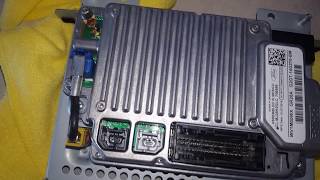
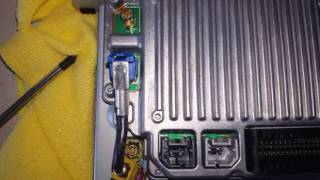
Technical Specifications
OEM Part Numbers: HA1T19C107HA HA1T19C107HB HA1T19C107HC HA1Z-18C869-AG HA1Z-18C869-HA HA1Z18C869HA KA1Z18842HC LJ7Z-18842-G HA1T19C107GA HA1T19C107GB HA1T19C107GC HA1T19C107GD HA1Z18C869GA KA1T18E245HC KA1T18E245HD
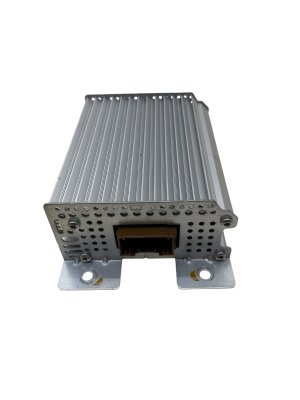
System is comprised of multiple modules including the APIM (SYNC Module), ACM (Audio Control Module/Receiver), FDIM (Screen), and FCIM (Control Panel). Premium systems include an external DSP (Digital Signal Processing) amplifier.
We Have This Part in Stock



The information in this article is provided for general reference and educational purposes only. Vehicle specifications, procedures, and part compatibility can vary by production date, trim level, and region. Always consult your vehicle's factory service manual and verify part numbers before purchasing or performing repairs. Safety-critical components such as airbags, seat belts, and braking systems should be installed by a qualified professional.
- Lincoln Nautilus:
- 🎬 Helpful Videos
- 🛍️ Shop This Part
- Variant Differences: Standard, Revel, and Revel Ultima
- Symptoms of a Failing Audio System
- 1. Black or Unresponsive Touchscreen
- 2. No Sound From Speakers
- 3. Crackling or Popping Noises
- 4. Bluetooth and Connectivity Problems
- 5. Unresponsive or Incorrectly Functioning Controls
- Known Issues, TSBs, and Recalls
- Programming and Installation Requirements
- Who Can Program the Module?
- Buying a Used Audio System
- 1. Match Part Numbers EXACTLY
- 2. Verify Vehicle Options
- 3. Physical Inspection
- 4. Plan for Programming
- Cost Comparison
- Frequently Asked Questions (FAQ)
- 🎟️ Get 5% Off