

2020-2025 Lincoln Corsair Audio System: Programming, Problems, and Replacement
This guide covers common failures of the Corsair's audio and infotainment system, with a focus on programming requirements for used replacement modules.
- Programming is mandatory for all replacement audio modules (ACM, Amplifier, etc.). They are not plug-and-play.
- You must match part numbers exactly to your vehicle's original system (Standard vs. Premium Revel Audio).
- Software issues are common; recalls have been issued to update the Audio Control Module software to fix problems with vehicle warning chimes.
- A qualified independent shop or a DIYer with FORScan can program a replacement module, not just the dealer.
Known Issues, TSBs, and Recalls

Several technical service bulletins (TSBs) and recalls have been issued for the 2020-2025 Lincoln Corsair that relate to the audio and electronic systems. While not all indicate a faulty part, they highlight the complexity of the system and the importance of software.
Recalls
- NHTSA Campaign 25C18 (Re-recall of 22V-953): This recall affects 2020-2023 Corsair models equipped with the Revel Audio System. An initial recall was performed to correct an issue where the audible seat belt warning chime would not sound for the federally required duration. However, some vehicles were not repaired correctly. The fix requires a dealer to update the Audio Control Module (ACM) software.
- NHTSA Campaign 25V510: On certain 2020-2022 Corsair vehicles, water can enter the rearview camera connectors, causing a distorted or blank image on the display. The remedy involves replacing the rearview camera and its wiring harness.
Technical Service Bulletins (TSBs)
- TSB 23-2395: Some 2023 Corsair vehicles may develop a squeak or rattle from the center display screen, potentially due to missing or improperly installed grommets.
- SSM 52261: Certain 2023 Corsair hybrid models may experience intermittent loss of all audio, accompanied by a specific diagnostic trouble code.
- SSM 51676: A continuous memory DTC U0100 (Lost Communication With ECM/PCM) may be stored in the Audio Front Control Module (ACM) after running a self-test on some 2023 models.
- Customer Satisfaction Program 23B27: This program addresses some 2022 Corsair models with the base audio system that were built with non-functional amplifiers, leading to a loss of subwoofer performance. The fix involves testing the speakers and replacing the amplifier if it has failed.
Symptoms of a Failing Audio System

Failures can originate from the head unit (ACM), the amplifier, the screen, or software glitches. Diagnosing the specific point of failure is key to ordering the correct used part.
- No Sound: The most common symptom. If the screen works but there is no audio from any source (radio, Bluetooth, etc.), the issue often points to a failed amplifier or a software fault.
- Black or Unresponsive Touchscreen: The screen may go completely black, freeze, or fail to respond to touch. Sometimes, a system reboot can temporarily fix this. In other cases, it can indicate a failure of the display unit itself or the APIM (SYNC module).
- Popping or Crackling Noises: Unwanted noises from the speakers that are not related to the audio source often suggest a failing amplifier or a wiring issue.
- Intermittent Audio Cut-Outs: Sound that cuts in and out randomly can be a symptom of a failing amplifier or a loose connection.
- System Randomly Reboots: The SYNC system may restart on its own while driving. This is typically a software-related issue but can also be a sign of a failing module.
- Incorrect Chimes or Warning Sounds: As noted in the recalls, software issues in the ACM can affect critical vehicle sounds like the seatbelt chime.
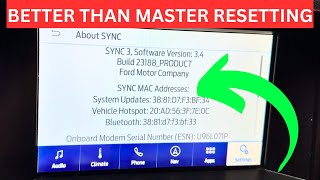
Pro Tip: Before assuming a hardware failure, try a soft reset. For many SYNC systems, pressing and holding the Power button and the Seek Right button simultaneously for about 10 seconds will force the system to reboot 🎬 Watch: How to soft reset your SYNC 3 system, which can resolve temporary software glitches.
Programming and Calibration: The Most Critical Step

Yes, virtually all replacement audio components in a 2020-2025 Lincoln Corsair require programming. These are not plug-and-play parts. The modules are integrated into the vehicle's network and must be configured with vehicle-specific information to function correctly.
This configuration is known as "As-Built" data. As-Built data is a block of code that tells the module about the vehicle's specific options, such as whether it has the Revel premium audio system, heated/cooled seats, navigation, and other features. Without the correct As-Built data, a replacement module won't know how to operate in its new environment, leading to issues like non-functioning steering wheel controls, incorrect button backlighting, or a complete lack of function.
Who Can Program the Module?
- Lincoln/Ford Dealership: This is the most straightforward but often most expensive option. A dealer uses their proprietary IDS software to perform a "Programmable Module Installation" (PMI), which downloads the correct As-Built data from Ford's servers and writes it to the new module.
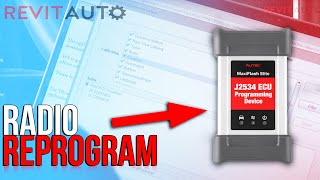
- Qualified Independent Shop: Many independent shops that specialize in modern vehicle electronics have tools like the Autel J2534 Pass-Thru device 🎬 See how to reprogram a replacement radio using Autel, which allows them to subscribe to and use the same Ford software as the dealer to program modules.
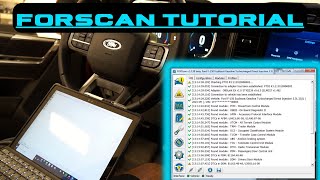
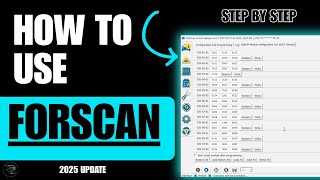
- DIY with FORScan: For advanced DIY mechanics, a tool called FORScan combined with a compatible OBD-II adapter allows direct access to module As-Built data. You can download your vehicle's original As-Built data from Ford's Motorcraft service site using the VIN, and then use FORScan to write that data to the replacement module. 🎬 Watch: How to load factory As-Built data with FORScan
Warning: Attempting to modify As-Built data without proper knowledge can render a module or even the vehicle inoperable. It is a powerful tool that should be used with extreme caution.
Buying a Used Lincoln Corsair Audio Component

Purchasing a used audio module can offer significant savings, but careful selection is crucial to avoid compatibility headaches. Here’s what to look for:
- Match Part Numbers Exactly: This is the most important rule. There are numerous variations of amplifiers, receivers, and control panels based on the vehicle's options. A part from a vehicle with the standard audio system will not work in a vehicle with the premium 13-speaker Revel system, and vice-versa.
- Verify the Donor Vehicle's Options: If possible, get the Vehicle Identification Number (VIN) of the donor car. This allows you to look up its original As-Built data, which can be invaluable during the programming process.
- Inspect Connectors: Check all electrical connector pins for signs of corrosion, moisture damage, or physical damage. Water intrusion is a known cause of failure for some electronic components.
- Physical Condition: Look for any signs of physical damage to the casing of the module. While cosmetic wear is expected, cracks or significant dents could indicate internal damage.
- Plan for Programming: Factor the cost and logistics of programming into your purchase decision. Have a plan for whether you will take it to a dealer, an independent shop, or attempt it yourself before you buy the part.
Replacement Cost Comparison
Prices can vary based on the specific component (ACM, amplifier, screen) and the vehicle's options. The following are general estimates.
| Part/Service | Estimated Cost |
|---|---|
| New OEM Receiver (e.g., PJ7Z-18C869-A) | $880 - $1,300 |
| New OEM Amplifier | $600 - $700 |
| Used OEM Component (Receiver or Amp) | $150 - $500 |
| Shop Labor (Installation) | $150 - $300 |
| Shop Labor (Programming) | $100 - $250 |
Frequently Asked Questions (FAQ)
Do I have to go to a Lincoln dealer for programming?
No, you do not necessarily have to go to a dealer. Many well-equipped independent repair shops can program Ford/Lincoln modules. Additionally, advanced DIYers can use software like FORScan to perform the programming themselves. However, a dealer is often the most certain way to get it done correctly.
Can I upgrade my standard audio system to the premium Revel system by swapping parts?
This is a very complex and expensive conversion. It involves not only swapping the amplifier and all speakers but also changing wiring harnesses and reprogramming multiple vehicle modules with the correct As-Built data to recognize the new hardware. It is generally not considered a practical or cost-effective upgrade.
My screen is black, but the radio still plays. What's the problem?
This typically points to a failure in the display screen itself or the APIM (SYNC module) that controls the screen, rather than the ACM (radio/tuner) or amplifier. The audio and display functions are handled by separate, though interconnected, hardware.
What is "As-Built Data" and why do I need it?
As-Built Data is the factory configuration file for each electronic module in your vehicle. It's a set of codes that tells the module what features the car has (e.g., premium sound, navigation, specific seat types). When you install a used module, you must load your car's original As-Built data onto it so it knows how to function correctly within your specific vehicle.
Helpful Videos

Technical Specifications
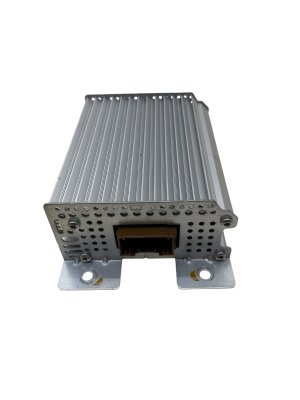
OEM Part Numbers: PJ7Z-18C869-A LJ7T1
We Have This Part in Stock



The information in this article is provided for general reference and educational purposes only. Vehicle specifications, procedures, and part compatibility can vary by production date, trim level, and region. Always consult your vehicle's factory service manual and verify part numbers before purchasing or performing repairs. Safety-critical components such as airbags, seat belts, and braking systems should be installed by a qualified professional.
- Lincoln Corsair:
- 🎬 Helpful Videos
- 🛍️ Shop This Part
- Known Issues, TSBs, and Recalls
- Recalls
- Technical Service Bulletins (TSBs)
- Symptoms of a Failing Audio System
- Programming and Calibration: The Most Critical Step
- Who Can Program the Module?
- Buying a Used Lincoln Corsair Audio Component
- Replacement Cost Comparison
- Frequently Asked Questions (FAQ)
- 🎟️ Get 5% Off