

Land Rover Audio Failure: Solving No Sound & Black Screens (2005-2019)
This guide explains common audio system failures in the LR3, LR4, Range Rover, Evoque, and more, focusing on diagnosis, programming requirements, and replacement.
- The most common cause of audio failure is a water-damaged amplifier, often located under a front seat. Fix any water leaks before replacing it.
- A replacement audio module (amplifier or head unit) is NOT plug-and-play. It must be professionally programmed to the vehicle's VIN to function.
- Symptoms like a black screen or no sound are often caused by a break in the MOST fiber-optic network. A failed amplifier is the most common break in the network.
- When buying a used part, you must match the OEM part number exactly and ensure it's from a vehicle with the same audio system (e.g., Harman Kardon, Meridian).
Symptoms of Audio System Failure

A failing audio system in these Land Rover models can manifest in several ways, often pointing to different root causes. Because the system is a network, a single component failure can cause system-wide issues.
- No Sound From Any Source: This is the most common symptom. The infotainment screen may appear to work correctly, but no audio comes from the speakers. This almost always points to a failed amplifier or a break in the MOST fiber-optic loop.
- Infotainment Screen is Black or Frozen: The screen may be completely blank, or it might freeze on the Land Rover or Range Rover logo. This can be caused by a failure in the head unit itself or, more commonly, a failed module on the MOST bus (like the amplifier) that prevents the system from initializing.
- Audio/Video Button is Greyed Out: On the touchscreen menu, the audio or media source buttons may be greyed out and unresponsive. This indicates the head unit cannot communicate with the audio source modules or the amplifier.
- Popping, Crackling, or Thin/Hollow Sound: Poor audio quality, static, or a sound that seems to lack bass and richness can be a sign of a failing amplifier or, more commonly, blown or deteriorated speakers. Water damage to speaker cones is a frequent cause.
- Intermittent Functionality: The system may work fine one day and fail the next. This can be triggered by temperature changes, vehicle voltage fluctuations, or a loose fiber-optic connection. Sometimes, simply turning the vehicle off and letting it sit for a while can temporarily restore function.
- Loss of Other Functions: A failed audio system can also lead to the loss of audible alerts for parking sensors, turn signals, and navigation prompts, as these sounds are generated through the audio amplifier.
Diagnosing the Problem: Amp, Head Unit, or Fiber Optic Loop?


Troubleshooting this system requires a logical approach to isolate the failed component.
1. The MOST Fiber-Optic Loop
The MOST bus is a fiber-optic ring that connects all infotainment modules. If any module in the ring fails, it breaks the loop, and the whole system goes down. You can diagnose this with a MOST bypass loop. This is a small, inexpensive tool that allows you to remove a module from the ring while keeping the loop intact.
To use it, you disconnect the fiber-optic plug from a module (like the amplifier, satellite radio module, or Bluetooth module) and plug the bypass loop into the connector. If the rest of the system starts working, you have found your failed component. You can check for the flashing red light of the fiber optic signal at each module's connector to trace the break.
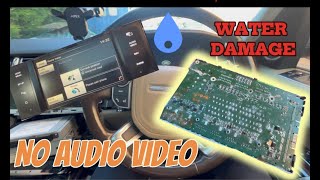
🎬 See how to diagnose no sound and water damage issues.2. The Amplifier: The Most Common Culprit
The audio amplifier, especially the Harman Kardon Logic 7 unit, is the most frequent point of failure. The primary cause is water damage.
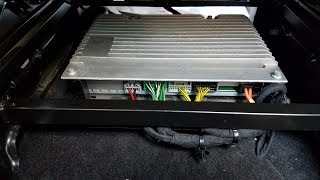
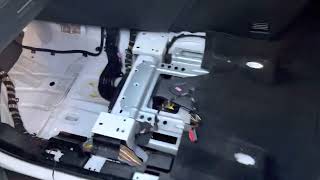
- Location and Vulnerability: In many earlier models like the LR3, Range Rover Sport (2006-2011), and Range Rover (2005-2012), the amplifier is located under one of the front seats, bolted to the floor. 🎬 Watch: How to remove the amplifier for repair or replacement. This makes it extremely susceptible to water from clogged sunroof drains, leaky door seals, or blocked A/C drains. In later models like the LR4 (2012+), the amplifier was moved to the rear cargo area, which is safer but still vulnerable to leaks from the roof area.
- Internal Failure: Even without water, internal components can fail. The complex processors on the amplifier board can develop cracked solder joints from thermal cycles and vibration, leading to failure. A common symptom of a shorted amplifier is a repeatedly blowing 40A fuse.
3. Head Unit and Control Panel Issues
While less common than amplifier failure, the head unit (screen) and control panel can also fail. Symptoms include a totally black screen (that isn't caused by a MOST loop break), unresponsive touch controls, or "ghost touches" where the system acts on its own. Sometimes a simple hard reset (holding the power/volume knob for 20-30 seconds) can resolve software glitches.
Known Issues by Vehicle
- 2005-2009 Land Rover LR3 / Discovery 3: Legendary for amplifier failure due to water intrusion under the passenger seat. Clogged sunroof drains are the usual suspect.
- 2006-2013 Land Rover Range Rover Sport: Also suffers from amplifier water damage under the driver's seat (LHD models).
- 2005-2012 Land Rover Range Rover (L322): Similar to the Sport, the amplifier is in a vulnerable location. Early models used a BMW-based system, while later ones used the MOST architecture.
- 2010-2016 Land Rover LR4 / Discovery 4: For models up to 2011, the amp is under the seat. From 2012 onwards, it was moved to the right rear cargo area, making it less prone to floor water but still susceptible to leaks from above. Speaker deterioration is also a common complaint, leading to poor sound quality.
- 2012-2019 Land Rover Range Rover Evoque & 2015-2016 Discovery Sport: These models also have under-seat amplifiers vulnerable to water. They can also suffer from head unit issues like greyed-out buttons and initialization freezes.
Warning: Before replacing a water-damaged amplifier, you MUST identify and fix the source of the water leak. Failure to do so will result in the new amplifier being damaged as well.
Programming and Installation: What You Need to Know
This is the most critical part of replacing an audio module. In almost all cases, a replacement audio module (especially the amplifier or head unit) is NOT plug-and-play.
- Programming is Required: The replacement module must be programmed to the vehicle's specific VIN and configuration. This process, often done with JLR-specific software like SDD (Symptom Driven Diagnostics) or Pathfinder, tells the module about the vehicle's options (e.g., base audio vs. premium, number of speakers, satellite radio present).
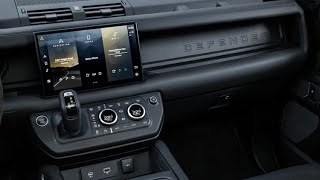
- Who Can Program It?: A Land Rover dealership is the most reliable option. However, many independent shops specializing in European vehicles have the necessary equipment and can perform the programming. DIY programming is possible but requires specialized hardware (like a Mongoose Pro cable) and software (JLR SDD), which can be complex and risky if done incorrectly. 🎬 Watch: How to program modules using Mongoose and SDD software.
- Consequences of No Programming: An unprogrammed module may result in no sound, incorrect sound output (no bass, wrong channels), missing features (like surround sound), or persistent fault codes.
Buyer's Guide: Choosing a Used Land Rover Audio Component

Buying a used audio module can save you a significant amount of money, but it requires careful consideration to avoid problems.
- Match the Part Number EXACTLY: This is non-negotiable. Land Rover used many different amplifiers and head units for different trim levels (Base, Harman Kardon, Meridian) and option packages. A part from a vehicle with a different audio system will not work correctly, even if it looks identical. Find the part number on your original unit and match it.
- Inspect for Water Damage: For amplifiers, this is the #1 priority. Look for any signs of corrosion, water stains, or a white, chalky residue on the casing or connectors. Do not buy any unit with visible signs of moisture damage.
- Verify the Source Vehicle's Options: If possible, know the audio system of the vehicle the part came from. An amplifier from a base audio system cannot be programmed to work with a premium surround sound system.
- Budget for Programming: Assume the part will need to be programmed. Factor in the cost of a visit to a dealer or specialist shop ($150-$400) when calculating your total savings.
- Buy from a Reputable Seller: Purchase from a seller who offers a warranty and a clear return policy. This protects you if the part is dead on arrival or turns out to be the wrong one.
Replacement Cost Comparison
| Part | New OEM | Used OEM | Remanufactured / Repair | Shop Labor (Install & Program) |
|---|---|---|---|---|
| Audio Amplifier (Logic 7 / Meridian) | $1,500 - $1,900+ | $150 - $500 | $400 - $500 | $350 - $700 |
| Head Unit / Infotainment Screen | $2,000+ | $300 - $800 | $500 - $900 | $250 - $500 |
Frequently Asked Questions (FAQ)
Why is my screen working but I have no sound?
This is the classic symptom of a failed audio amplifier or a break in the MOST fiber-optic network. The head unit is on, but the signal isn't reaching the speakers because the amplifier is dead or disconnected from the network. Water damage to the amplifier is the most likely cause.
Can I install a used amplifier myself?
Yes, the physical installation is often straightforward, usually involving removing a seat or a trim panel. However, the vehicle will not have audio until the replacement amplifier is professionally programmed to your vehicle's VIN and configuration file.
What is a MOST bypass loop and do I need one?
A MOST bypass loop is a diagnostic tool that lets you temporarily remove a module from the fiber-optic ring to see if the rest of the system comes back to life. It's an essential, inexpensive tool for anyone troubleshooting these systems to pinpoint which module has failed.
My screen is frozen on the Land Rover logo. What's wrong?
This usually means the infotainment system's startup sequence has been interrupted. This is most often caused by a failed module on the MOST network, like the amplifier. When the head unit tries to initialize the network and can't get a response from all modules, it freezes.
Can I upgrade from the base audio system to the Harman Kardon or Meridian system?
This is a very complex and expensive conversion. It involves replacing the amplifier, all speakers, the head unit, and adding the necessary wiring. The vehicle's configuration file must also be extensively modified. It is generally not considered a feasible or cost-effective upgrade.
Helpful Videos

Technical Specifications
OEM Part Numbers: 056135624075 56135624075 8H42-19C164-BB AH22-18C858-BF AH2218C858BF AH2219C166AA AH4118C941AG AH42-19C164-BB AH4216C941AG AH4219C166AA BF6N-18C815-JH CF6N-18C815-JF CF6N-18C815-JH CF6N-18C815-JJ CF6N-18C815-JM XQK500105 XQK500060 LR081470 LR087068 LR081469
System architecture is based on a MOST (Media Oriented Systems Transport) fiber-optic network. Premium systems are typically Harman Kardon Logic 7 or Meridian branded. Amplifiers are commonly fused with a 40A fuse.
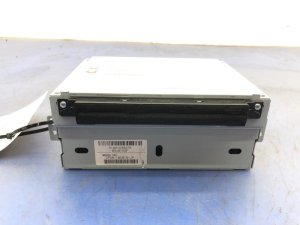
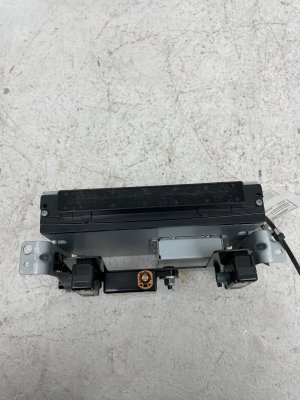
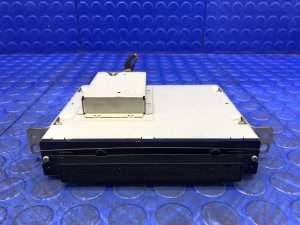
We Have This Part in Stock




The information in this article is provided for general reference and educational purposes only. Vehicle specifications, procedures, and part compatibility can vary by production date, trim level, and region. Always consult your vehicle's factory service manual and verify part numbers before purchasing or performing repairs. Safety-critical components such as airbags, seat belts, and braking systems should be installed by a qualified professional.
- Land Rover LR4:
- Land Rover Range Rover Sport:
- Land Rover Range Rover:
- Land Rover Range Rover Evoque:
- Land Rover Discovery Sport:
- Land Rover LR2:
- Land Rover Discovery 4:
- Land Rover LR3:
- 🎬 Helpful Videos
- 🛍️ Shop This Part
- Symptoms of Audio System Failure
- Diagnosing the Problem: Amp, Head Unit, or Fiber Optic Loop?
- 1. The MOST Fiber-Optic Loop
- 2. The Amplifier: The Most Common Culprit
- 3. Head Unit and Control Panel Issues
- Known Issues by Vehicle
- Programming and Installation: What You Need to Know
- Buyer's Guide: Choosing a Used Land Rover Audio Component
- Replacement Cost Comparison
- Frequently Asked Questions (FAQ)
- 🎟️ Get 5% Off