

2018-2023 Kia Stinger Audio Guide: Diagnosing Harman Kardon Failures & Head Unit Issues
This guide covers common audio problems in the 2018-2023 Kia Stinger, from a silent Harman Kardon system to a blank infotainment screen, and helps you choose the correct used replacement part.
- Part numbers for head units and amplifiers must be matched exactly to the original part to ensure compatibility.
- The premium Harman Kardon system uses an external amplifier that is a common failure point for 'no sound' issues.
- Intermittent audio cut-outs are often caused by electrical interference from faulty ignition coils, not the audio system itself.
- Replacement units with matching part numbers do not require special programming or a dealer visit for installation.
Variant Differences: Standard vs. Harman Kardon Premium Audio

The most critical factor when diagnosing issues or buying a replacement audio component for a 2018-2023 Kia Stinger is identifying which audio system the vehicle has. The two systems are not compatible, and their parts cannot be swapped.
- Standard Audio System: This base system features six speakers and an amplifier that is integrated within the main head unit.
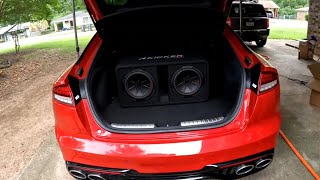
- Harman Kardon Premium Audio: This upgraded system is a significant step up, featuring a 720-watt, 15-speaker surround sound setup. It includes an external amplifier, typically located in the trunk, which is a common point of failure. This system also uses advanced processing like Clari-Fi™ to restore details in compressed digital music and QuantumLogic® for surround sound.
Pro Tip: To identify which system you have, check for the Harman Kardon logo on the speaker grilles, particularly the center dashboard speaker or door speakers. You can also check the vehicle's original window sticker or build sheet for the premium audio option.
Common Failure Symptoms


Audio system issues in the Stinger can manifest in several ways, pointing to different potential culprits. Many owners report intermittent issues that can be frustrating to diagnose.
1. Intermittent Audio Cut-Outs or Popping
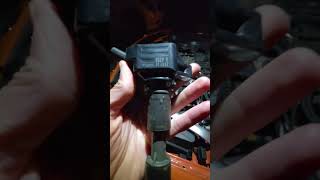
One of the most frequently discussed issues is the audio briefly cutting out for a second and then returning. This can happen every few seconds or sporadically. Forum discussions often point to a surprising cause: electrical interference from failing or older-style ignition coils, particularly on the 3.3L V6 engine. Electrical leakage from the coils can interfere with other electronic systems. In many cases, replacing the ignition coils with the updated full-rubber-boot style (from 2022-2023 models) has reportedly solved the audio cutting-out problem.
🎬 Watch: How to replace the 3.3L ignition coils2. No Sound From Any Source
If the infotainment screen works perfectly but you have no sound at all, the primary suspect is the external amplifier, especially in vehicles with the Harman Kardon system. This can sometimes happen after the car has been sitting in the heat. Before replacing the amp, check the related fuses first.
3. Infotainment Screen is Black or Unresponsive
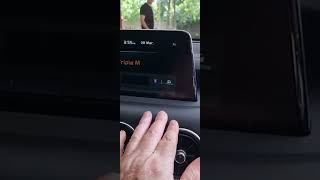
A blank or frozen screen usually points to a problem with the head unit itself. Owners have reported this happening randomly, sometimes temporarily fixed by turning the car off and on again. Before assuming the unit has failed, try a system reset. There is a small pinhole reset button, often located near the radio or volume knob, that can be pressed with a paperclip to reboot the system. If a reset doesn't work and fuses are good, the head unit may need replacement.
🎬 See this quick video on how to soft reset your display4. Apple CarPlay / Android Auto Connectivity Issues
Problems with phone projection, like frequent disconnects or failure to connect, can sometimes be resolved with a software update. Kia provides a Navigation Updater program that allows owners to download the latest software to an SD card and install it in their vehicle. This can also fix other software-related glitches.
Known Issues, TSBs, and Recalls

While there are no widespread recalls specifically for the entire audio system, several Technical Service Bulletins (TSBs) and related recalls exist.
- TSB ELE264: This bulletin addresses an "intermittent no sound or sound dropping" issue in some 2018-2020 Stingers and recommends replacing the AVN head unit.
- TSB ELE303 / SA569: These bulletins involve software updates for the AVN 5.0 head units to fix non-responsive radio icons or issues with Apple CarPlay/Android Auto connectivity.
- Recalls for Wiring and Electrical Issues: Some 2018 Stingers were recalled because a front wiring harness could be damaged by a burr on a body panel, potentially causing a short. Additionally, a major recall (NHTSA 23V652) was issued for a potential electrical short in the Hydraulic Electronic Control Unit (HECU) that could cause an engine compartment fire, though this is not directly part of the audio system.
Buying a Used Kia Stinger Audio Component
Purchasing a used OEM audio component can be a cost-effective solution, but careful verification is essential to avoid compatibility problems.
Warning: Part numbers for head units and amplifiers MUST match your original part exactly. Components for the standard and Harman Kardon systems are not interchangeable, nor are units for vehicles with and without navigation.
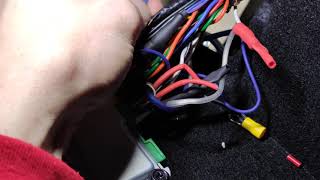
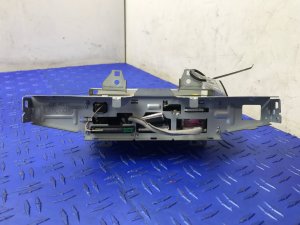
- Verify Part Numbers: Before purchasing, remove your existing unit to confirm the exact OEM part number printed on its label. Cross-reference this with the seller's listed part number. The provided list of part numbers (e.g., 96560-J5750FHV for a head unit, 96370-J5000 for an amplifier) is a starting point, but always verify against your specific vehicle. 🎬 Watch: How to remove the navigation screen
- Inspect Connectors: Check all electrical connector ports on the used unit for any signs of corrosion, bent pins, or physical damage. Water intrusion can be a problem, so look for any tell-tale white or green residue.
- Check the Screen (Head Units): For head units, ask the seller for clear photos of the screen powered on, if possible. Look for delamination, dead pixels, or discoloration.
- Navigation and SD Cards: If you are replacing a head unit with navigation, you will likely need the map SD card for GPS functionality to work. Ensure the used unit comes with it, or be prepared to source one separately.
Programming and Installation
For the 2018-2023 Kia Stinger, replacement audio head units and amplifiers are generally considered plug-and-play, provided the part number is an exact match for the original unit. No special programming or flashing by a dealership is typically required. The system is not linked to the vehicle's immobilizer, so a replacement will not prevent the car from starting.
Replacement Cost Comparison
The cost of replacing an audio component can vary dramatically between new OEM parts and used parts.
| Part | New OEM Price | Used OEM Price | Shop Labor Cost |
|---|---|---|---|
| Head Unit (AVN w/ Nav) | $3,000 - $4,600+ | $400 - $900 | $150 - $300 |
| Harman Kardon Amplifier | $1,200 - $1,950+ | $90 - $350 | $100 - $200 |
Frequently Asked Questions (FAQ)
Does a replacement radio or amplifier need to be programmed by the dealer?
No, as long as you purchase a used unit with the exact same part number as your original, it should be a plug-and-play installation without the need for dealer programming.
Can I upgrade my standard audio system to the premium Harman Kardon system?
This is a very complex and expensive conversion. It would require replacing the head unit, adding the external amplifier, changing out all the speakers, and extensive wiring harness modifications. It is generally not considered a practical or cost-effective upgrade.
My screen is black but I can still hear the radio. What's the problem?
This typically indicates a failure within the head unit's display screen or its related internal circuitry, even though the audio processing part of the unit is still functional. A head unit replacement is the most likely solution after trying a pinhole reset.
Why does my audio cut out when I use Apple CarPlay?
This can be caused by several factors. First, try a different, high-quality USB cable. Second, perform a software update on the infotainment system. If the problem persists and is accompanied by a popping sound, investigate the possibility of electrical interference from the ignition coils, a known issue on some Stingers.
Helpful Videos

Technical Specifications
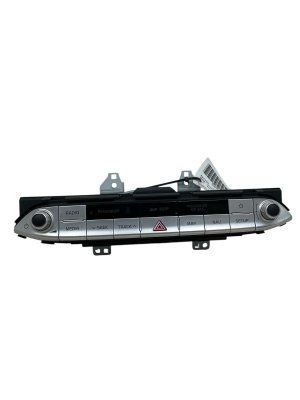
OEM Part Numbers: 96160-J5160FHV 96160J5160FHV 96370-J5000 96370-J5050 96370-J5110 96370-J5150 96370J5050 96370J5110 96370J5150 96560-J5750FHV 96560-J5761 96560-J5HA0FHV 96560-J5HB0 96560-J5HB0FHV 96560J5750
Standard System: 6 speakers, integrated amplifier. Harman Kardon Premium System: 15 speakers, 720-watt external amplifier, Clari-Fi and QuantumLogic Surround technology.
We Have This Part in Stock




The information in this article is provided for general reference and educational purposes only. Vehicle specifications, procedures, and part compatibility can vary by production date, trim level, and region. Always consult your vehicle's factory service manual and verify part numbers before purchasing or performing repairs. Safety-critical components such as airbags, seat belts, and braking systems should be installed by a qualified professional.
- Kia Stinger:
- 🎬 Helpful Videos
- 🛍️ Shop This Part
- Variant Differences: Standard vs. Harman Kardon Premium Audio
- Common Failure Symptoms
- 1. Intermittent Audio Cut-Outs or Popping
- 2. No Sound From Any Source
- 3. Infotainment Screen is Black or Unresponsive
- 4. Apple CarPlay / Android Auto Connectivity Issues
- Known Issues, TSBs, and Recalls
- Buying a Used Kia Stinger Audio Component
- Programming and Installation
- Replacement Cost Comparison
- Frequently Asked Questions (FAQ)
- 🎟️ Get 5% Off