

2012-2020 Kia Rio Audio System: A Guide to Screen Failures, Part Numbers, and Replacement
This guide covers the critical differences, common failures, and replacement requirements for the third and fourth-generation Kia Rio audio systems.
- The 2012-2017 (Gen 3) and 2018-2020 (Gen 4) Rio use completely different audio systems that are not interchangeable.
- Compatibility is complex; you must match the part number or, at minimum, the screen size (5" vs 7") and features (Nav vs. non-Nav).
- A sudden loss of all sound is a common software glitch that can often be fixed for free by disconnecting the car battery for 15 minutes.
- Touchscreen failure (ghost touching, bubbling) is a frequent hardware problem; a used OEM replacement is the most cost-effective solution, but may require dealer programming.
Generation Gap: 2012-2017 vs. 2018-2020

The most critical factor when replacing an audio system in a Kia Rio from this period is the generation change. The 2012-2020 timeframe covers two distinct generations, and their parts are not interchangeable.
- Third Generation (UB): 2012-2017
- Fourth Generation (YB): 2018-2020
Warning: The audio systems, dashboards, and wiring for these two generations are completely different. You must purchase a replacement unit that is specifically for your model year range (e.g., a radio from a 2018 Rio will not fit or work in a 2016 Rio).
Common Symptoms of a Failing Kia Rio Audio System


Failures in these head units can range from minor software glitches to complete hardware failure. Many common issues are related to the touchscreen or internal software.
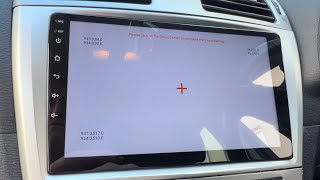
- Unresponsive or "Ghost" Touching Screen: The screen may not respond to input, or it may register phantom touches, causing random menu changes or calls. This is a very common sign of a failing digitizer (the touch-sensitive layer).
- Screen Bubbling or Delamination: Owners may see what looks like bubbles or a peeling layer under the screen surface. This is the digitizer's adhesive failing, often due to heat and humidity, and is a precursor to touch failure.
- No Sound From Any Source: A known software glitch can cause the audio to cut out completely from the radio, Bluetooth, and all other inputs, even though the head unit appears to be on and functioning.
- Blank or Black Screen: The unit fails to power on at all. This can be caused by a blown fuse, a wiring problem, or a total internal failure of the head unit.
- Bluetooth Connectivity Problems: The system may refuse to pair with a phone, drop connections intermittently, or fail to show up as a discoverable device.
- System Freezing or Randomly Rebooting: The head unit may get stuck on the Kia/UVO logo or restart unexpectedly while driving. This often points to a software or internal hardware issue.
Diagnosis & Simple Fixes
Before replacing the unit, try these simple resets which can solve common software-related problems.
- Pinhole Reset: Many units have a small, recessed reset button near the volume knob or CD slot. Pressing this with a paperclip can often resolve freezing or minor glitches.
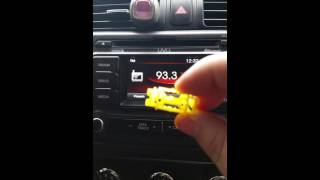
- Hard Reset for "No Sound" Glitch: If you have display but no audio, a hard reset is often the fix. Disconnect the car's negative battery terminal for 15-20 minutes, then reconnect it. This forces the unit's internal amplifier to reset and can restore sound. 🎬 Watch: Troubleshooting a Kia Rio UVO system with no sound
- Bluetooth Troubleshooting: If experiencing Bluetooth issues, first try deleting the phone from the car's paired devices list and deleting the car from the phone's Bluetooth menu. Then, restart both the phone and the car and attempt to re-pair the devices from scratch.
Buying a Used Kia Rio Audio System
Buying a used OEM radio is the most cost-effective way to restore factory function. However, due to the high number of variations, careful verification is essential.
Compatibility is Everything: Do not buy a radio based on appearance alone. The internal hardware and software can be completely different even if the faceplate looks identical.
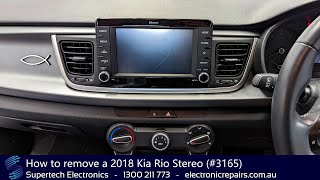
- Confirm the Generation: Your first step is to ensure the donor vehicle is from the same generation as yours (2012-2017 or 2018-2020). 🎬 Watch: How to remove the stereo from a 2018 Rio
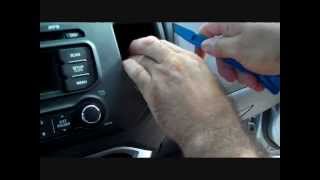
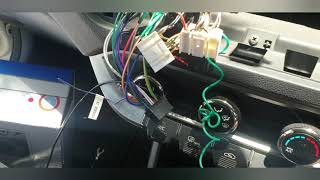
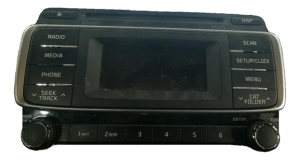
- Match the Part Number: This is the most reliable method. Remove your original radio to find the manufacturer's sticker and match the OEM part number exactly. Part numbers like 🎬 See this walkthrough for removing a 2012-2016 factory radio 961601W010CA (Gen 3) and 96160H9700FHV (Gen 4) are not interchangeable.
- Verify Screen Size and Features: If you cannot match the part number, you must match the features. Does your car have the 5.0-inch screen or the 7.0-inch screen? Does it have factory navigation? Does it have the UVO system? A radio from a non-navigation car will not work in a car originally equipped with navigation.
- Inspect the Unit: Check a used unit for deep scratches on the screen, damage to the plastic bezel, and ensure all connector ports on the back are intact and not damaged.
Programming and Anti-Theft
While many older vehicles used a simple 4-digit anti-theft code, most 2012-2020 Kia Rio radios do not. However, this does not mean they are always plug-and-play. Newer models, especially those with navigation or UVO, may be linked to the vehicle's VIN. When a replacement radio is installed, it may need to be programmed by a Kia dealership or a qualified technician with a dealer-level scan tool to communicate properly with the car's other electronic systems. Be prepared for the possibility of a dealer visit after installing a used unit.
Known Issues, TSBs, and Recalls
As of early 2026, there are no widespread safety recalls specifically for the audio systems in the 2012-2020 Kia Rio. However, Kia has released several Technical Service Bulletins (TSBs) to address software bugs. If you are experiencing issues with Apple CarPlay, Android Auto, or general system sluggishness, a dealer may be able to perform a software update to resolve the problem.
Replacement Cost Breakdown
Prices can vary significantly based on features, condition, and source.
| Part Source | Estimated Cost |
|---|---|
| New OEM (Dealer) | $1,600 - $3,200+ |
| New Aftermarket (e.g., Crutchfield, Pioneer) | $200 - $700+ (plus installation kits) |
| Used OEM (Recycled) | $75 - $400 |
| Shop Labor for Installation | $100 - $250 |
Frequently Asked Questions (FAQ)
Does a replacement radio need to be programmed by the dealer?
It might. While some basic, non-touchscreen models may be plug-and-play, units with navigation or the UVO system are often tied to the vehicle's VIN. If you install a used radio and it doesn't function correctly, a trip to the dealer for programming may be required to make it work.
Can I upgrade from the small 5-inch screen to the larger 7-inch factory screen?
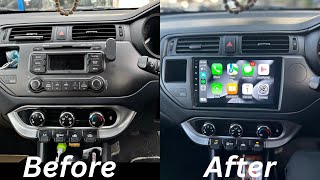
This is generally not a simple plug-and-play swap. The wiring harnesses and features between the two systems are different. While physically possible with extensive modification, it is often more practical and cost-effective to install a high-quality aftermarket unit that offers a large screen and modern features like Apple CarPlay and Android Auto.
My radio screen is black but the buttons are lit up. Is it broken?
This could be a few things. First, check the 'AUDIO', 'ACC', and 'CLUSTER' fuses in the fuse panel, as a blown fuse is a common cause. If the fuses are good, the unit may have suffered an internal failure of the display or mainboard, requiring replacement.
Why did my radio suddenly stop making sound?
This is a well-documented software glitch in some Kia vehicles. Before you buy a new radio, perform a hard reset by disconnecting the negative battery terminal for 15-20 minutes. This simple procedure often resolves the issue completely.
Helpful Videos
Technical Specifications
OEM Part Numbers: 961601W010CA 96160H9100FHV 96160H9700FHV 961701W900 961701W900CA 96180H9800WK R61701W900CA 96180H9810WK 96160H9570FHV
Varies by unit. Key variations include 5.0-inch non-touch displays, 7.0-inch touchscreens, with or without factory navigation, and with or without UVO eServices.
We Have This Part in Stock





The information in this article is provided for general reference and educational purposes only. Vehicle specifications, procedures, and part compatibility can vary by production date, trim level, and region. Always consult your vehicle's factory service manual and verify part numbers before purchasing or performing repairs. Safety-critical components such as airbags, seat belts, and braking systems should be installed by a qualified professional.
- Kia Rio:
- 🎬 Helpful Videos
- 🛍️ Shop This Part
- Generation Gap: 2012-2017 vs. 2018-2020
- Common Symptoms of a Failing Kia Rio Audio System
- Diagnosis & Simple Fixes
- Buying a Used Kia Rio Audio System
- Programming and Anti-Theft
- Known Issues, TSBs, and Recalls
- Replacement Cost Breakdown
- Frequently Asked Questions (FAQ)
- 🎟️ Get 5% Off