

2006-2008 Kia Rio Audio System: Your Guide to Replacement and Troubleshooting
A straightforward guide to fixing common radio problems, understanding anti-theft codes, and replacing the audio system in your 2006-2008 Kia Rio.
- This radio does NOT require dealer programming; a used unit is a simple plug-and-play replacement.
- After disconnecting the battery, you will need a 4-digit security code to unlock the radio.
- This unit is basic: it plays AM/FM radio and standard CDs only, with no MP3, AUX, or Bluetooth capability.
- Replacement is a simple DIY task, requiring only a screwdriver and a plastic pry tool.
Known Issues and Failure Symptoms

The factory audio system in the 2006-2008 Kia Rio is a relatively simple component, but like any electronic device of its age, it can develop problems. Most issues are straightforward and do not require complex diagnostic procedures.
Common Failure Symptoms:
- No Power or Blank Display: The most common issue is the unit failing to power on, showing a completely blank screen. This often points to a blown fuse, either in the vehicle's main fuse panel or a small fuse on the back of the radio unit itself.
- CD Player Malfunction: The single-disc CD player may stop accepting, playing, or ejecting discs. You might hear mechanical grinding noises or see a CD error message.
- Intermittent Power or Sound: The radio may cut in and out, which could be caused by loose wiring connections behind the unit or internal electronic failure.
- No Sound from Speakers: If the radio display is on and appears to be functioning, but there is no sound, the issue could be an internal amplifier failure within the head unit or a wiring problem. In some cases, a software glitch can cause a loss of audio, which may be resolved by a 'hard reset' (disconnecting the battery).
- "CODE" or "1 CDE" Displayed: After the battery has been disconnected or replaced, the radio will display a "CODE" message, indicating the anti-theft system is active.
Pro Tip: If your radio screen is completely blank, the first and easiest step is to check the fuses. There is an 'AUDIO' fuse located in the interior fuse panel, typically under the driver's side of the dashboard. A blown fuse is a common and simple fix.
Programming and Anti-Theft

This is one of the most important considerations when replacing or troubleshooting the audio system in this Kia Rio.
Does this radio need to be programmed by a dealer?
No. Unlike more complex modern infotainment systems, the standard 2006-2008 Kia Rio radio does not need to be programmed or flashed to the vehicle's VIN. It is a direct plug-and-play replacement, provided you are using another compatible OEM unit.
Anti-Theft Security Code
This radio is equipped with an anti-theft feature. If power to the unit is lost (e.g., disconnecting the car battery), the radio will lock itself and display "CODE" on the screen upon reconnection. You must enter a four-digit PIN to restore its function.
- Finding the Code: The code was originally provided on a card with the owner's manual. If this card is lost, you may need to retrieve the code.
- Retrieving a Lost Code: A common method to find a lost code involves removing the radio unit to find its serial number (usually printed on a sticker on the top or back of the unit). A widely reported formula is to take the last four digits of the radio's serial number and add 1212 to them to generate the unlock code. For example, if the last four digits are 0228, the code would be 1440 (0228 + 1212).
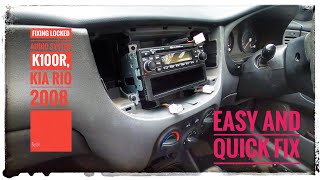
- Entering the Code: The code is entered using the radio preset buttons. For a code like '1440', you would press preset button #1 one time, preset button #2 four times, preset button #3 four times, and preset button #4 zero times. Finally, press the preset #5 button to confirm and unlock the radio. 🎬 Watch: How to unlock a locked Kia Rio radio
Warning: Entering the incorrect code multiple times (usually three attempts) will cause the radio to lock for an extended period (at least one hour) before you can try again.
Buying a Used Audio System

A used OEM radio is an excellent, cost-effective option for replacement. Since these units do not require dealer programming, it's a simple swap.
- Verify Compatibility: Ensure the radio comes from a 2006-2008 Kia Rio. While units from other years or models might look similar, the wiring or mounting points could be different. The part numbers listed in this guide are a good starting point for verification.
- Physical Inspection: Check for significant wear on the buttons, scratches on the display screen, and any damage to the casing or connectors. Ask the seller to confirm that the CD player was tested and is functional.
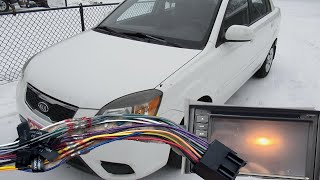
- Why Used OEM is a Good Choice: For this vehicle, a used OEM unit is often preferable to a cheap aftermarket one. It guarantees a perfect fit in the dashboard, uses the original wiring connectors without the need for adapters, and maintains the stock appearance of the interior. An aftermarket unit requires a separate dash kit, wiring harness, and potentially an antenna adapter, which adds complexity and cost.
Cost Comparison
The cost to replace the audio system can vary significantly depending on the path you choose.
| Part Type | Estimated Cost |
|---|---|
| New OEM | $Discontinued / Not Available |
| New Aftermarket (with install kit) | $120 - $300+ |
| Used OEM | $45 - $100 |
| Shop Labor for Replacement | $75 - $150 |
Frequently Asked Questions (FAQ)
Is it difficult to replace the radio myself?
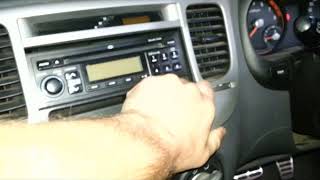
No, this is a relatively easy DIY project for most people. The process involves using a panel removal tool to gently pry off the trim surrounding the radio, removing four Phillips head screws that hold the radio in place, and unplugging the connectors from the back. The entire process can typically be done in under an hour.
🎬 See this step-by-step radio removal videoWill this radio play MP3s or connect to my phone?
No. The standard factory radio for the 2006-2008 Kia Rio is a basic unit that only plays standard audio CDs and AM/FM radio. It does not have an MP3 decoder, auxiliary (AUX) input, USB port, or Bluetooth connectivity.
My radio display is blank, but the buttons are lit. What's wrong?
If the button backlights work but the main display is dark and there's no sound, it often indicates an internal failure of the head unit itself. Before replacing the unit, it's still wise to perform a hard reset by disconnecting the negative battery terminal for about 15 minutes to see if it resolves a potential software glitch.
Do I need any special tools to replace the radio?
You will need a Phillips head screwdriver and a plastic panel removal (pry) tool. Using a proper pry tool is highly recommended to avoid scratching or damaging the plastic dashboard trim.
🎬 Watch: How to install a new stereoHelpful Videos
Technical Specifications
OEM Part Numbers: 96100-1G486XI 96100-1G488 96100-1G488PH 961001G485 961001G485RU 961001G486 961001G486RU 961001G488RU 961001G489 961001G489RU
Dash Type: Double DIN
We Have This Part in Stock


The information in this article is provided for general reference and educational purposes only. Vehicle specifications, procedures, and part compatibility can vary by production date, trim level, and region. Always consult your vehicle's factory service manual and verify part numbers before purchasing or performing repairs. Safety-critical components such as airbags, seat belts, and braking systems should be installed by a qualified professional.
- Kia Rio: