

2018-2025 Wrangler & Gladiator Uconnect Guide: Fixing Screen Delamination, Ghost Touch & Replacement Programming
This guide covers the common audio system failures in the Jeep Wrangler (JL) and Gladiator (JT), from screen bubbling and phantom touches to the critical programming required for replacement.
- The most common failure on 8.4-inch screens is physical delamination (bubbling), which causes 'ghost touch'. This can be fixed with a DIY screen replacement kit without needing dealer programming.
- Software glitches like random reboots, black screens, and connectivity issues are also common and are often resolved by a dealer-installed software update outlined in TSB 08-003-22 REV. A.
- Replacing the entire head unit with a used one is NOT plug-and-play. It requires mandatory programming (Proxi Alignment) by a dealer to link the radio to your vehicle's VIN.
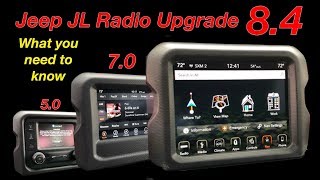
- Upgrading from a smaller 5-inch or 7-inch screen to the 8.4-inch system is a complex project that requires additional parts and programming.
Identifying Your Jeep's Audio System

Before diagnosing issues or buying a replacement, you must identify which system your Jeep Wrangler or Gladiator has. Mixing and matching components without proper research and programming will not work.
- 5-inch Uconnect 3 (Sales Code UAA): The base model unit with a small screen and basic radio/media functions.
- 7-inch Uconnect 4 (Sales Code UAG): A common mid-level option featuring a larger touchscreen with Apple CarPlay and Android Auto support.
- 8.4-inch Uconnect 4C NAV (Sales Code UAQ): The premium system with the largest screen, factory navigation, and the most integrated features. This is the most common unit to experience the physical screen failures discussed in this guide.
- Premium Alpine Audio System: An optional upgrade available with the 7-inch and 8.4-inch systems. It includes an external amplifier and a subwoofer. If your vehicle has this system, any replacement amplifier must be compatible with it.
Symptoms of a Failing Audio System

Failures can be grouped into two main categories: physical screen failure and software/internal electronic failure.
Physical Screen Failure (8.4-inch UAQ Screens)
These issues are extremely common and are caused by the separation of the screen's layers.
- Screen Delamination or Bubbling: The most notorious issue, where a bubble appears, usually starting from a top corner, and spreads across the screen. This is caused by the adhesive that bonds the outer touch layer (digitizer) to the inner LCD failing due to heat and time. It can look like a liquid bubble or a peeling film.
- Ghost Touch (Phantom Touch): The screen registers touches you aren't making. It may randomly change settings, switch menus, or make calls. This is a direct result of the delaminating digitizer sending false signals to the unit.
- Unresponsive or Inaccurate Touchscreen: Parts of the screen, or the entire screen, may stop responding to touch. This also points to a failing digitizer.
Software and Electronic Failures
These glitches can affect any of the Uconnect 4 systems and are often addressed by software updates.
- Random Reboots or Freezing: The system shuts down and restarts on its own, or freezes completely.
- Black or Blank Screen: The screen goes black but audio may continue to play. Sometimes it happens intermittently on startup.
- Backup Camera Issues: The camera feed may be black, flicker, or fail to display when in reverse.
- Connectivity Problems: Bluetooth pairing fails, Apple CarPlay/Android Auto disconnects frequently, or USB ports stop working.
- No Sound or Speaker Popping: No audio from any source, or a loud popping/crackling noise, especially during navigation prompts or calls.
- Lost Presets and Settings: The system loses saved radio stations and other user preferences.
Known Issues, Recalls, and Technical Service Bulletins (TSBs)

Pro Tip: A dealer can check your VIN to see if any of these TSBs or recalls are open for your specific vehicle. If you are out of warranty, you may have to pay for the labor to have a TSB performed.
- NHTSA Safety Recall W35 (20V-191): Affects some 2019-2020 Wranglers and 2020 Gladiators with the 8.4-inch screen. The radio software could prevent the backup camera image from displaying, increasing the risk of a crash. The fix is a dealer-installed software update.
- TSB 08-003-22 REV. A: This is a key document for many software-related glitches on the 8.4-inch UAQ and UCQ radios. It addresses symptoms like black screens, lost presets, connectivity issues, and incorrect navigation by updating the radio software to version 40.1 or newer.
- NHTSA Communication S2108000130: While not a formal recall or TSB, this is an internal document from Stellantis acknowledging the screen delamination issue. It advises dealers to inspect the screen and, if delamination is confirmed, replace the entire radio display assembly.
Repair vs. Replace: Fixing a Delaminated Screen

If your only problem is screen delamination or ghost touch, you do not need to replace the entire radio unit.
The most cost-effective solution is to replace the LCD/digitizer assembly. Several companies sell replacement screens that are bonded together as a single unit. This repair 🎬 Watch: Step-by-step DIY guide for repairing a delaminated 8.4” screen. can be done by a DIYer in about an hour with basic trim tools and a screwdriver. Because you are only repairing your original radio, no dealer programming is required.
Buying a Used Audio System for Your Wrangler or Gladiator
If your unit has an internal electronic failure or you want to upgrade, buying a used OEM unit can be a good value. However, compatibility is critical.
Warning: You cannot simply swap a 5-inch or 7-inch radio for an 8.4-inch unit without significant extra work. Upgrading requires a new screen bezel, potentially extra sensors, and mandatory programming to tell the vehicle it now has the larger screen.
What to Verify Before Buying
- Match the Screen Size: The most important step is to buy a radio with the same screen size as your original.
- Check the Part Number: Match the part number on the used unit to your original radio if possible. Part numbers are often superseded, so some research may be needed.
- Ask for the Anti-Theft Code: A used radio may be locked. The seller should provide the 4-digit anti-theft code for the unit. If they don't have it, a dealer may be able to retrieve it using the radio's serial number and the original vehicle's VIN, but this is not guaranteed.
- Inspect for Damage: Check for deep scratches on the screen and ensure all plastic mounting tabs and electrical connector ports are intact.
Programming and Installation Requirements
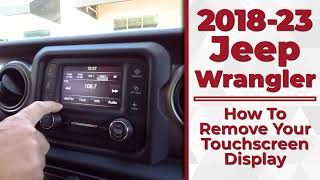
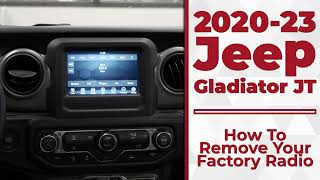
Physically swapping the radio is straightforward. The dashboard trim is removed with pry tools, and the radio is held in by four 7mm screws. The challenge 🎬 See this walkthrough on how to remove your Wrangler's touchscreen. is the electronic integration.
VIN Programming is Not Optional
When you install a replacement radio from another vehicle, it must be electronically configured to your Jeep's Vehicle Identification Number (VIN). This process, often called a "Proxi Alignment," allows the new radio to communicate correctly with the vehicle's other computers. Without it, you may experience:
- An anti-theft lockout.
- Incorrect mileage displayed on the dash.
- Features like steering wheel controls, climate controls, or the backup camera not working.
Who Can Program the Radio?
- Jeep/Chrysler Dealership: A dealer has the proprietary wiTECH diagnostic tool and is the most reliable (and often only) option to perform the programming.
- Specialized Independent Shops: Some high-end auto electronics shops may have the tools and subscriptions to perform this programming.
- DIY Tools (Advanced Users): Tools like the Tazer JL or JScan can access some vehicle settings, and may be able to perform the necessary functions to enable a radio swap, but this is for advanced users and carries the risk of causing other issues if done incorrectly. A locksmith generally cannot program a radio module.
Replacement Cost Comparison
| Item | Estimated Cost |
|---|---|
| New OEM Head Unit (Part Only) | $1,200 - $2,000+ |
| New Aftermarket Head Unit | $500 - $1,500+ |
| Used OEM Head Unit | $400 - $900 |
| DIY Screen/Digitizer Replacement Kit | $150 - $400 |
| Shop Labor (Physical Swap) | $100 - $250 |
| Dealer Programming/Software Update | $150 - $300 |
Frequently Asked Questions (FAQ)
Can I upgrade my 7-inch screen to the 8.4-inch screen?
Yes, but it is not a simple swap. It requires the 8.4-inch head unit, a new dash bezel that fits the larger screen, and dealer programming to add the new radio's sales code to your vehicle's configuration. It is a complex and potentially expensive upgrade.
🎬 Watch: Essential tips before upgrading from a 5” or 7” radio.What is "ghost touch" and why is it happening?
Ghost touch is when the screen acts on its own. It is caused by the physical failure of the touchscreen's digitizer layer, which is separating from the LCD screen underneath. Heat and age cause the adhesive to fail, leading to false touch inputs. The fix is to replace the screen/digitizer assembly.
Do I need an anti-theft code for a used radio?
Yes, you will likely need a 4-digit anti-theft code to activate a used radio in your vehicle. You should get this from the seller. If not, a dealer may be able to help if you have the radio's serial number, but it's not guaranteed.
Can I fix a flickering or rebooting radio with a software update myself?
While FCA (Jeep's parent company) once had a public website for software downloads, it is no longer reliably updated. Attempting to install the wrong software version can permanently damage the radio. Given the risk and the relatively low cost of having a dealer perform the update ($150-$250), it is strongly recommended to have a dealer do it.
Helpful Videos
Technical Specifications
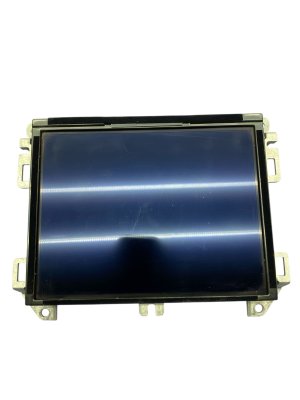
OEM Part Numbers: 68417861AA 684
We Have This Part in Stock





The information in this article is provided for general reference and educational purposes only. Vehicle specifications, procedures, and part compatibility can vary by production date, trim level, and region. Always consult your vehicle's factory service manual and verify part numbers before purchasing or performing repairs. Safety-critical components such as airbags, seat belts, and braking systems should be installed by a qualified professional.
- Jeep Gladiator:
- Jeep Wrangler:
- 🎬 Helpful Videos
- 🛍️ Shop This Part
- Identifying Your Jeep's Audio System
- Symptoms of a Failing Audio System
- Physical Screen Failure (8.4-inch UAQ Screens)
- Software and Electronic Failures
- Known Issues, Recalls, and Technical Service Bulletins (TSBs)
- Repair vs. Replace: Fixing a Delaminated Screen
- Buying a Used Audio System for Your Wrangler or Gladiator
- What to Verify Before Buying
- Programming and Installation Requirements
- VIN Programming is Not Optional
- Who Can Program the Radio?
- Replacement Cost Comparison
- Frequently Asked Questions (FAQ)
- 🎟️ Get 5% Off