

Honda Odyssey Audio Guide (2016-2024): Popping Noises, Screen Failures & Replacement
Diagnose and fix common audio system failures in your 2016-2024 Odyssey, from the infamous speaker popping to black screens and trim-specific unit swaps.
- The most common failure on 2018-2024 Odysseys is a loud popping/crackling sound, which was addressed by NHTSA Recall 23V-431.
- Audio system components are NOT interchangeable between trim levels (LX, EX, EX-L, Touring, Elite). You must match the part number exactly.
- Replacing a head unit or amplifier almost always requires programming by a Honda dealer to link it to your vehicle's VIN and enable all features.
- Before buying a used unit, confirm the part number and the trim level of the donor vehicle. Be prepared for the additional cost of dealer programming.
Generational Differences: 4th Gen (2016-2017) vs. 5th Gen (2018-2024)

It is critical to understand that the 2016-2024 Odyssey spans two different vehicle generations with completely different audio systems. Parts are not interchangeable between them.
- 5th Generation (2018-2024): These models are known for a widespread issue causing popping or crackling sounds from the speakers, screen flickering, or total audio failure. This is the primary focus of most known issues and TSBs. Part numbers for this generation typically begin with 391xx-THR-xxx.
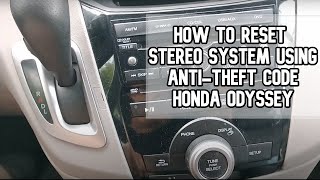
- 4th Generation (2016-2017): These models have more traditional audio issues, such as total loss of sound, unresponsive screens, or problems with the anti-theft code 🎬 Watch: Resetting the stereo system using your anti-theft code after a battery replacement. Part numbers for this generation often begin with 391xx-TK8-xxx.
Known Issues, TSBs, and Recalls

The 2018+ Speaker Popping & Crackling Epidemic
The most significant issue affecting 5th generation (2018-2024) Honda Odysseys is a persistent popping or crackling sound from the speakers. This can be intermittent or constant, and is often accompanied by screen flickering, the display showing a "Network Communication Lost" error, or a complete loss of audio and backup camera functionality. This problem became so widespread that it led to multiple class-action lawsuits against Honda.
Cause: Honda has identified the primary cause as a poor connection in the Media Oriented Systems Transport (MOST) bus network. The coaxial cable connectors between the main infotainment unit and other vehicle modules can become loose or deformed, interrupting the data signal. Honda issued Technical Service Bulletins (TSBs) and a recall to address this.
- NHTSA Recall 23V-431: In June 2023, Honda recalled approximately 1.2 million 2018-2023 Odyssey, 2019-2023 Passport, and 2019-2022 Pilot vehicles. The recall states that the MOST communication cable was improperly designed, which could lead to a loss of the rearview camera image, increasing the risk of a crash. The remedy involves dealers installing an improved wiring harness and a straightening cover over the connector to ensure a secure connection.
- Honda TSBs: Before the recall, Honda released several TSBs, like A19030B, instructing technicians to inspect the MOST bus network connectors for damage or improper routing. The bulletin notes that if a connector is damaged, the entire wiring harness must be replaced.
Trim Level and Feature Differences
Honda Odyssey audio systems are highly specific to the vehicle's trim level. A radio from an Elite trim will not work in an EX, and vice-versa. This is a critical factor when purchasing a used replacement.
- LX: Base audio system, typically without the advanced touchscreen or premium speaker count.
- EX / EX-L: Upgraded system, often with a larger touchscreen, Apple CarPlay/Android Auto, and more speakers.
- Touring / Elite: Premium audio systems, with the Elite trim featuring an 11-speaker system and a dedicated amplifier. These systems are the most complex and their components are not interchangeable with lower trims.
Warning: The provided buyer warnings are correct. The amplifier for the Elite trim's 11-speaker system is unique. Radio units for EX, EX-L with Navigation, and Elite are all specific and will not work in other trims. Always match part numbers exactly.
Buying a Used Audio System

Purchasing a used OEM audio unit can be a cost-effective solution, but it requires careful attention to detail to avoid incompatibility issues.
- Match the Part Number Exactly: This is the most important rule. Do not rely on visual appearance. Find the part number on your original unit and match it precisely to the replacement. Part numbers like 39100-THR-A01 are specific to year and trim.
- Verify the Donor Vehicle's Trim Level: Ensure the used part comes from a vehicle with the exact same trim level (LX, EX, EX-L, Touring, Elite) as yours.
- Plan for Programming: Be aware that nearly all replacement head units for the 2016-2024 Odyssey will require programming by a Honda dealership or a qualified independent shop with OEM tools. This is necessary to link the unit to your vehicle's VIN, enable all features, and deactivate the anti-theft system.
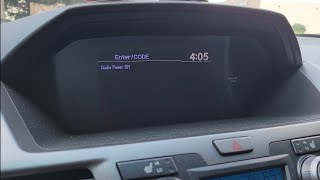
- Anti-Theft Codes: For older models (primarily 2016-2017), you may need an anti-theft code after installation or battery disconnection. Sometimes this code is on a sticker in the glove box. 🎬 Watch: How to unlock your radio after a battery removal For newer models, the anti-theft is tied to the VIN and requires dealer programming. For some models, pressing and holding the audio power button for a few seconds can reset the unit and bypass the code prompt.
- Inspect for Physical Damage: Check the screen for scratches or delamination. Ensure all connectors on the back of the unit are intact and not bent or broken.
Programming and Installation
Warning: A replacement audio head unit or amplifier in a 2018-2024 Odyssey almost always needs to be programmed by a Honda dealer or a highly-equipped independent shop. Without programming, the unit may not power on, may display an error, or features like the backup camera, steering wheel controls, and premium audio functions will not work.
While the physical installation of swapping the unit is straightforward for a DIY mechanic comfortable with removing interior trim, the final step of programming is not a DIY task. The system is linked to the vehicle's immobilizer and other control modules. A dealer uses their proprietary HDS (Honda Diagnostic System) software to link the new component's serial number to the vehicle's VIN. Some advanced independent shops may have J2534 pass-thru tools that can also perform this function, but it's not guaranteed. Expect to pay for 1-2 hours of labor for programming.
| Part/Service | Estimated Cost |
|---|---|
| New OEM Head Unit (Dealer) | $1,200 - $2,000+ |
| New Aftermarket Head Unit (e.g., Pioneer, Kenwood) | $400 - $1,000+ (plus installation kits, may lose some integrated features) |
| Used OEM Head Unit | $200 - $600 |
| Remanufactured OEM Head Unit | $250 - $500 |
| Shop Labor (Installation) | $150 - $300 |
| Shop Labor (Programming Only) | $120 - $250 |
Frequently Asked Questions (FAQ)
Why are my speakers making a loud popping or crackling noise?
For 2018 and newer models, this is a very common problem caused by a faulty connection in the MOST bus network wiring harness. Honda has issued a recall (23V-431) to fix this issue by installing an improved wiring harness.
Can I install a radio from a different trim level?
No. The audio systems are specific to each trim (LX, EX, EX-L, Touring, Elite). The wiring, features, and programming are different. A unit from another trim level will not function correctly.
My screen is black after replacing the battery. What do I do?
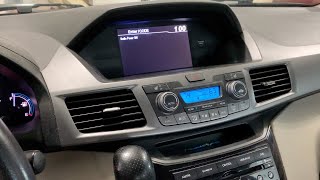
First, try pressing and holding the audio system's power/volume knob for 3-5 seconds. 🎬 See this quick fix for a black screen after battery replacement This can often reset the system. If that doesn't work, you may need an anti-theft code, which can sometimes be found on a sticker in the glove box or obtained from a Honda dealer. For newer models, this indicates a programming issue that requires a dealer visit.
Do I have to go to the dealer to replace my radio?
While you can purchase and physically install a used unit yourself, the final programming step almost always requires a trip to the dealer or a specialized independent shop. Without this step, the unit will not be fully functional.
Helpful Videos
Technical Specifications
OEM Part Numbers: 39100-THR-A01 39100-TK8-C712-M1 39110-THR-A11 39110-THR-A11CN 39110-THR-A11CP 39110-THR-A11RM 39110-THR-A21 39110THRA117M1 39171-THR-A71 39186-THR-A03 39186-THR-A02 39540-THR-A317 39540-THR-A57 39540-THR-A77 39540-THR-A87 39100-TK8-A712-M1 39100-TK8-C120
System architecture relies on a Media Oriented Systems Transport (MOST) bus network for communication between components.
We Have This Part in Stock



The information in this article is provided for general reference and educational purposes only. Vehicle specifications, procedures, and part compatibility can vary by production date, trim level, and region. Always consult your vehicle's factory service manual and verify part numbers before purchasing or performing repairs. Safety-critical components such as airbags, seat belts, and braking systems should be installed by a qualified professional.
- Honda Odyssey:
- 🎬 Helpful Videos
- 🛍️ Shop This Part
- Generational Differences: 4th Gen (2016-2017) vs. 5th Gen (2018-2024)
- Known Issues, TSBs, and Recalls
- The 2018+ Speaker Popping & Crackling Epidemic
- Trim Level and Feature Differences
- Buying a Used Audio System
- Programming and Installation
- Frequently Asked Questions (FAQ)
- 🎟️ Get 5% Off