

2002-2009 Honda CR-V Radio: Decoding Security Codes & Changer Issues
This guide covers the common failures, compatibility differences, and the critical anti-theft code process for the second-generation Honda CR-V audio system.
- Compatibility is critical: You must replace your radio with the same type (single-disc vs. 6-disc changer) that your CR-V originally came with, as the wiring is different.
- All OEM radios require a 5-digit anti-theft code after power is disconnected. This code can be retrieved for free from Honda's website using the radio's serial number.
- The 6-disc CD changer is a common failure point, often showing an "ERR" message. Replacing the entire unit is usually the most cost-effective repair.
- A used OEM radio is a simple, plug-and-play replacement that preserves the factory look and steering wheel controls without needing extra adapters.
Symptoms of a Failing Honda CR-V Radio

When the factory radio in a 2002-2009 CR-V begins to fail, it can show a variety of symptoms. Understanding these signs can help you determine if the issue is a simple fix, like a blown fuse, or a more serious internal failure requiring replacement.
- No Power or Intermittent Power: The unit may refuse to turn on at all, or it might shut off and restart unexpectedly. This can be caused by a blown fuse, loose wiring connection, or an internal fault in the radio itself.
- Dim or Blank Display: The screen backlight may fail, making the display difficult or impossible to read, even though the radio might still produce sound. This is a common failure mode for this era of radio.
- CD Player Errors: The most frequent CD-related issues involve the 6-disc changer. You may see an "ERR" message on the display, indicating a mechanical fault. The unit may refuse to accept, eject, or play discs. This is often due to a jammed mechanism internally.
- No Sound: The radio may appear to function correctly—displaying stations and track numbers—but no sound comes from the speakers. This can point to a blown fuse for the amplifier, wiring issues, or a failure within the head unit's internal amplifier.
- Unresponsive Buttons: Physical buttons may become worn and stop responding to presses, making it impossible to change stations, adjust volume, or switch modes.
- "COdE" Message on Display: This is not a failure symptom, but part of the anti-theft system. It appears after the vehicle's battery has been disconnected or replaced, and requires a 5-digit code to unlock the radio.
Known Issues, TSBs, and Recalls

While there are no specific recalls for the audio unit itself, it's important to be aware of related vehicle issues. Some service bulletins and recalls required disconnecting the battery, which would then necessitate entering the radio's anti-theft code.
- NHTSA Recall 12V500000: This recall addressed a faulty driver's side power window master switch that could allow moisture to enter. While not directly related to the radio, the repair could involve disconnecting the battery, triggering the radio's security feature.
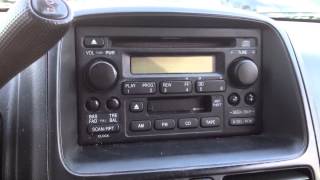
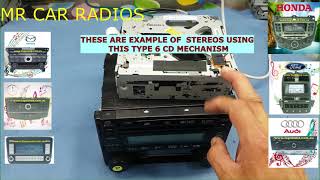
- CD Changer Mechanical Failure: The 6-disc in-dash changer is known for mechanical failures. The complex mechanism for loading and swapping discs can jam, leading to "ERR" messages and an inability to use the CD function. Repairing the mechanism is often more difficult and expensive than replacing the entire head unit. 🎬 Watch: How to fix and repair a jammed 6-disc CD player.
- Display Backlight Burnout: A common issue is the failure of the small incandescent bulbs or LEDs that illuminate the LCD screen. This results in a dim or completely dark display while the audio functions may continue to work.
Warning: The 2002-2009 CR-V was subject to several major recalls for Takata airbag inflators. Any work related to these recalls would have required disconnecting the battery, meaning the radio code would be needed afterward. Always verify the recall status of any used vehicle.
Understanding Radio Variants for the 2002-2009 CR-V

Not all radios for the second-generation CR-V are interchangeable. The vehicle's wiring harness is different depending on the factory-installed options. It is critical to match the replacement unit to the one your vehicle was originally equipped with.
- Standard Single-Disc CD/Cassette Player: Typically found in LX trims. These units often have faceplate codes like '1TN2' or '2TN2'. They will NOT work in a vehicle originally wired for the 6-disc changer.
- 6-Disc In-Dash CD Changer: Standard on EX and EX-L trims. These units are not compatible with vehicles that came with the single-disc player due to different wiring connectors.
- 6-Disc Changer with Satellite Radio (XM): An optional upgrade, this version has additional hardware and wiring for the XM satellite radio antenna and tuner. It is not compatible with non-XM equipped vehicles without significant modification.
- Navigation System: Vehicles with the factory navigation system have a completely different head unit with an integrated screen. The standard audio systems are not compatible with these models.
The Honda Anti-Theft Radio Code

This is the most common issue owners face after a battery replacement or when installing a used radio. The radio will display "COdE" and remain locked until the correct 5-digit number is entered.
How to Find Your Radio Code:
- Glove Box Sticker: The most common place to find the code is on a small white sticker inside the glove box, often labeled "Anti-Theft Radio Code".
- Owner's Manual Packet: The code is sometimes written on an "Anti-Theft Radio Identification Card" included with the original owner's manuals.
If You Can't Find the Code:
You will need the radio's serial number to retrieve the code from Honda.
- Turn the vehicle's ignition key to the 'ON' position.
- Make sure the radio is off but displays "COdE".
- Press and hold the number 1 and 6 preset buttons simultaneously.
- The display will show an 8-digit serial number (it may toggle between two 4-digit screens, for example UXXXX and LXXXX). Write down all 8 digits.
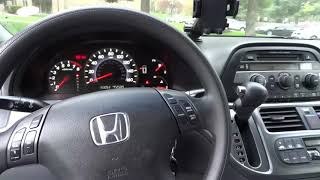
- Visit Honda's official Radio/Navigation Code website (radio-navicode.honda.com) and enter the serial number, your VIN, and some personal information to retrieve the code online. 🎬 Watch: How to get your radio code without calling a dealer.
How to Enter the Code:
Use the radio preset buttons (1 through 6) to enter the 5-digit code. For example, if your code is 45213, you would press preset '4', then '5', then '2', then '1', then '3'. The radio will beep and begin working.
Warning: Entering the wrong code multiple times will cause the radio to lock, displaying an "ERR E" message. If this happens, you must leave the radio powered on for at least one hour to get another chance to enter the correct code.
Buying a Used 2002-2009 CR-V Audio System
A used OEM radio is often the best choice for replacement, as it maintains the factory look and avoids the hassle of aftermarket wiring adapters and dash kits. Here’s what to look for:
- Verify Compatibility: This is the most important step. Match the part number and faceplate ID to your original unit. Confirm whether you need a single-disc or 6-disc model. A radio from an EX will not plug into an LX model.
- Ask About the Code: Ask the seller if the security code is included. If not, be prepared to retrieve the radio's serial number yourself to get the code from Honda's website. This is a simple process and should not be a deal-breaker.
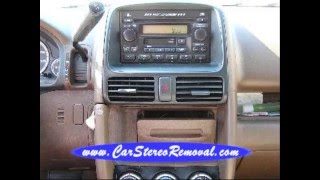
- Inspect the Unit: Check the faceplate for heavy scratches, worn-off button labels, and damage to the display screen. Ensure the rear connectors are intact with no bent or broken pins. 🎬 See this walkthrough on how to remove the factory stereo.
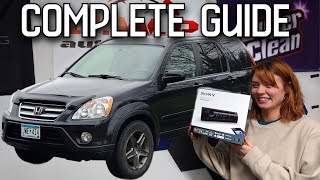
- Why Used OEM is a Good Choice: For this vehicle, a used OEM unit is truly plug-and-play once you have the security code. Aftermarket units require dash kits to fit the opening, wiring harness adapters to connect to the car, and may not match the interior lighting. You may also lose steering wheel audio controls without an additional, costly adapter.
Cost of Replacement
The cost to replace the audio system can vary significantly based on the path you choose.
| Part Type | Estimated Cost |
|---|---|
| New OEM | $400 - $700+ (if still available) |
| Used OEM | $50 - $150 |
| Remanufactured OEM | $220 - $285 |
| New Aftermarket (Head unit only) | $100 - $400+ |
| Shop Labor for Installation | $100 - $200 |
Frequently Asked Questions (FAQ)
Does a used 2002-2009 CR-V radio need to be programmed by a dealer?
No, these radios do not need to be programmed or flashed to the vehicle's VIN. However, they are security-locked and will require the correct 5-digit anti-theft code to function after installation.
How do I fix my 6-disc CD changer that gives an "ERR" message?
An "ERR" message on the CD changer almost always indicates an internal mechanical problem, such as a jammed disc or a failed loading mechanism. While some owners have had success by disconnecting the battery to reset the unit, it is often a temporary fix. The most reliable solution is to replace the entire head unit.
Can I install a radio with a 6-disc changer into my CR-V that only had a single-disc player?
No, this is not a plug-and-play swap. The wiring harnesses for the single-disc and 6-disc changer models are different. You must replace your radio with the same type that was originally installed in the vehicle.
My radio's display is completely dark, but it still plays music. What is the problem?
This is a classic symptom of a failed backlight inside the radio unit. The radio itself is still functional, but the illumination for the LCD screen has burned out. The fix requires either replacing the entire radio or disassembling it to replace the tiny bulbs or repair the solder joints on the circuit board, which is a delicate task.
Helpful Videos
Technical Specifications
OEM Part Numbers: 1TN2 1XN0 2TN2 2XN1 39100S9AA10 39100S9AA50 39100S9AA51 39101-S9A-A110 39101-S9A-A510-M1 39101S9AA10 39101S9AA11 39107SWAA01 39107SWAA21
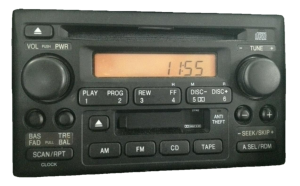
Varies by trim. Base models feature an AM/FM radio with a single-disc CD player and sometimes a cassette player. Higher trims (EX, EX-L) feature an AM/FM radio with an in-dash 6-disc CD changer. Optional satellite radio (XM) was also available.
We Have This Part in Stock



The information in this article is provided for general reference and educational purposes only. Vehicle specifications, procedures, and part compatibility can vary by production date, trim level, and region. Always consult your vehicle's factory service manual and verify part numbers before purchasing or performing repairs. Safety-critical components such as airbags, seat belts, and braking systems should be installed by a qualified professional.
- Honda CR-V:
- 🎬 Helpful Videos
- 🛍️ Shop This Part
- Symptoms of a Failing Honda CR-V Radio
- Known Issues, TSBs, and Recalls
- Understanding Radio Variants for the 2002-2009 CR-V
- The Honda Anti-Theft Radio Code
- How to Find Your Radio Code:
- If You Can't Find the Code:
- How to Enter the Code:
- Buying a Used 2002-2009 CR-V Audio System
- Cost of Replacement
- Frequently Asked Questions (FAQ)
- 🎟️ Get 5% Off