

2021-2024 Genesis GV80 Lexicon Audio Amplifier: Problems, Programming, and Replacement Guide
This guide covers common audio problems, software issues, and the critical need for dealer programming when replacing the Lexicon amplifier in your 2021-2024 Genesis GV80.
- A replacement amplifier, new or used, absolutely requires programming by a Genesis dealer to function.
- This amplifier is only compatible with 2021-2024 GV80 models that came from the factory with the Lexicon premium sound system.
- Before condemning the amplifier, always perform a system reset by holding the MAP and SETUP buttons, as many issues are software-related.
- Buying a used OEM amplifier can save over $1,000 compared to a new part, making it a cost-effective repair solution.
Symptoms of a Failing GV80 Audio Amplifier

Most audio system issues in the GV80 are related to software glitches, but hardware failure of the amplifier can also occur. Here are the common signs that your amplifier may be failing:
- Complete Loss of Sound: The most obvious symptom is when the infotainment screen appears to be working correctly, but there is no sound from any speaker. This includes radio, media, navigation prompts, and even safety alerts like turn signal clicks.
- Intermittent Audio: Sound may cut in and out randomly. This can sometimes be triggered by bumps in the road, suggesting a loose connection, or it may happen without any clear cause.
- Distorted or Muffled Sound: If the audio sounds fuzzy, distorted, or weak from all speakers, it could point to an internal failure within the amplifier.
- Infotainment System Freezing or Rebooting: While often a software issue with the head unit, a failing amplifier can sometimes cause communication errors within the vehicle's network, leading to the main screen freezing, lagging, or restarting.
- System Reset Doesn't Fix the Problem: Many software-related audio issues can be temporarily fixed by resetting the infotainment system (holding the MAP and SETUP buttons) or by disconnecting the battery. If these steps do not restore sound, a hardware problem with the amplifier is more likely.
Known Issues, TSBs, and Recalls

While the amplifier itself has not been the subject of a specific recall, the broader Audio-Video-Navigation (AVN) system in Genesis vehicles has had several software-related issues addressed by the manufacturer.
- Software Glitches: The most common problems reported by owners are software-related, causing symptoms like a frozen screen, loss of Apple CarPlay/Android Auto connectivity, or a total lack of sound. Many of these can be resolved with a system reset or a software update performed by a dealer.
- NHTSA Recall 26V019000: This recall affects some 2025-2026 models but is relevant as it highlights a software bug in the AVN system that can cause the instrument cluster and infotainment screens to go blank intermittently. The cause was identified as a data overwrite error related to the HD radio. While this recall doesn't cover the 2021-2024 model years, it shows the system's sensitivity to software errors.
- TSB 24-01-081G: This Technical Service Bulletin addresses an issue on some 2025 GV80s where the screen is blank or stuck after an over-the-air (OTA) update, requiring the replacement of the head unit.
Important: Before assuming the amplifier has failed, it is highly recommended to perform an infotainment system reset. Press and hold the MAP and SETUP buttons simultaneously for about 10 seconds until the system reboots. If that doesn't work, a full vehicle reset by disconnecting the negative battery terminal for 15 minutes can also resolve many software-related audio faults.
Buying a Used 2021-2024 Genesis GV80 Audio Amplifier

Purchasing a used Lexicon amplifier can offer significant savings over a new unit. However, due to the electronic complexity, there are critical factors to consider.
1. Verify Compatibility
- Match the Part Number: The most critical step is to ensure the part number on the replacement unit exactly matches your original amplifier. The primary part number is 96370-T6100 (or 96370T6100). Other variants may exist, so visual confirmation is key.
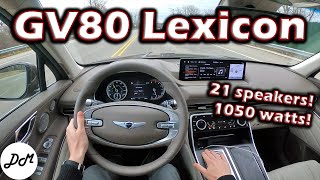
- Lexicon System ONLY: This amplifier is only for vehicles equipped with the premium Lexicon sound system. 🎬 See a review of the Lexicon 21-speaker system It is not compatible with the standard audio system.
2. Physical Inspection
- Check Connectors: Inspect all electrical connector ports for any signs of corrosion, bent pins, or physical damage. A clean connection is vital for proper function.
- Look for Water Damage: The amplifier is located in the rear quarter panel area. Check the casing for any signs of water intrusion, such as rust or mineral deposits, which can destroy the internal electronics.
3. Reprogramming is Mandatory
Warning: A replacement amplifier, whether new or used, MUST be reprogrammed by a Genesis dealer or a qualified independent shop with Genesis-specific diagnostic tools (like a GDS). The amplifier is a networked module and will not function correctly until it is configured to the specific VIN and options of your vehicle. You must factor the cost of this service into your budget.
Cost Comparison: New vs. Used GV80 Amplifier
| Part Type | Estimated Cost |
|---|---|
| New OEM | $1,700 - $2,500 |
| New Aftermarket | Not Available |
| Used OEM | $500 - $800 |
| Shop Labor (Installation & Programming) | $200 - $400 |
Frequently Asked Questions (FAQ)
Do I have to take my GV80 to the dealer to replace the amplifier?
While a skilled DIY mechanic can physically swap the amplifier unit, the final step of programming is not optional and almost always requires a trip to the dealer or a highly specialized independent shop. The vehicle's computer systems will not recognize the new amplifier until it is properly coded to the car's VIN.
Can I upgrade my standard audio system to the Lexicon system with this amplifier?
No, this is not a simple plug-and-play upgrade. The Lexicon system uses a different wiring harness, many more speakers, and different head unit software. A retrofit would be extremely complex and cost-prohibitive.
My sound went out. Is it a fuse?
It's possible. Before replacing the amplifier, you should always check the fuses related to the audio system. Consult your owner's manual for the location of the fuse box and the specific fuse for the amplifier or sound system.
Will a used amplifier from a different year GV80 work?
As long as the part number is an exact match and it is from the 2021-2024 generation, it should be compatible. However, always prioritize matching the part number exactly, as there can be minor hardware or firmware changes during a production run.
Helpful Videos


Technical Specifications
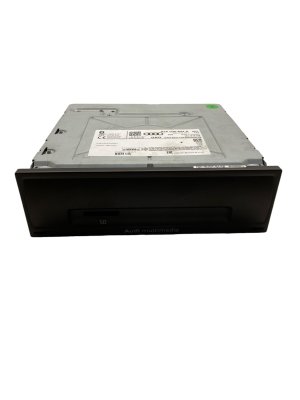
OEM Part Numbers: 96370-T6100 96370T6100
Designed for the 21-speaker Lexicon premium audio system.
We Have This Part in Stock




The information in this article is provided for general reference and educational purposes only. Vehicle specifications, procedures, and part compatibility can vary by production date, trim level, and region. Always consult your vehicle's factory service manual and verify part numbers before purchasing or performing repairs. Safety-critical components such as airbags, seat belts, and braking systems should be installed by a qualified professional.
- Genesis GV80:
- 🎬 Helpful Videos
- 🛍️ Shop This Part
- Symptoms of a Failing GV80 Audio Amplifier
- Known Issues, TSBs, and Recalls
- Buying a Used 2021-2024 Genesis GV80 Audio Amplifier
- 1. Verify Compatibility
- 2. Physical Inspection
- 3. Reprogramming is Mandatory
- Cost Comparison: New vs. Used GV80 Amplifier
- Frequently Asked Questions (FAQ)
- 🎟️ Get 5% Off