

Ford Mustang Audio Systems (2019-2026): Decoding Failures, Part Numbers, and Programming
This guide covers the distinct audio systems in S550 (SYNC 3) and S650 (SYNC 4) Mustangs, focusing on common failures like no sound, black screens, and the critical need for programming.
- The audio systems in 2019-2023 (S550/SYNC 3) and 2024-2026 (S650/SYNC 4) Mustangs are completely different and parts are not interchangeable.
- Replacement audio modules (ACM or APIM) are NOT plug-and-play. They MUST be programmed to the vehicle's VIN and options using dealer tools or FORScan.
- The most common failure on 2019-2023 models is a failed Audio Control Module (ACM), resulting in no sound even if the screen works.
- For 2024+ models, intermittent audio loss and blank instrument clusters are known issues, often related to software glitches and subject to recalls or TSBs.
Generational Differences: S550 (2019-2023) vs. S650 (2024-2026)

Understanding the audio system in a 2019-2026 Mustang requires knowing which generation you have, as the technology is completely different. Parts are not interchangeable between them.
2019-2023 Mustang (S550 Generation with SYNC 3)
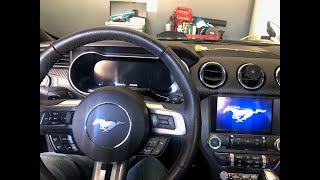
The later S550 models are equipped with the SYNC 3 system. This is a modular system with two key components that often fail independently:
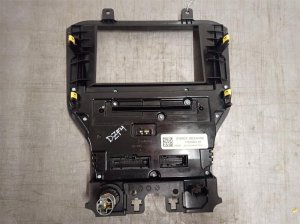
- APIM (Accessory Protocol Interface Module): This is the brain that runs the touchscreen display. A failing APIM typically results in a black or frozen screen, but you might still have audio.
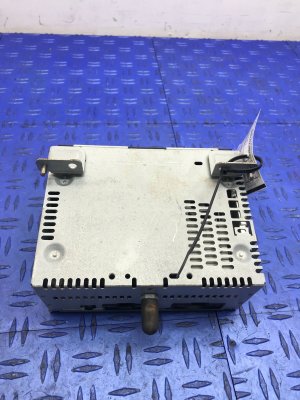
- ACM (Audio Control Module): This is the radio receiver itself. It takes commands from the APIM and your steering wheel controls and generates the sound sent to the speakers. A failing ACM is the most common cause of having no audio, even if the screen appears to be working perfectly.
These models were available with a base 6-speaker system, an upgraded 9-speaker system, or the premium 12-speaker B&O sound system, which adds an external amplifier and subwoofer.
2024-2026 Mustang (S650 Generation with SYNC 4)
The S650 Mustang introduced a radical interior redesign with SYNC 4, featuring a large, tablet-style screen that integrates both the instrument cluster and infotainment. The system architecture is more integrated than SYNC 3. While still new, early issues reported by owners tend to be software-related, such as intermittent audio loss that corrects itself after a vehicle restart. These systems also come in base, 9-speaker, and 12-speaker B&O configurations.
Symptoms of a Failing Mustang Audio System

Diagnosing an audio problem starts with observing the specific symptoms, which can point to different failed components.
1. No Audio from Any Source
This is the most common failure, especially on 2019-2023 models. The screen may turn on and allow you to select a radio station or connect your phone, but no sound comes from the speakers. This almost always points to a failed Audio Control Module (ACM). In some cases, a blown fuse for the amplifier or ACM could also be the cause.
2. Black, Blank, or Frozen Screen
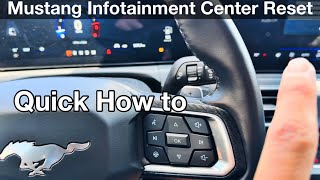
If the central touchscreen is black, unresponsive, or stuck on the Ford logo, the problem is likely with the APIM module (on SYNC 3 systems) or a major software glitch. Sometimes a simple soft reset can fix this. For SYNC 3, press and hold the Power button and the Seek Right button for about 10 seconds until the system reboots. For SYNC 4, press and hold the steering wheel's Volume Down and Next Track buttons.
🎬 See how to reset the S650 infotainment screen3. Popping, Crackling, or Muffled Audio
Intermittent popping or crackling sounds, or audio that sounds muffled and won't increase in volume, can have several causes. On B&O systems, this can indicate a failing external amplifier. It can also be a sign of a failing ACM or, in some cases, a weak vehicle battery causing electrical issues. On S650 models, owners have noted the B&O system can sound muffled depending on the audio source.
Known Issues, TSBs, and Recalls

Recalls
- NHTSA Recall 19C03: Affects some 2019 Mustangs where the instrument panel cluster could go blank at startup. Dealers perform a software update to fix this.
- NHTSA Recall 20C03 / 22S35: Affects many 2015-2019 Mustangs. The rearview camera may display a distorted or blank image.
- NHTSA Recall 24C35: A major recall for over 6,000 2024 Mustangs where the instrument panel cluster may not illuminate, increasing crash risk. The fix is a dealer-installed software update.
Technical Service Bulletins (TSBs)
- TSB 19-2282: For 2019 SYNC 3 systems, this TSB addresses issues like a solid blue screen or the rearview camera staying on at speed. The fix is to reprogram the APIM.
Warning: Programming Is Not Optional
Programming and Installation Requirements

Replacing an Audio Control Module (ACM) or APIM in a Ford Mustang is not a simple plug-and-play task. These modules are tied to the vehicle's specific features and VIN.
- VIN Configuration: A replacement module, whether new or used, must be programmed to match your vehicle's VIN and factory-installed options (e.g., B&O vs. base audio, navigation vs. non-navigation). Without correct programming, you may have no sound, incorrect features, or diagnostic trouble codes.
- Dealer vs. Independent: A Ford dealership can program a replacement module using their proprietary software (IDS or FDRS). Many advanced independent shops can also perform this programming.
- DIY with FORScan: For DIY mechanics, it is possible to program a replacement module using a program called FORScan and a compatible OBD-II adapter. This involves backing up the 'as-built' data from your original module (if possible) and writing it to the new one. This is an advanced procedure and carries the risk of rendering the module inoperable 🎬 Watch this beginner's guide on how to use FORScan if done incorrectly.
- Repair Services: An alternative that avoids programming is to have your original module repaired. Several companies specialize in repairing the internal components of the ACM. Since you are reinstalling your original unit, no reprogramming is necessary.
Buying a Used Ford Mustang Audio System
Purchasing a used audio module can be a cost-effective solution, but it requires careful attention to detail to avoid buying an expensive paperweight.
- Identify the Failed Part: First, be sure whether you need an ACM (no sound) or an APIM (screen issues). They are different parts.
- Match the Engineering Part Number: This is the most critical step. Do not rely on the service part number. You must match the engineering ID printed directly on the label of your original unit (e.g., KR3T-18D832-AB, PR3T-18D890-DLG). Even a one-letter difference can mean incompatibility.
- Verify the System Type: Ensure the donor vehicle had the same sound system as yours (Base, 9-Speaker, or 12-Speaker B&O). A module from a B&O car will not work correctly in a base model car without extensive reprogramming, and vice-versa.
- Budget for Programming: Remember that a used module will require programming. Factor in the cost of a dealer visit or the tools needed for FORScan when comparing prices. A cheap module can become expensive once programming fees are added.
- Inspect for Damage: When you receive the part, check the connectors for any signs of corrosion, bent pins, or water damage.
Pro Tip: Taking a picture of the part number sticker on your original module before you start shopping is the best way to ensure you buy the correct replacement.
Cost of Replacement
The cost to replace a Mustang audio module can vary significantly based on the part, vehicle generation, and labor.
| Component & Service | Estimated Cost |
|---|---|
| New OEM Audio Module (ACM) | $400 - $900+ |
| Used OEM Audio Module (ACM) | $150 - $350 |
| Mail-In Repair Service (Your Original ACM) | $180 - $250 |
| Shop Labor for Diagnosis & Installation | $150 - $350 |
| Dealer Programming Fee (if supplying your own part) | $100 - $200 |
Frequently Asked Questions (FAQ)
Do I have to go to a Ford dealer to replace my radio?
Not necessarily. While a dealer can certainly do the work, many independent auto repair shops with up-to-date diagnostic tools can program and install a replacement module. For DIYers, using FORScan is also an option. Alternatively, using a mail-in repair service for your original module completely avoids the need for reprogramming.
Can I upgrade from the base audio system to the premium B&O system?
This is generally not practical. It involves much more than just swapping the head unit. You would need to change the amplifier, add speakers, and change significant portions of the vehicle's wiring harness. The cost and complexity make it prohibitive for most people.
My screen is working but I have no sound. What's broken?
On a 2019-2023 Mustang, this is the classic symptom of a failed Audio Control Module (ACM). 🎬 Watch: Troubleshooting a Mustang radio with no sound The APIM (screen module) and ACM (sound module) are separate components, and the ACM is a common failure point.
Why does my audio sometimes cut out on my new 2024 Mustang?
Intermittent audio loss on the newest S650 Mustangs is a known issue that appears to be a software glitch in the SYNC 4 system. Often, the sound returns after the vehicle has been turned off for a period. Performing a soft reset or waiting for a software update from Ford are the current remedies.
Helpful Videos

Technical Specifications
OEM Part Numbers: KR3T18D832AB KR3T18D832DB KR3T18D832DC KR3Z18C869DC LR3T-18D832-EG LR3T-18E245-EA LR3T18D832DF LR3T18D832EG LR3Z-18842-H LR3Z18C869EA PR3T-18D890 PR3T-18D890-DLG PR3T-18D890-DLH PR3T-18D890-RLH PR3T-18K811-AHW
System varies by model year and trim. S550 models use SYNC 3; S650 models use SYNC 4. Available systems include base (6-speaker), premium (9-speaker), and B&O (12-speaker with external amplifier).
We Have This Part in Stock





The information in this article is provided for general reference and educational purposes only. Vehicle specifications, procedures, and part compatibility can vary by production date, trim level, and region. Always consult your vehicle's factory service manual and verify part numbers before purchasing or performing repairs. Safety-critical components such as airbags, seat belts, and braking systems should be installed by a qualified professional.
- Ford Mustang:
- 🎬 Helpful Videos
- 🛍️ Shop This Part
- Generational Differences: S550 (2019-2023) vs. S650 (2024-2026)
- 2019-2023 Mustang (S550 Generation with SYNC 3)
- 2024-2026 Mustang (S650 Generation with SYNC 4)
- Symptoms of a Failing Mustang Audio System
- 1. No Audio from Any Source
- 2. Black, Blank, or Frozen Screen
- 3. Popping, Crackling, or Muffled Audio
- Known Issues, TSBs, and Recalls
- Recalls
- Technical Service Bulletins (TSBs)
- Programming and Installation Requirements
- Buying a Used Ford Mustang Audio System
- Cost of Replacement
- Frequently Asked Questions (FAQ)
- 🎟️ Get 5% Off