

Ford 2008-2019 Audio System & SYNC Guide: Focus, Escape, F-150 & More
Diagnose and fix common audio problems like no sound, a blinking clock, or SYNC failures by understanding the separate components and critical part number matching required for these vehicles.
- Compatibility is critical: You must match the OEM part number from your original unit exactly, as radios for different trim levels or sound systems are not interchangeable.
- The most common failures (no sound, blinking clock, loud pops) are caused by the main Audio Control Module (ACM), which is the metal box behind the dash.
- A used OEM unit is the most cost-effective solution, but it may require programming by a dealer or with a tool like FORScan if the part number isn't an exact match.
- Before replacing any parts, always check the audio system fuses and perform a 'master reset' or battery disconnect to rule out simple software glitches.
Understanding Your Ford's Audio System: More Than Just a Radio

If the audio system in your 2008-2018 Ford Focus, 2008-2019 Ford Escape, 2008-2017 Ford Explorer, 2017-2018 Ford C-Max, 2008-2014 Ford Edge, 2008-2019 Ford Taurus, 2008 Ford Expedition, 2008-2010 Ford Explorer Sport Trac, 2009-2010 Ford F-150, or 2009 Ford F-250 Super Duty has failed, it's important to know what you're replacing. These vehicles use a modular system, and you often only need to replace one part, not the entire assembly. The three key replaceable parts are:
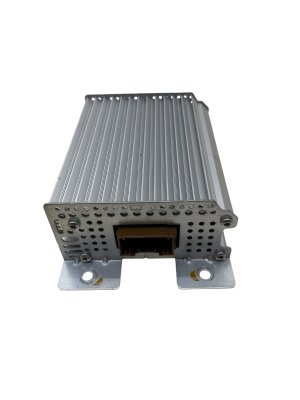
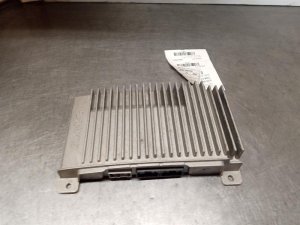
- Audio Control Module (ACM): This is the main radio unit, often called the 'chassis', located behind the dashboard. It contains the CD player, AM/FM tuner, and main amplifier circuits. Most failures originate here.
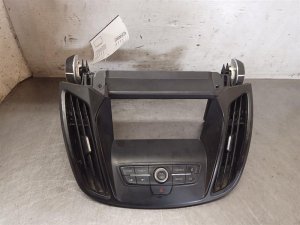
- Front Display Interface Module (FDIM): This is the faceplate with the screen and buttons. While less common to fail, it can be the source of unresponsive buttons or display issues.
- Satellite Digital Audio Receiver System (SDARS): This is a separate, small box that processes the signal for SiriusXM satellite radio. If only your satellite radio has stopped working, this is likely the culprit.
Symptoms of a Failing Audio System

Audio system problems in these Fords can range from annoying glitches to complete failure. Here are the most common symptoms and what they usually point to:
1. No Sound From Any Source
The radio display turns on and appears to function normally—you can change stations or see track information—but no sound comes from the speakers. This is the most common symptom of an internal failure in the Audio Control Module (ACM). Sometimes, a single failed speaker can short out and cause the internal amplifier to shut down all audio output as a protective measure.
2. Loud Popping, Cracking, or Static
A sudden, loud pop or burst of static from the speakers is a classic sign of a failing ACM. This can happen when you start the vehicle or randomly while driving, even if the radio is turned off. This indicates a severe internal hardware failure.
3. Flashing Clock or Blinking Display
If the clock on your radio display blinks continuously and never shows the correct time, it's a well-documented symptom of a faulty ACM. The internal memory or power regulation circuit has likely failed.
4. SYNC or Bluetooth Connectivity Problems
If you're having trouble pairing your phone, your Bluetooth connection drops randomly, or the system won't recognize devices plugged into the USB port, the issue could be a software glitch or a failing SYNC module (also known as the APIM). Before replacing hardware, try a system reset. A 'master reset' from the settings menu or pulling the specific SYNC fuse for a few minutes can often resolve these software-related issues.
5. Unresponsive Buttons or Frozen Screen
When the buttons on the control panel (FDIM) stop working, but the audio continues to play, it often points to a problem with the faceplate itself or the connection between it and the ACM. A frozen or blank display can also be caused by a failure in the display module or the ACM that controls it.
Known Issues, TSBs, and Recalls

While there are no widespread recalls specifically for the audio units in most of these models and years, some Technical Service Bulletins (TSBs) and common problems have been noted.
- Water Intrusion: On some vehicles, particularly trucks and SUVs like the F-150 and Expedition, water leaks from the windshield or top of the dashboard can drip directly onto the ACM, causing a short circuit and complete failure. A TSB for newer models (22-23) highlights this issue, but the principle applies to older models as well.
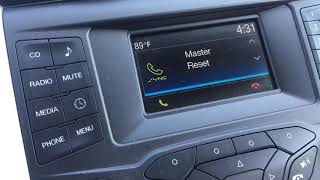
- Software Glitches: Many issues related to SYNC, navigation, and Bluetooth are caused by software bugs. Ford has released numerous software updates over the years. Before replacing any hardware for a SYNC-related problem, check for available updates. A master reset is also a powerful troubleshooting step. 🎬 See this walkthrough on how to perform a SYNC master reset
- CD Changer Failure: The 6-disc CD changer mechanism is a common point of failure. It may jam, refuse to eject discs, or show a 'CD ERROR' message. This is an internal fault in the ACM.
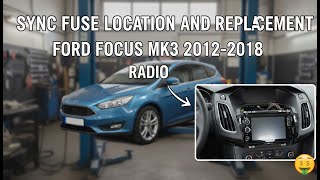
Warning: Do not assume a problem is the radio itself. Always check fuses first. In many of these vehicles, there are at least two fuses related to the audio system—one for the ACM and one for the SYNC module—located in the passenger compartment fuse panel. 🎬 Watch: How to fix a Ford Focus radio by replacing the fuse A simple blown fuse can save you hundreds of dollars.
Buying a Used Audio System: The Definitive Guide
A used OEM audio component is often the most cost-effective and reliable solution. However, compatibility is everything. Follow these steps to ensure you get the right part.
1. Match the Part Number EXACTLY
This is the most important rule. Ford used dozens of different audio components that look identical but are not interchangeable. Differences in software and hardware support features like the Sony premium sound system, navigation, the number of speakers, and SYNC functionality. You must remove your original unit to get the engineering part number from the sticker on the chassis.
- Control Panel (FDIM) IDs: The provided warnings mention specific IDs like
8S4T-18A802-BHor9S4T-18A802-AA. These are found on the faceplate and must be matched if you are only replacing the controls. - Sirius Module (SDARS) IDs: Look for numbers like
8S4T-18C963-AE,AF, orAG. These are generally interchangeable with each other. - Main Radio (ACM) IDs: This is the number on the main metal box. A used unit with the same exact part number from a vehicle with the same audio options (e.g., Sony, Nav) has the highest chance of being a simple plug-and-play swap.
2. Physical Inspection
When buying a used unit, inspect it for signs of damage. Check for bent pins on the connectors, signs of water damage or corrosion on the casing, and deep scratches or cracks on the faceplate. Ask the seller if the unit was tested and is confirmed to be working.
3. Why Used OEM is Often Better
While aftermarket head units from brands like Pioneer or Kenwood offer modern features, they can be a headache to install in these vehicles. You will need expensive wiring harnesses and interface modules (often costing $200-$300+) just to retain factory functions like steering wheel controls and SYNC. A compatible used OEM unit plugs directly into the factory wiring and maintains the original look and feel of your interior for a fraction of the cost.
Programming and Installation
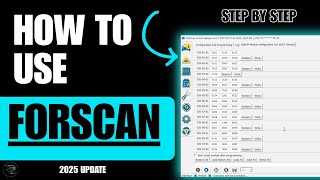
Pro Tip: For advanced DIYers, a tool called FORScan can be a lifesaver. It is a software program that, when paired with a compatible OBD-II adapter, allows you to access and reprogram vehicle modules. You can use it to configure a replacement ACM to your vehicle's specific options, potentially avoiding a costly trip to the dealer.
🎬 Watch: A beginner's guide to using FORScan for module programmingWhether a replacement audio module needs to be programmed depends on the situation:
- Identical Part Number Swap: If you replace your failed ACM with a used one that has the exact same part number and came from a vehicle with identical options, it will often work immediately without any programming.
- Different Part Number or Options: If the replacement unit is different, it will likely need to be programmed by a Ford dealer or a qualified shop. The vehicle's computer needs to be told what kind of audio system is installed for all features to work correctly. This is not an anti-theft lock, but a configuration setting.
- SDARS (Satellite) Module: These are typically plug-and-play and do not require programming. After installation, you will need to call SiriusXM to transfer your subscription to the new radio's ESN.
Cost to Replace Ford Audio Components (2024 Estimates)
| Part / Service | Estimated Cost |
|---|---|
| New OEM ACM (Dealer) | $700 - $1,200 |
| Used OEM ACM | $75 - $400 |
| ACM Repair Service | $150 - $300 |
| New Aftermarket Head Unit (with install kits) | $400 - $800+ |
| Shop Labor (Replacement) | $100 - $250 |
| Shop Labor (Programming) | $75 - $150 |
Frequently Asked Questions (FAQ)
Does a replacement Ford radio need to be programmed?
It depends. If you install a used radio (ACM) with the exact same part number from a vehicle with the same options, it often works without programming. However, if the part number is different or it's a new unit, it will likely need to be programmed by a dealer or with a tool like FORScan to enable all features correctly.
Why did my radio stop working after changing the battery?
A power surge or interruption from a battery change can sometimes cause a software glitch in the audio module. First, check the radio fuses in the passenger fuse box. If they are good, try a hard reset by disconnecting the negative battery terminal for 15-20 minutes. This allows the modules to fully discharge and reboot, which can often clear the fault.
Can I upgrade my basic radio to a SYNC or Navigation system?
Physically, the units may fit, but this is a complex upgrade. It requires not only the new head unit and display but potentially different wiring harnesses, a GPS antenna, a SYNC/APIM module, and extensive programming. It is generally not a simple plug-and-play swap.
Where is the satellite radio (SDARS) module located?
The location varies by model. In many Ford Escapes and Edges, it is located behind the glove box or in the passenger side footwell area. In F-150s, it can be behind the dashboard, often near the ACM itself. In Explorers, it is often found in the rear quarter panel area. A quick search for your specific model and year (e.g., "2010 F-150 SDARS module location") will usually provide a diagram or video.
Helpful Videos
Technical Specifications
OEM Part Numbers: 8S4T-18A802-BHW 8S4T18A802BH 8S4T18C963AE 8S4T18C963AF 8S4T18C963AG 8S4Z18842BA 8S4Z18C963A 9S4T-18A802-AA 9S4T-18A802-AB 9S4T-19C159-AC 9S4T-19C159-AE 9S4T18A802AA 9S4T18A802AB 9S4T18C869BD 9S4T19C157AE
System is composed of multiple modules: Audio Control Module (ACM), Front Display Interface Module (FDIM), and Satellite Digital Audio Receiver System (SDARS). Communication occurs over the vehicle's CAN bus network. Systems may include basic AM/FM/CD, single or 6-disc CD changer, MP3 capability, and integration with SYNC 1, MyFord, or MyFord Touch depending on year and trim.
We Have This Part in Stock




The information in this article is provided for general reference and educational purposes only. Vehicle specifications, procedures, and part compatibility can vary by production date, trim level, and region. Always consult your vehicle's factory service manual and verify part numbers before purchasing or performing repairs. Safety-critical components such as airbags, seat belts, and braking systems should be installed by a qualified professional.
- Ford Focus:
- Ford Escape:
- Ford Explorer:
- Ford C-Max:
- Ford Edge:
- Ford Taurus:
- Ford Expedition:
- Ford Explorer Sport Trac:
- Ford F-150:
- Ford F-250 Super Duty:
- Ford F-350 Super Duty:
- Ford Flex:
- Ford Focus RS:
- Ford Fusion:
- Ford Mustang:
- Ford Police Interceptor Sedan:
- Ford Police Interceptor Utility:
- Ford Taurus X:
- Lincoln MKX:
- Lincoln MKZ:
- Lincoln Navigator:
- Mercury Mariner:
- Mercury Milan:
- Mercury Mountaineer:
- Mercury Sable:
- 🎬 Helpful Videos
- 🛍️ Shop This Part
- Understanding Your Ford's Audio System: More Than Just a Radio
- Symptoms of a Failing Audio System
- 1. No Sound From Any Source
- 2. Loud Popping, Cracking, or Static
- 3. Flashing Clock or Blinking Display
- 4. SYNC or Bluetooth Connectivity Problems
- 5. Unresponsive Buttons or Frozen Screen
- Known Issues, TSBs, and Recalls
- Buying a Used Audio System: The Definitive Guide
- 1. Match the Part Number EXACTLY
- 2. Physical Inspection
- 3. Why Used OEM is Often Better
- Programming and Installation
- Cost to Replace Ford Audio Components (2024 Estimates)
- Frequently Asked Questions (FAQ)
- 🎟️ Get 5% Off