

Ford Escape, Focus, C-Max & More Audio System Guide (2012-2025): Fixing SYNC, Screens & Sound Issues
This guide covers the common failures of Ford's audio and SYNC systems, including the screen, control module (APIM), and amplifier, helping you diagnose problems and choose the right used replacement part.
- The APIM (SYNC module) is the most common failure point, causing black screens, freezing, and reboots. It MUST be programmed to your vehicle's VIN when replaced.
- If the screen works but you have no sound on a Sony system, the external amplifier is the likely culprit, not the head unit. This is often triggered by a battery change.
- Compatibility is critical. You must match the system type (4.2-inch, SYNC 2, SYNC 3) and part numbers exactly when buying a used component.
- For DIY replacement of the APIM, either buy a module pre-programmed to your VIN or be prepared to program it yourself using FORScan software.
Understanding Your Ford's Audio System: Generations and Components


Before diagnosing issues or buying parts, it's critical to identify which system your vehicle has. These vehicles were equipped with several distinct systems over their production runs, and the parts are not interchangeable.
System Generations:
- Base SYNC (4.2-inch Screen): Found on lower trim levels, this system uses a small, non-touch color display. It offers basic functions like Bluetooth audio and phone calls. The controls are primarily through the physical buttons on the control panel (FCIM).
- MyFord Touch (SYNC 2): This was the first generation of the 8-inch touchscreen system, common from roughly 2012 to 2016. It's known for a four-quadrant home screen layout and can sometimes be slow to respond.
- SYNC 3: Introduced around 2016, SYNC 3 was a major improvement with a faster, more responsive interface and support for Apple CarPlay and Android Auto. It also uses an 8-inch touchscreen, but the hardware (APIM and screen) is different from SYNC 2.
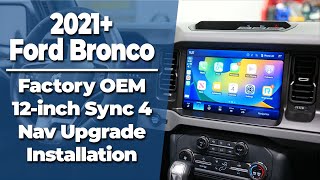
- SYNC 4 / 4A: Found in the newest vehicles like the 2021+ Bronco Sport and 2023+ Escape, this system features larger screens (up to 13.2 inches), wireless Apple CarPlay/Android Auto, and over-the-air update capabilities.
Key Components:
- APIM (Accessory Protocol Interface Module): The computer that runs the SYNC system. This is the most common point of failure for issues like black screens, freezing, and rebooting.
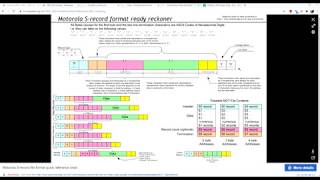
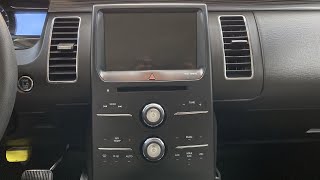
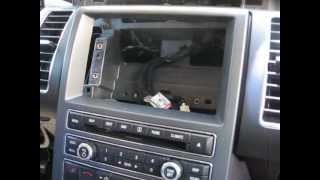
- ACM (Audio Control Module): The radio/CD player unit itself, located behind the control panel. 🎬 Watch this guide on removing the radio and display unit. Failure can lead to no audio or tuner problems.
- FDIM (Front Display Interface Module): The touchscreen itself. Screen-specific failures include delamination, phantom touches, or physical damage.
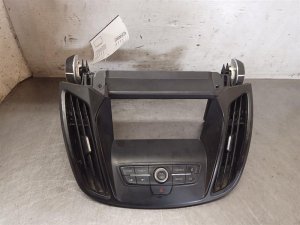
- FCIM (Front Controls Interface Module): The panel with physical buttons and knobs. Failures are less common but can result in unresponsive buttons.
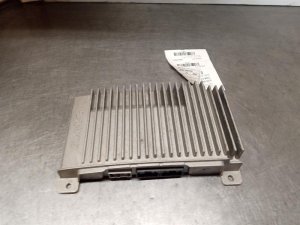
- Sony DSP Amplifier: An external amplifier found only in vehicles with the premium Sony sound system. Its failure typically results in a complete loss of sound, even though the head unit appears to be working perfectly.
Symptoms of a Failing Audio System

Audio system problems can manifest in many ways. Here are the most common issues and what they typically point to.
1. Black or Unresponsive Screen
The screen is completely black, frozen, or does not respond to touch. The radio may still play audio that you can't control. This is the most common symptom of a failed APIM module. Occasionally, a simple software glitch can cause this, which might be resolved with a system reset.
2. No Audio From Any Source
The display works, you can change stations and sources, but no sound comes from the speakers. If your vehicle has the Sony premium sound system, this almost always points to a failed external DSP amplifier. This failure is often triggered by a battery replacement or jump-start. On standard systems, this can be a failure of the internal amplifier within the ACM.
3. Constant Rebooting or Freezing
The system continuously reboots, showing the Ford logo over and over, or freezes after a few minutes of use. This is another classic sign of an internal failure within the APIM module. Software corruption can also cause this, but it often indicates a hardware problem.
4. Bluetooth, CarPlay, or Android Auto Issues
Your phone will not connect, frequently disconnects, or features like Apple CarPlay and Android Auto won't launch. This can be caused by software glitches in both the phone and the SYNC system, or a failing APIM module. Always try a master reset and ensure your phone's software is up to date before suspecting a hardware fault.
5. Distorted or Inverted Rearview Camera
When you shift into reverse, the camera image is distorted, flickering, blank, or completely upside down. A recall was issued for some 2020-2022 Escape and other models for an inverted display issue. On other models, this can be a symptom of a failing APIM or a bad camera connection.
Associated OBD-II Trouble Codes
If you scan the vehicle with an OBD-II tool capable of reading manufacturer-specific codes, you may find codes related to the audio system. The most common are:
- U0184: Lost Communication With Radio (ACM). This means other modules on the network can't communicate with the radio unit.
- U0253: Lost Communication With Accessory Protocol Interface Module (APIM). This points directly to an issue with the SYNC module.
Known Issues, TSBs, and Recalls

Important: Always check for open recalls on your specific vehicle by entering your VIN on the NHTSA website.
- APIM Warranty Extension (12M02): For early MyFord Touch systems, Ford acknowledged high failure rates and extended the warranty on the APIM to five years from the original start date, with no mileage limit. While this program has expired for most vehicles, it highlights the commonality of the issue.
- Recall 22C35 / 25V338: Affects some 2020-2023 vehicles. The seat belt warning chime may not function correctly. The fix is a software update to the Audio Control Module (ACM) performed by a dealer.
- Recall 26C11: Affects 2020-2022 Ford Escape and Explorer, among others. The SYNC screen image can flip or invert after starting the vehicle. The remedy is a software update.
- Recall 26S09: Affects 2021-2024 Ford Edge and 2021-2026 Bronco. The APIM may overheat and shut down, causing the rearview camera image to fail. The fix is an over-the-air or dealer-installed software update.
- TSB 20-2255: Addresses various SYNC 3 performance concerns like slow response, freezing, or connectivity issues. The fix is to update the APIM software to the latest version before considering hardware replacement.
Buying a Used Audio System: A Buyer's Guide
Purchasing a used OEM audio component can save you hundreds of dollars compared to a new part from a dealer. However, compatibility is everything. Follow these steps to ensure you get the right part.
Step 1: Identify Your Exact System
First, confirm if you have the 4.2-inch screen, 8-inch MyFord Touch (SYNC 2), or 8-inch SYNC 3. Also, determine if you have the standard audio system or the premium Sony system (usually indicated by a Sony logo on the speakers or control panel). The components are not interchangeable.
Step 2: Match Part Numbers Exactly
The most critical step is to match the OEM part number. For the APIM (SYNC module) and ACM (radio), you may need to remove the unit to see the sticker. For control panels (FCIM) and amplifiers, the part number is often visible upon removal. Part numbers like CJ5T-19C107-BH (ACM) or CJ5T-18K811-BC (Control Panel) must match. Even if a part looks identical, internal programming for different vehicle options (like with or without satellite radio) can prevent it from working correctly.
Step 3: Physical Inspection
When buying a used unit, especially a screen, inspect it for:
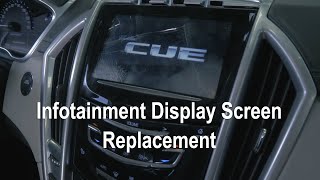
- Screen Condition: Look for deep scratches, cracks, or signs of delamination (a bubbling or peeling look). 🎬 See how to replace a damaged infotainment display screen.
- Connectors: Ensure all connector pins are straight and not corroded. Damaged pins can cause communication errors.
- Tampering Seals: Many modules have seals or stickers that show if the unit has been opened. Avoid parts that have been tampered with.
Why Used OEM is a Smart Choice
For a complex electronic system like this, a used OEM part is often a better choice than a cheap aftermarket unit. Used OEM parts guarantee perfect fitment and integration with other vehicle systems like steering wheel controls and climate functions. Many aftermarket head units require complex wiring adapters and can cause the loss of factory features.
Programming and Installation Requirements
Warning: Replacing the APIM (SYNC Module) is not a simple plug-and-play procedure. It requires programming to your vehicle's VIN.
Is Programming Required?
- APIM (SYNC Module): Yes, always. A used APIM must be programmed with your vehicle's specific "as-built" data. Without this, features like the backup camera, climate controls, or correct sound system equalization will not work.
- ACM (Radio/CD Player): Usually plug-and-play, no programming needed.
- Screen (FDIM): Plug-and-play. The screen itself does not require programming.
- Control Panel (FCIM): Plug-and-play, as long as the part number matches your vehicle's options.
- Sony Amplifier: Plug-and-play.
Programming Options
- Ford Dealer: A dealer can program a new or used APIM, but this is the most expensive option.
- Pre-Programmed Modules: Many online sellers of used APIMs offer to pre-program the module to your VIN before shipping. This makes the installation essentially plug-and-play and is a great option for DIYers.
- DIY with FORScan: For the tech-savvy, you can program the module yourself using a laptop, a compatible OBDII adapter (USB is recommended), and FORScan software. You will need to download your vehicle's original as-built data from Ford's service website and write it to the new module.
Pro Tip: Before starting any work, try a simple reset. For minor glitches, hold the Power button and the Right-Seek button simultaneously for about 10 seconds until the system reboots. For more serious issues, disconnecting the battery for 15 minutes or pulling the specific radio/infotainment fuses can perform a hard reset.
Cost Comparison
| Part/Service | Estimated Cost |
|---|---|
| New OEM APIM Module (Dealer Installed) | $900 - $1,400+ |
| New Aftermarket SYNC 3 Upgrade Kit | $1,000 - $1,800 |
| Used OEM APIM Module (Pre-Programmed) | $250 - $500 |
| Used OEM 8-inch Touchscreen | $100 - $200 |
| Used OEM Sony Amplifier | $50 - $100 |
| Shop Labor (Replacement Only) | $150 - $300 |
Frequently Asked Questions (FAQ)
Can I upgrade from the 4.2-inch screen to the 8-inch SYNC 3 system?
Yes, this is a very popular but involved upgrade. It requires a new 8-inch screen, a SYNC 3 APIM module, a new dash bezel, a new USB hub that supports CarPlay/Android Auto, and a custom wiring harness. Companies like 4D Tech sell complete, pre-programmed kits for this conversion. It is not a simple part swap.
Can I upgrade from MyFord Touch (SYNC 2) to SYNC 3?
Yes. Since the screen size and basic dash opening are the same, this is a more straightforward upgrade than the 4.2-inch conversion. You will need a SYNC 3 APIM, a SYNC 3 capacitive touchscreen (the SYNC 2 resistive screen is not compatible), a new USB hub, and a GPS antenna. The main wiring harness is often compatible, and programming can be done via FORScan.
The dealer says I need a new APIM. Can I just replace it with a used one?
Yes, but it MUST be reprogrammed for your vehicle's VIN and specific options. The easiest way to do this is to buy a used module from a seller who offers pre-programming services. If you install a module from another car without reprogramming, many features will not work correctly.
My screen works but there is no sound. Do I need a whole new radio?
If you have the premium Sony sound system, the most likely culprit is the external amplifier, not the main radio unit. This is a much cheaper part to replace. A common trigger for this failure is disconnecting or replacing the vehicle's battery. Check the fuse for the amplifier first, which on the Escape is often located in the rear fuse panel.
Helpful Videos
Technical Specifications
OEM Part Numbers: CJ5T-19C107-BH CJ5T-19C107-FA CJ5T-19C107-FB CJ5T-19C107-GA CJ5T-19C107-GB CJ5T-19C107-HA CJ5T-19C107-HB CJ5T-19C107-HC CJ5T18K811AB CJ5T18K811AC CJ5T18K811BB CJ5T18K811BC CJ5T18K811FA CJ5T18K811FB CJ5T18K811FC CT4T-18B849-AG
System varies by trim and year, including 4.2-inch displays, 8-inch MyFord Touch (SYNC 2) resistive touchscreens, and 8-inch SYNC 3 capacitive touchscreens. Premium systems use an external Sony DSP amplifier.
We Have This Part in Stock





The information in this article is provided for general reference and educational purposes only. Vehicle specifications, procedures, and part compatibility can vary by production date, trim level, and region. Always consult your vehicle's factory service manual and verify part numbers before purchasing or performing repairs. Safety-critical components such as airbags, seat belts, and braking systems should be installed by a qualified professional.
- Ford Escape:
- Ford C-Max:
- Ford Focus:
- Ford Bronco Sport:
- Ford Edge:
- Ford Explorer:
- Ford Flex:
- Ford Kuga:
- Ford Police Interceptor Sedan:
- Ford Police Interceptor Utility:
- Ford Taurus:
- 🎬 Helpful Videos
- 🛍️ Shop This Part
- Understanding Your Ford's Audio System: Generations and Components
- System Generations:
- Key Components:
- Symptoms of a Failing Audio System
- 1. Black or Unresponsive Screen
- 2. No Audio From Any Source
- 3. Constant Rebooting or Freezing
- 4. Bluetooth, CarPlay, or Android Auto Issues
- 5. Distorted or Inverted Rearview Camera
- Associated OBD-II Trouble Codes
- Known Issues, TSBs, and Recalls
- Buying a Used Audio System: A Buyer's Guide
- Step 1: Identify Your Exact System
- Step 2: Match Part Numbers Exactly
- Step 3: Physical Inspection
- Why Used OEM is a Smart Choice
- Programming and Installation Requirements
- Is Programming Required?
- Programming Options
- Cost Comparison
- Frequently Asked Questions (FAQ)
- 🎟️ Get 5% Off