

2013-2016 Dodge Dart Audio System: Fixing Flashing Odometers, Blank Screens & Programming
This guide explains common Dodge Dart audio problems like blank Uconnect screens and flashing odometers, and details the critical programming required after replacement.
- Replacing any audio component (radio, amplifier, CD player) will almost certainly cause a flashing odometer, which MUST be fixed with a 'Proxy Alignment' procedure.
- A dealer is not the only option for programming; DIY tools like AlfaOBD or a well-equipped independent shop can perform the proxy alignment.
- Screen 'bubbling' and 'ghost touch' on 8.4" Uconnect units are caused by a failed digitizer, which can be replaced separately without needing to replace the entire radio.
- Before buying a used radio, confirm which system you have (base or premium Alpine) and try to get the anti-theft code or donor car VIN from the seller.
Variant Differences: Identify Your System First

Before diagnosing or buying parts, you must know which audio system your Dodge Dart has. Mismatched parts will not work correctly and can cause further issues.
- Base System: Features a small, non-touch display with physical buttons and knobs. It does not have an external amplifier.
- Uconnect 5.0: A 5-inch touchscreen system.
- Uconnect 8.4 (Sales Codes RE2, RB5): The largest system, featuring an 8.4-inch touchscreen. It controls audio, climate, and other vehicle settings. These units may or may not have factory navigation.
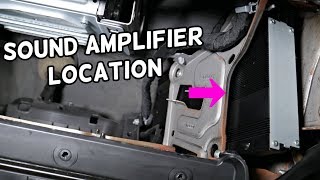
- Premium Alpine System: An optional upgrade, usually paired with the Uconnect 8.4 system. It includes a multi-channel amplifier located behind the glove compartment and 🎬 Watch: How to locate and replace the amplifier higher-quality speakers, including a subwoofer.
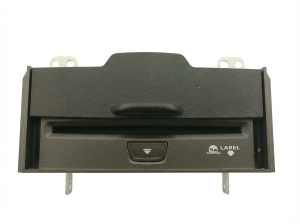
- Center Console CD/DVD Player: An optional, separate module mounted inside the center console armrest that plays discs through the main Uconnect system.
Known Issues and Common Failure Symptoms

Dodge Dart audio systems are known for several common problems, many of which are electronic in nature.
1. Flashing Odometer
This is the most common issue after replacing an audio component or even after a battery replacement. A flashing odometer indicates a 'proxy configuration mismatch.' The Body Control Module (BCM) keeps a list of all electronic modules in the car. If a module is replaced, disconnected, or fails, the BCM detects a mismatch and flashes the odometer as a warning. This does not affect driving but is distracting and indicates a system fault.
2. Blank or Black Radio Screen
The radio screen, especially the 8.4-inch Uconnect unit, may suddenly go black and become unresponsive. Sometimes the audio continues to play, but you cannot control it. This can be caused by an internal failure of the head unit itself or a loss of communication on the CAN bus network. Some owners report that disconnecting the battery for 10-30 minutes can temporarily restore function.
🎬 Watch: Quick fix for a black radio screen3. Uconnect Screen Delamination or 'Ghost Touch'
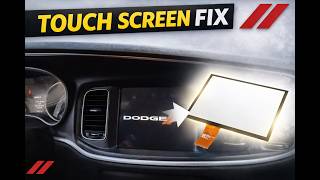
The adhesive between the touchscreen's outer layer (digitizer) and the LCD screen can break down over time, causing bubbles and a peeling appearance. This leads to 'ghost touches,' where the system acts as if someone is pressing buttons randomly, changing settings, or making calls. It can also create dead spots where your touch no longer registers. This is caused by the digitizer failing, not the entire radio.
4. No Sound from Speakers
If the radio display appears to be working correctly but there is no audio, the problem often points to the external amplifier in vehicles with the Alpine premium system. It can also be caused by a blown speaker, which on some systems can cause the amplifier to shut down that channel or related channels to protect itself. In base systems without an amplifier, the issue is likely an internal failure of the head unit.
5. Bluetooth and USB Port Issues
Problems like the inability to connect a phone, frequent disconnections, or music speeding up and slowing down are common. These issues are often traced to a failing telematics module, which is separate from the radio on non-Uconnect cars but integrated into the radio on Uconnect-equipped models. A faulty USB port that fails to read devices is also a frequent complaint.
Warning: A flashing odometer is a clear sign that a Proxy Alignment is needed. Ignoring it means there is a configuration error in your vehicle's electronic network.
Programming, Anti-Theft, and Installation Notes

THIS IS THE MOST IMPORTANT SECTION. You cannot simply swap most audio components in a Dodge Dart.
Proxy Alignment Procedure
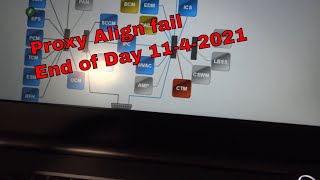
Whenever a major electronic module like the radio, amplifier, or CD/DVD player is replaced, a Proxy Alignment must be performed. This procedure uses a diagnostic tool to scan the vehicle's network and update the BCM with the new configuration, which resolves the mismatch and stops the odometer from flashing.
- Who can do it? A Dodge dealership is the most common option. However, many independent repair shops with advanced diagnostic tools can also perform a proxy alignment.
- Can I do it myself? Yes. DIYers can perform a proxy alignment using software like AlfaOBD or Appcar DiagFCA, a compatible OBD-II adapter (like OBDLink MX+), and a Windows laptop or Android device. This is often cheaper than a single dealer visit.
Anti-Theft Code
Replacement radio head units are often protected by a four or five-digit anti-theft code. If you install a used radio, it will likely display a 'CODE' or 'Enter Anti-Theft Code' message.
- Finding the Code: The code is specific to the radio, not the vehicle it's going into. You cannot use your original radio's code. Sometimes the code is written on a sticker in the original vehicle's glove box or owner's manual.
- Getting the Code: If you don't have the code, you will need the replacement radio's serial number (found on a sticker on the radio's chassis) and the VIN of the vehicle the radio CAME FROM. A dealership can sometimes look up the code with this information. There are also online services that can provide the code for a fee if you have the radio's serial number.
Pro Tip: Before buying a used radio, ask the seller if they can provide the anti-theft code or the VIN of the donor vehicle. This will save you a major headache later.
Buying a Used Dodge Dart Audio System
A used OEM audio component can be a cost-effective solution, but careful purchasing is essential.
- Verify Your System: First, confirm if you have the base audio, Uconnect 8.4, and the Alpine premium amplifier. A replacement amplifier will not work in a car that originally had the base system, as the wiring is not present.
- Match Part Numbers: The surest way to ensure compatibility is to remove your original unit and match the OEM part number exactly. There are many variations based on features like navigation and satellite radio (e.g., sales codes RE2, RAE).
- Inspect Uconnect Screens Carefully: When buying a used 8.4-inch head unit, inspect the screen for any signs of bubbling, peeling, or delamination. Ask for photos of the unit powered on if possible.
- Budget for Programming: Remember to factor in the cost of a proxy alignment and potentially obtaining an anti-theft code. A cheap part can become expensive if you don't account for the necessary post-installation procedures.
- Consider a Digitizer Replacement: If your only issue is ghost touch or a bubbled screen, you may not need a whole new radio. Replacement digitizers are available online and can be installed on your existing radio, which is much cheaper than a full unit. This repair requires careful disassembly but avoids all programming and anti-theft code issues. 🎬 See this DIY Uconnect screen replacement walkthrough
Cost Comparison
| Part | New OEM (Dealer) | New Aftermarket | Used OEM (Recycled) |
|---|---|---|---|
| Uconnect 8.4" Head Unit | $1000 - $2000+ | $300 - $600+ | $150 - $400 |
| Premium Amplifier (Alpine) | $400 - $700 | N/A | $75 - $200 |
| 8.4" Replacement Digitizer | N/A | $40 - $150 | N/A |
Labor Costs:
- Radio/Amplifier Replacement: $100 - $250
- Dealer Proxy Alignment: $100 - $200
- Digitizer-Only Replacement: $200 - $400 (more complex labor)
Frequently Asked Questions (FAQ)
Why is my odometer flashing after replacing my radio?
Your odometer is flashing because the vehicle's Body Control Module (BCM) has detected a new or different electronic part on the network. This requires a 'Proxy Alignment' procedure to sync the new part with the car's system.
Can I upgrade my base radio to the 8.4-inch Uconnect touchscreen?
It is not a simple plug-and-play swap. Upgrading requires the new head unit, a new dash bezel, potentially different wiring harnesses, and significant programming (adding the new sales code and performing a proxy alignment). It is a complex project.
My touchscreen is acting crazy ('ghost touch'). Do I need a new radio?
Not necessarily. This is a classic symptom of a failing touchscreen digitizer, caused by delamination. You can often fix this by replacing just the digitizer screen layer for a fraction of the cost of a new radio, and this repair avoids the need for programming or anti-theft codes.
Can I perform a Proxy Alignment myself?
Yes, many owners successfully perform this procedure using software like AlfaOBD on a laptop or Android device, paired with a compatible OBD-II interface like the OBDLink MX+. The cost of the software and adapter is often less than one trip to the dealer for programming.
Helpful Videos
Technical Specifications
OEM Part Numbers: 05091964AA 05091964AF 5091964AE 68211629AC 68211629ZE 68211630AC 68211630AD 68234119ZC 68234119ZD 68249983AA 68249983AB 68283524ZA 68283524ZB 05091057AD 05091066AI
Systems include base audio (no external amp), Uconnect 5.0, and Uconnect 8.4 (with optional navigation). Premium systems use an external Alpine amplifier. All major components are integrated into the vehicle's CAN bus network.
We Have This Part in Stock






The information in this article is provided for general reference and educational purposes only. Vehicle specifications, procedures, and part compatibility can vary by production date, trim level, and region. Always consult your vehicle's factory service manual and verify part numbers before purchasing or performing repairs. Safety-critical components such as airbags, seat belts, and braking systems should be installed by a qualified professional.
- Dodge Dart:
- DODGE DART:
- 🎬 Helpful Videos
- 🛍️ Shop This Part
- Variant Differences: Identify Your System First
- Known Issues and Common Failure Symptoms
- 1. Flashing Odometer
- 2. Blank or Black Radio Screen
- 3. Uconnect Screen Delamination or 'Ghost Touch'
- 4. No Sound from Speakers
- 5. Bluetooth and USB Port Issues
- Programming, Anti-Theft, and Installation Notes
- Proxy Alignment Procedure
- Anti-Theft Code
- Buying a Used Dodge Dart Audio System
- Cost Comparison
- Frequently Asked Questions (FAQ)
- 🎟️ Get 5% Off