

2005-2007 Cadillac STS Radio: Unlocking and Replacing Your YQ1 Audio System
Don't get stuck with a 'Theft Locked' message—here's what you need to know before buying or installing a replacement base model STS radio.
- A replacement radio MUST be reprogrammed to the vehicle's VIN to bypass the 'Theft-Lock' system; it is not plug-and-play.
- Only buy a replacement radio with the same option code (YQ1 for the base model) as your original unit. Navigation or multi-disc changer units are not compatible.
- Common failures include a completely dead unit, a blank screen with working audio, and CD player mechanical faults.
- Before replacing a unit with no sound, check the separate factory amplifier, which is a common point of failure.
The #1 Issue: VIN Programming and Theft-Lock

Warning: A replacement radio for a 2005-2007 Cadillac STS cannot be simply swapped in. These radios are electronically tied to the original vehicle's Vehicle Identification Number (VIN). When a used radio is installed in a different car, it will detect a VIN mismatch and enter an anti-theft mode, displaying "Locked" or "Theft Lock" on the screen, rendering it useless.
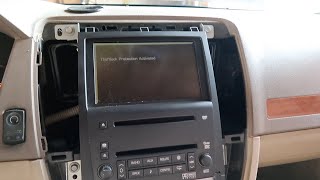
🎬 See what the Theftlock screen looks like in actionTo fix this, the replacement radio must be "unlocked" or programmed to accept the new vehicle's VIN. You have three main options to resolve this:
- Dealership Programming: A Cadillac dealership can use their diagnostic tools to program the used radio to your car. This typically costs one hour of shop labor. However, be aware that some owners report that dealers may be unwilling or unable to program used components.
- Mail-In Unlocking Service: Several companies offer a service where you mail the radio to them, they clear the VIN lock, and send it back ready for plug-and-play installation.
- DIY Programming Tools: Devices like the OBD Genie or a VXDiag VCX Nano with Tech2Win software can be purchased to clear the VIN lock yourself. This is a more technical option but can be cost-effective if you are comfortable with the process.
It is crucial to factor in the cost and hassle of programming before purchasing a replacement radio.
Symptoms of a Failing STS Radio

When the YQ1 audio system begins to fail, it can manifest in several ways. Here are the most common problems owners experience:
No Power or Completely Dead Unit
The radio refuses to turn on, and the screen is black. This can be caused by a few issues. First, check the radio fuse (often labeled RDO or RADIO) in the fuse panel. If the fuse is good, the problem could be a wiring issue or an internal failure of the head unit itself. Some owners report that the radio may fail to power on after a battery replacement; in some cases, pulling the radio fuse for a few minutes can force it to reboot and solve the problem.
Blank Screen, But Audio Still Works
You can still hear the radio or CD playing and change stations or volume, but the display screen is completely black. This indicates the main radio is functioning, but the display has failed. This can be due to extreme temperatures (both hot and cold), a failed ambient light sensor, or a burned-out backlight within the display itself.
Power and Display Work, But No Sound
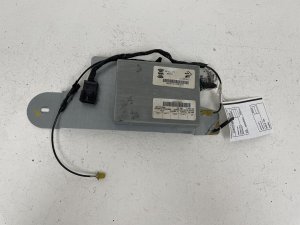
If the radio turns on, displays stations, and appears to function normally but no sound comes from the speakers, the problem might not be the head unit. The STS uses an external amplifier (often a Bose unit located in the trunk). A failure in this amplifier or its wiring can cut off sound to all speakers, even if the head unit is working perfectly.
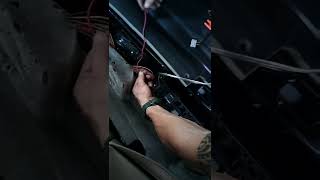
🎬 Watch: Troubleshooting power issues with the Bose amplifierCD Player Malfunctions
The single-disc CD player may stop accepting, playing, or ejecting discs. You might hear mechanical grinding noises or see a CD error message on the screen. This is a common failure point due to the wear and tear on the delicate mechanical parts inside.
Buying a Used 2005-2007 STS Radio

Buying a used OEM radio is often the most cost-effective way to restore factory function. Aftermarket systems can be complex to install and may not integrate as cleanly. Here’s what to look for:
1. Verify the Option Code
This is the most important step. You must buy a radio that matches the system your car was built with. This guide covers the base single-CD unit, RPO code YQ1. You can find your car's RPO codes on a sticker, often located in the trunk with the spare tire or on the glove box door. Do NOT purchase a radio from a car with the multi-disc changer or the factory navigation system if your car did not originally have it, as it will not be compatible.
2. Check Part Numbers
The most common part numbers for this radio are 15806291 and 15905316. Part number 15905316 is a later version that supersedes 15806291. Either number should work as a direct replacement.
3. Physical Inspection
When buying from a local seller or looking at photos online, check for:
- Screen Condition: Look for deep scratches, delamination (peeling), or cracks.
- Button Wear: Check if the lettering on frequently used buttons is worn off.
- Connectors: Ensure the connectors on the back are not cracked, bent, or corroded.
4. Plan for Programming
Remember the Theft-Lock issue. Do not assume you can just plug the radio in and have it work. Have a plan for unlocking it. Call your local dealer beforehand to ask if they will program a used radio and what they charge. If not, budget for a mail-in service or a DIY tool.
Known Issues, TSBs, and Recalls
While the 2005-2007 Cadillac STS had several safety recalls, there have been no official recalls or Technical Service Bulletins (TSBs) issued by GM for the base YQ1 audio system. Known recalls for the vehicle address issues with the rear suspension, fuel system, and passenger airbag sensors, but not the radio itself.
Cost Comparison
| Part/Service | Estimated Cost |
|---|---|
| New OEM (Dealer) | $450+ (Often discontinued or limited availability) |
| Used OEM (Recycled) | $75 - $150 |
| New Aftermarket (Head Unit + Install Kit) | $250 - $600+ |
| Dealer Programming (Unlocking) | $100 - $200 (Typically 1 hour of labor) |
| Mail-In Unlocking Service | $50 - $100 |
| Shop Labor (Replacement) | $75 - $150 |
Frequently Asked Questions (FAQ)
Can I upgrade my base radio to a factory navigation unit?
No, this is not a simple plug-and-play swap. The navigation system uses different wiring, connectors, and requires additional components like a GPS antenna. It is not compatible with a vehicle originally equipped with the base YQ1 radio.
What is "Theft-Lock" and why is my radio locked?
Theft-Lock is a GM anti-theft feature that pairs the radio to the car's VIN. If the radio is moved to another car, it locks itself to prevent thieves from using stolen radios. A locked radio must be reprogrammed by a dealer or a specialized service to work in a new vehicle.
My radio died right after I replaced the car battery. What happened?
Sometimes, the power interruption from a battery change can cause the radio's internal software to glitch. Before assuming the radio is broken, try a hard reset. Locate the fuse for the radio, remove it for a few minutes, and then reinstall it. This can sometimes force the radio to reboot and function correctly.
What tools do I need to replace the radio?
The replacement process is relatively simple. You will need a plastic trim removal tool to safely pry off the wood grain trim without scratching it, and a 10mm socket wrench to remove the four bolts holding the radio in place.
🎬 Watch: Step-by-step guide to removing your STS radioHelpful Videos
Technical Specifications
OEM Part Numbers: 15806291 15905316
Fits 2005-2007 Cadillac STS with option code YQ1 (AM/FM Stereo with Single-Disc CD Player). Not compatible with multi-disc changer or navigation systems.
We Have This Part in Stock





The information in this article is provided for general reference and educational purposes only. Vehicle specifications, procedures, and part compatibility can vary by production date, trim level, and region. Always consult your vehicle's factory service manual and verify part numbers before purchasing or performing repairs. Safety-critical components such as airbags, seat belts, and braking systems should be installed by a qualified professional.
- Cadillac STS:
- 🎬 Helpful Videos
- 🛍️ Shop This Part
- The #1 Issue: VIN Programming and Theft-Lock
- Symptoms of a Failing STS Radio
- No Power or Completely Dead Unit
- Blank Screen, But Audio Still Works
- Power and Display Work, But No Sound
- CD Player Malfunctions
- Buying a Used 2005-2007 STS Radio
- 1. Verify the Option Code
- 2. Check Part Numbers
- 3. Physical Inspection
- 4. Plan for Programming
- Known Issues, TSBs, and Recalls
- Cost Comparison
- Frequently Asked Questions (FAQ)
- 🎟️ Get 5% Off