

2011-2012 BMW 5-Series & M5 Audio Control Unit: A Guide to Failures, Options, and Replacement
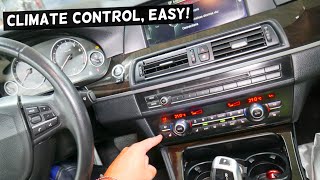
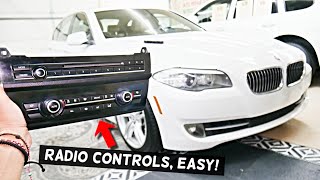
This guide covers diagnosing, replacing, and finding the correct used audio and climate control panel for the 2011-2012 BMW 528i, 535i, 550i, M5, and ActiveHybrid 5.
- Compatibility is critical: The replacement unit MUST match your vehicle's specific options like 4-zone climate control or heated/ventilated seats.
- Coding is required: This part is not plug-and-play. A used unit must be electronically coded to your car's VIN by a dealer or specialist to function.
- Verify the part number: Always match the OEM part number from your original unit to the replacement. Visually similar parts are not always interchangeable.
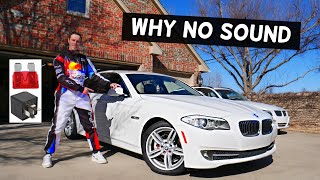
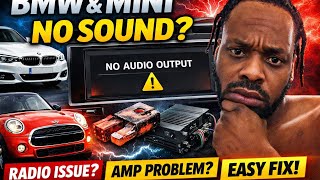
- Check the amplifier first for 'no sound' issues: A total loss of audio is frequently caused by the separate amplifier in the trunk, not this control panel.
Symptoms of a Failing Audio Control Unit
When the audio and climate control panel in your 2011-2012 BMW 5-Series or M5 begins to fail, it can manifest in several ways. Because it's tied into the vehicle's complex electronics, symptoms can sometimes be misleading.
- Unresponsive or Intermittent Buttons: Individual buttons for radio presets, volume, or climate functions may stop working or only work sporadically. This is often one of the first signs of failure.
- Complete Panel Failure: The entire panel may seem dead, with no backlighting and no response from any button or knob. However, you might still be able to control volume via the steering wheel controls.
- Peeling or Worn Buttons: A common cosmetic issue is the soft-touch coating on the buttons peeling away, 🎬 See this guide on replacing worn-out BMW buttons which can make the interior look dated and can be a precursor to electronic failure if liquids seep in.
- iDrive System Issues: While less common, a fault in this control panel can sometimes cause strange behavior in the main iDrive system, as it's a key component on the MOST fiber-optic network.
- Problems in Cold Weather: Some owners report that certain buttons, particularly on the related iDrive controller, stop functioning in cold temperatures and resume working once the cabin warms up.
Pro Tip: Before assuming the control panel is bad, check the fuses. A blown fuse can cause the entire panel to lose power. Also, check for a loose main connector behind the unit, especially if work has recently been done on the dashboard.
Buying a Used Audio Control Unit: A Step-by-Step Guide
Purchasing a used control panel is a cost-effective solution, but it requires careful attention to detail to ensure you get the right part. BMW produced many variations of this panel, and they are not interchangeable.
Step 1: Identify Your Vehicle's EXACT Options
Fitment is entirely dependent on the options your car was built with. A panel from a car with different features will not work correctly. You must match your original unit. The key variations to look for are:
- 4-Zone Climate Control: Vehicles with this option have an extra set of fan and temperature controls for the rear passengers.
- Heated and Ventilated Front Seats: The panel will have dedicated buttons with fan and heat-wave icons for seat climate control.
- Ceramic Control Knobs: A premium option that gives the volume and temperature knobs a glossy, black, ceramic finish instead of the standard matte plastic.
Step 2: Match the OEM Part Number
Warning: This is the most critical step. You must match the part number from your original unit. Visually identical units can have different internal electronics. The part number is printed on a sticker on the housing of the unit, which requires removing it from the dashboard to see.
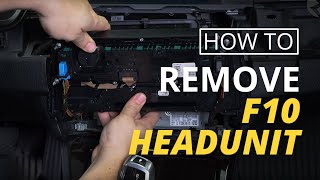
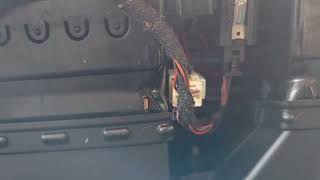
🎬 Watch: How to remove the climate control switch panelKnown OEM part numbers for this generation include 61319230047 and 61319261814, but others may exist depending on the specific combination of options.
Step 3: Inspect the Used Unit Carefully
When you have the used part in hand, inspect it for:
- Button Condition: Check for excessive wear or peeling. Ensure all buttons press and return smoothly.
- Signs of Liquid Spills: The unit's location below the cupholders makes it vulnerable. Look for sticky residue or discoloration, which indicates a high risk of internal damage.
- Connectors: Make sure the electrical connectors on the back are clean and the pins are straight and free of corrosion.
Programming and Installation Requirements
Replacing this control unit is not a simple plug-and-play procedure. Because the module is a component on the vehicle's MOST network, it must be 'coded' to your car's specific Vehicle Identification Number (VIN) and option list.
- Coding is Required: After installation, the replacement unit must be coded to the car using specialized BMW software like E-Sys or ISTA. Without proper coding, you may experience issues like no sound, no door chimes, or features that don't work because the car doesn't recognize the 'new' part.
- Who Can Do It?: A BMW dealer or a qualified independent shop specializing in BMWs can perform the coding. Some remote coding services also exist that can program the unit for you. Standard OBD-II scanners cannot perform this function.
- DIY Feasibility: While the physical replacement is straightforward for a DIYer, the coding requires technical knowledge and specific software/hardware.
Known Issues, TSBs, and Recalls
There are no major recalls or Technical Service Bulletins (TSBs) from the National Highway Traffic Safety Administration (NHTSA) that specifically target the audio control unit for these vehicles. Most failures are isolated incidents due to age, wear, or physical damage (like liquid spills). Other recalls for the 2011-2012 5-Series platform relate to components like fuel pumps, auxiliary water pumps, and airbag sensors.
Cost Comparison
| Part Type | Estimated Cost |
|---|---|
| New OEM (Dealer) | $800 - $1,200 |
| Used OEM | $100 - $300 |
| New Aftermarket | Not Commonly Available |
| Shop Labor (Installation & Coding) | $200 - $400 |
Frequently Asked Questions (FAQ)
Do I have to code a used audio control panel?
Yes, absolutely. The replacement unit needs to be coded to your car's VIN and specific options to function correctly. Failure to do so will likely result in no audio output and other system malfunctions.
Can I upgrade to a panel with more features, like ventilated seats?
This is generally not possible just by swapping the control panel. The features on the panel must match the hardware actually installed in your vehicle. Adding a feature like ventilated seats would require installing the seats themselves, along with additional wiring and extensive vehicle programming.
My buttons are working, but I have no sound. Is it this control panel?
While possible, a total loss of sound is more commonly caused by a failure of the car's amplifier, which is a separate component typically located in the trunk. If the iDrive screen and control panel buttons seem to be working normally but there is no audio from any source (including door chimes), the amplifier is the more likely culprit.
🎬 Watch: Troubleshooting no sound from BMW F10 speakersIs it difficult to physically replace the unit myself?
The physical replacement is relatively easy for someone with basic DIY skills. It involves using plastic trim removal tools to carefully pry off the dashboard trim, followed by removing a few screws that hold the unit in place. The main challenge is not the physical swap but the electronic coding required afterward.
Helpful Videos

Technical Specifications
OEM Part Numbers: 61319230047 61319261814
Integrates with the vehicle's MOST (Media Oriented Systems Transport) fiber-optic network.
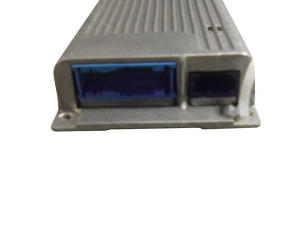
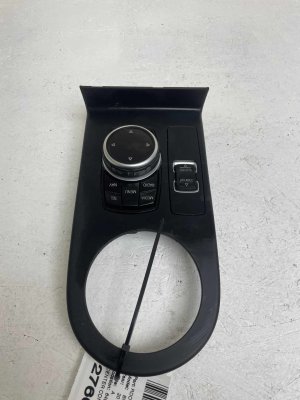
We Have This Part in Stock





The information in this article is provided for general reference and educational purposes only. Vehicle specifications, procedures, and part compatibility can vary by production date, trim level, and region. Always consult your vehicle's factory service manual and verify part numbers before purchasing or performing repairs. Safety-critical components such as airbags, seat belts, and braking systems should be installed by a qualified professional.
- BMW M5:
- BMW 528i:
- BMW 535i:
- BMW 550i:
- BMW ActiveHybrid 5:
- 🎬 Helpful Videos
- 🛍️ Shop This Part
- Symptoms of a Failing Audio Control Unit
- Buying a Used Audio Control Unit: A Step-by-Step Guide
- Step 1: Identify Your Vehicle's EXACT Options
- Step 2: Match the OEM Part Number
- Step 3: Inspect the Used Unit Carefully
- Programming and Installation Requirements
- Known Issues, TSBs, and Recalls
- Cost Comparison
- Frequently Asked Questions (FAQ)
- 🎟️ Get 5% Off