

Audi MMI Failure 2017-2025: Diagnosing Black Screens, No Sound & Component Protection
This guide covers common failures of the MMI main unit and amplifier in many Audi, Lamborghini, and Porsche models, with a focus on the critical 'Component Protection' programming required after replacement.
- Replacing an MMI main unit or amplifier is NOT plug-and-play due to 'Component Protection', an anti-theft system that must be removed by a dealer or specialist with online access.
- Common failures include a dead amplifier (symptom: no sound) and a dead MMI main unit (symptom: black/rebooting screen).
- Repairing your original module can be a cost-effective alternative to buying used, as it avoids the need for Component Protection removal.
- Always match part numbers exactly, as different hardware versions exist for different vehicle options and model years (MIB2 vs. MIB3).
Symptoms of Audio System Failure


Problems with the MMI and audio system can appear in several ways, often pointing to different failed components. Diagnosing the issue correctly is key to ordering the right used part.
1. No Sound From Any Source
If the MMI screen appears to work correctly—you can change settings, see the map, and select media—but there is absolutely no sound from the speakers, the problem is almost always a failed audio amplifier. This can happen suddenly. In some cases, you may hear a pop or crackle, followed by silence. The amplifier is often a Bang & Olufsen (B&O) unit located in the trunk area, and it is a common failure point.
2. MMI Screen is Black, Frozen, or Constantly Reboots
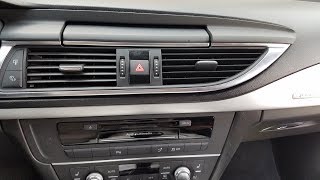
When the central infotainment screen is black, stuck on the Audi logo, or caught in a reboot loop, the fault usually lies with the MMI Main Unit. This module, often with a part number starting in '4K0' or '4M1', is the central computer for the infotainment system. You might also lose access to related functions like the backup camera or vehicle settings menus. Sometimes a hard reset can temporarily fix software glitches, but a persistent black or rebooting screen typically indicates a hardware failure within the main unit itself.
🎬 Watch: Troubleshooting a black or frozen Audi MMI screen3. Complete System Blackout (No Screen and No Sound)
If the entire system is dead—the screen is black, the control panel lights are off, and there is no sound—it points to a break in the MOST fiber optic network. This network connects all the media components in a loop. If one module fails (like the amplifier or the MMI main unit), it breaks the loop and prevents any of the other modules from communicating. A technician can use a special fiber optic bypass loop to individually test each module and find the one that has failed.
4. Specific Functions Fail (Bluetooth, CarPlay, Navigation)
Intermittent issues with Apple CarPlay, Bluetooth connectivity, or navigation can be early signs of a failing MMI main unit. These problems are sometimes caused by software bugs that can be fixed with a dealer update, but they can also indicate that the main unit's internal hardware is beginning to degrade. A TSB for some models notes that a blank screen when connecting an iPhone can be related to MMI software that needs an update.
5. Rattling or Buzzing from Speakers
For the 2019-2022 Audi Q8, SQ8, and RS Q8, a specific Technical Service Bulletin (TSB 91 22 55 2068839/1) addresses rattling or droning noises from the front door bass speakers. The cause is identified as loose securing bolts on the speaker's mounting frame, which can lose torque over time due to temperature changes and vibration. The fix involves re-tightening the bolts with a liquid thread locker.
| Symptom | Likely Cause | Common OBD-II Codes |
|---|---|---|
| No sound, MMI screen works | Amplifier Failure (often B&O unit in trunk) | Codes in Address 47: Sound System |
| Black screen, frozen, or rebooting | MMI Main Unit (MIB) Failure | U10CF00, B13B901 |
| Entire system is dead | Break in MOST fiber optic loop | U0028, U0029, Optical Bus Failure |
| Component Protection Active error | Used module installed without programming | 02084 |
Known Issues, TSBs, and Recalls

Owners of these vehicles should be aware of several known issues:
- Lamborghini Urus Infotainment Recall: A recall was issued for some 2019-2024 Urus models due to a software issue that could prevent the rearview camera image from displaying. A separate, smaller recall for 2022 models involved a hardware defect in the infotainment main unit that could cause it to fail permanently, resulting in a black screen.
- Audi Q8 Speaker Rattle TSB: As mentioned above, a TSB exists for front door speaker rattling caused by loose mounting bolts.
- Amplifier Water Damage: On many Audi models, the audio amplifier is mounted in the left side of the trunk. This location is vulnerable to water intrusion from clogged sunroof drains or leaking rear window washer lines, which can lead to corrosion and failure of the amplifier.
- MMI Rebooting TSB: Audi has released TSBs (e.g., 91 24 80 2055591/6) for MMI systems that sporadically go blank or reboot. The solution is a software update performed by a dealer using the ODIS diagnostic system.
Warning: This is an electronic module that may require programming by a dealer or qualified technician to function in your vehicle. This is not a plug-and-play part.
Buying a Used Audio System: What You MUST Know

Buying a used MMI main unit or amplifier is a great way to save money, but it comes with critical considerations. Failure to follow these steps will result in a part that does not work.
Component Protection (The #1 Issue)
Audi, Lamborghini, and other VW Group vehicles use a security system called Component Protection (CP). This system links major electronic modules, like the MMI main unit and amplifier, to the vehicle's original VIN. If you install a used module from another car, Component Protection will activate. This will result in symptoms like no audio, audio only on one side of the car, or other disabled functions, along with a "Component Protection Active" fault code.
Component Protection CANNOT be removed with standard tools like VCDS. Removal requires a dealer or a certified independent specialist who has the official ODIS diagnostic tool and a live online connection (GEKO access) to Audi's servers to authorize the new part for your vehicle's VIN. Expect to pay a fee for this service, typically 1-2 hours of labor.
Verifying Compatibility
Before buying, it is essential to match the part number exactly. While parts may look identical, there are different hardware and software versions for different vehicle options (e.g., base audio vs. Bang & Olufsen, MIB2 vs. MIB3). The MIB2 system is not compatible with the newer MIB3 system found in most 2021 and newer models. Always verify the part number on your original unit before purchasing a replacement.
Physical Inspection
When inspecting a used part, especially an amplifier, look for any signs of water damage or corrosion on the casing and electrical connectors. For an MMI main unit, check that the housing is not cracked and that all connectors are clean and straight.
Pro Tip: Consider a repair service for your original module. Many specialized shops can repair common faults on MMI units and amplifiers for a few hundred dollars. Since your original module is being repaired, its VIN programming is retained, and you will NOT need to have Component Protection removed, saving you a trip to the dealer.
Replacement Cost & Procedure
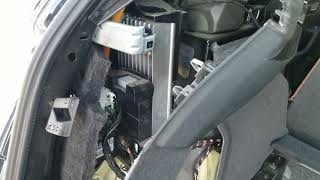
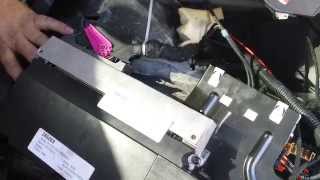
The physical replacement of the MMI main unit or amplifier is feasible for a DIY mechanic with moderate experience. The main unit is typically accessed by removing the glove box, while the amplifier is behind trim panels in the trunk. 🎬 See this DIY walkthrough for replacing an Audi audio amplifier However, the final programming step is not a DIY job.
- DIY Difficulty: 3/5 (Physical swap is manageable; programming requires a professional)
- Estimated Time: 2-4 hours for physical replacement.
- Shop Labor Cost: $250 - $500 for physical replacement, plus an additional $150 - $300 for Component Protection programming.
Cost Comparison
| Part & Service | Estimated Cost |
|---|---|
| New OEM Amplifier (B&O) | $1,600 - $2,100 |
| New OEM MMI Main Unit (MIB2) | $2,000 - $3,500+ |
| Used OEM Amplifier | $150 - $400 |
| Used OEM MMI Main Unit | $200 - $800 |
| Repair/Remanufacture Service (Your Unit) | $300 - $800 |
| Shop Labor (Installation) | $250 - $500 |
| Shop Labor (Component Protection Removal) | $150 - $300 |
Frequently Asked Questions (FAQ)
Does a used Audi MMI unit or amplifier need to be programmed?
Yes, absolutely. Any used MMI main unit or amplifier will trigger the vehicle's Component Protection anti-theft system. It must be programmed to your vehicle's VIN by an Audi dealer or a qualified independent shop with online ODIS/GEKO access. Without this step, the part will not function correctly.
Can I remove Component Protection myself with VCDS or OBDeleven?
No. Common diagnostic tools like VCDS and OBDeleven can read the fault code for Component Protection, but they cannot remove it. The removal process is an online procedure that requires authorization from Volkswagen/Audi servers.
Is it better to buy a used part or repair my original one?
If a reputable repair service is available, repairing your original module is often a better choice. It resolves the internal fault while avoiding the cost and hassle of Component Protection programming, as the module's original identity is preserved. However, if your unit is severely damaged (e.g., by water), a used replacement may be the only option.
My screen is black but I can still hear music. What's broken?
If you have audio but no video, the problem is likely with the display screen itself or the wiring to the screen, not the MMI main unit or amplifier. In some older models with retractable screens, the wires in the hinge mechanism were a known failure point.
Helpful Videos
Technical Specifications
OEM Part Numbers: 4K0035084A 4K0035084B 4K0035084C 4K0035084D 4K0035084F 4KE035084 4KE035084B 4KE919603 4KE919603A 4M0035507 4M0907247A 4M1035880C 4N0035223B 4N0035223C 4N0-035-456-E 4N0035223C
System uses a MOST (Media Oriented Systems Transport) fiber optic bus for communication between modules. Systems are typically MIB2 (Modular Infotainment Platform 2) or MIB3. Amplifiers are often from Bang & Olufsen (B&O).
We Have This Part in Stock



The information in this article is provided for general reference and educational purposes only. Vehicle specifications, procedures, and part compatibility can vary by production date, trim level, and region. Always consult your vehicle's factory service manual and verify part numbers before purchasing or performing repairs. Safety-critical components such as airbags, seat belts, and braking systems should be installed by a qualified professional.
- Audi e-tron:
- Audi Q8:
- Audi A6:
- Audi Q5:
- Audi Q7:
- Lamborghini Urus:
- Audi A4:
- Audi A5:
- Audi A6 Quattro:
- Audi A7:
- Audi A8 Quattro:
- Audi e-tron Sportback:
- Audi RS Q8:
- Audi SQ5:
- Audi SQ8:
- Bentley Bentayga:
- Porsche Cayenne:
- Porsche Panamera:
- 🎬 Helpful Videos
- 🛍️ Shop This Part
- Symptoms of Audio System Failure
- 1. No Sound From Any Source
- 2. MMI Screen is Black, Frozen, or Constantly Reboots
- 3. Complete System Blackout (No Screen and No Sound)
- 4. Specific Functions Fail (Bluetooth, CarPlay, Navigation)
- 5. Rattling or Buzzing from Speakers
- Known Issues, TSBs, and Recalls
- Buying a Used Audio System: What You MUST Know
- Component Protection (The #1 Issue)
- Verifying Compatibility
- Physical Inspection
- Replacement Cost & Procedure
- Cost Comparison
- Frequently Asked Questions (FAQ)
- 🎟️ Get 5% Off