

Audi MMI & Amplifier Guide (2002-2018): Fixing No Sound, Component Protection & Water Damage
This guide covers the common failures, diagnosis, and replacement of audio system components for various 2002-2018 Audi A5, A6, A7, A8, S5, S6, S7, RS5, RS7, and allroad models.
- Most audio system failures (black screen, no sound) are caused by a single failed module on the fiber-optic (MOST) network. Water damage to the trunk-mounted amplifier is the most common culprit.
- A fiber-optic bypass loop is the essential tool for diagnosing which module has failed.
- Replacing a module with a used part will trigger 'Component Protection,' which disables audio and requires a visit to a dealer or specialist for removal. This service costs extra.
- To prevent failure, regularly clean your vehicle's sunroof drains to avoid water leaking into the trunk and onto the electronic modules.
Understanding Your Audi's Audio System: MMI Generations

The vehicles covered in this guide use several different infotainment systems depending on the model and year. Identifying your system is the first step in diagnosis. The main components—the MMI unit, amplifier, and gateway—are not interchangeable between generations.
- Pre-MMI / Symphony (Primarily 2002-2004 A6/allroad C5): These earlier models use a simpler system, often with a Bose amplifier. They do not have a central MMI screen and are not part of the MOST fiber-optic network. Part numbers often begin with 4B0.
- MMI 2G (Approx. 2003-2011 A8 D3, A6 C6): This was Audi's first true MMI system, featuring a central control knob and a color screen. It uses a MOST fiber-optic loop to connect modules. A break anywhere in this loop will shut the whole system down. Part numbers for these components often start with 4E0 or 4F0.
- MMI 3G / 3G+ (Approx. 2010-2017 A5/S5/RS5 B8, A6/A7 C7): An evolution of 2G, MMI 3G added features like a hard drive for navigation and improved graphics. It still relies on a MOST fiber-optic loop.
- MIB / MIB2 (Approx. 2013-2018 A6/A7 C7): The Modular Infotainment Platform (MIB) is a more advanced system with faster processing and better integration. While more modern, these systems can still suffer from software glitches and module failures.
Critical Warning: Component Protection: Most audio modules in MMI 2G, 3G, and MIB systems are protected by an anti-theft feature called Component Protection (CP). If you install a used module (like an amplifier or MMI head unit), it will not function correctly until the protection is removed. This results in symptoms like no audio or sound from only one speaker. Component Protection removal requires special online tools (like ODIS) to link the part to your car's VIN and can only be done by an Audi dealer or a qualified independent shop. This is not a procedure that can be done with standard DIY tools like VCDS.
🎬 See how component protection is removed on an Audi systemSymptoms of Audio System Failure

Because many components are linked, a single failure can cause a wide range of symptoms.
- No Sound From Any Source: The most common symptom. The MMI screen may work perfectly, but you get no audio from the radio, CD, or any other input. This often points to a failed amplifier.
- MMI Screen is Black, Dead, or Stuck on Startup: If the MMI screen doesn't turn on, flickers, or never gets past the Audi splash screen, it indicates a break in the MOST fiber-optic loop. This could be the amplifier, Bluetooth module, radio tuner, or even the MMI control unit itself.
- System Randomly Reboots or Freezes: The MMI unit may turn off and on by itself while driving. This can be caused by a failing module, a software glitch, or a power supply issue.
- Parasitic Battery Drain: A faulty amplifier or other module may fail to shut down correctly when the car is turned off, leading to a dead battery overnight.
- Distorted or Popping Audio: A failing amplifier or a software issue can cause distorted sound from all speakers. A TSB for 2017-2019 A4/A5 models with the Bang & Olufsen system noted that a software parameter could overpower the speakers, causing distortion.
- Bluetooth or Apple CarPlay/Android Auto Not Working: Connectivity issues are common, especially on newer MIB systems. This can sometimes be a software glitch that requires an update or a full MMI reset.
OBD-II and Diagnostic Codes
A generic OBD-II scanner may not be very helpful. You need a VAG-specific tool like VCDS or OBDeleven to properly diagnose the issue. A scan of the CAN Gateway installation list will show which modules are not communicating. A common fault code is 02095 - Component Protection Active, which confirms a module needs to be adapted by a dealer.
Diagnosing the Problem: The Fiber-Optic Loop Test

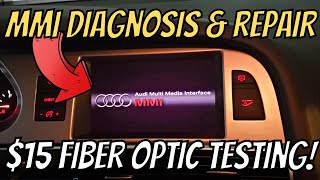
For MMI 2G and 3G systems, the most effective way to find the faulty module is to use a fiber-optic bypass loop. This inexpensive tool allows you to remove one module from the MOST network at a time.
- Locate the audio components, which are typically in the trunk on the left side (for A6, A7, A8 models).
- Disconnect the fiber-optic connector from a module (e.g., the amplifier).
- Plug the bypass loop into the connector, completing the circuit without that module.
- Turn the MMI system on. If the screen now boots up and functions (though you may still have no sound if you bypassed the amp), you have found the failed component.
- Repeat this process for each module in the loop (amplifier, radio tuner, satellite radio, Bluetooth module) until the system comes back to life.
Known Issues by Vehicle Platform
A6 / S6 / allroad / RS6 (C5, C6, C7) & A7 / S7 / RS7 (C7)
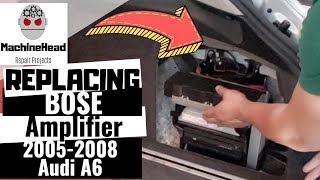
The most notorious issue across these models is water damage to the amplifier. In sedans and wagons, the amplifier is often located in the left side of the trunk. Clogged sunroof drains or a leaking rear window washer fluid line can drip directly onto the amplifier, causing corrosion and failure. 🎬 Watch this step-by-step Audi A6 amplifier replacement guide In some C6 models, clogged sunroof drains can also cause water to pool under the driver's seat, damaging the Bluetooth module located there.
A8 (D3)
These models use the MMI 2G system and are also susceptible to failures in the MOST fiber-optic loop. The various MMI modules are located in the trunk and behind the glovebox. Water leaks in the trunk are a known cause of amplifier failure.
A5 / S5 / RS5 (B8.5)
These models use the MMI 3G system. A known Technical Service Bulletin (TSB 91 20 81 / 2052251) addresses distorted audio from the Bang & Olufsen sound system, which can be fixed with a software update and, in some cases, speaker replacement.
Buying a Used Audio System Component

Purchasing a used MMI unit or amplifier can save a significant amount of money, but it's critical to do it right.
- Match Part Numbers EXACTLY: Audi used many different hardware and software versions. A part from a similar car may not work. Match the full OEM part number on the sticker of your original unit. Suffixes (the letter at the end) often indicate revisions and may or may not be interchangeable. Research is key.
- Verify the System Type: Ensure the part is for your specific audio system (Standard, Bose, or Bang & Olufsen). They are not compatible. The speaker grilles in your car will usually have a "Bose" or "Bang & Olufsen" logo if you have a premium system.
- Inspect for Water Damage: When buying a used amplifier, ask the seller for clear photos of the circuit board if possible. Look for any signs of white or green corrosion, which indicates past water intrusion. Avoid any unit with visible corrosion.
- Budget for Component Protection Removal: This is not optional. If you are buying a used MMI unit, amplifier, or radio gateway, you MUST factor in the cost of having it programmed at a dealer or specialist. This typically costs one hour of labor, around $150-$250.
- Consider a Repair Service: For common failures like water-damaged amplifiers, a repair service can be an excellent choice. They rebuild your original unit, which means you get it back completely plug-and-play with no need for Component Protection removal.
Cost of Replacement (2026 Estimates)
| Part/Service | Estimated Cost |
|---|---|
| New OEM Amplifier (Bose/B&O) | $1,100 - $1,800+ |
| New OEM MMI Head Unit | $2,500 - $4,000+ |
| Used OEM Amplifier | $150 - $500 |
| Used OEM MMI Head Unit | $200 - $600 |
| Amplifier Repair Service | $250 - $450 |
| Shop Labor (Replacement) | $100 - $300 |
| Shop Labor (Component Protection Removal) | $150 - $250 (Typically 1 hour) |
Frequently Asked Questions
Can I replace my standard Audi audio system with a Bose or B&O system?
This is a very complex and expensive conversion. It involves replacing the amplifier, all speakers, the head unit, and significant wiring changes and coding. It is generally not considered a practical or cost-effective upgrade.
My MMI screen is black but the control panel buttons are lit. What's wrong?
This is a classic symptom of a break in the MOST fiber-optic loop. The system powers on, but because the main MMI controller can't communicate with all the required modules, it shuts the screen down. You will need to perform a fiber-optic loop test to find the faulty module.
Can I fix a water-damaged amplifier myself?
It is sometimes possible if the damage is minor. You can open the amplifier case and clean any corrosion from the circuit board with isopropyl alcohol and a soft brush. However, water often damages microscopic traces on the multi-layer board, which are difficult to repair without specialized equipment. A professional repair service is often a more reliable option.
Why does my MMI say "Component Protection Active" after installing a used part?
This is an anti-theft feature. The replacement module's serial number does not match what is stored in your vehicle's central gateway module. The system restricts its functionality until an Audi dealer or specialist with online access can officially "marry" the new part to your car.
How can I prevent water damage to my amplifier?
Periodically check and clean your sunroof drains. These small rubber tubes run down the pillars of the car and can get clogged with debris, causing water to overflow into the cabin or trunk. Also, inspect the rear window washer fluid line in the trunk area for any signs of leaks, especially in climates with freezing temperatures.
Helpful Videos



Technical Specifications
OEM Part Numbers: 4B0-035-195-S 4B0-035-195-SX 4B0035195J 4B0035195JX 4B0035195L 4B0035195LX 4B0035195S 4B0035195SX 4E0035110A 4E0035111A 4E0035541B 4E0035593 4E0035593A 4E0035593C 4E0035593D 4F0035223 4G1035027B 4G1035025D 4G1035027D 8J0035223D 4L0035223A 4L0910223G
System architecture is based on a MOST (Media Oriented Systems Transport) fiber-optic ring network for MMI 2G/3G/MIB systems. Amplifiers are specific to the sound system option (Standard, Bose, or Bang & Olufsen).
We Have This Part in Stock



The information in this article is provided for general reference and educational purposes only. Vehicle specifications, procedures, and part compatibility can vary by production date, trim level, and region. Always consult your vehicle's factory service manual and verify part numbers before purchasing or performing repairs. Safety-critical components such as airbags, seat belts, and braking systems should be installed by a qualified professional.
- Audi A6:
- Audi S6:
- Audi A5:
- Audi allroad:
- Audi S7:
- Audi A7:
- Audi RS5:
- Audi RS7:
- Audi S5:
- Audi A8:
- Audi Q5:
- Volkswagen Touareg:
- Audi A4:
- Audi Q7:
- Audi S4:
- Audi S8:
- Audi SQ5:
- Audi RS6:
- Audi A7 Quattro:
- Audi Q3:
- 🎬 Helpful Videos
- 🛍️ Shop This Part
- Understanding Your Audi's Audio System: MMI Generations
- Symptoms of Audio System Failure
- OBD-II and Diagnostic Codes
- Diagnosing the Problem: The Fiber-Optic Loop Test
- Known Issues by Vehicle Platform
- A6 / S6 / allroad / RS6 (C5, C6, C7) & A7 / S7 / RS7 (C7)
- A8 (D3)
- A5 / S5 / RS5 (B8.5)
- Buying a Used Audio System Component
- Cost of Replacement (2026 Estimates)
- Frequently Asked Questions
- 🎟️ Get 5% Off