

2006 Nissan Armada Audio Control Panel: Bose System Faults & Replacement Guide
Your definitive guide to diagnosing and replacing the faulty Bose audio unit in your 2006 Armada, including compatibility checks and anti-theft code information.
- This audio control panel is ONLY for 2006 Armadas with the Bose premium sound system; it is not interchangeable with the standard system.
- Replacement units are plug-and-play but require a 4-digit anti-theft code to unlock after installation.
- A common cosmetic flaw is a cracked plastic bezel; inspect used units carefully for this damage.
- Common failure symptoms include no power, a blank screen, unresponsive buttons, and intermittent or no sound from the speakers.
Symptoms of a Failing Audio Control Panel
When the audio control panel in a 2006 Armada begins to fail, it can cause a range of frustrating issues. Because this unit is specific to the Bose premium sound system, problems can manifest in several ways. Here are the most common symptoms reported by owners:
- No Power or Blank Display: The most obvious sign of failure is when the unit will not turn on at all. The screen remains blank, and none of the buttons respond. This can be caused by an internal failure in the head unit itself or a blown fuse.
- Buttons Stop Working: Individual buttons or entire rows of controls may become unresponsive, even if the display is still lit. You might be unable to change the volume, switch stations, or eject a CD.
- Intermittent Audio or No Sound: The radio may appear to be working correctly, but there is no sound coming from the speakers. The audio might also cut in and out, be filled with static, or only play from a single speaker. This often points to a problem with the head unit's internal electronics or its connection to the external Bose amplifier.
- CD Player Malfunctions: The built-in CD changer may fail to load, play, or eject discs. You might hear mechanical grinding noises or the unit may display an error message.
- Constant Fuse Blowing: If the fuse labeled for the audio system repeatedly blows immediately after being replaced, it indicates a short circuit within the head unit or the external amplifier.
Known Issues, TSBs, and Recalls
Compatibility with Bose Premium Audio
This audio control panel is specifically designed for 2006 Nissan Armadas equipped with the Bose premium sound system. It will not function correctly in a vehicle with the standard, non-Bose audio system. The Bose system uses an external amplifier and different speaker wiring, which the head unit is designed to control. Always verify the vehicle has the Bose system before purchasing a replacement.
Cracked Plastic Bezel
A very common cosmetic issue with these units is a cracked plastic bezel, which is the trim piece surrounding the controls. These bezels can become brittle over time and develop cracks, particularly around the screw holes or corners. While this doesn't affect the unit's electronic function, it is a frequent point of cosmetic wear to inspect when buying a used part.
Recalls and Technical Service Bulletins (TSBs)
As of this writing, there are no specific recalls or TSBs from Nissan or the NHTSA that directly address the failure of the audio control panel itself for the 2006 Armada. However, there was a significant recall (NHTSA 10V517000) for the Intelligent Power Distribution Module (IPDM) in 2004-2006 Armadas, which could cause engine stalling and various electrical issues. While not directly targeting the radio, a faulty IPDM can cause unpredictable electrical problems throughout the vehicle.
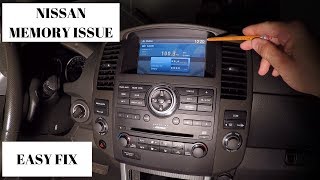
Pro Tip: Before replacing the head unit, check the fuses labeled "AUDIO" and "ELEC PARTS" in the fuse panels. Some Nissan vehicles also have an "extended storage switch" in the fuse panel that can cause memory loss and power issues if its connection is corroded.
🎬 Watch this quick video on fixing common Nissan radio power issues.Programming and Anti-Theft System
The 2006 Nissan Armada audio control panel is largely a plug-and-play unit and does not require reprogramming or flashing by a dealer to function in a new vehicle. However, it is equipped with a simple anti-theft system that requires a 4-digit code.
- Anti-Theft Code: If power to the unit is disconnected (for example, during a battery replacement or when swapping the unit), it will lock itself upon reconnection and display "CODE" or "Enter PIN". You must enter the correct 4-digit PIN to unlock it.
- Finding the Code: The code is typically found on a small white card in the owner's manual portfolio. If this card is lost, you may need to contact a Nissan dealer with the vehicle's VIN and the radio's serial number to retrieve the code. Some online services also offer code retrieval for a fee.
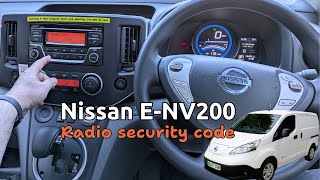
- Retrieving the Serial Number: If you don't have the code, you can sometimes retrieve the radio's serial number by entering an incorrect code three times. The screen will then display the unit's serial number, part number, and manufacturing date, which are needed to look up the PIN. 🎬 See how to retrieve and enter your Nissan security code.
Buying a Used 2006 Armada Audio Control Panel
Purchasing a used OEM audio control panel is often the most cost-effective way to restore your Armada's sound system. Here’s what to look for:
- Verify Bose Compatibility: This is the most critical step. Ensure the donor vehicle was a 2006 Armada with the Bose sound system. The part numbers 28098-ZC42B and 28098ZC41B are known to be for the Bose system. A unit from a non-Bose vehicle will not work.
- Inspect the Bezel: Carefully check all photos for cracks in the plastic bezel. Ask the seller for close-up pictures of the corners and edges, as this is a common failure point.
- Check the Buttons and Screen: Look for excessive wear on the button labels. Ensure the screen is free from deep scratches or signs of delamination.
- Ask for the Anti-Theft Code: Whenever possible, ask the seller to include the 4-digit anti-theft code. While you can retrieve it later, having the code from the start will save you time and potential expense.
- Confirm Functionality: Reputable sellers will test the unit before listing it. Ask if the radio, CD player, and display were all confirmed to be in working order.
Cost Comparison
Replacing the audio control panel involves both the part cost and labor. Here is an estimated breakdown:
| Item | Estimated Cost |
|---|---|
| New OEM | $600 - $900+ (Often discontinued and hard to find) |
| New Aftermarket | $150 - $400+ (Requires dash kit, wiring harness, and steering wheel control adapter; may lose some factory integration) |
| Used OEM | $80 - $200 |
| Shop Labor | $100 - $200 |
Frequently Asked Questions (FAQ)
Do I need to program a replacement audio control panel?
No, the unit does not need to be programmed to the vehicle's VIN. It is a plug-and-play installation, but you will likely need the 4-digit anti-theft code to unlock it after installation.
What happens if I install a radio without the anti-theft code?
The radio will not function and will prompt you to enter a PIN. You will need to obtain the code from a dealer or an online service using the radio's serial number.
Will a radio from a Nissan Titan or Infiniti QX56 work?
While some parts are shared between the Armada, Titan, and QX56 of this era, compatibility is not guaranteed. The internal electronics and software can differ based on trim levels (e.g., Rockford Fosgate vs. Bose). It is safest to use a unit with a part number specifically listed for the 2006 Armada with the Bose system.
Can I install an aftermarket radio instead?
Yes, you can install an aftermarket radio, but it requires additional parts. You will need a dash installation kit, a wiring harness adapter specifically for the Bose system, and a steering wheel control interface to retain the use of the buttons on your steering wheel.
🎬 Watch how to install a steering wheel control interface.Helpful Videos
Technical Specifications
OEM Part Numbers: 28098-ZC42B 28098ZC41B 28098ZC42B
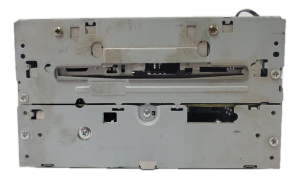
Designed for the Bose premium audio system. Features an integrated multi-disc CD changer and AM/FM tuner.
We Have This Part in Stock



The information in this article is provided for general reference and educational purposes only. Vehicle specifications, procedures, and part compatibility can vary by production date, trim level, and region. Always consult your vehicle's factory service manual and verify part numbers before purchasing or performing repairs. Safety-critical components such as airbags, seat belts, and braking systems should be installed by a qualified professional.
- Nissan Armada:
- 🎬 Helpful Videos
- 🛍️ Shop This Part
- Symptoms of a Failing Audio Control Panel
- Known Issues, TSBs, and Recalls
- Compatibility with Bose Premium Audio
- Cracked Plastic Bezel
- Recalls and Technical Service Bulletins (TSBs)
- Programming and Anti-Theft System
- Buying a Used 2006 Armada Audio Control Panel
- Cost Comparison
- Frequently Asked Questions (FAQ)
- 🎟️ Get 5% Off