

2018-2021 Mazda 6 Audio Control Panel: Sticky Buttons, Ghost Inputs, and Replacement
Diagnose and replace the faulty console-mounted commander switch in your Mazda 6, often without needing a trip to the dealer.
- Failure is almost always caused by liquid spills into the unit due to its location near the cup holders.
- Replacement is plug-and-play; no dealer programming or special tools are required.
- This is an easy DIY repair that can be done in under 30 minutes with a simple trim removal tool.
- Buying a used OEM unit is the most cost-effective solution, as no quality aftermarket options exist.
Known Issues and Failure Symptoms
The audio control panel in the 2018-2021 Mazda 6 is a common point of failure, but the cause is almost always external. Its location on the center console makes it highly susceptible to liquid spills from the nearby cup holders. Even a small amount of a sugary drink like coffee or soda can get into the switch assembly, causing a variety of problems as it dries.
- Sticky or Unresponsive Buttons: This is the most common symptom. Spilled liquid dries and leaves a sticky residue on the internal switch contacts, making buttons hard to press or preventing them from returning to their normal position.
- Phantom or "Ghost" Inputs: The control unit may seem to have a mind of its own, with the on-screen cursor moving, making selections, or changing settings without being touched. This can be caused by liquid creating a short circuit between contacts or by a failing touchscreen, although issues with the commander switch are a frequent cause.
- Rotary Knob Malfunction: The main knob may stop responding to turns or clicks, or it may register inputs incorrectly (e.g., skipping over menu items).
- Complete Failure: In some cases, the entire control panel may become unresponsive.
It is important to note that these failures typically do not generate any specific OBD-II trouble codes or check engine lights. The symptoms are confined to the operation of the infotainment system.
Pro Tip: Before assuming the commander switch is faulty, try a hard reset of the infotainment system. With the vehicle running, press and hold the Mute + Nav + Back buttons simultaneously for about 10 seconds until the system reboots. This can sometimes clear up software glitches that mimic a hardware failure.
Is Programming Required After Installation?
No, the audio control panel for the 2018-2021 Mazda 6 is a plug-and-play component. It does not need to be programmed, flashed, or coded to the vehicle after installation. It is a simple input device that sends signals to the main infotainment unit, and it is not tied to the vehicle's VIN or anti-theft system. This makes replacement with a used OEM unit a straightforward and cost-effective repair that does not require a visit to a dealership.
Buying a Used Audio Control Panel for Your Mazda 6
Purchasing a used OEM audio control panel is an excellent way to restore functionality without paying high dealer prices. Since there are no quality aftermarket alternatives, a reliable used part is the best option for most owners.
Key Considerations:
- Verify Part Numbers: The most common part number for this generation is GSL3-66-CM0B. This part number replaces earlier versions like GSL3-66-CM0 and GSL3-66-CM0A. While earlier versions may work, it is always best to purchase the latest revision (ending in 'B') as it may contain internal improvements.
- Physical Inspection: When buying a used unit, check for any signs of liquid damage. Look for sticky residue around the buttons and seams. Press every button and rotate the knob; they should all move freely and provide a crisp, tactile click. Avoid any units that feel gummy or have buttons that are slow to return.
- Source Matters: Purchase from a reputable seller of recycled auto parts that offers a warranty and a return policy. This protects you in case you receive a part that was also damaged by a liquid spill.
- Compatibility: This part is specific to the 2018-2021 Mazda 6. The initial data mentions it fits models built after June 2018, which likely corresponds to a mid-year production change. Always confirm fitment for your specific vehicle, but the GSL3-66-CM0B part number should cover the specified model years.
Cost Comparison
The cost savings of buying a used OEM part are significant for this component.
| Part Type | Estimated Cost |
|---|---|
| New OEM | $235 - $280 |
| Used OEM | $75 - $150 |
| New Aftermarket | Not Available |
| Shop Labor | $50 - $100 |
Step-by-Step Replacement Overview
Replacing the commander switch is a relatively simple DIY job that can be completed in under an hour with basic tools. The primary tool needed is a plastic trim removal tool to avoid scratching the console panels.
- Turn the vehicle off.
- Using a plastic pry tool, carefully lift the main center console trim piece that surrounds the shifter and commander switch. It is held in by clips.
- Once the trim panel is loose, you will see the commander switch is attached to it from underneath by several screws.
- Disconnect the single electrical connector going to the switch.
- Unscrew the old switch assembly from the trim panel.
- Screw the new switch assembly into place.
- Reconnect the electrical connector.
- Carefully snap the center console trim piece back into place, ensuring all clips are aligned.
- Turn the vehicle on and test all functions of the new control panel.
Warning: Be gentle when prying up the console trim. The plastic clips can be broken if excessive force is used. Work your way around the panel slowly.
Related TSBs and Recalls
There are no specific recalls for the audio control panel on the 2018-2021 Mazda 6. However, there are some related Technical Service Bulletins (TSBs) for the infotainment system that may present similar symptoms:
- TSB 09-037/21: Addresses issues like "ghost touch" (the screen operates by itself), surface peeling, or spider cracks on the center display screen itself for certain 2016-2017 Mazda 6 models, but the ghost touch issue is a known problem across the Mazda lineup. While this TSB doesn't cover the 2018+ models directly for this part, it highlights that the screen can also be a source of phantom inputs.
- TSB 09-021-21-3818: Pertains to general audio, navigation, and phone concerns with the Mazda Connect system and calls for a software update. If you experience system-wide glitches, a software update at the dealer may be necessary.
Frequently Asked Questions
Can I just clean my original audio control panel instead of replacing it?
It is sometimes possible, but often difficult. If a spill just happened, you might be able to disassemble the unit and clean the circuit board and button contacts with isopropyl alcohol. However, sugary liquids can cause permanent damage to the electronics or may be impossible to clean completely, leading to the problem returning. Given the low cost of a used replacement, swapping the part is often a more reliable and permanent solution.
Will a replacement fix my infotainment screen from randomly rebooting?
Probably not. A faulty commander switch typically causes input issues (sticky buttons, ghost inputs), not system-wide crashes or reboots. System reboots, freezing, or a black screen are more often related to a software glitch, a problem with the main infotainment unit (CMU), or a faulty navigation SD card.
Is the audio control panel the same as the radio?
No. The audio control panel is an input device, like a mouse for your computer. The "radio," or more accurately the Connectivity Master Unit (CMU), is the computer itself, located behind the dashboard display. The control panel sends commands to the CMU.
Do I need to disconnect the battery to replace this part?
While it is always the safest practice to disconnect the battery before performing any electrical work, for a simple component swap like this with a single, low-voltage connector, it is generally not considered necessary. Simply ensure the vehicle is turned off before starting the replacement.
Technical Specifications
OEM Part Numbers: GSL3-66-CM0 GSL3-66-CM0A GSL3-66-CM0B GSL366CM0 GSL366CM0A GSL366CM0B
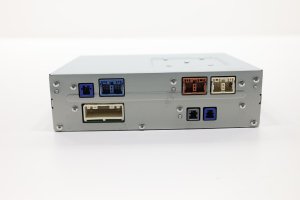
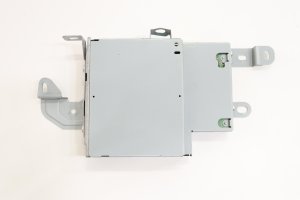
Console-mounted multi-function switch with rotary dial and push-buttons for Mazda Connect system.
We Have This Part in Stock




The information in this article is provided for general reference and educational purposes only. Vehicle specifications, procedures, and part compatibility can vary by production date, trim level, and region. Always consult your vehicle's factory service manual and verify part numbers before purchasing or performing repairs. Safety-critical components such as airbags, seat belts, and braking systems should be installed by a qualified professional.
- Mazda 6: