

2010 Lincoln MKZ Audio Control Panel: A No-Programming Replacement Guide
This guide covers the common failures, critical compatibility warnings, and plug-and-play replacement for the 2010 Lincoln MKZ's navigation-equipped audio control unit.
- This unit is plug-and-play; no dealer programming is required after installation.
- Compatibility is critical: This part ONLY fits 2010 MKZ models with factory navigation and WITHOUT wood grain trim.
- Common failures include no sound, loud popping noises, and a completely dead unit.
- Before replacement, always try a soft reset by holding the power and seek-right buttons for 10 seconds.
Key Function and Features
The 2010 Lincoln MKZ's Audio Control Panel serves as the primary interface for the vehicle's infotainment system. This specific unit is designed for models equipped with the factory 8-inch navigation screen. It integrates controls for the AM/FM radio, CD/DVD player, SIRIUS Satellite Radio, and the SYNC system for Bluetooth and USB connectivity. It also houses the physical buttons for the dual-zone climate control. In vehicles with the premium THX II audio package, this panel controls a 14-speaker, 600-watt surround sound system. Essentially, if this panel fails, you lose direct control over most of the car's comfort and convenience features.
Common Symptoms of a Failing Audio Control Panel
Failure of the audio control panel can manifest in several ways. Before suspecting the unit itself, it's wise to first check the related fuses in the interior fuse panel. If the fuses are intact, you may be dealing with a faulty control panel if you experience the following:
- No Sound: The display may be on and appear to function, but there is no audio output from any source.
- Loud Popping Noises: A sudden, loud pop from the speakers, even when the system is off, can indicate an internal failure in the Audio Control Module (ACM).
- Unit Will Not Power On: The screen is black and none of the buttons respond. The clock may also flash intermittently.
- Unresponsive Buttons: The physical buttons on the panel (for volume, tuning, or climate control) stop working, but the touchscreen controls may still function.
- Frozen or Blank Screen: While sometimes a software glitch that can be fixed with a reset, a persistent blank or frozen screen can point to a hardware failure within the control unit or its connection to the display.
Pro Tip: Before replacing the unit, try a system soft reset. With the vehicle running, press and hold the Power button (center of the volume knob) and the Seek Right button simultaneously for about 10 seconds until the screen goes black and the Lincoln logo reappears. This can often resolve temporary software glitches without needing any tools.
Known Issues, TSBs, and Recalls
As of mid-2024, there are no specific recalls or Technical Service Bulletins (TSBs) from Lincoln or the NHTSA that directly address a widespread failure of the audio control panel for the 2010 MKZ. The existing recalls for this model year primarily concern Takata airbag inflators and are unrelated to the vehicle's electronics.
Buying a Used Audio Control Panel: What to Look For
Since new OEM units are effectively unavailable, a quality used part is the most common and cost-effective solution. Careful selection is crucial to ensure you get a working, compatible part.
Warning: Compatibility is the single most important factor. This control panel ONLY fits 2010 Lincoln MKZ models that have BOTH the factory navigation system and the standard interior trim (WITHOUT wood grain). Models with the genuine wood grain dash use a physically different control panel bezel to match the surrounding trim. Do not attempt to install a non-wood grain unit in a wood grain vehicle, or vice-versa.
How to Verify Compatibility:
- Confirm Your Options: Look at your dash. Do you have the 8-inch navigation screen? Is the trim around the screen and vents a silver/aluminum finish, or is it wood? This part is for the navigation-equipped, non-wood models.
- Match the Part Number: The best way to guarantee a match is to remove your original unit and compare its part number to the replacement. Known OEM part numbers for this specific unit include 9H6T-18A802-FB, 9H6T18A802EA, 9H6T18A802FA, and the service part number 9H6Z18842EA.
- Physical Inspection: When inspecting a used unit, check for peeling chrome on the buttons, deep scratches on the display lens, and any damage to the rear connectors. Ensure all mounting tabs are intact.
Programming and Installation
Does this module need to be programmed?
No. The 2010 Lincoln MKZ Audio Control Panel is a plug-and-play component. It does not need to be programmed, flashed, or coded to your vehicle's VIN. There is no anti-theft link that requires a dealer visit. You can swap a compatible used unit yourself, and it will function immediately.
DIY Replacement Walkthrough
Replacing the panel is a beginner-friendly job that takes about an hour.
- Disconnect the negative battery terminal.
- Using plastic trim removal tools, carefully pry away the thin trim pieces on either side of the control panel.
- This will expose the screws (typically 7mm) holding the main control panel and vent assembly in place. Remove them.
- Gently pull the entire assembly forward. Be careful not to strain the wires.
- Press the release tabs on the electrical connectors at the back of the unit and unplug them.
- Swap the new unit in, reconnect the electrical plugs, and reinstall the screws and trim pieces.
- Reconnect the battery and test all functions.
Cost of Replacement
The cost can vary significantly depending on the source of the part and who performs the labor.
| Part Source / Service | Estimated Cost |
|---|---|
| New OEM | $800+ (Largely discontinued) |
| New Aftermarket | Not Available |
| Remanufactured | $250 - $450 |
| Used OEM | $100 - $250 |
| Shop Labor | $100 - $200 |
Frequently Asked Questions (FAQ)
Will I need to get this audio panel programmed by a dealer?
No. For the 2010 Lincoln MKZ, the audio control panel is a plug-and-play component. It does not need to be programmed or flashed to your vehicle's VIN.
My MKZ has the wood grain trim. Will this part fit?
No. This specific part is for models WITHOUT the wood grain interior. The wood grain models use a different control panel with a different shape and mounting points to integrate with the dash trim. You must buy a unit that matches your car's original trim package.
Can I upgrade my non-navigation MKZ to this navigation unit?
This is not a simple plug-in upgrade. A conversion would require additional wiring harnesses, a GPS antenna, different modules, and potentially programming of other vehicle systems. It is a complex and expensive project.
Are there any OBD-II codes for a bad audio control panel?
Generally, no. A failing audio control panel typically does not trigger standard trouble codes (like P-codes) that a basic OBD-II scanner can read. Diagnosis is almost always based on functional symptoms like a blank screen, no sound, or unresponsive buttons.
Technical Specifications
OEM Part Numbers: 9H6T-18A802-FB 9H6T18A802EA 9H6T18A802FA 9H6Z18842EA
Controls audio, navigation, and climate systems. Designed for vehicles with 8-inch navigation screen and without wood grain trim.
We Have This Part in Stock


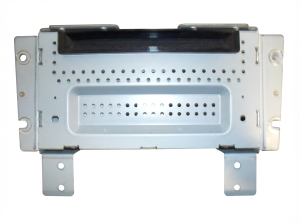

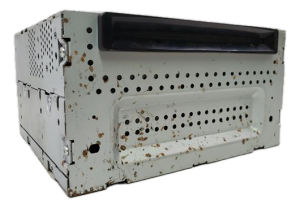

The information in this article is provided for general reference and educational purposes only. Vehicle specifications, procedures, and part compatibility can vary by production date, trim level, and region. Always consult your vehicle's factory service manual and verify part numbers before purchasing or performing repairs. Safety-critical components such as airbags, seat belts, and braking systems should be installed by a qualified professional.
- Lincoln MKZ:
- 🛍️ Shop This Part
- Key Function and Features
- Common Symptoms of a Failing Audio Control Panel
- Known Issues, TSBs, and Recalls
- Buying a Used Audio Control Panel: What to Look For
- How to Verify Compatibility:
- Programming and Installation
- Does this module need to be programmed?
- DIY Replacement Walkthrough
- Cost of Replacement
- Frequently Asked Questions (FAQ)
- 🎟️ Get 5% Off