

2015-2019 Discovery Sport Infotainment Problems: Fixing a Blank Screen or Unresponsive Audio Panel
This guide explains the common causes of audio control panel and infotainment system failures in the 2015-2019 Land Rover Discovery Sport, with a focus on the critical programming required after replacement.
- A replacement Audio Control Panel MUST be programmed to the vehicle by a dealer or specialist with JLR software.
- Many symptoms like a blank screen or no audio are caused by software glitches or low battery voltage, not a failed control panel.
- When buying a used panel, you must match the part number exactly to your vehicle's features (e.g., with navigation).
- A simple system reboot (holding the power knob for 60 seconds) can fix many temporary software-related issues.
Known Issues and Symptoms of Failure
Problems with the audio and infotainment system in the 2015-2019 Land Rover Discovery Sport are common, but they don't always point to a bad audio control panel. Many issues are caused by software glitches, low battery voltage, or failures in other related modules. Understanding the specific symptom is key to a correct diagnosis.
1. Blank or Black Infotainment Screen
One of the most frequent complaints is the central screen going completely black, either intermittently or permanently on startup. When this happens, you lose access to the backup camera, navigation, and all other visual functions. Often, the control panel buttons may still be backlit, but the screen remains dark. This is typically a software issue within the infotainment system or a problem with the screen itself, not the button panel. Land Rover has issued technical service bulletins (TSBs) and software updates to address this. In some cases, a simple system reboot or a battery reset can temporarily restore function.
🎬 Watch this step-by-step guide on how to easily reset your Land Rover2. No Sound and Unresponsive Volume Control
Another common issue is a total loss of audio from all sources (radio, Bluetooth, navigation), where the volume level appears frozen on the screen and cannot be changed with the knob or steering wheel controls. This is often related to a software glitch in the audio control module or amplifier, especially on vehicles with the Meridian Surround Sound System. A low battery can also cause these exact electrical gremlins. One owner reported that a module failed to power down correctly, leading to a dead battery and audio problems.
3. Unresponsive or Incorrectly Functioning Buttons
If specific buttons on the panel stop working (e.g., the 'Home' or 'Media' button) while others work fine, it could indicate a failure of the control panel itself. This is less common than the software issues described above. In some Land Rover models, intermittent switch operation has been traced to poor electrical connections in the wiring harnesses, which can sometimes be resolved by simply disconnecting and reconnecting them. In other cases, a blown fuse shared by multiple components can cause the panel and other unrelated items, like window switches, to stop working.
4. "Ghost Touch" and Erratic Behavior
If the system is acting on its own—changing settings, making calls, or jumping between menus without any input—this is known as "ghost touch." This is almost always a hardware failure of the touchscreen's digitizer (the layer that senses touch), not the audio control button panel. The digitizer can fail due to heat, humidity, or delamination of the screen layers over time.
Pro Tip: Before assuming a major hardware failure, always try a soft reset of the infotainment system. Press and hold the power/volume knob for 30-60 seconds until the screen goes blank and the Land Rover logo reappears. This reboots the system and can clear many temporary software glitches.
🎬 See how to perform a hard reset if your screen is frozenTechnical Service Bulletins (TSBs) and Recalls

Land Rover has released several service documents related to these infotainment issues:
- SSM73768: For 2018 and newer Discovery Sport models with the Meridian Surround Sound System, this bulletin addresses a "No Audio" symptom where the volume is stuck. It directs technicians to use the Pathfinder diagnostic software to identify the cause, which could be software or hardware related.
- SSM72838: This addresses InControl Touch Pro screens that are stuck on the Land Rover logo or are completely black after a software update. The cause is an incomplete "Variant Configuration" learn procedure, which requires a dealer technician with the proper diagnostic tools to resolve.
- Recall (Newer Models): While not for the 2015-2019 range, a safety recall was issued for 2023 models for a blank touchscreen on startup caused by a software timing mismatch. This highlights the ongoing software-centric nature of these problems.
CRITICAL: Programming and Installation Requirements

Replacing the audio control panel is not a plug-and-play job. The initial data is correct: this module must be programmed to the vehicle.
Warning: A replacement Audio Control Panel must be configured to your vehicle’s specific features using Land Rover's diagnostic software (like SDD or Pathfinder). This process is often called "variant configuration." The module needs to know if your vehicle is equipped with navigation, automatic park assist, a specific sound system, etc. Without this step, the new panel will not function correctly.
This programming can only be performed by a Land Rover dealership or an independent repair shop that has invested in the official JLR diagnostic equipment and subscription. Most DIY mechanics and general repair shops will not have this capability. There is no known link to the immobilizer system, but the requirement for dealer-level software means a professional visit is necessary.
Buying a Used Audio Control Panel
Given the high cost of a new unit, a used OEM panel is a smart choice, but only if you follow these steps carefully.
- Match Part Numbers Exactly: The most critical step is to match the OEM part number from your original unit to the replacement. The numbers FK7219F211MC and LR060869 are common, but variations exist based on features. A panel for a vehicle without navigation will not work correctly in a vehicle with navigation. Check the ID on the back of your original part before ordering.
- Physical Inspection: When you receive the used part, inspect it for cosmetic damage, deep scratches on the buttons, and any signs of liquid spills. Check that all connector pins in the back are straight and free of corrosion.
- Budget for Programming: Remember that the part cost is not your final cost. You MUST factor in the price of having the unit professionally programmed and configured to your vehicle's VIN. Call a local Land Rover specialist or dealer beforehand to get a quote for this service.
- Why Used OEM is a Good Choice: For a complex electronic module like this, a used OEM part is almost always superior to a new aftermarket one (if you could even find one). The OEM part is designed to integrate perfectly with the vehicle's software and wiring, which is essential for a successful repair once programmed.
Cost Comparison
Prices can vary significantly based on your location and the supplier. The main cost variable is whether you buy new or used.
| Part Source | Estimated Cost |
|---|---|
| New OEM | $800 - $1,400+ (estimate based on related components) |
| New Aftermarket | Not Available |
| Used OEM | $50 - $150 |
| Shop Labor (Installation & Programming) | $200 - $400 |
Frequently Asked Questions (FAQ)

Does a replacement audio control panel have to be programmed?
Yes, absolutely. A replacement panel must be electronically configured to your vehicle's specific options (like navigation and sound system type) using Land Rover's proprietary diagnostic software. It will not work correctly without this step.
Can I install this part myself to save money?
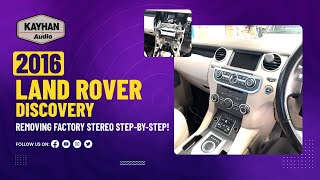
You can perform the physical installation yourself, which involves removing dashboard trim and swapping the unit. 🎬 Watch this step-by-step video on removing the factory stereo However, the vehicle will still need to be taken to a dealer or specialist for the mandatory software configuration. A DIY installation of the hardware can save on labor, but the programming cost is unavoidable.
My screen is blank but the buttons light up. Is the control panel bad?
This is unlikely to be a problem with the button panel. A blank screen is most often a software glitch or a failure of the main display screen or infotainment computer. Try a system reboot first by holding the volume knob down for up to 60 seconds. If the problem persists, the issue lies deeper in the infotainment system.
Will a control panel from a different year Discovery Sport work in my car?
It might, but only if the part number is an exact match or a listed supersession, and it is for the same feature set (e.g., with navigation). Even with a matching part, it will still require programming to your vehicle's VIN to function correctly.
Helpful Videos

Technical Specifications
OEM Part Numbers: FK7219F211 FK7219F211MC LR060869
Designed for Land Rover InControl Touch systems. Variants exist for vehicles with and without navigation and automatic park assist.
We Have This Part in Stock




The information in this article is provided for general reference and educational purposes only. Vehicle specifications, procedures, and part compatibility can vary by production date, trim level, and region. Always consult your vehicle's factory service manual and verify part numbers before purchasing or performing repairs. Safety-critical components such as airbags, seat belts, and braking systems should be installed by a qualified professional.
- Land Rover Discovery Sport:
- 🎬 Helpful Videos
- 🛍️ Shop This Part
- Known Issues and Symptoms of Failure
- 1. Blank or Black Infotainment Screen
- 2. No Sound and Unresponsive Volume Control
- 3. Unresponsive or Incorrectly Functioning Buttons
- 4. "Ghost Touch" and Erratic Behavior
- Technical Service Bulletins (TSBs) and Recalls
- CRITICAL: Programming and Installation Requirements
- Buying a Used Audio Control Panel
- Cost Comparison
- Frequently Asked Questions (FAQ)
- 🎟️ Get 5% Off