

2014-2017 Honda Odyssey Audio Control Panel: Fixing No Sound and Avoiding Compatibility Traps
Diagnose and replace the faulty audio control unit in your Odyssey, and learn the critical compatibility details to avoid buying the wrong part.
- The most critical factor when buying a used panel is compatibility: Part No. 39050-TK8-A31 is ONLY for EX, EX-L, or SE trims WITHOUT navigation or Touring package.
- A replacement unit does NOT require dealer programming; the anti-theft code can be bypassed by holding the power button or retrieved online for free.
- If your radio has power but no sound, check the 20-amp amplifier fuse under the hood before replacing any parts.
- Used OEM panels are significantly cheaper than new ones and are the recommended replacement option for maintaining factory functionality.
Symptoms of a Failing Audio Control Panel

When the audio control panel in a 2014-2017 Honda Odyssey begins to fail, it can manifest in several ways. Diagnosing the issue correctly can save you from replacing the wrong part.
1. No Sound From Speakers
This is one of the most common complaints. The radio display may turn on and appear to function normally, but no sound comes from any of the speakers. Before blaming the control panel or the amplifier, the first step is always to check the fuses. Specifically, a 20-amp fuse located in the under-hood fuse box is responsible for the audio amplifier. If this fuse is blown, replacing it will often restore sound immediately.
2. Unresponsive or Intermittent Buttons
Physical wear and tear can cause the buttons or the main control knob to stop working or only work intermittently. You might find that the volume knob doesn't register turns, or that pressing a button for a radio preset does nothing. This is a direct sign of failure within the control panel itself.
3. Blank Display Screen or System Reboots
While less common, a fault within the audio control panel's electronics could potentially contribute to wider system issues, like a blank display screen or the entire audio system randomly rebooting. However, these symptoms can also be caused by software glitches or issues with the main audio/navigation unit. A Technical Service Bulletin (TSB) for similar Honda systems points to software updates being a fix for such problems.
Pro Tip: If your radio turns on but there's no sound, always check the 20-amp 'Sound System' fuse in the fuse box under the hood before buying any parts.
Known Issues, Recalls, and Technical Service Bulletins (TSBs)
As of mid-2026, there are no specific recalls from the National Highway Traffic Safety Administration (NHTSA) for the audio control panel on the 2014-2017 Honda Odyssey. Recalls for this vehicle generation typically involve issues with airbags, second-row seats, or fuel pumps.
However, TSBs for other Honda models with similar systems offer clues to potential problems. A common issue across some Honda vehicles is a poor connection in the MOST (Media Oriented Systems Transport) bus network, which can cause popping, crackling, or a total loss of audio. While a TSB specifically for the 2014-2017 Odyssey on this topic is not prominent, it points to connection integrity being a key diagnostic area.
Buying a Used Audio Control Panel: The Definitive Guide

Purchasing a used OEM audio control panel is a cost-effective way to restore function to your Odyssey's stereo. However, careful verification is essential to ensure you get the right part.
Compatibility is Critical: Match the Part Number and Trim
The most important step is to verify compatibility. The primary part number for the non-navigation unit is 39050-TK8-A31.
Warning: This part, 39050-TK8-A31, is ONLY for 2014-2017 Honda Odyssey models in EX, EX-L, and SE trims that do NOT have the factory navigation system and are NOT the Touring trim level. Units from vehicles with navigation or the Rear Seat Entertainment (RES) system have different part numbers (e.g., 39540-TK8-A310-M1 or 39540-TK8-A61) and will not work correctly, even if they look physically similar.
What to Inspect on a Used Unit
- Check the Part Number: The sticker on the unit must match 39050-TK8-A31.
- Inspect the Buttons and Knob: Ensure they are not excessively worn and have a solid, tactile click. A mushy or stuck button is a sign of a worn-out unit.
- Examine the Faceplate: Look for deep scratches or damage to the finish that would be cosmetically unappealing in your dashboard.
- Verify the Connectors: Check the back of the unit to ensure none of the plastic connector ports are cracked or damaged.
Choosing a used OEM panel over a new aftermarket part ensures perfect fitment and maintains the factory look and feel. Aftermarket solutions often have issues with button quality, backlighting color, and overall integration.
Programming and Anti-Theft Information

A common concern when replacing electronic modules is the need for expensive dealer programming. Fortunately, this is not the case for this audio control panel.
No Dealer Programming Required: A replacement audio unit for a 2014-2017 Odyssey does not need to be flashed or programmed by a dealer to function. It is a plug-and-play installation, provided you have the correct part number.
Handling the Anti-Theft Code: After installing the replacement unit or reconnecting the battery, the audio system will likely display a message asking for an anti-theft code. You have two simple options:
- Automatic Reset: For most 2013 and newer Hondas, simply press and hold the audio system's power button for about 3-5 seconds. The system will beep and unlock itself without needing you to enter a code.
- Manual Code Retrieval: If the automatic reset doesn't work, you can retrieve your vehicle's specific 5-digit code. You will need your VIN and the radio's serial number.
- To find the serial number, turn the ignition to 'ON', make sure the radio is off, then press and hold radio preset buttons 1 and 6. While holding them, turn the radio on. The serial number will appear on the display.
- Visit Honda's official Radio/Navigation Code website (radio-navicode.honda.com) and enter the VIN, device serial number, and your contact information to get the code instantly.
- Some vehicles have a sticker with the code inside the glove box.
Cost Comparison for a Replacement Audio Control Panel
| Part Type | Estimated Cost | Notes |
|---|---|---|
| New OEM | $330 - $505 | Guaranteed to work, but the most expensive option. |
| Used OEM | $70 - $110 | The most cost-effective choice. Ensure compatibility before buying. |
| New Aftermarket | $150 - $400+ | Refers to complete aftermarket head units, not a direct control panel replacement. Requires additional kits and may lose some factory functions. |
| Shop Labor for Replacement | $100 - $150 | Typically 1-1.5 hours of labor. The job involves removing several dash trim pieces. |
Frequently Asked Questions (FAQ)
Do I need to take my van to the dealer to program a used audio control panel?
No. For the 2014-2017 Odyssey, a replacement audio control panel does not require dealer programming or flashing. You will, however, need to address the anti-theft code, which can usually be done by holding the power button for a few seconds.
How do I find my Honda Odyssey's radio anti-theft code?
First, try simply holding the radio power button for a few seconds to see if it resets automatically. If not, you can get the code from Honda's official website (radio-navicode.honda.com) using your VIN and the radio's serial number. You can display the serial number by holding presets 1 and 6 while turning the radio on. You might also find a sticker with the code in your glove box.
My radio turns on but I have no sound. Is the control panel bad?
Not necessarily. The most common cause for this specific symptom is a blown 20-amp fuse for the sound amplifier, located in the fuse box under the hood. Check and replace this fuse before assuming the control panel or amplifier has failed.
Why won't a radio from a Touring or Navigation model work in my EX-L?
The audio systems in Navigation, Rear Seat Entertainment (RES), and Touring models are different. They use different wiring, may have an external amplifier, and communicate differently with the vehicle's other systems. The part numbers are different, and they are not interchangeable. You must use a panel from a vehicle with the same type of audio system as yours.
Technical Specifications
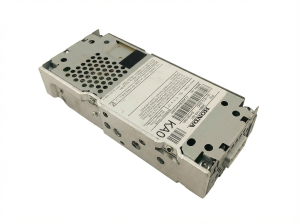
OEM Part Numbers: 39050-TK8-A31 39050TK8A31
Fits 2014-2017 Honda Odyssey EX, EX-L, SE without factory navigation.
We Have This Part in Stock



The information in this article is provided for general reference and educational purposes only. Vehicle specifications, procedures, and part compatibility can vary by production date, trim level, and region. Always consult your vehicle's factory service manual and verify part numbers before purchasing or performing repairs. Safety-critical components such as airbags, seat belts, and braking systems should be installed by a qualified professional.
- Honda Odyssey:
- 🛍️ Shop This Part
- Symptoms of a Failing Audio Control Panel
- 1. No Sound From Speakers
- 2. Unresponsive or Intermittent Buttons
- 3. Blank Display Screen or System Reboots
- Known Issues, Recalls, and Technical Service Bulletins (TSBs)
- Buying a Used Audio Control Panel: The Definitive Guide
- Compatibility is Critical: Match the Part Number and Trim
- What to Inspect on a Used Unit
- Programming and Anti-Theft Information
- Cost Comparison for a Replacement Audio Control Panel
- Frequently Asked Questions (FAQ)
- 🎟️ Get 5% Off