

2012-2017 Buick Verano Audio Control Panel: Fixing Blank Screens & Unresponsive Buttons
Your guide to diagnosing, replacing, and understanding the common issues with the Verano's standard audio control panel, including the critical anti-theft programming requirement.
- A replacement Audio Control Panel (used or new) WILL require VIN programming by a dealer or equipped shop to unlock it.
- This panel is only for Verano models with the standard, non-navigation radio (RPO code UFU).
- Common failure symptoms include a blank screen with audio still working, unresponsive buttons, and system freezing.
- Before replacing the panel, check the radio fuses (#4 and #5 in the interior fuse panel) and try a battery disconnect reset.
- The control panel is the faceplate; the actual radio 'brain' is a separate module located behind it.
Symptoms of a Failing Audio Control Panel
When the audio control panel in a Buick Verano begins to fail, it can cause a range of frustrating issues. Because this panel also integrates with other vehicle systems, symptoms may not be limited to just the radio.
- Blank or Black Screen: The most common symptom is the display screen going completely black, even though you can still hear audio. In other cases, the entire system may be dead with no power. This can be caused by a software glitch, loose internal wiring, or a failure of the screen's electronics.
- Unresponsive Buttons or Knobs: Buttons for volume, tuning, or climate control may stop working intermittently or altogether. You might press a button and get no response, or the response might be delayed.
- Flickering Display or Backlights: The backlighting for the buttons or the main display may flicker, dim, or go out completely, making it difficult to see the controls at night.
- System Freezing or Locking Up: The entire infotainment system may freeze, becoming unresponsive to any input. Sometimes this is accompanied by a "LOCKED" message on the screen, which is related to the anti-theft system.
- Phantom Button Presses: The system may act as if buttons are being pressed on their own, such as changing radio stations, adjusting volume, or switching sources without any user input.
Pro Tip: Before assuming the panel is bad, try a simple reset. Turn the vehicle off, wait 15-20 minutes to let all the electronic modules fully power down, and then restart the car. You can also check the radio-related fuses, often located in the instrument panel fuse block. For the Verano, these are typically fuses #4 and #5.
🎬 Watch: How to troubleshoot a GM radio that won't turn onKnown Issues, Recalls, and Technical Service Bulletins (TSBs)
While there are no direct recalls for the audio control panel itself on the 2012-2017 Verano, several related issues and service bulletins exist.
- NHTSA PI1356: This Preliminary Information bulletin addresses a software issue on some 2015 models where the radio screen can go blank, freeze, or lock up, sometimes leading to a battery drain. The bulletin advises against replacing parts and notes the issue was under investigation for a software fix.
- NHTSA PI0663B: For 2012 models, this bulletin addresses a variety of software-related concerns, including the radio display not matching the audio source, XM volume issues, and loss of GPS signal. The fix involved a software update disc obtained from GM.
- General Infotainment Glitches: Owners have reported various electronic issues, including the radio losing presets, the touchscreen becoming unresponsive, and the screen going black. Sometimes these issues are temporary and can be resolved with a software update or a system reset.
No recalls listed by the NHTSA for the 2012-2017 Buick Verano directly pertain to the failure of the audio control panel. Most recalls focus on airbag and seatbelt safety.
🎬 See this video on common Buick Verano problems and defectsWarning: This control panel is ONLY for Verano models with the standard audio system (RPO code UFU). It is NOT compatible with vehicles that came from the factory with a navigation system (RPO codes UYE or UEW). The button layout and internal electronics are different.
The #1 Question: Is Programming Required?
Yes, absolutely. This is the most critical piece of information for anyone replacing this part. Like most GM vehicles from this era, the radio components are part of an anti-theft system that links them to the vehicle's specific Vehicle Identification Number (VIN).
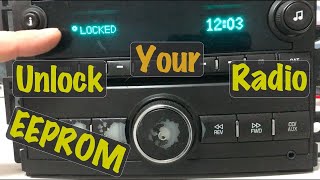
When you install a used (or even new) audio control panel, it will detect that it is in a different vehicle. The system will then enter 'Theft Lock' mode, and the display will show a "LOCKED" message. At this point, the panel will be inoperable. You CANNOT bypass this by pulling fuses or disconnecting the battery.
To unlock the panel, it must be programmed to your vehicle's VIN. This requires a GM-specific scan tool (like a Tech 2 or an MDI module with GDS2/SPS software) to perform a VIN relearn procedure. This service can be performed by a GM dealership or a well-equipped independent repair shop that subscribes to GM's service programming system. Some companies also sell OBD-II programmers that can perform this unlock procedure for a fee.
Buying a Used 2012-2017 Verano Audio Control Panel
Buying a used OEM panel is a cost-effective solution, but you must be careful to get the right part and understand the installation process.
- Verify Compatibility: First and foremost, confirm your Verano does NOT have the factory navigation system. The correct panel is for the standard AM/FM/CD/MP3/USB system, often identified by option code UFU.
- Match Part Numbers: While several part numbers may work, it's always best to match the number from your original unit if possible. Known part numbers include 22745849, 22745850, 22871095, 22945172, and 22945173. Newer numbers often supersede older ones; for example, 22945172 replaces 22745849.
- Physical Inspection: Check the used panel for cosmetic condition. Look for worn-off button graphics, deep scratches on the display lens, and ensure all mounting tabs on the back are intact.
- Budget for Programming: Remember to factor in the cost of VIN programming. Call local dealerships or independent shops beforehand to get a quote for unlocking a replacement radio module. This can range from $50 to over $150.
Cost Comparison
| Part Type | Estimated Cost |
|---|---|
| New OEM | $120 - $185 |
| Used OEM | $50 - $125 |
| Shop Labor (Installation) | $75 - $150 |
| Shop Labor (VIN Programming) | $75 - $175 |
Frequently Asked Questions (FAQ)
My screen says "LOCKED" after I installed a replacement panel. What do I do?
This is normal. The panel has entered anti-theft mode because its stored VIN does not match your vehicle's VIN. You must take the vehicle to a GM dealer or a qualified independent shop to have them perform a VIN relearn procedure with a specialized scan tool.
Can I upgrade my standard radio to a factory navigation unit?
This is not a simple plug-and-play swap. The navigation system uses different wiring, modules, and antennas. It is generally not practical or cost-effective to perform this conversion.
My screen is black but I can hear the radio. Is the whole unit bad?
Not necessarily. This is a common failure mode that can be caused by a software glitch or a specific failure of the display portion of the panel. Sometimes a hard reset (disconnecting the battery for 20 minutes) can fix it temporarily. If the problem persists, the control panel itself likely needs to be replaced.
Can a locksmith or my local mechanic program the new panel?
It depends on their equipment. A standard OBD-II code reader cannot perform this function. They must have a professional-grade scan tool with a subscription to GM's Service Programming System (SPS), such as a GM MDI or a newer J2534 passthrough device. Always ask specifically if they can perform a "GM radio VIN relearn" before bringing your car in.
Helpful Videos

Technical Specifications
OEM Part Numbers: 22745849 22745850 22871095 22945172 22945173
Fits standard audio system with RPO code UFU. Does not fit vehicles with factory navigation.
We Have This Part in Stock



The information in this article is provided for general reference and educational purposes only. Vehicle specifications, procedures, and part compatibility can vary by production date, trim level, and region. Always consult your vehicle's factory service manual and verify part numbers before purchasing or performing repairs. Safety-critical components such as airbags, seat belts, and braking systems should be installed by a qualified professional.
- Buick Verano: