

2016-2019 Buick Cascada Audio Control Panel: Programming, Problems, and Replacement
This guide covers the essential details for replacing the audio control panel in your 2016-2019 Buick Cascada, focusing on the critical programming required after installation.
- A replacement audio control panel MUST be professionally programmed to your vehicle's VIN to function; it will be 'locked' otherwise.
- All 2016-2019 Cascada models use the same premium navigation unit (Option UHQ), simplifying compatibility.
- Replacing the factory unit with a standard aftermarket radio is not feasible due to its deep integration with vehicle functions like climate control.
- A used OEM panel is a cost-effective choice, but always budget for the additional, mandatory programming cost from a dealer or specialist.
Symptoms of a Failing Audio Control Panel
When the audio control panel begins to fail, it can cause a variety of frustrating issues. Because the unit is so integrated into the vehicle's electronics, problems may seem random at first. Here are the most common signs that your control panel needs attention:
- Blank or Unresponsive Touchscreen: The 7-inch display may go black, freeze, or stop responding to touch commands entirely.
- Intermittent Power: The entire radio and screen may turn on and off by itself while driving.
- Unresponsive Buttons: The physical buttons and knobs below the screen may stop working, even if the screen itself is on.
- Audio Problems: You might experience a complete loss of sound, distorted audio, or issues with specific audio sources like Bluetooth or USB.
- Connectivity Failures: Difficulty pairing a phone via Bluetooth, or the connection constantly dropping, can be a symptom of a failing module.
- Volume Issues: A known issue, documented in a Technical Service Bulletin (TSB), involves the radio defaulting to a high volume (level 19) on startup.
- Poor AM Radio Reception: Another TSB notes a potential for poor AM reception, though GM advised against replacing parts for this specific concern at the time.
Important: Many of these symptoms are related to the module's internal electronics. A simple battery disconnection or fuse pull will rarely solve these problems permanently.
Buying a Used 2016-2019 Cascada Audio Control Panel
Purchasing a used OEM audio control panel is a smart way to save a significant amount of money compared to buying new. However, because this is a complex electronic module, there are critical steps you must follow to ensure you get the right part that will work in your car.
The #1 Rule: Programming is NOT Optional
This is the most important fact to understand. You cannot simply swap a used audio control panel into your Cascada and expect it to work. The module is part of GM's Component Theft Deterrent system. This means the panel is electronically tied to the original vehicle's Vehicle Identification Number (VIN).
- After installation, the replacement unit MUST be programmed to your car's VIN.
- Without programming, the unit will likely display a "LOCKED" message and will not function.
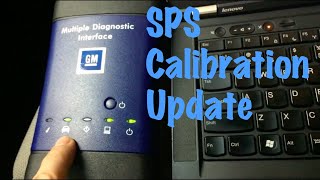
- This programming requires a GM MDI (Multiple Diagnostic Interface) tool 🎬 Watch: How to use a GM MDI tool for programming or a compatible J2534 pass-thru device with a subscription to GM's TIS2Web or Techline Connect service. 🎬 See: GM Service Repair Programming with Techline Connect
- Who can program it? A GM dealership is your most reliable option. Some independent repair shops that specialize in GM vehicles and have the correct equipment and subscriptions may also be able to perform the programming. It is not a DIY task.
Pro Tip: Before buying a used panel, call your local GM dealer or a trusted independent shop. Confirm they are willing to program a customer-supplied used module and ask for a price quote. This programming cost is a mandatory part of your total repair budget.
Compatibility and Part Numbers
All 2016-2019 Buick Cascada models came equipped with a single, high-end infotainment system featuring a 7-inch touchscreen and navigation (Option Code UHQ). This simplifies compatibility significantly. However, you should still verify part numbers.
- Known OEM Part Numbers: 13458537, 39018791, 39042448
- These numbers may supersede each other. The key is to purchase a panel from a 2016-2019 Cascada. A listing for part number 13458537 confirms it fits all model years from 2016 to 2019.
Physical Inspection
When your used part arrives, inspect it carefully:
- Screen Condition: Check for deep scratches, delamination (peeling), or cracks in the display.
- Buttons and Knobs: Ensure all buttons press freely and the knobs turn smoothly.
- Connectors: Look at the back of the unit. The connector ports should be clean and free of bent or broken pins.
- No Signs of Water Damage: Check for any corrosion or water marks on the casing or in the connectors. Water intrusion is an instant deal-breaker for any electronic module.
Known Issues, TSBs, and Recalls
While there are no major recalls directly for the audio control panel itself, there are a few related service items to be aware of:
- TSB for High Startup Volume: GM issued a bulletin for an issue where the radio volume could default to a high level (19) upon starting the car. The fix was a revised software calibration.
- TSB for Poor AM Reception: A bulletin acknowledged potential poor AM radio reception, but at the time, GM was investigating and did not recommend part replacement.
- Recall for Convertible Roof Control Module (CRCM): A small number of 2016 models were recalled for an incorrect CRCM, which is a separate module from the audio panel. This does not directly affect the audio panel but is worth noting for owners of early-production 2016 models.
Cost Comparison
The cost of replacing the audio control panel can vary widely. A used OEM part offers the best value, but remember to factor in the mandatory programming cost.
| Part Type | Estimated Cost | Notes |
|---|---|---|
| New OEM | $185 - $275+ | Price for the part only, from a GM dealer or online OEM parts store. |
| New Aftermarket | Not Available | Due to the complex integration, aftermarket replacements for the entire unit are not made. |
| Used OEM | $100 - $150 | Prices from online sellers like LKQ or eBay show significant savings. |
| Remanufactured | ~€417 (approx. $450) | A European vendor offers repair services, indicating remanufacturing is possible but may not be common in the US. |
| Shop Labor (Installation) | $100 - $200 | The physical swap is relatively straightforward for a professional. |
| Shop Labor (Programming) | $100 - $250 | This is a separate, mandatory cost. Prices can vary by dealer. |
Frequently Asked Questions (FAQ)
Can I install a used audio control panel myself?
You can perform the physical installation yourself if you are comfortable removing dashboard trim pieces. The process involves carefully prying off trim and removing a few screws. However, the unit will be locked and non-functional until it is professionally programmed to your vehicle's VIN.
Why does my screen say 'LOCKED' after installing a replacement?
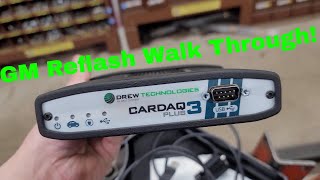
The 'LOCKED' message appears because of 🎬 Watch: Step-by-step guide to reprogramming GM modules GM's Component Theft Deterrent system. The audio panel is electronically paired with the original car's VIN. To unlock it, you must have it programmed to your car's VIN by a dealer or a qualified shop with GM programming tools.
Can I upgrade to an aftermarket radio like a Pioneer or Kenwood?
No, replacing the factory unit with a standard aftermarket radio is considered nearly impossible. The factory audio control panel is deeply integrated with other vehicle systems, including the climate controls. Removing it would cause a loss of critical functions. The best way to add features like Apple CarPlay or Android Auto is with an add-on interface module that works with the factory screen.
What is Option Code UHQ?
UHQ is the GM Regular Production Option (RPO) code for the premium infotainment system used in the Cascada, which includes navigation. Since all 2016-2019 Cascada models came standard with this system, any factory audio control panel from these years should be compatible.
Helpful Videos
Technical Specifications
OEM Part Numbers: 13458537 39018791 39042448
7-inch Touchscreen Display, Integrated Navigation, AM/FM/CD/SiriusXM/Bluetooth capabilities. Designed for vehicles with RPO code UHQ.
We Have This Part in Stock



The information in this article is provided for general reference and educational purposes only. Vehicle specifications, procedures, and part compatibility can vary by production date, trim level, and region. Always consult your vehicle's factory service manual and verify part numbers before purchasing or performing repairs. Safety-critical components such as airbags, seat belts, and braking systems should be installed by a qualified professional.
- Buick Cascada:
- 🎬 Helpful Videos
- 🛍️ Shop This Part
- Symptoms of a Failing Audio Control Panel
- Buying a Used 2016-2019 Cascada Audio Control Panel
- The #1 Rule: Programming is NOT Optional
- Compatibility and Part Numbers
- Physical Inspection
- Known Issues, TSBs, and Recalls
- Cost Comparison
- Frequently Asked Questions (FAQ)
- 🎟️ Get 5% Off