

2018-2019 Audi A3 & S3 Audio Control Panel: Failure Symptoms and Component Protection Guide
This guide covers common failures of the MMI audio control panel, compatibility issues, and the critical need for dealer programming due to Audi's Component Protection system.
- Replacing this part requires a mandatory trip to an Audi dealer or a specialized shop to remove 'Component Protection'; the part will not work without this programming.
- The most common cause of failure is liquid spills from the nearby cupholders, leading to sticky and unresponsive buttons.
- This control panel (part 8V0919614BF) is for vehicles with keyless start and the MMI High (I8S) system, but NOT the Premium Audio system.
- Before buying a replacement, try cleaning the buttons with electronics cleaner, as this can sometimes fix the issue and save hundreds of dollars.
Symptoms of a Failing Audio Control Panel
When the MMI control panel begins to fail, it can disrupt the entire infotainment experience. Symptoms are typically straightforward and related to the physical controls.
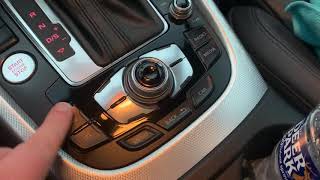
- Sticky or Unresponsive Buttons: This is the most common issue, often caused by spilled liquids like coffee or soda. The sugar residue gums up the internal mechanisms, causing buttons to stick, 🎬 Watch: How to fix sticking Audi MMI buttons not register a press, or fail to return to their normal position.
- MMI Knob Spins Freely or Skips: The main rotary knob may spin without navigating menus, or it might skip options, making precise selection difficult. Sometimes, the push-to-select function of the knob also fails. 🎬 Watch: Cheap DIY fix for your Audi volume knob
- No Response from Any Controls: In some cases, the entire panel may become unresponsive, though the MMI screen itself may still function. This can indicate a complete internal failure of the control unit's circuit board or a loss of communication with the vehicle.
- Intermittent Functionality: The controls may work sporadically, failing when the car is first started but beginning to work after a few minutes, or vice-versa. This can point to failing solder joints or other internal electronic issues.
A full diagnostic scan with an Audi-specific tool may reveal communication fault codes, such as U-codes (e.g., U0140 - Lost Communication with Body Control Module), indicating the panel is not communicating correctly with the rest of the vehicle's network.
Known Issues, TSBs, and Recalls
The primary known issue for this control panel is its vulnerability to liquid damage due to its location next to the cup holders. Spills are the leading cause of sticky buttons and electronic failure. While many owners have had success cleaning the buttons with electronic contact cleaner, this is not always a permanent solution and may not work if the liquid has damaged the internal circuit board.
As of mid-2024, there are no specific recalls or Technical Service Bulletins (TSBs) from the National Highway Traffic Safety Administration (NHTSA) that directly address the failure of the MMI control panel itself for the 2018-2019 A3 or 2018 S3. However, there are recalls for other components on these vehicles, such as the passenger occupant detection system (PODS) and fuel system components.
Warning: Liquid damage is not covered by factory or extended warranties. If cleaning does not resolve the issue, replacement is the only option.
The #1 Issue for Replacement: Component Protection
If you replace the MMI audio control panel, you must be aware of Audi's anti-theft system called Component Protection (CP). This system links electronic modules, including the MMI controller, to the vehicle's original VIN.
When a new or used control panel is installed, it will not function correctly until the Component Protection is removed. Symptoms of active Component Protection include disabled audio, a muted sound icon on the MMI screen, and other non-functional features. The part needs to be adapted or synchronized to your vehicle's VIN.
- Dealer or Specialized Shop Required: Removing Component Protection requires a connection to Audi's online servers using their proprietary ODIS diagnostic software. This means you will almost certainly need to take the vehicle to an Audi dealer or a highly specialized independent shop that subscribes to Audi's systems.
- Not a DIY or Locksmith Job: Standard OBD-II scanners, locksmith tools, and most independent mechanic's tools cannot remove Component Protection.
- Budget for Programming: When purchasing a replacement part, you must factor in the cost of dealer programming, which can range from one to two hours of labor.
Buying a Used Audio Control Panel
A used OEM control panel is often the most cost-effective solution, but careful inspection and planning are essential.
- Verify the Part Number: Ensure the part number matches your original unit. The primary part number is 8V0919614BF. The suffix (like 'BF' or 'BQ') can indicate revisions, but they are often interchangeable. Always double-check compatibility with the seller.
- Check Compatibility Options: This specific control panel (8V0919614BF) is for models with keyless start and the MMI High infotainment system (option code I8S). It is NOT compatible with vehicles that have the Premium Audio sound system.
- Physical Inspection: Carefully inspect photos of the used part. Look for any signs of stickiness, discoloration around the buttons, or corrosion on the electrical connectors. Ask the seller to confirm that all buttons click cleanly.
- Factor in Programming Costs: Remember that even a perfectly functional used part will require a trip to the dealer for Component Protection removal. Include this cost in your total budget.
Pro Tip: Before replacing the unit, try cleaning sticky buttons yourself. 🎬 See this guide on cleaning your MMI controller Disconnect the battery, then carefully spray a quick-drying electronics cleaner into the gaps around the affected buttons while pressing them repeatedly. Let it dry completely before reconnecting the battery. This can sometimes save you from needing a replacement.
Cost Comparison
Prices can vary based on location and availability. The most significant variable is the dealer-mandated programming.
| Part Type | Estimated Cost |
|---|---|
| New OEM | $750 - $1,150 |
| Used OEM | $100 - $320 |
| New Aftermarket | Not commonly available |
| Shop Labor (Installation) | $100 - $200 (approx. 1 hour) |
| Dealer Labor (Component Protection Removal) | $150 - $400 (1-2 hours of labor) |
Frequently Asked Questions (FAQ)
Do I absolutely have to go to an Audi dealer to get a replacement control panel to work?
Almost always, yes. A replacement unit will trigger Component Protection, which can only be removed using Audi's proprietary ODIS software connected to their servers. While some very high-end independent shops that specialize in German vehicles may have this capability, the dealer is the most reliable option.
What happens if I just install a used control panel and don't get it programmed?
The control panel will likely have limited or no functionality. A "Component Protection Active" message may appear, and key features like audio control will be disabled. The part will not work correctly until it is programmed to your car's VIN.
Can I just swap the circuit board from my old unit into a new housing?
This is a highly advanced repair that is not recommended for most people. Some expert DIYers have successfully de-soldered the small EEPROM chip (which stores the vehicle-specific data) from the old board and soldered it onto the replacement board to avoid Component Protection. However, this requires specialized micro-soldering skills and equipment, and any mistake can destroy the replacement unit.
My MMI screen is black, but the control panel buttons are lit. Is the control panel the problem?
Not necessarily. If the buttons on the control panel are illuminated, it means the panel is receiving power. A black screen is more often an issue with the MMI display itself or the main infotainment module (often called the 5F module), which is a separate, more expensive component located in the glove box. A full vehicle diagnostic scan is needed to pinpoint the source of the communication failure.
Helpful Videos
Technical Specifications
OEM Part Numbers: 8V0919614BF 8V0919614BQ
Fits vehicles with MMI High infotainment system (option code I8S) and keyless start. Does not fit vehicles with Premium Audio.
We Have This Part in Stock




The information in this article is provided for general reference and educational purposes only. Vehicle specifications, procedures, and part compatibility can vary by production date, trim level, and region. Always consult your vehicle's factory service manual and verify part numbers before purchasing or performing repairs. Safety-critical components such as airbags, seat belts, and braking systems should be installed by a qualified professional.
- Audi A3:
- Audi S3: