

2015-2018 Acura TLX Audio Control Panel: Non-Nav Issues, Replacement, and Programming
Your complete guide to diagnosing and replacing the non-navigation audio control panel in the 2015-2018 Acura TLX, including compatibility warnings and programming needs.
- This control panel (39050-TZ3-A01, 39050-TZ3-A02) is ONLY for 2015-2018 TLX models WITHOUT factory navigation.
- A replacement unit will likely require initialization or programming by a dealer or qualified shop to pair it with your vehicle.
- Before replacing the panel, perform a system reset by holding the audio power button for 5 seconds, as this can fix software glitches.
- Common failure symptoms include unresponsive buttons, system freezing, and incorrect commands.
Symptoms of a Failing Audio Control Panel
When the audio control panel in a 2015-2018 Acura TLX begins to fail, it can cause a range of frustrating issues. Because it is the main interface for the sound system, any malfunction can make the infotainment system difficult or impossible to use. It's important to distinguish between a faulty control panel and other related issues, like a bad screen or main audio unit.
- Unresponsive Buttons or Knobs: The most common symptom is when physical buttons, the jog dial, or the volume knob stop working intermittently or altogether. You might press a button and get no response from the system.
- System Freezing or Lagging: A faulty control panel can sometimes send erratic signals, causing the entire infotainment system to freeze, lag, or reboot unexpectedly. Acura has noted that software issues can cause the audio unit to reboot on its own.
- Incorrect Functions: Pressing one button might trigger a different function, or the volume might change on its own. This often points to an internal electronic failure within the panel.
- Blank Upper Screen: While a blank screen can be caused by many components, a complete failure of the control panel can sometimes lead to a loss of signal to the display. However, it's also important to check fuses and consider that the screen itself or a loose connection could be the culprit.
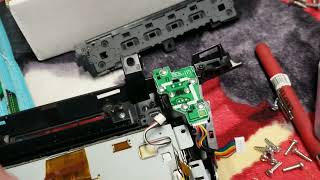
- "Ghost Touch" or Phantom Inputs: In some cases, the system acts as if someone is pressing buttons when no one is. This is a widely reported issue, though it is more commonly associated with the failure of the touchscreen digitizer on the display itself 🎬 Watch how to replace the Acura TLX touchscreen digitizer rather than the lower control panel.
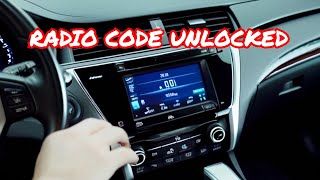
Pro Tip: Before assuming the control panel is bad, try a system reset. For many 2015 and newer Acuras, you can do this by pressing and holding the audio power button for about five seconds 🎬 Watch this guide on resetting Honda and Acura radio systems after turning the ignition on. This can resolve temporary software glitches that mimic hardware failure.
Known Issues, TSBs, and Recalls
While there are no specific recalls for the audio control panel itself, Acura has issued Technical Service Bulletins (TSBs) related to the infotainment system that can present similar symptoms.
- TSB #B18-060: Addresses audio units that reboot on their own or have CarPlay issues after an iPhone update, pointing to a software problem that requires an update.
- Warranty Extension for MOST Bus Connectors: For some 2019-2020 models, Acura extended the warranty for loose MOST bus network connectors (FAKRA connectors) that can cause popping/crackling sounds, a blank display, or no audio. While this TSB applies to a later model, the symptoms are relevant and point to the complexity of the system's wiring.
Warning: This audio control panel (part numbers 39050-TZ3-A01 and 39050-TZ3-A02) is ONLY for 2015-2018 Acura TLX models that were NOT equipped with a factory navigation system. The panels for navigation and non-navigation vehicles look similar but have different wiring and software. Installing the wrong one will result in it not functioning correctly.
Programming and Installation Requirements
Replacing an electronic module in a modern vehicle often requires more than just a simple swap. This is a critical consideration when buying a used audio control panel.
Does this module need to be programmed?
Yes, there is a high likelihood that a replacement audio control panel will need to be initialized or synchronized with the vehicle. After installation, the unit must be electronically "introduced" to the car's systems. According to Acura's pre-delivery inspection procedure for a new TLX, the audio unit's anti-theft function is initialized by pressing and holding the audio power button for at least two seconds. While new modules from Honda/Acura often come pre-programmed, a used unit from another vehicle will likely require a dealer or a well-equipped independent shop with a professional scan tool to ensure all functions work correctly and communicate with the vehicle's network.
Anti-Theft Codes
Unlike older Acura models that required a 5-digit code after the battery was disconnected, the 2015-2018 TLX system is different. If the original unit is reconnected or the system is reset, you typically just need to press and hold the power button to reactivate it. However, when installing a unit from a different vehicle, it may be locked. The anti-theft system is designed to prevent a stolen radio from working in another car. A dealer may be required to unlock and pair the replacement unit to your vehicle's VIN.
Buying a Used Audio Control Panel
Purchasing a used OEM audio control panel is a great way to save money, as new units can be expensive. However, it's important to buy smart to avoid compatibility issues.
- Verify Compatibility: This is the most important step. Double-check that your TLX does not have factory navigation. The correct part numbers for non-nav models are 39050-TZ3-A01 and its replacement, 39050-TZ3-A02. Do not purchase a panel from a navigation-equipped car.
- Physical Inspection: When buying from a recycler, ask for clear photos. Check for deep scratches on the faceplate, worn-off button graphics, and damage to the jog dial. Most importantly, ensure all plastic mounting tabs and electrical connector ports on the back are intact and free of corrosion.
- Source Vehicle Information: If possible, get the VIN of the vehicle the part came from. This can sometimes help a dealer with the programming process. A part from a lower-mileage vehicle is generally preferable.
- Why Used OEM is Better: For a part like this, a used original Acura part is almost always a better choice than a new aftermarket alternative (which are rare for this specific component anyway). An OEM part guarantees perfect fitment in the dash, correct button feel, and matching illumination color.
Cost Comparison
The cost to replace an audio control panel can vary significantly depending on the source of the part and who performs the labor.
| Part Source | Estimated Cost |
|---|---|
| New OEM | $310 - $470 |
| Used OEM | $75 - $200 |
| New Aftermarket | Not commonly available |
| Remanufactured | $250 - $350 |
| Shop Labor | $150 - $300 (1.0-2.0 hours) |
Frequently Asked Questions (FAQ)
Do I need an anti-theft code to replace my audio control panel?
For the 2015-2018 TLX, a traditional user-entered anti-theft code is not typically required after a battery disconnect. The system resets by holding the power button. However, when swapping the unit with one from another car, a dealer may need to use diagnostic tools to bypass the anti-theft lock and pair the unit to your car's VIN.
Can I install a navigation control panel in my non-navigation TLX?
No, this is not a plug-and-play upgrade. The wiring harnesses, software, and connections to other modules (like the GPS antenna and navigation drive) are different. You must replace your panel with the correct type for your vehicle's original configuration.
My screen is black. Is it definitely the audio control panel?
Not necessarily. A black screen can be caused by a blown fuse, a bad display screen, a faulty main audio receiver unit, or a loose wiring connection (like the FAKRA connectors mentioned in some TSBs). A hard reset should be your first diagnostic step, followed by checking fuses. If the buttons on the panel still illuminate but the screen is dark, the problem is likely elsewhere.
Can I replace this part myself?
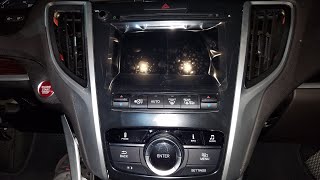
Yes, the physical replacement is feasible for a DIYer with the right tools. It involves carefully prying off dash trim panels with plastic tools, removing a few screws, and disconnecting electrical connectors. 🎬 See how to remove the radio and trim in a TLX However, be prepared for the possibility that you will need to visit a dealer or a specialized shop afterward to have the replacement unit programmed or initialized to work correctly.
Helpful Videos
Technical Specifications
OEM Part Numbers: 39050-TZ3-A01 39050-TZ3-A02
Fits 2015, 2016, 2017, and 2018 Acura TLX models without the factory navigation system.
We Have This Part in Stock





The information in this article is provided for general reference and educational purposes only. Vehicle specifications, procedures, and part compatibility can vary by production date, trim level, and region. Always consult your vehicle's factory service manual and verify part numbers before purchasing or performing repairs. Safety-critical components such as airbags, seat belts, and braking systems should be installed by a qualified professional.
- Acura TLX:
- 🎬 Helpful Videos
- 🛍️ Shop This Part
- Symptoms of a Failing Audio Control Panel
- Known Issues, TSBs, and Recalls
- Programming and Installation Requirements
- Does this module need to be programmed?
- Anti-Theft Codes
- Buying a Used Audio Control Panel
- Cost Comparison
- Frequently Asked Questions (FAQ)
- 🎟️ Get 5% Off