

2024-2025 Tesla Model 3 Audio Module: Faults, Programming, and Replacement Guide
This guide covers common audio system failures, programming requirements, and how to choose a used audio control module for the refreshed 'Highland' Tesla Model 3.
- This module is ONLY for the 2024-2025 Tesla Model 3 'Highland' refresh.
- Replacement is NOT plug-and-play. The module must be programmed to the vehicle's VIN by Tesla or a qualified shop with specific software.
- Failure can lead to a total loss of sound, including critical safety chimes and alerts.
- A used OEM module is a cost-effective part, but buyers must factor in the mandatory cost of professional programming and installation.
Known Issues & Symptoms of Failure

For the 2024-2025 'Highland' Model 3, most audio issues reported by early owners are software-related and often resolved with an over-the-air (OTA) update. However, hardware failures can still occur. Symptoms of a failing audio control module are often confused with amplifier or speaker issues, but there are some distinctions.
- Complete Loss of Audio: No sound from any source, including radio, streaming, or Bluetooth. In some cases, a reboot may temporarily fix the issue.
- Intermittent Audio or Specific Speakers Not Working: Sound may cut in and out, or entire sections of speakers (like the rear speakers and subwoofer) may stop working. This can point to a failure in the amplifier that controls those speakers, which is often linked to the main audio system.
- Poor or No Radio Reception: The most direct symptom of a tuner failure is the inability to receive FM or HD radio signals, while other audio sources like Bluetooth work correctly.
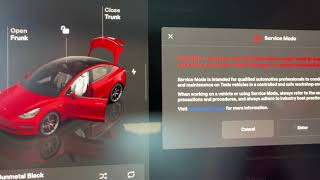
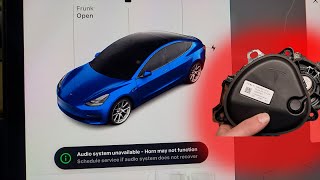
- Error Messages on Touchscreen: The vehicle may display an "Audio System Unavailable" message. 🎬 See how to diagnose and repair this audio system error This can sometimes be related to other audio components, like the Pedestrian Warning Speaker, which can cause a system-wide alert.
- Loss of Audio Chimes and Alerts: Critical safety sounds like turn signal clicks, parking sensor beeps, and other alerts may be absent. This is a serious safety concern.
- Microphone Failure: Voice commands may stop working. In some Tesla models, the microphone array is tied into the audio amplifier system, so a failure in one can affect the other. 🎬 Watch: Troubleshooting Tesla Model 3 amp and microphone failures
Some owners of new vehicles have reported that certain speakers, like rear or side speakers, were not working upon delivery. These issues were often traced back to software bugs that were corrected with a vehicle software update.
Warning: A recall (NHTSA ID: 25V002) was issued for certain 2024-2025 Model 3 vehicles due to a software issue that could cause the car computer to short circuit, leading to a loss of the rearview camera image. While not directly the audio module, this highlights how interconnected the electronic systems are. Ensure your vehicle has the latest software updates installed.
Programming, Calibration, and Anti-Theft

This is the most critical consideration when replacing a Tesla audio control module.
All electronic control modules in a Tesla, including the audio tuner, require programming and software configuration after installation. This is not a plug-and-play part. The module must be integrated into the vehicle's communication network and paired with the main car computer.
The process involves:
- Physical Installation: The new or used module is installed in the vehicle.
- Software Association: A technician must use Tesla's proprietary "Toolbox" software to associate the replacement module with the vehicle's configuration. This step pairs the part to the car's VIN.
- Software Deployment: A software update may need to be pushed to the vehicle to ensure the new module functions correctly with all other systems.
Pro Tip: This procedure can be performed by Tesla Service Centers or by qualified independent repair shops that have a subscription to Tesla's diagnostic tools and a vehicle security professional accreditation. You cannot simply swap the module yourself and expect it to work.
Buying a Used 2024-2025 Model 3 Audio Control Module

Purchasing a used OEM audio module is a great way to save money, but you must be aware of the unique requirements of Tesla vehicles.
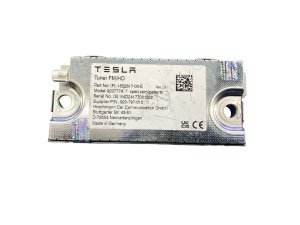
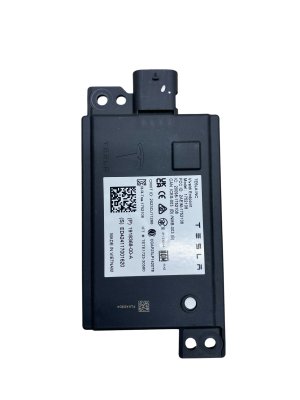
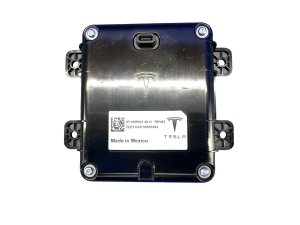
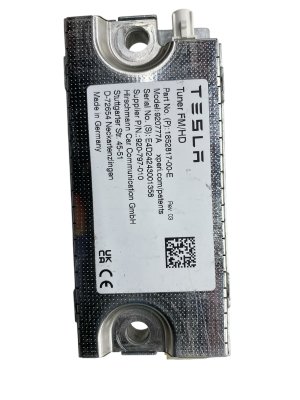
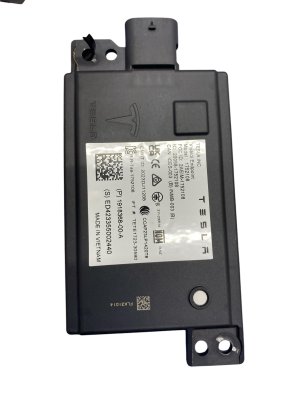
- Verify the Part Number: Ensure the part number matches your vehicle's needs. The primary known part number for the 2024-2025 'Highland' Model 3 is 1852817-00-E.
- Compatibility Warning: This module is specifically for the refreshed Model 3, known as 'Highland', which began with the 2024 model year. It is not compatible with earlier Model 3 generations.
- Physical Inspection: When buying used, inspect the module for any signs of physical damage, especially to the connectors. However, since these are solid-state electronics, most failures are internal and not visible. Purchase from a reputable recycler with a warranty.
- Factor in Programming Costs: Remember that the price of the part is not the final cost. You must account for the labor and programming fees from a Tesla Service Center or a qualified independent shop. Always get a quote for installation and programming before you buy the part.
- Why Used OEM is the Best Choice: There is virtually no aftermarket for this specific component. A used OEM module provides the exact same performance and quality as a new one, as long as it is programmed correctly. It is a reliable alternative to a costly new part from the dealer.
Replacement Overview
The audio tuner module in the Tesla Model 3 is typically located in the liftgate (trunk lid) assembly. Replacement involves removing the interior trim panels of the liftgate to access the module.
The general steps are:
- Disconnect the vehicle's 12V power.
- Remove the upper and lower liftgate trim panels.
- Disconnect the electrical and coaxial connectors from the module.
- Unbolt the module from its mounting bracket (typically 2 or 3 bolts).
- Install the new module and reconnect everything in reverse order.
- Reconnect 12V power and proceed with the mandatory software configuration using Tesla's Toolbox software.
While the physical replacement is straightforward for a DIY mechanic, the mandatory software programming means a trip to a qualified service provider is unavoidable.
Cost of Replacement
Costs can vary based on your location and choice of service provider. The primary cost driver is the mandatory programming.
| Part/Service | Estimated Cost |
|---|---|
| New OEM Part | $300 - $500 (estimate from dealer) |
| Used OEM Part | $100 - $250 |
| Shop Labor & Programming | $200 - $400 |
Recalls and Technical Service Bulletins (TSBs)

As of mid-2026, there are no recalls or TSBs specifically for the audio control module on the 2024-2025 Model 3. However, several software-related recalls have been issued that affect the vehicle's electronics.
- NHTSA Recall 25V002: A software issue that could cause the car computer to short, leading to a loss of the rearview camera. The fix is an over-the-air (OTA) software update.
- NHTSA Recall 24V554000: A software problem where the hood latch sensor might not detect an unlatched hood. This was also fixed with an OTA update.
- Service Bulletin SB-24-00-006: Addressed an issue where the Pedestrian Warning Speaker could be muted after a factory reset on certain software versions.
Frequently Asked Questions (FAQ)
Do I have to go to a Tesla dealer to replace the audio module?
Not necessarily, but the replacement part must be programmed to the car. This can be done at a Tesla Service Center or by an independent repair shop that has the proper Tesla diagnostic software and security credentials. You cannot do this at home.
Will my car drive if the audio control module has failed?
Yes, the car will still drive. However, you will lose all audio functions, including music, navigation prompts, and more importantly, safety-related chimes and alerts. Driving without audible turn signal indicators or warning sounds is not recommended.
Can I upgrade my standard audio system by swapping in a premium audio module?
No, this is not possible. The vehicle's software configuration dictates which audio system is installed. Simply swapping hardware will not work, as the car's central computer will not recognize the different components. Upgrading requires significant changes to the vehicle's software configuration by a qualified technician, in addition to adding speakers and amplifiers.
My audio just sounds 'flat' or the bass is gone. Is it the module?
This is a common complaint, even on older models. First, try rebooting the infotainment screen by holding down both scroll wheels on the steering wheel until the screen restarts. This often resolves temporary software glitches that cause loss of bass or certain audio channels. If the problem persists, it could be an issue with an amplifier or a software configuration problem, not necessarily the tuner module itself.
Helpful Videos
Technical Specifications
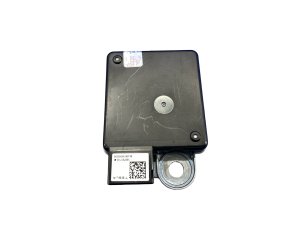
OEM Part Numbers: 1852817-00-E 185281700E
Function: FM/HD Radio Tuner. Location: Typically mounted inside the liftgate assembly.
We Have This Part in Stock

The information in this article is provided for general reference and educational purposes only. Vehicle specifications, procedures, and part compatibility can vary by production date, trim level, and region. Always consult your vehicle's factory service manual and verify part numbers before purchasing or performing repairs. Safety-critical components such as airbags, seat belts, and braking systems should be installed by a qualified professional.
- Tesla 3: