

2018-2021 Mazda 6 Audio Module: Fixing Ghost Touch, Freezing & Reboots
This guide covers the common failures, part numbers, and replacement requirements for the 2018-2021 Mazda 6 Audio Control Module, also known as the Connectivity Master Unit (CMU).
- The most common failures are system rebooting/freezing and "ghost touch". Ghost touch is usually a screen failure, not a module failure.
- Programming is generally NOT required for a replacement module, making a used unit a viable plug-and-play option.
- Compatibility is critical. GBEF-66-DRX is for non-satellite radio cars, while GBVL-66-DRX is for cars with satellite radio.
- Before replacing the module for rebooting issues, try removing the navigation SD card, as a corrupt card is a common cause.
Symptoms of a Failing Mazda 6 Audio Control Module
When the Audio Control Module (CMU) begins to fail, it can cause a wide range of frustrating electronic issues. While some problems point directly to the module, others can be confused with a failing touchscreen. Here are the most common symptoms.
1. Infotainment System Freezing or Constantly Rebooting
One of the most definitive signs of a failing CMU is a system that gets stuck in a reboot loop. You might see the Mazda logo appear, disappear, and then reappear repeatedly without ever fully loading the home screen. In other cases, the system may load but will freeze entirely, becoming unresponsive to the commander knob, steering wheel controls, or touch inputs. A corrupt navigation SD card is a very common cause of boot loops, so always try removing the SD card first as a simple diagnostic step.
2. "Ghost Touch" or Phantom Inputs
This is when the screen acts like it's being touched when it isn't. You might see the navigation map scrolling on its own, radio stations changing randomly, or the system making phone calls without your input. While this seems like a software glitch, it is almost always a hardware failure. The issue is typically caused by the top layer of the touchscreen (the digitizer) delaminating or developing micro-fractures due to heat and age. This sends false touch signals to the CMU. While the CMU is just following commands, the root cause is the screen itself. A specific diagnostic code, B105E:04, often points to this failure.
3. Black or Unresponsive Screen
A screen that stays completely black upon startup can indicate a total failure of the CMU, a loss of power to the unit, or a failed display. Before assuming the worst, try a hard reset by pressing and holding the 'Back', 'Nav', and 'Mute' buttons simultaneously for about 10 seconds until the Mazda logo appears. If the screen remains black but you can still hear audio from the last used source, it points more strongly to a failed display rather than a failed CMU.
4. Bluetooth, USB, or Navigation Malfunctions
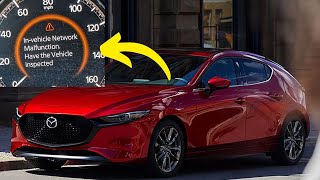
A failing CMU can lead to problems with connected devices. This can include Bluetooth dropping connections, 🎬 Watch this video on diagnosing network and communication errors the system failing to recognize devices plugged into the USB ports, or the GPS navigation system being unable to find a signal. Sometimes these issues are intermittent and can be caused by a weak vehicle battery, so it's wise to check the battery's health before condemning the CMU.
Pro Tip: Many software-related glitches, including freezing and rebooting, can sometimes be resolved by a firmware update performed by a Mazda dealer. There was a class-action lawsuit regarding these issues, which resulted in a Limited Warranty Extension for many owners to cover CMU repairs or replacements.
Buying a Used 2018-2021 Mazda 6 Audio Control Module
Buying a used Audio Control Module (CMU) is a great way to save a significant amount of money compared to a new unit from a dealer. However, compatibility is critical. Here’s what you need to know to get the right part.
1. Verify Compatibility: Satellite Radio is the Key Difference
The most important factor when matching a CMU is whether your car is equipped with factory satellite radio. The modules are different for vehicles with and without this feature. Using the wrong one will result in a loss of function.
- With Satellite Radio: Look for part number GBVL-66-DRX (or GBVL66DRX).
- Without Satellite Radio: Look for part number GBEF-66-DRX (or GBEF66DRX). This is typically for models with the standard 6-speaker audio system.
Always match the part number from your original unit to the replacement. The part number is printed on a label on the module's housing.
2. Programming and Installation
For the 2018-2021 Mazda 6, a replacement CMU is generally considered plug-and-play and does not require programming to function. You can typically swap a compatible used unit without needing a trip to the dealer. However, there are a few potential complications:
- Bose Audio Systems: Some users have reported losing Bose-specific sound settings like Centerpoint and AudioPilot after swapping a CMU. This happens because the replacement unit may be configured for a standard audio system. This configuration is stored in the module and may require dealer-level software (like MDARS) or advanced diagnostic tools (like FORScan) to restore the correct settings for your vehicle's VIN.
- Firmware Version: The replacement unit might have an older firmware version than your original. This isn't usually a problem, but if you experience glitches, you may need to update the firmware via USB.
Warning: Do not confuse the Audio Control Module (CMU) with the Powertrain Control Module (PCM/ECU). The PCM is the main engine computer and absolutely requires programming to the vehicle's VIN and immobilizer system. The audio module does not have this anti-theft link.
3. What to Inspect
When buying a used module, visually inspect it for any signs of damage. Check that all connector pins are straight and free of corrosion. Since these are purely electronic, there are no moving parts to wear out, so mileage is less of a concern than the part's history. Purchase from a reputable seller with a warranty to protect against receiving a non-functional unit.
Cost Comparison: New vs. Used
| Part Type | Estimated Cost | Notes |
|---|---|---|
| New OEM | $500 - $1,000 | Price varies by part number. GBVL-66-DRX (with satellite) is often more expensive than GBEF-66-DRX (without). |
| Used OEM | $150 - $400 | A cost-effective option. Prices on sites like eBay vary based on condition and seller. |
| New Aftermarket | Not Available | Aftermarket replacements for the entire CMU are not common. However, repair kits for the touchscreen are available. |
| Shop Labor | $125 - $250 | Replacement takes 1-2 hours. It involves removing dash trim panels to access the unit behind the screen. |
Frequently Asked Questions (FAQ)
Does a used 2018-2021 Mazda 6 audio module need to be programmed?
Generally, no. A replacement CMU with the correct part number should be plug-and-play for basic functions. However, if your car has a Bose premium audio system, the replacement module may need to be reconfigured using dealer tools to enable Bose-specific features like Centerpoint and AudioPilot.
Is the touchscreen part of the Audio Control Module?
No, they are separate components. The Audio Control Module (CMU) is the computer box, while the touchscreen is the display and digitizer on top. The common "ghost touch" issue is a failure of the touchscreen digitizer, not the CMU. In these cases, you only need to replace the screen or its top layer, not the entire module.
What is the difference between part numbers GBEF-66-DRX and GBVL-66-DRX?
The primary difference is satellite radio compatibility. GBEF-66-DRX is for vehicles without factory satellite radio, typically those with the 6-speaker audio system. GBVL-66-DRX is for vehicles equipped with factory satellite radio.
Can I fix the "ghost touch" problem for free?
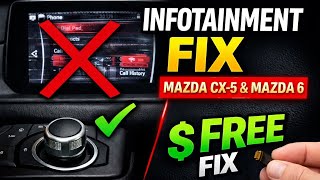
Yes, there is a common DIY fix, but it has a major trade-off. The ghost touch is caused by a faulty touchscreen digitizer. You can physically disconnect the small ribbon cable for the touch layer, which permanently stops the phantom inputs. The system will no longer respond to touch, but you can still control everything perfectly using the commander knob and steering wheel controls. This makes the system usable again without spending any money.
🎬 See how to fix ghost touch for free by disabling touchHelpful Videos
Technical Specifications
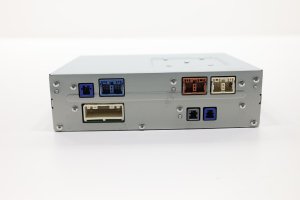
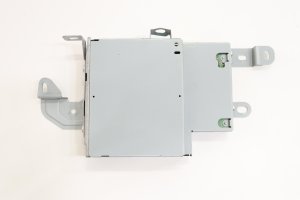
OEM Part Numbers: GBEF-66-DRX GBEF66DRX GBVL-66-DRX GBVL66DRX
Also known as the Connectivity Master Unit (CMU). Operates the MAZDA CONNECT infotainment system.
We Have This Part in Stock




The information in this article is provided for general reference and educational purposes only. Vehicle specifications, procedures, and part compatibility can vary by production date, trim level, and region. Always consult your vehicle's factory service manual and verify part numbers before purchasing or performing repairs. Safety-critical components such as airbags, seat belts, and braking systems should be installed by a qualified professional.
- Mazda 6:
- 🎬 Helpful Videos
- 🛍️ Shop This Part
- Symptoms of a Failing Mazda 6 Audio Control Module
- 1. Infotainment System Freezing or Constantly Rebooting
- 2. "Ghost Touch" or Phantom Inputs
- 3. Black or Unresponsive Screen
- 4. Bluetooth, USB, or Navigation Malfunctions
- Buying a Used 2018-2021 Mazda 6 Audio Control Module
- 1. Verify Compatibility: Satellite Radio is the Key Difference
- 2. Programming and Installation
- 3. What to Inspect
- Cost Comparison: New vs. Used
- Frequently Asked Questions (FAQ)
- 🎟️ Get 5% Off