

2021 Genesis G80 Audio Control Module: Navigating Software Glitches and Replacement
This guide covers common issues, software updates, and replacement procedures for the audio control module in the 2021 Genesis G80, focusing on programming and compatibility.
- Many common issues like screen freezing and lag are software-related and can be fixed with a free update from the Genesis website.
- If replacement is necessary, you must match the OEM part number 96560-T1100 exactly.
- Be prepared for the possibility that a replacement module, even a used one, may require programming by a Genesis dealer to function correctly.
- Before replacing the module, always perform a system reset and check the relevant fuses to rule out simpler issues.
Known Issues, Software Updates, and Recalls
For the 2021 Genesis G80, most problems related to the audio control module are software-based rather than hardware failures. Owners have reported issues like a black or frozen screen, system lag and unresponsiveness, navigation becoming unavailable, and problems with Apple CarPlay or Android Auto connectivity. Many of these symptoms can arise after a change in the vehicle's status, such as enrolling in Genesis Connected Services.
Pro Tip: Before suspecting a hardware failure, always check if your vehicle's infotainment software is up to date. Genesis provides free software updates via their official website, which you can download to a USB drive and install yourself. These updates often fix bugs related to screen freezes, connectivity, and system stability. If you are not comfortable performing the update, a dealership can do it for a fee.
Software-Related Recalls and TSBs
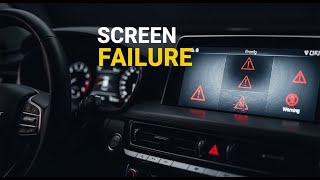
While not specific to the 2021 model year, a notable recall for later models (2025-2026) highlights a potential software issue where a bug related to HD Radio memory storage could cause the instrument cluster and infotainment screen to reboot intermittently. This can result in a temporary loss of the speedometer and other critical information. The temporary fix recommended by Genesis was to disable the HD Radio feature until a software update could be performed. 🎬 Watch: Genesis recall and faulty screen issues explained While this specific recall doesn't cover the 2021 model, it underscores the importance of software in the system's stability.
Symptoms of a Failing Audio Control Module
While many issues are software-related, the audio control module can fail. Here are the signs that may point to a hardware problem:
- Black Screen: The infotainment screen is completely black and does not turn on, even after attempting a system reset.
- Constant Rebooting: The system displays the Genesis logo, tries to boot up, and then resets in a continuous loop.
- No Sound: Complete loss of audio from all speakers, including radio, media, and navigation prompts.
- Distorted or Imbalanced Audio: Sound from the speakers is garbled, fuzzy, or unevenly distributed, which could also point to a failure in the separate Lexicon amplifier if equipped. 🎬 See: How to reset a Lexicon amplifier
- Unresponsive Controls: The touchscreen, physical buttons, or steering wheel controls for the audio system do not respond at all.
- Loss of Multiple Features: When features like navigation, radio, and vehicle settings all become unavailable simultaneously.
Diagnosis and Troubleshooting
If you experience infotainment problems, follow these steps before buying a replacement part:
- Perform a System Reset: Many Genesis models have a small, recessed reset button near the infotainment controls. Pressing this with a paperclip can often resolve temporary glitches. For older models, holding the setup button could access a diagnostic menu.
- Check Fuses: A blown fuse can cause the entire system to lose power. Check the fuse box for the fuse related to the audio/multimedia system.
- Update Software: As mentioned, ensure your system has the latest software from the official Genesis update website. A failed or incomplete update can also cause issues.
- Disconnect Battery: As a last resort, disconnecting the vehicle's battery for about a minute can perform a hard reset of all the vehicle's electronic modules.
Warning: The audio control module is a complex electronic component. While a DIY replacement is possible for those with experience, it involves removing significant portions of the dashboard and center console trim.
Programming and Installation Requirements
This is the most critical aspect of replacing the audio control module. These units are often tied to the vehicle's specific options and VIN.
- Programming: While some sources suggest that certain modules may require dealer programming to the vehicle's VIN for full functionality, there is no definitive evidence from the search results confirming this is required for the 2021 G80's main audio control unit (head unit). However, it is a common practice for modern, complex modules. Buyers should be prepared for the possibility that a dealership visit may be necessary to link the used module to the car.
- Compatibility: It is crucial to match the part number exactly. The known OEM part number is 96560-T1100. Using a module with a different part number may result in it not working at all. Compatibility may also depend on the vehicle's original equipment, such as the standard audio system versus the premium 21-speaker Lexicon system. 🎬 Watch: Lexicon 21-speaker sound system review and features
Buying a Used 2021 G80 Audio Control Module
Purchasing a used OEM audio control module can offer significant savings over a new unit, but careful verification is key. Given the complexity and software integration, a used OEM part is generally a more reliable choice than a non-existent aftermarket alternative.
- Verify the Part Number: The single most important step is to match the part number 96560-T1100. Do not purchase a unit with a different number, even if it looks identical.
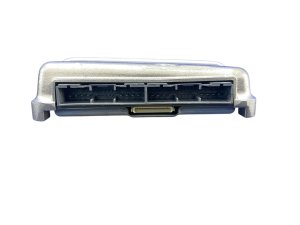
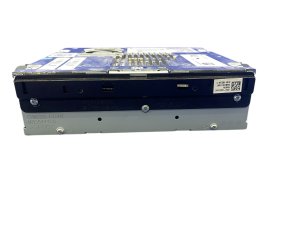
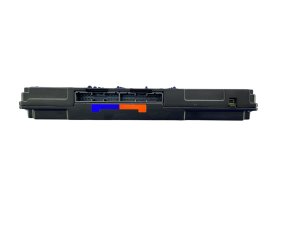
- Inspect the Unit: Check for any physical damage to the casing, and especially to the numerous connector pins on the back. Bent or corroded pins will cause functionality issues.
- Source Vehicle Information: If possible, know the options of the vehicle the used part came from. A module from a car with the base audio system may not work correctly in a car equipped with the Lexicon premium system.
- Seller's Reputation and Return Policy: Buy from a reputable seller who offers a warranty and a clear return policy. This provides a safety net in case the unit is faulty or requires programming that you cannot facilitate.
Cost Breakdown
| Part Type | Estimated Cost |
|---|---|
| New OEM | $3,000 - $5,000+ (based on dealer quotes for similar systems) |
| New Aftermarket | Not Available |
| Used OEM | $300 - $600 |
| Shop Labor (Replacement) | $200 - $400 (estimated 1.5-2.5 hours) |
| Shop Labor (Programming) | $150 - $300 (if required) |
Frequently Asked Questions (FAQ)
Does a used audio control module need to be programmed?
It is possible. Modern vehicle electronics are often linked to the car's VIN for security and functionality. While not explicitly confirmed in search results for this specific part, buyers should be prepared for the possibility that a trip to a Genesis dealer may be required to program the replacement module.
My screen is black. Is the audio control module definitely bad?
Not necessarily. First, try a system reset and check the relevant fuses. The issue could also be a software glitch that can be fixed with a free update from Genesis. A persistent black screen that does not respond to resets is a strong indicator of hardware failure, but always rule out the simpler fixes first.
Can I install a module from a G80 with the Lexicon audio system in my car that has the standard system?
This is not recommended. The audio control module is configured to work with specific hardware. Mismatching modules between standard and premium audio systems will likely lead to compatibility issues, loss of features, or the unit not working at all.
Why are there so many software problems with these systems?
Modern infotainment systems are incredibly complex, integrating navigation, media, vehicle controls, and connected services. This complexity can lead to software bugs. Manufacturers frequently release updates to fix these bugs, improve stability, and add features.
Helpful Videos



Technical Specifications
OEM Part Numbers: 96560-T1100 96560T1100
Controls 14.5-inch infotainment display, navigation, radio, media, and vehicle settings. Integrates with standard and Lexicon premium audio systems.
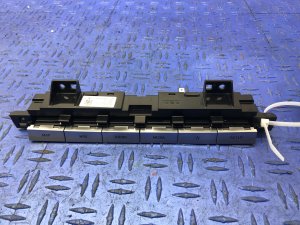
We Have This Part in Stock


The information in this article is provided for general reference and educational purposes only. Vehicle specifications, procedures, and part compatibility can vary by production date, trim level, and region. Always consult your vehicle's factory service manual and verify part numbers before purchasing or performing repairs. Safety-critical components such as airbags, seat belts, and braking systems should be installed by a qualified professional.
- Genesis G80:
- 🎬 Helpful Videos
- 🛍️ Shop This Part
- Known Issues, Software Updates, and Recalls
- Software-Related Recalls and TSBs
- Symptoms of a Failing Audio Control Module
- Diagnosis and Troubleshooting
- Programming and Installation Requirements
- Buying a Used 2021 G80 Audio Control Module
- Cost Breakdown
- Frequently Asked Questions (FAQ)
- 🎟️ Get 5% Off