

2008 Ford Focus Radio Display Failure: A Guide to Part Numbers, Symptoms, and Replacement
This guide covers the common failures of the 2008 Ford Focus audio display, how to find a compatible replacement, and why it's a simple, plug-and-play repair.
- The audio display for the 2008 Focus is plug-and-play and does NOT require dealer programming.
- Compatibility is critical: you must use a display from a 2008 Focus with part ID 8S4T-19C116-A(F-J).
- The most common failure is a blank screen while the radio still plays, which is fixed by replacing the display unit.
- Replacement is very easy for DIYers, requiring only basic tools and about 30 minutes.
Common Failure Symptoms
When the audio display module in a 2008 Ford Focus begins to fail, you may experience several distinct issues. Often, the radio will still produce sound, but the screen and some controls will not work correctly.
- Blank or Dim Display: The most common symptom is a screen that doesn't light up at all, or is too dim to read. This can happen intermittently at first and become permanent over time.
- Unresponsive Buttons: The buttons on the radio faceplate, especially those for changing modes, stations, or settings, may stop responding. You might be stuck on one input (like AM radio) with no way to change it.
- No Audio Output: While often a failure of the main radio unit, a complete loss of sound can sometimes be linked to a fault in the overall system, which includes the display and control interface.
- Flashing Clock or Scrambled Display: The display might show garbled text or a continuously flashing clock that you cannot set.
- Loud Popping or Static: In some cases, a failing audio module can send a loud pop through the speakers, sometimes followed by silence. This is a known issue with Ford ACMs from this era.
Diagnosing the Audio Module
Before replacing parts, perform these simple checks:
- Check the Fuse: The first step is to check the fuse for the radio. On a 2008-2011 Focus, this is typically fuse F112 (a 15A fuse) located in the passenger footwell fuse box under the glove compartment. Always consult your owner's manual to confirm the exact fuse location.
- Perform a Battery Reset: Disconnecting the vehicle's negative battery terminal for about five minutes can sometimes resolve temporary software glitches. Be aware that this will reset your radio, and you may need an anti-theft code to unlock it afterward.
- Check for Power: If the fuse is good, a more advanced step is to remove the radio and use a multimeter to check for 12V power at the wiring harness connector. This confirms the unit is receiving power from the vehicle.
Pro Tip: If your radio is locked and asking for a code after a battery disconnect, you can retrieve the radio's serial number without removing it. Turn the radio on and press and hold preset buttons 1 and 6 simultaneously. The serial number, which will start with a 'V' followed by six digits, will appear on the screen. You can then use this serial number with online code generator services to get your unlock code.
Buying a Used 2008 Focus Audio Display
A used OEM display is an excellent, cost-effective solution. Since these units do not require programming, a compatible part from another 2008 Focus will work in yours. Here’s what to look for:
- Verify the Part Number: The most critical step is to match the ID number. This is printed on a white sticker on the module's housing. For the 2008 Focus, you need a display with an ID that starts with 8S4T-19C116. The last two letters (e.g., AF, AG, AH, AJ) indicate minor revisions, but are generally interchangeable. Do not use a display from a 2009 or later model, as the electronics are different.
- Inspect the Screen and Buttons: Check the display lens for deep scratches or delamination. Ensure the buttons are not excessively worn and have a solid, tactile click.
- Check the Connectors: Look at the electrical connector ports on the back of the unit. Make sure no pins are bent, broken, or corroded.
- Why Used OEM is a Good Choice: For a simple display module like this, a used OEM part offers the same performance and fit as a new one at a significantly lower cost. Aftermarket replacements for this specific display are not common, making a tested, recycled part the best value.
Warning: This part is for a 2008 Ford Focus only. The dashboard and electronics were changed for the 2009 model year, and parts are not interchangeable. Ensure you are buying a part explicitly removed from a 2008 model.
Programming and Installation
Does this module need to be programmed?
No. The audio display module and the main radio unit for the 2008 Ford Focus are plug-and-play. They do not need to be programmed to your vehicle's VIN. You can swap a functioning used unit directly into your car without a trip to the dealer.
Step-by-Step Replacement Guide
Replacing the audio display is a beginner-friendly job that takes less than an hour.
- Disconnect the negative battery terminal to prevent electrical shorts.
- Using a plastic trim removal tool, carefully pry off the main trim bezel that surrounds the radio and climate controls. Start from the bottom and work your way up.
- Once the trim is loose, you will see the four screws (typically 7mm) holding the radio/display assembly in place. Remove these screws.
- Gently pull the entire radio assembly out of the dashboard. The display is often attached to the top of the radio chassis.
- Disconnect the electrical connectors from the back of the display module and radio.
- Install the replacement display, reconnect the wiring, and re-install the assembly into the dash using the four screws.
- Snap the trim bezel back into place and reconnect the battery.
Known Issues, TSBs, and Recalls
As of this writing, there are no specific recalls or Technical Service Bulletins (TSBs) from Ford or the NHTSA related to the audio control module or display for the 2008 Ford Focus. While failures are common, they have not been addressed with a formal recall campaign.
Cost Comparison
Replacing a faulty audio display is very affordable if you use a recycled OEM part and perform the labor yourself.
| Part Type | Estimated Cost |
|---|---|
| New OEM Display | $150 - $250+ (if available) |
| New Aftermarket | Not commonly available |
| Used OEM Display | $35 - $75 |
| Remanufactured Radio (ACM) | $120 - $175 |
| Shop Labor Cost (Installation) | $75 - $150 |
Frequently Asked Questions
My screen is blank but the radio plays music. Is the display bad?
Yes, this is the most common failure mode. The display unit has failed internally, but the main radio module is still working. Replacing just the display unit (Part ID 8S4T-19C116-A*) should fix the problem.
Do I need a code to make the replacement radio work?
You might. If the radio was disconnected from power, it may ask for a 4-digit anti-theft code upon startup. This is not the same as programming. You can get the code by finding the radio's serial number and using an online service.
Will a radio from a 2009-2011 Ford Focus fit my 2008?
No. Although they may look similar, the dash was redesigned for 2009 and the wiring and software are different. You must use a radio and display from a 2008 model for guaranteed compatibility.
My radio has no sound at all. Is it the display or the radio?
A total loss of sound is more likely a failure of the main radio unit (Audio Control Module) itself or the vehicle's speakers/wiring. The display unit primarily shows information and is less likely to cause a complete loss of audio. A simple first step is to perform a battery reset, which can sometimes resolve audio glitches.
Technical Specifications
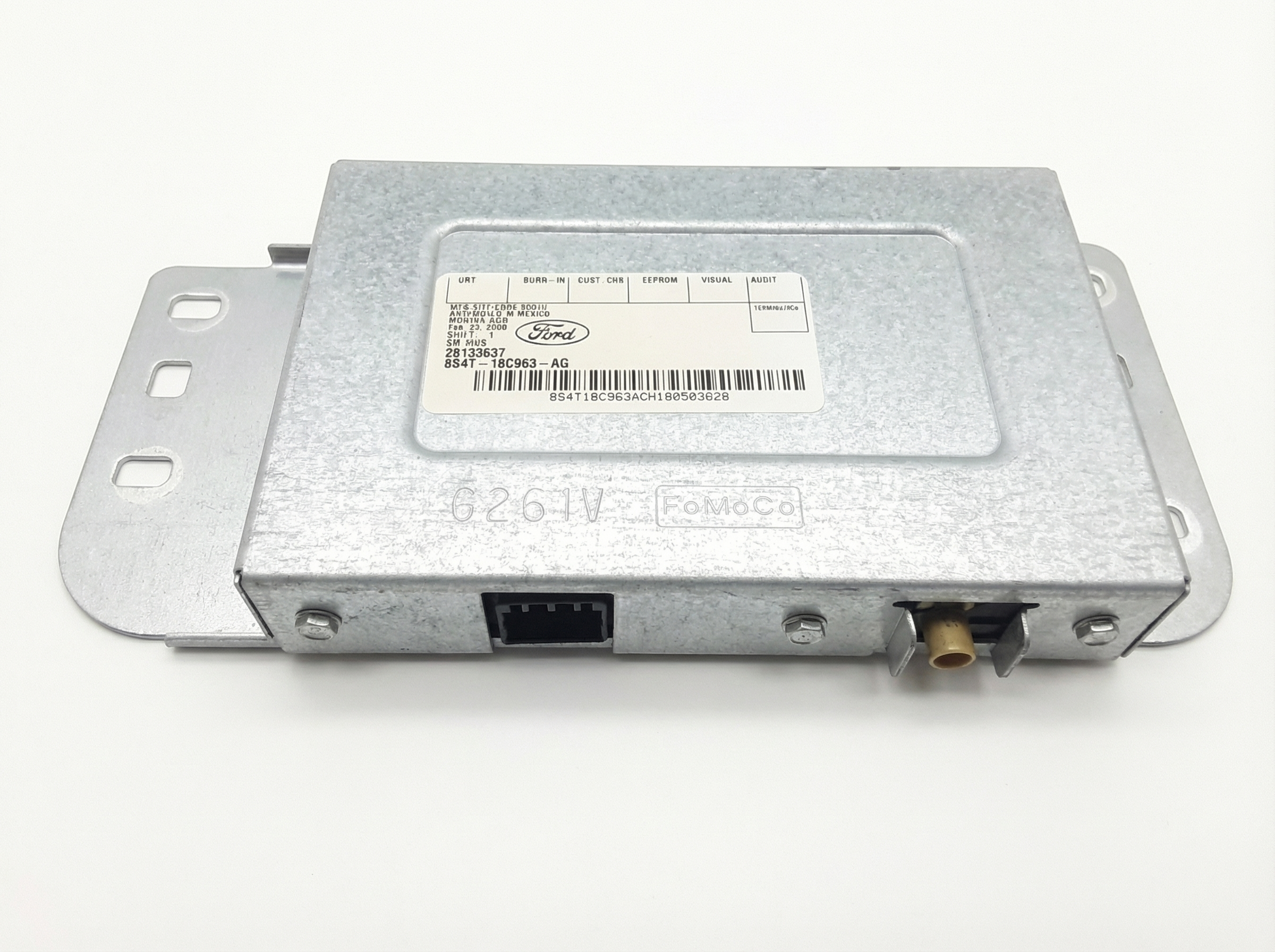
OEM Part Numbers: 8S4T19C116AF 8S4T19C116AG 8S4T19C116AH 8S4T19C116AJ 8S4Z10D885A
Fits 2008 Ford Focus only. This is the radio information display screen, not the main radio/CD player unit.
We Have This Part in Stock



The information in this article is provided for general reference and educational purposes only. Vehicle specifications, procedures, and part compatibility can vary by production date, trim level, and region. Always consult your vehicle's factory service manual and verify part numbers before purchasing or performing repairs. Safety-critical components such as airbags, seat belts, and braking systems should be installed by a qualified professional.
- Ford Focus: